

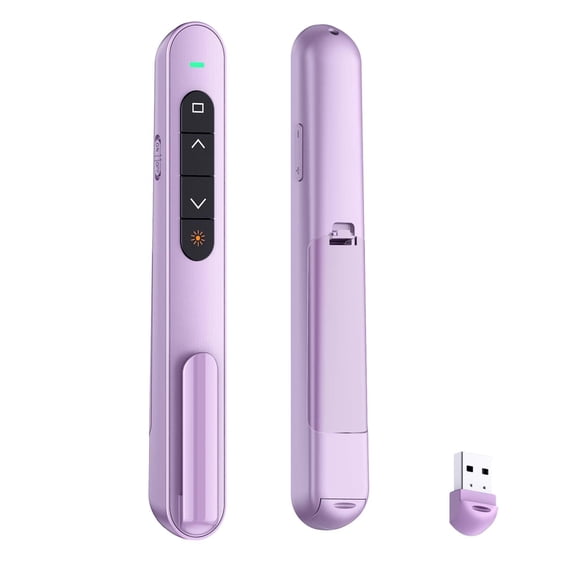
Presentation Clicker with Volume Control,Wireless Presenter Remote
Key item features
-
Product Feature
- 【Ergonomic Purple Design】 Crafted with a comfortable ergonomic shape and finished in a distinct purple hue for easy identification during use as a wireless clicker presentation remote
- 【Multi-Function Control】 Supports page up and down,hyperlink navigation,volume adjustment,power on and off,and full screen as well as black screen switching,the core functions you expect from a premium wireless clicker remote control
- 【Bright Red Pointer Light】 Emits a clear red light to mark key slide sections,remaining visible even in large conference rooms or lecture halls for audience clarity,a key feature for any high-quality clicker for powerpoint presentations
- 【Long Wireless Control Range】 Offers a maximum control distance of 328 feet,allowing users to move freely around the presentation space and interact directly with attendees,perfect for using this wireless clicker for classroom settings
- 【Wide System and Software Compatibility】 Works across Mac OS,Windows,Linux and Android systems,supporting PowerPoint,Keynote,Google Slides,Excel,ACDSee,Prezi and iWork applications,ensuring this wireless clicker for presentations works for every tool you use
How To Use
Plug the included USB receiver into the USB port of your target device,insert one AAA battery (not included) into the wireless clicker presentation remote,and power on the device to start using all supported functions immediately.There is no need to download or install any additional software or drivers prior to operation,making this wireless clicker remote control extremely easy to set up right out of the box.
Note
When not in use for extended periods,remove the battery from the clicker to preserve battery life.Avoid exposing the device to liquid or extreme temperatures to prevent internal component damage.Ensure the USB receiver is stored in the designated slot of the clicker when transporting to avoid losing the small accessory.If the clicker does not respond as expected,check the battery charge level and confirm the USB receiver is securely connected to the device in use,a common troubleshooting step for any wireless clicker presentation unit.
Why Choose This Product
This presentation clicker is built for straightforward,intuitive operation that aligns with the needs of presenters across meeting,classroom,training and event settings,whether you need a clicker for powerpoint presentations or a wireless clicker for classroom use.The included clip allows the device to attach securely to notebook covers or pockets for convenient portability,making it easy to carry between different locations.The reliable wireless connection and consistent function performance support smooth,uninterrupted presentations,allowing users to focus on delivering content rather than troubleshooting equipment issues.The clicker is designed to be shared easily between colleagues and friends for regular use across a variety of presentation use cases,serving as a versatile wireless clicker for presentations that works for every occasion.
- wireless clicker remote control
- wireless clicker remote control
- wireless clicker remote control
- wireless clicker remote control
Specs
Compatibility, Laptops, Electronic whiteboards, Projectors, MS Word, Excel, PowerPoint, ACD See, iWork Suite, Google Slides
Wireless, Wireless
Laser color, Red
Items included, Wireless presenter remote, USB receiver
OS, Mac, Windows, Linux, Android
About this item
Product details
Product Details
This wireless clicker for presentations features an ergonomic design in a sleek purple color,supporting connection to up to 1 device at a time.As a practical wireless clicker remote control and wireless clicker presentation remote,it is compatible with a wide range of devices including laptops,electronic whiteboards and projectors,and works seamlessly with common software such as MS Word,Excel,PowerPoint,ACD See,iWork suite,Google Slides and more,across Mac,Windows,Linux and Android operating systems,making it an ideal clicker for powerpoint presentations.Built for smooth presentation experiences,this wireless clicker for classroom and other presentation scenarios supports core functions including page navigation,hyperlink access,volume adjustment,power control and screen mode switching,with a bright red pointer for clear slide marking,extended wireless control range,and a handy clip for on-the-go carrying,making it a reliable pick for all your presentation needs.
-
Product Feature
- 【Ergonomic Purple Design】 Crafted with a comfortable ergonomic shape and finished in a distinct purple hue for easy identification during use as a wireless clicker presentation remote
- 【Multi-Function Control】 Supports page up and down,hyperlink navigation,volume adjustment,power on and off,and full screen as well as black screen switching,the core functions you expect from a premium wireless clicker remote control
- 【Bright Red Pointer Light】 Emits a clear red light to mark key slide sections,remaining visible even in large conference rooms or lecture halls for audience clarity,a key feature for any high-quality clicker for powerpoint presentations
- 【Long Wireless Control Range】 Offers a maximum control distance of 328 feet,allowing users to move freely around the presentation space and interact directly with attendees,perfect for using this wireless clicker for classroom settings
- 【Wide System and Software Compatibility】 Works across Mac OS,Windows,Linux and Android systems,supporting PowerPoint,Keynote,Google Slides,Excel,ACDSee,Prezi and iWork applications,ensuring this wireless clicker for presentations works for every tool you use
How To Use
Plug the included USB receiver into the USB port of your target device,insert one AAA battery (not included) into the wireless clicker presentation remote,and power on the device to start using all supported functions immediately.There is no need to download or install any additional software or drivers prior to operation,making this wireless clicker remote control extremely easy to set up right out of the box.
Note
When not in use for extended periods,remove the battery from the clicker to preserve battery life.Avoid exposing the device to liquid or extreme temperatures to prevent internal component damage.Ensure the USB receiver is stored in the designated slot of the clicker when transporting to avoid losing the small accessory.If the clicker does not respond as expected,check the battery charge level and confirm the USB receiver is securely connected to the device in use,a common troubleshooting step for any wireless clicker presentation unit.
Why Choose This Product
This presentation clicker is built for straightforward,intuitive operation that aligns with the needs of presenters across meeting,classroom,training and event settings,whether you need a clicker for powerpoint presentations or a wireless clicker for classroom use.The included clip allows the device to attach securely to notebook covers or pockets for convenient portability,making it easy to carry between different locations.The reliable wireless connection and consistent function performance support smooth,uninterrupted presentations,allowing users to focus on delivering content rather than troubleshooting equipment issues.The clicker is designed to be shared easily between colleagues and friends for regular use across a variety of presentation use cases,serving as a versatile wireless clicker for presentations that works for every occasion.
- wireless clicker remote control
- wireless clicker remote control
- wireless clicker remote control
- wireless clicker remote control
Specifications
Maximum range
Compatibility
Wireless
Laser color
Warranty
Warranty information
Similar items you might like
Presentation Clicker for PowerPoint,Wireless Presenter Remote USB Receiver $4.98
 $498current price $4.98
Presentation Clicker for PowerPoint,Wireless Presenter Remote USB Receiver
Best seller, Tattom Wireless Presenter Remote, Presentation Clicker with USB Receiver, RF 2.4GHz PowerPoint Clicker, Laser Pointer for Computer Laptop, PPT Slide Advancer Remote Control(Battery not included) $11.59 Was $22.99
Best seller $1159current price $11.59, Was $22.99$22.99
Tattom Wireless Presenter Remote, Presentation Clicker with USB Receiver, RF 2.4GHz PowerPoint Clicker, Laser Pointer for Computer Laptop, PPT Slide Advancer Remote Control(Battery not included)
264.4 out of 5 Stars. 26 reviews4.4 out of 5 starsWireless Presenter Remote RF 2.4GHz USB Presentation Remote Control PowerPoint Presentation Clicker for Mac/Keynote/PC/Laptop/PPT $4.61 Was $5.84
 $461current price $4.61, Was $5.84$5.84
Wireless Presenter Remote RF 2.4GHz USB Presentation Remote Control PowerPoint Presentation Clicker for Mac/Keynote/PC/Laptop/PPT
64.3 out of 5 Stars. 6 reviews4.3 out of 5 starsPresentation Remote Clicker,USB A & USB C Wireless Presenter for PowerPoint Presentation Remote,RF 2.4GHz Slide Advancer for Mac,Keynote,Computer,Laptop $4.98
 $498current price $4.98
Presentation Remote Clicker,USB A & USB C Wireless Presenter for PowerPoint Presentation Remote,RF 2.4GHz Slide Advancer for Mac,Keynote,Computer,Laptop
Clearance, 2.4GHz USB Wireless Powerpoint PP Clicker Presenter E4O3 Presenter Pointer L4E2 $4.79 Was $5.44
Clearance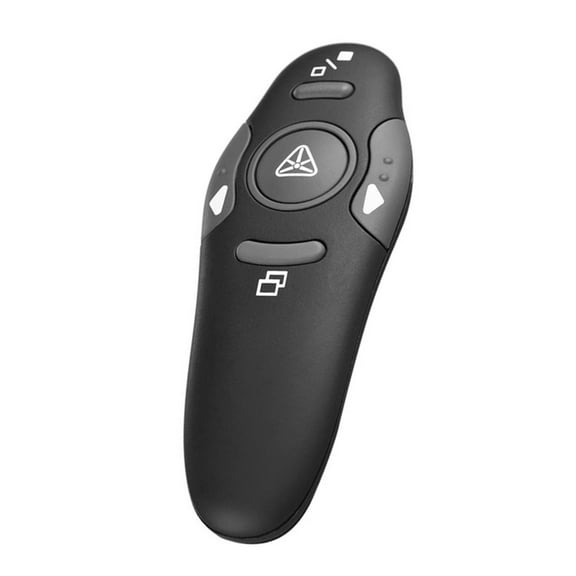 $479current price $4.79, Was $5.44$5.44
2.4GHz USB Wireless Powerpoint PP Clicker Presenter E4O3 Presenter Pointer L4E2
Wireless Presenter 2.4GHz PPT Pen Powerpoint Clicker Remote N2025 YK92H $5.89
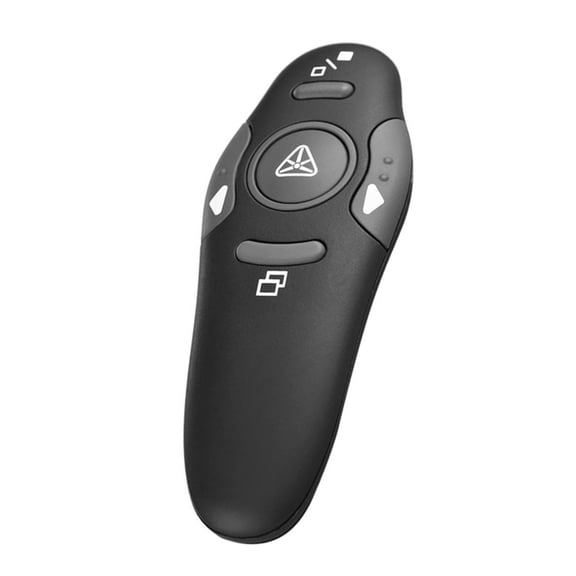 $589current price $5.89
Wireless Presenter 2.4GHz PPT Pen Powerpoint Clicker Remote N2025 YK92H
Clearance, Wireless Presenter,Hyperlink Volume Control Presentation Clicker RF 2.4GHz USB PowerPoint Clicker Presentation Remote Control Pointer Slide Advancer (Black) $4.98 Was $19.99
Clearance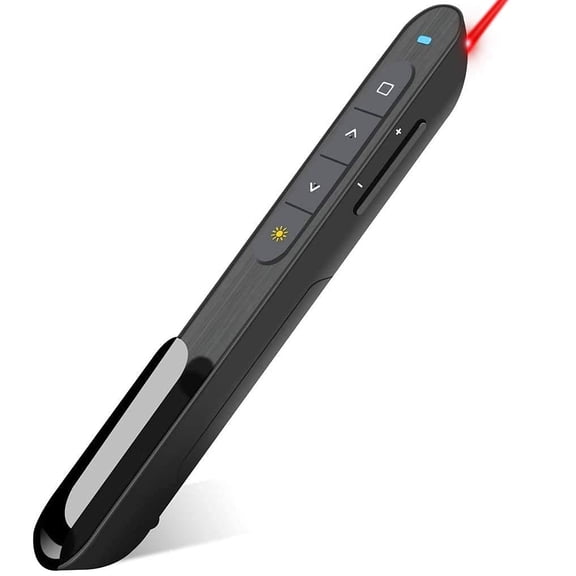 $498current price $4.98, Was $19.99$19.99
Wireless Presenter,Hyperlink Volume Control Presentation Clicker RF 2.4GHz USB PowerPoint Clicker Presentation Remote Control Pointer Slide Advancer (Black)
Presentation Clicker Rechargeable PowerPoint Clicker, Hyperlink Volume Wireless Presenter Remote Presentation Pointer, 2.4GHz Presentation Remote PPT Slide Clicker for Computer Laptop $13.93 Was $16.00
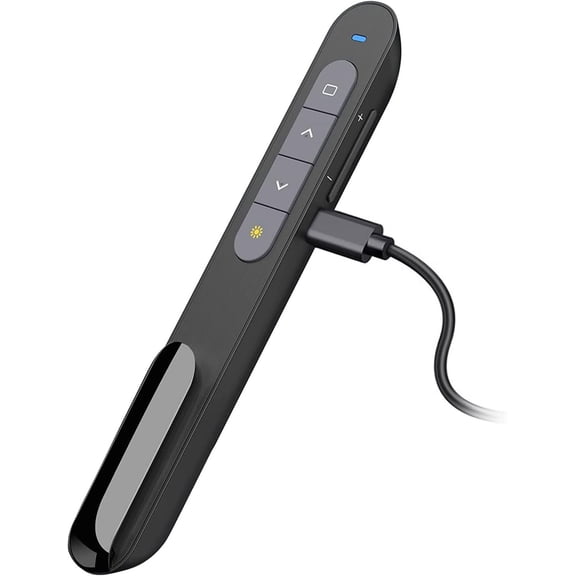 $1393current price $13.93, Was $16.00$16.00
Presentation Clicker Rechargeable PowerPoint Clicker, Hyperlink Volume Wireless Presenter Remote Presentation Pointer, 2.4GHz Presentation Remote PPT Slide Clicker for Computer Laptop
GJX Presentation Clicker with Red Laser Pointer,Rf 2.4Ghz Usb Wireless Presenter Remote Slide Clicker for Powerpoint Presentations for Computer Laptop Office Classroom $7.99
 $799current price $7.99
GJX Presentation Clicker with Red Laser Pointer,Rf 2.4Ghz Usb Wireless Presenter Remote Slide Clicker for Powerpoint Presentations for Computer Laptop Office Classroom
Clearance, Wireless Presentation Clicker for PowerPoint Presentations,USB Dongle Wireless Presenter Remote with Laser Pointer Slide Clickers for Mac/Windows/Linux,Computer/Laptop,Google Slide/PPT/Keynote $4.47 Was $19.99
Clearance $447current price $4.47, Was $19.99$19.99
Wireless Presentation Clicker for PowerPoint Presentations,USB Dongle Wireless Presenter Remote with Laser Pointer Slide Clickers for Mac/Windows/Linux,Computer/Laptop,Google Slide/PPT/Keynote
Presentation Clicker for Powerpoint Presentations,Pink,A & C $4.98
 4 optionsAvailable in additional 4 options$498current price $4.98
Presentation Clicker for Powerpoint Presentations,Pink,A & C
GJX 2026 New Wireless Presenter, Hyperlink Volume Control Presentation Clicker Rf 2.4Ghz Usb Powerpoint Clicker Presentation Remote Control Pointer Slide Advancer $13.43
 $1343current price $13.43
GJX 2026 New Wireless Presenter, Hyperlink Volume Control Presentation Clicker Rf 2.4Ghz Usb Powerpoint Clicker Presentation Remote Control Pointer Slide Advancer
GJX Wireless Presentation Clicker Powerpoint Presenter Remote : Usb Type C Clicker with Red Laser Pointer Long Range Ppt Control -Power Point Google Slide Advancer $13.59
 $1359current price $13.59
GJX Wireless Presentation Clicker Powerpoint Presenter Remote : Usb Type C Clicker with Red Laser Pointer Long Range Ppt Control -Power Point Google Slide Advancer
GJX Rechargeable Presentation Clicker for Powerpoint Presentations | Presentation Remote with Red Laser, Long Range Wireless Presenter, Usb-A Slide Advancer with MacWindowsLinuxAndroid $13.58
 $1358current price $13.58
GJX Rechargeable Presentation Clicker for Powerpoint Presentations | Presentation Remote with Red Laser, Long Range Wireless Presenter, Usb-A Slide Advancer with MacWindowsLinuxAndroid
Pekwouc Presentation Clicker, Hyperlink Volume Control Wireless Presenter, PPT PowerPoint Clicker, RF 2.4GHz USB Presentation Remote Control PowerPoint Slide Advancer for Keynote/PPT/Mac/PC $8.98
 $898current price $8.98
Pekwouc Presentation Clicker, Hyperlink Volume Control Wireless Presenter, PPT PowerPoint Clicker, RF 2.4GHz USB Presentation Remote Control PowerPoint Slide Advancer for Keynote/PPT/Mac/PC
45 out of 5 Stars. 4 reviews5 out of 5 starsJIhuahe Wireless Presentation Clicker, Multimedia Page Turner Remote Control Pen for PowerPoint, Keynote, Google Slides, Teaching Pointer with USB Receiver,black $4.08
 $408current price $4.08
JIhuahe Wireless Presentation Clicker, Multimedia Page Turner Remote Control Pen for PowerPoint, Keynote, Google Slides, Teaching Pointer with USB Receiver,black
2.4GHz Wireless Presenter Remote Control Laser Pointer PowerPoint Clicker $7.28
$728current price $7.282.4GHz Wireless Presenter Remote Control Laser Pointer PowerPoint Clicker
Wireless Presenter RF 2.4GHz Presentation Remote with Pointer PowerPoint PPT Slides Clicker for School Office $4.73
 $473current price $4.73
Wireless Presenter RF 2.4GHz Presentation Remote with Pointer PowerPoint PPT Slides Clicker for School Office
HBMYN Presentation Clicker PowerPoint Clicker for Presentation, Remote Rechargeable Wireless Presenter Pointer Slide Advancer $20.08
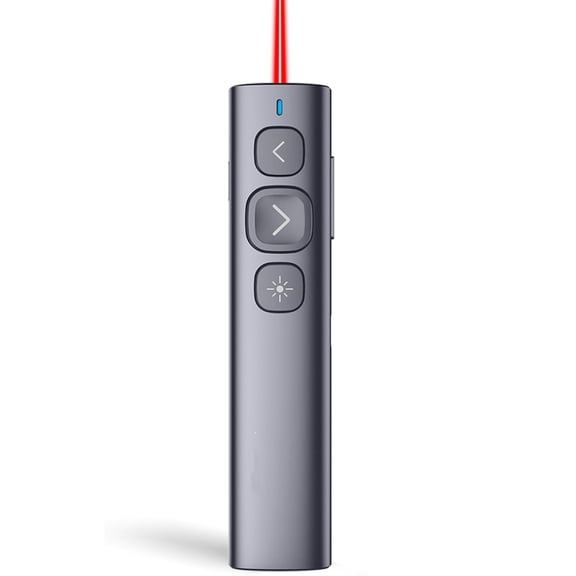 $2008current price $20.08
HBMYN Presentation Clicker PowerPoint Clicker for Presentation, Remote Rechargeable Wireless Presenter Pointer Slide Advancer
Presentation Clicker for PowerPoint, RF 2.4GHz USB Wireless Presenter Remote with Volume Control, PowerPoint Clicker Slide Advancer for Mac, Windows, Laptop, Keynote $10.99
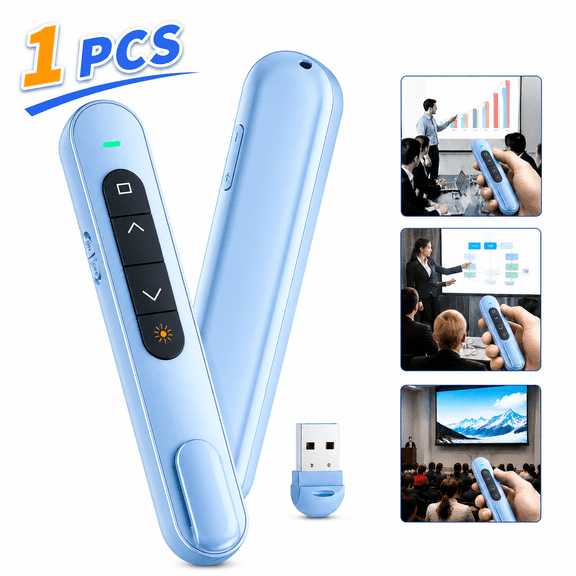 $1099current price $10.99
Presentation Clicker for PowerPoint, RF 2.4GHz USB Wireless Presenter Remote with Volume Control, PowerPoint Clicker Slide Advancer for Mac, Windows, Laptop, Keynote
64.3 out of 5 Stars. 6 reviews4.3 out of 5 stars
Customer ratings & reviews

 Free Holiday returns until Jan 31
How do you want your item?

