

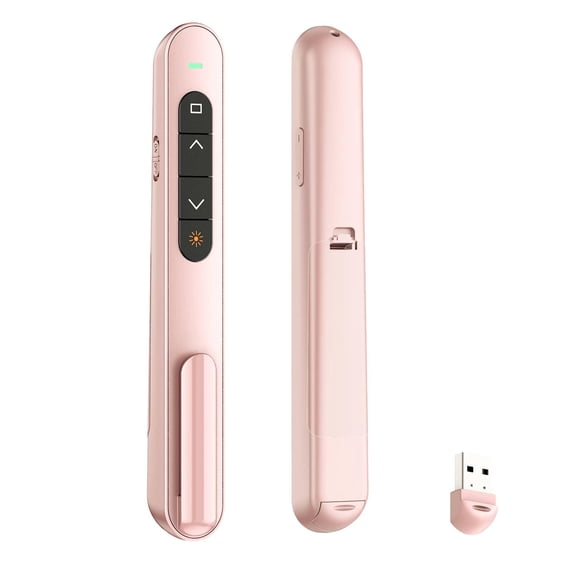
Presentation Clicker with Volume Control,Wireless Presenter Remote
Key item features
-
Product Feature
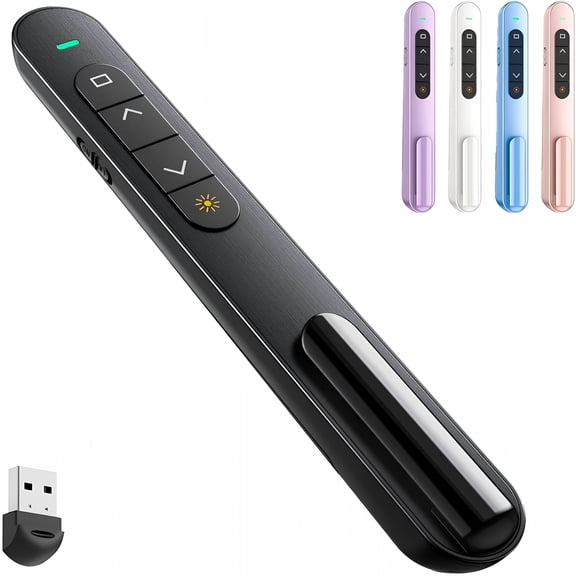
- 【Multi Function Operation】This wireless clicker presentation supports page up and down,hyperlink navigation,volume adjustment,power on and off,full screen and black screen switching for all core presentation control needs,making the clicker for powerpoint presentations easy to operate for all users.
- 【Bright Red Pointer Light】Emits a steady red light that clearly marks key parts of slides,remaining visible in large conference rooms and lecture halls to guide audience focus,a key feature of this wireless clicker for presentations.
- 【328 Foot Wireless Control Range】Offers a control distance of up to 328 feet,allowing users to move freely around the space and interact directly with the audience without being tied to a stationary podium,which sets this wireless clicker presentation remote apart from ordinary remote controls.
- 【Wide System and Software Compatibility】Works smoothly with Mac OS,Windows laptops,and supports common software including PowerPoint,Keynote,Google Slides,Excel,ACDSee and Prezi,ensuring this wireless clicker remote control fits all your regular work scenarios perfectly.
- 【Portable Design with Clip】Comes with a built in convenient clip that attaches to notebooks or pockets,making it easy to carry for use in meetings,classrooms,training sessions and group sharing,and this portable design makes the wireless clicker for classroom a top pick for teachers and trainers.
How To Use
Note
To use this presentation clicker,first locate the USB receiver stored on the body of the device,then insert one AAA battery into the battery compartment following the marked polarity directions.Remove the USB receiver and plug it into an available USB port on your laptop,computer or compatible display device.Wait for three to five seconds to let the system automatically recognize the device,no additional software or driver downloads are required.Once recognition is complete,you can press the corresponding buttons to control your presentation content as needed,whether you are using this clicker for powerpoint presentations or for other presentation software.When you finish using the device,you can unplug the USB receiver and store it back in the dedicated slot on the clicker body,then attach the clicker to your notebook or slip it into your pocket for convenient storage and transport for your next use,whether it is a work meeting or a class where you need the wireless clicker for classroom.
Why Choose This Presentation Clicker
This presentation clicker is built to deliver consistent,intuitive performance for all types of presentation scenarios.It eliminates the need for complicated setup processes so you can focus entirely on your content and interaction with your audience instead of troubleshooting technical issues.The long wireless range removes the restriction of staying in one spot at the podium,letting you move naturally around the room to engage attendees and keep your presentation dynamic.The clear red pointer ensures your audience can always follow the key points you are highlighting,no matter the size of the space you are presenting in.The compact,clip on design makes it easy to carry with you wherever you go,whether you are heading to an internal team meeting,a training session for a group,or a lecture for a large class,and it works seamlessly across all the common systems and software you already use for your work,so you do not need to adjust your existing workflow to use it.No matter if you are looking for a wireless clicker presentations,a wireless clicker presentation remote,or a wireless clicker remote control for daily use,this product can fully meet all your needs.
- wireless clicker presentation
- wireless clicker presentation
- wireless clicker presentation
- wireless clicker presentation
Specs
Compatibility, Mac, Windows, Linux, Android, MS Word, Excel, PowerPoint, ACD See, iWork suite including Keynote, Numbers and Pages, Google Slides
Wireless, Wireless
Laser color, Red
Items included, Wireless presenter remote, USB receiver, one AAA battery
OS, Mac OS, Windows, Linux, Android
About this item
Product details
Product Details
This presentation clicker is an ergonomic pink device designed to support a single connected device,with broad compatibility across multiple operating systems including Mac,Windows,Linux,Android,and a wide range of software for presentation and office use.It works with MS Word,Excel,PowerPoint,ACD See,iWork suite including Keynote,Numbers and Pages,as well as Google Slides,and is suitable for use with laptops,electronic whiteboards and projectors.As a reliable clicker for powerpoint presentations and wireless clicker for presentations,this wireless clicker presentation remote and wireless clicker remote control is built to support core presentation functions to help users deliver smooth,uninterrupted sessions in different scenarios from small office meetings to large lecture halls,and comes with a compact,easy to carry design for on the go use,which also makes it an ideal wireless clicker for classroom and daily presentation needs.
-
Product Feature
- 【Multi Function Operation】This wireless clicker presentation supports page up and down,hyperlink navigation,volume adjustment,power on and off,full screen and black screen switching for all core presentation control needs,making the clicker for powerpoint presentations easy to operate for all users.
- 【Bright Red Pointer Light】Emits a steady red light that clearly marks key parts of slides,remaining visible in large conference rooms and lecture halls to guide audience focus,a key feature of this wireless clicker for presentations.
- 【328 Foot Wireless Control Range】Offers a control distance of up to 328 feet,allowing users to move freely around the space and interact directly with the audience without being tied to a stationary podium,which sets this wireless clicker presentation remote apart from ordinary remote controls.
- 【Wide System and Software Compatibility】Works smoothly with Mac OS,Windows laptops,and supports common software including PowerPoint,Keynote,Google Slides,Excel,ACDSee and Prezi,ensuring this wireless clicker remote control fits all your regular work scenarios perfectly.
- 【Portable Design with Clip】Comes with a built in convenient clip that attaches to notebooks or pockets,making it easy to carry for use in meetings,classrooms,training sessions and group sharing,and this portable design makes the wireless clicker for classroom a top pick for teachers and trainers.
How To Use
Note
To use this presentation clicker,first locate the USB receiver stored on the body of the device,then insert one AAA battery into the battery compartment following the marked polarity directions.Remove the USB receiver and plug it into an available USB port on your laptop,computer or compatible display device.Wait for three to five seconds to let the system automatically recognize the device,no additional software or driver downloads are required.Once recognition is complete,you can press the corresponding buttons to control your presentation content as needed,whether you are using this clicker for powerpoint presentations or for other presentation software.When you finish using the device,you can unplug the USB receiver and store it back in the dedicated slot on the clicker body,then attach the clicker to your notebook or slip it into your pocket for convenient storage and transport for your next use,whether it is a work meeting or a class where you need the wireless clicker for classroom.
Why Choose This Presentation Clicker
This presentation clicker is built to deliver consistent,intuitive performance for all types of presentation scenarios.It eliminates the need for complicated setup processes so you can focus entirely on your content and interaction with your audience instead of troubleshooting technical issues.The long wireless range removes the restriction of staying in one spot at the podium,letting you move naturally around the room to engage attendees and keep your presentation dynamic.The clear red pointer ensures your audience can always follow the key points you are highlighting,no matter the size of the space you are presenting in.The compact,clip on design makes it easy to carry with you wherever you go,whether you are heading to an internal team meeting,a training session for a group,or a lecture for a large class,and it works seamlessly across all the common systems and software you already use for your work,so you do not need to adjust your existing workflow to use it.No matter if you are looking for a wireless clicker presentations,a wireless clicker presentation remote,or a wireless clicker remote control for daily use,this product can fully meet all your needs.
- wireless clicker presentation
- wireless clicker presentation
- wireless clicker presentation
- wireless clicker presentation
Specifications
Maximum range
Compatibility
Wireless
Laser color
Warranty
Warranty information
Similar items you might like
Based on what customers bought
Deal, Presentation Clicker with 2-in-1 USB Type C for Powerpoint Presentations,ESYWEN 2.4GHz Wireless Presenter Remote Slide Advancer with Hyperlink & Volume Control for Mac Laptop Computer $13.29 Was $19.99
Deal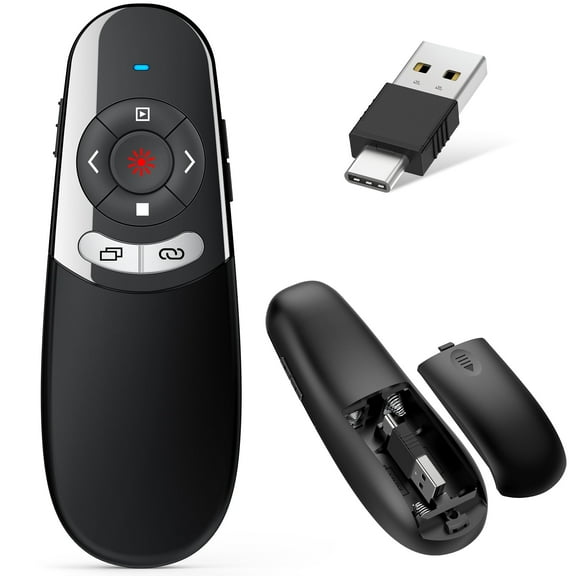 SponsoredNow$1329current price Now $13.29, Was $19.99$19.99You save $6.70You save$6.70
Presentation Clicker with 2-in-1 USB Type C for Powerpoint Presentations,ESYWEN 2.4GHz Wireless Presenter Remote Slide Advancer with Hyperlink & Volume Control for Mac Laptop Computer
584.7 out of 5 Stars. 58 reviews4.7 out of 5 starsSave with Shipping, arrives Mon, Nov 23
Reduced price, Wireless USB Presenter Remote & PowerPoint Clicker with Laser Pointer For PPT Computer Laptop, RF 2.4GHz Wireless Control – Presentation Tool For Business, School $12.59 Was $14.99
Reduced price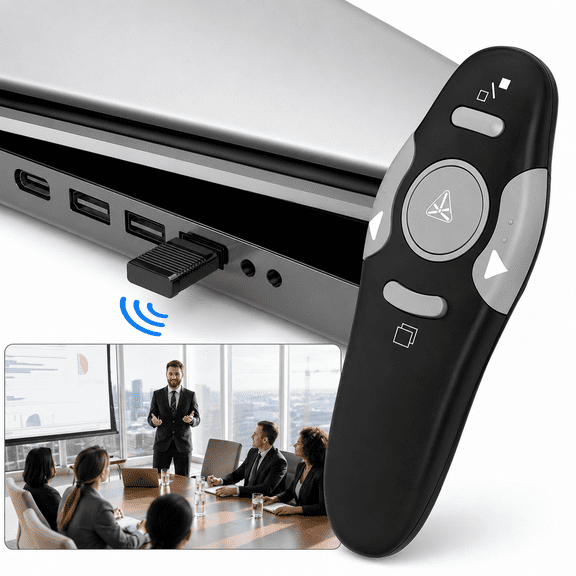 SponsoredNow$1259current price Now $12.59, Was $14.99$14.99You save $2.40You save$2.40
Wireless USB Presenter Remote & PowerPoint Clicker with Laser Pointer For PPT Computer Laptop, RF 2.4GHz Wireless Control – Presentation Tool For Business, School
25 out of 5 Stars. 2 reviews5 out of 5 starsShipping, arrives in 3+ daysPresentation Clicker for PowerPoint,Wireless Presenter Remote USB Receiver $4.98
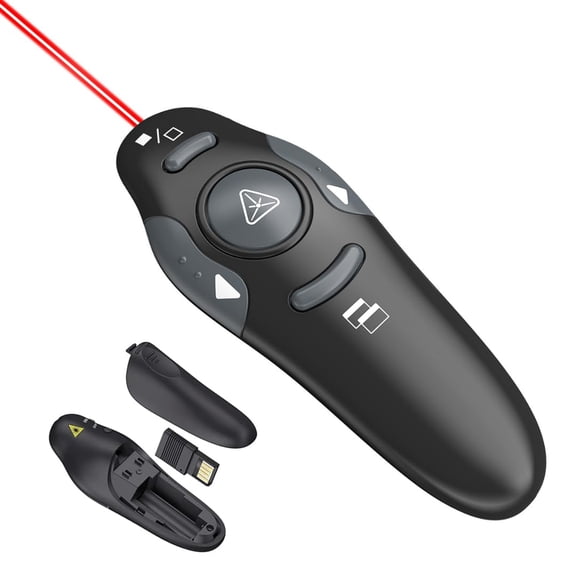 $498current price $4.98
Presentation Clicker for PowerPoint,Wireless Presenter Remote USB Receiver
Wireless Presenter Remote RF 2.4GHz USB Presentation Remote Control PowerPoint Presentation Clicker for Mac/Keynote/PC/Laptop/PPT $4.61 Was $5.84
 $461current price $4.61, Was $5.84$5.84
Wireless Presenter Remote RF 2.4GHz USB Presentation Remote Control PowerPoint Presentation Clicker for Mac/Keynote/PC/Laptop/PPT
64.3 out of 5 Stars. 6 reviews4.3 out of 5 starsPresentation Remote Clicker,USB A & USB C Wireless Presenter for PowerPoint Presentation Remote,RF 2.4GHz Slide Advancer for Mac,Keynote,Computer,Laptop $4.98
 $498current price $4.98
Presentation Remote Clicker,USB A & USB C Wireless Presenter for PowerPoint Presentation Remote,RF 2.4GHz Slide Advancer for Mac,Keynote,Computer,Laptop
Clearance, Wireless Presentation Clicker for PowerPoint Presentations,USB Dongle Wireless Presenter Remote with Laser Pointer Slide Clickers for Mac/Windows/Linux,Computer/Laptop,Google Slide/PPT/Keynote $4.47 Was $19.99
Clearance $447current price $4.47, Was $19.99$19.99
Wireless Presentation Clicker for PowerPoint Presentations,USB Dongle Wireless Presenter Remote with Laser Pointer Slide Clickers for Mac/Windows/Linux,Computer/Laptop,Google Slide/PPT/Keynote
Clearance, 2.4GHz USB Wireless Powerpoint PP Clicker Presenter E4O3 Presenter Pointer L4E2 $4.79 Was $5.44
Clearance $479current price $4.79, Was $5.44$5.44
2.4GHz USB Wireless Powerpoint PP Clicker Presenter E4O3 Presenter Pointer L4E2
Presentation Clicker Rechargeable PowerPoint Clicker, Hyperlink Volume Wireless Presenter Remote Presentation Pointer, 2.4GHz Presentation Remote PPT Slide Clicker for Computer Laptop $13.93 Was $16.00
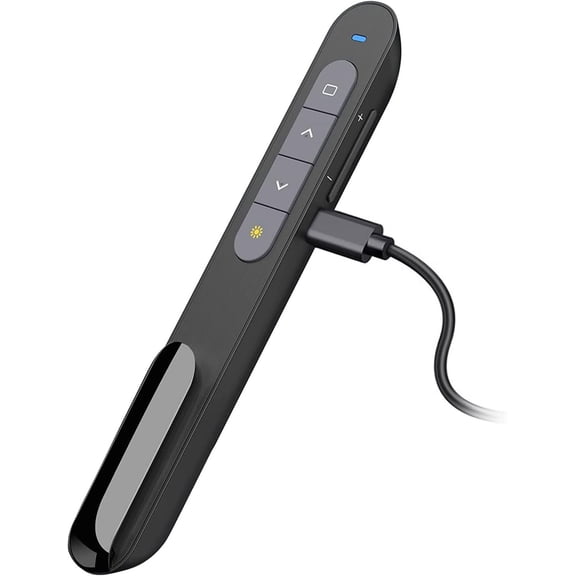 $1393current price $13.93, Was $16.00$16.00
Presentation Clicker Rechargeable PowerPoint Clicker, Hyperlink Volume Wireless Presenter Remote Presentation Pointer, 2.4GHz Presentation Remote PPT Slide Clicker for Computer Laptop
Wireless Presenter 2.4GHz PPT Pen Powerpoint Clicker Remote N2025 YK92H $5.89
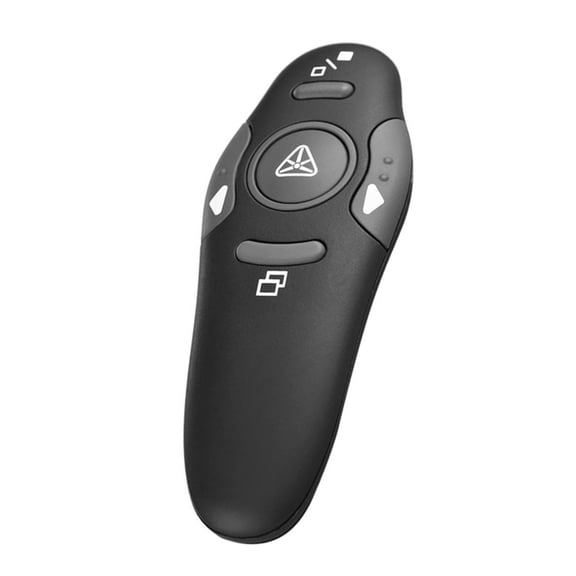 $589current price $5.89
Wireless Presenter 2.4GHz PPT Pen Powerpoint Clicker Remote N2025 YK92H
Clearance, Wireless Presenter,Hyperlink Volume Control Presentation Clicker RF 2.4GHz USB PowerPoint Clicker Presentation Remote Control Pointer Slide Advancer (Black) $4.98 Was $19.99
Clearance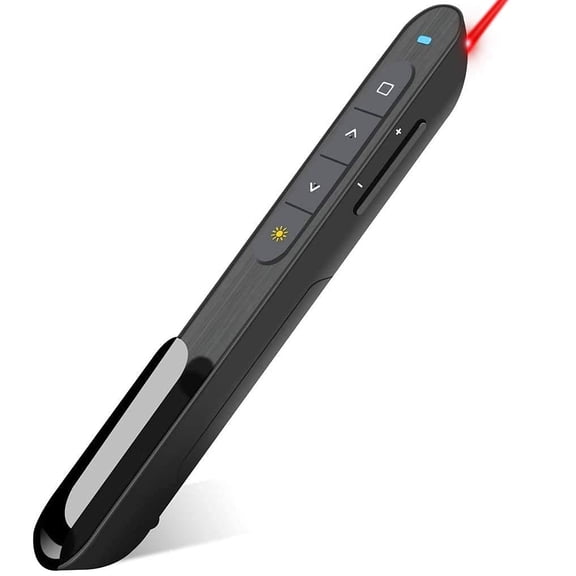 $498current price $4.98, Was $19.99$19.99
Wireless Presenter,Hyperlink Volume Control Presentation Clicker RF 2.4GHz USB PowerPoint Clicker Presentation Remote Control Pointer Slide Advancer (Black)
GJX Presentation Clicker with Red Laser Pointer,Rf 2.4Ghz Usb Wireless Presenter Remote Slide Clicker for Powerpoint Presentations for Computer Laptop Office Classroom $7.99
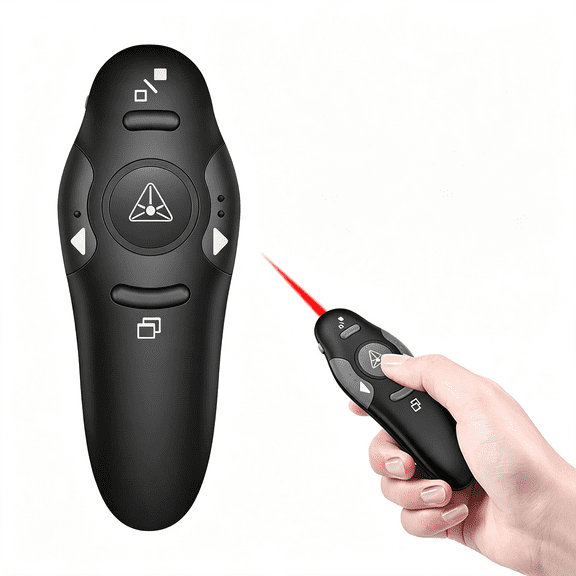 $799current price $7.99
GJX Presentation Clicker with Red Laser Pointer,Rf 2.4Ghz Usb Wireless Presenter Remote Slide Clicker for Powerpoint Presentations for Computer Laptop Office Classroom
Presentation Clicker for Powerpoint Presentations,Pink,A & C $4.98
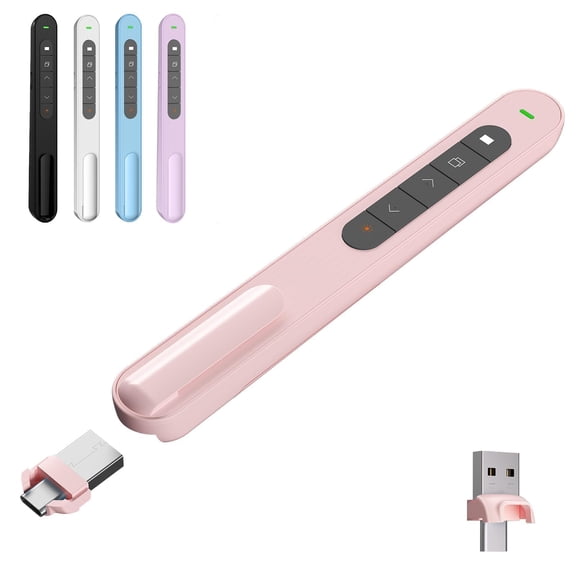 4 optionsAvailable in additional 4 options$498current price $4.98
Presentation Clicker for Powerpoint Presentations,Pink,A & C
GJX 2026 New Wireless Presenter, Hyperlink Volume Control Presentation Clicker Rf 2.4Ghz Usb Powerpoint Clicker Presentation Remote Control Pointer Slide Advancer (Black) $9.91
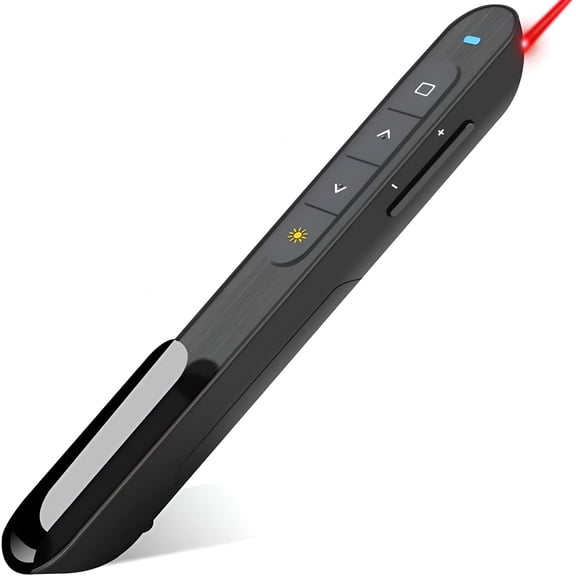 $991current price $9.91
GJX 2026 New Wireless Presenter, Hyperlink Volume Control Presentation Clicker Rf 2.4Ghz Usb Powerpoint Clicker Presentation Remote Control Pointer Slide Advancer (Black)
GJX Presentation Clicker with Volume Control, 2.4GHz USB Wireless Presenter Remote, PowerPoint Clicker Slide Advancer Compatible with Mac, Windows, Google Slides, Keynote $9.43
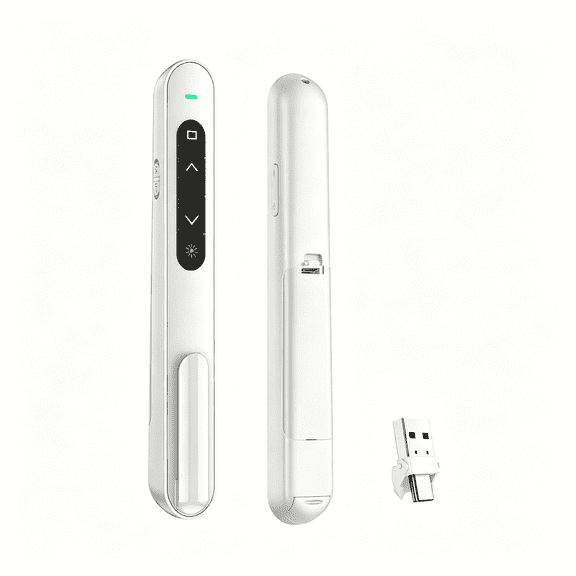 $943current price $9.43
GJX Presentation Clicker with Volume Control, 2.4GHz USB Wireless Presenter Remote, PowerPoint Clicker Slide Advancer Compatible with Mac, Windows, Google Slides, Keynote
GJX Wireless Presenter, Hyperlink Volume Control Presentation Clicker Rf 2.4Ghz Usb Powerpoint Clicker Presentation Remote Control Pointer Slide Advancer $10.83
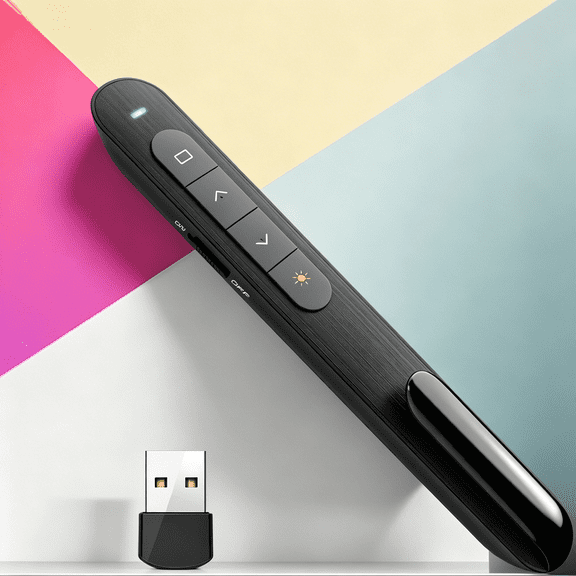 $1083current price $10.83
GJX Wireless Presenter, Hyperlink Volume Control Presentation Clicker Rf 2.4Ghz Usb Powerpoint Clicker Presentation Remote Control Pointer Slide Advancer
JIhuahe Wireless Presentation Clicker, Multimedia Page Turner Remote Control Pen for PowerPoint, Keynote, Google Slides, Teaching Pointer with USB Receiver,black $4.08
 $408current price $4.08
JIhuahe Wireless Presentation Clicker, Multimedia Page Turner Remote Control Pen for PowerPoint, Keynote, Google Slides, Teaching Pointer with USB Receiver,black
Pekwouc Presentation Clicker, Hyperlink Volume Control Wireless Presenter, PPT PowerPoint Clicker, RF 2.4GHz USB Presentation Remote Control PowerPoint Slide Advancer for Keynote/PPT/Mac/PC $8.98
 $898current price $8.98
Pekwouc Presentation Clicker, Hyperlink Volume Control Wireless Presenter, PPT PowerPoint Clicker, RF 2.4GHz USB Presentation Remote Control PowerPoint Slide Advancer for Keynote/PPT/Mac/PC
45 out of 5 Stars. 4 reviews5 out of 5 stars2.4GHz Wireless Presenter Remote Control Laser Pointer PowerPoint Clicker $7.28
$728current price $7.282.4GHz Wireless Presenter Remote Control Laser Pointer PowerPoint Clicker
GJX Presentation Clicker with Volume Control,2.4Ghz Usb Wireless Presenter Remote,Clicker Slide Advancer Compatible with Mac,Windows,Keynote $9.23
 2 optionsAvailable in additional 2 options$923current price $9.23
GJX Presentation Clicker with Volume Control,2.4Ghz Usb Wireless Presenter Remote,Clicker Slide Advancer Compatible with Mac,Windows,Keynote
GJX Presentation Clicker for PowerPoint,RF 2.4GHz USB Wireless Presenter Remote with Volume Control,PowerPoint Clicker Slide Advancer for Mac,Windows,Laptop,Keynote $9.44
 $944current price $9.44
GJX Presentation Clicker for PowerPoint,RF 2.4GHz USB Wireless Presenter Remote with Volume Control,PowerPoint Clicker Slide Advancer for Mac,Windows,Laptop,Keynote

Customer ratings & reviews

 Free Holiday returns until Jan 31
How do you want your item?

