

spotlight

Amber’s picksAmber’s picks
She’s all about finding unique items in fashion, decor, & beauty.Seasonal finds
Socal Look Women's Ugly Christmas Sweater, Long Sleeve V-Neck Acrylic Holiday Cardigan, L $49.99
 3 optionsAvailable in additional 3 options$4999current price $49.99More options from $47.49
Socal Look Women's Ugly Christmas Sweater, Long Sleeve V-Neck Acrylic Holiday Cardigan, L
Save with Shipping arrives tomorrow
Reduced price Alpine Swiss Niko Men’s Puffer Jacket Warm Down Alternative Insulated Coat | Packable Water-Resistant & Windproof Winter Outerwear with Zipper Pockets $49.99
Reduced price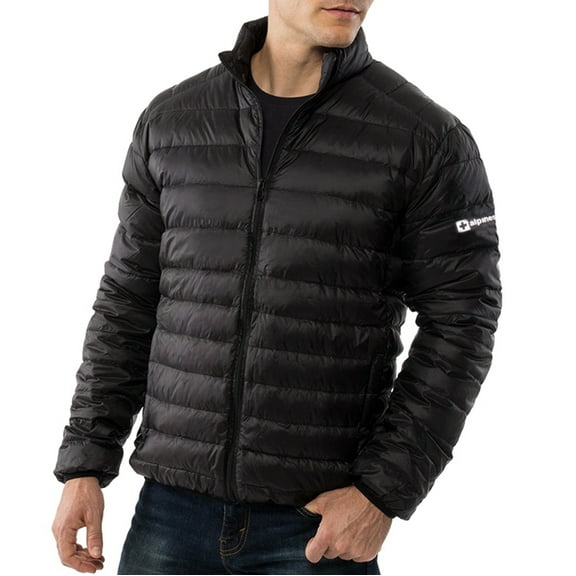 4 optionsAvailable in additional 4 options$4999current price $49.99Options from $49.99 – $59.99
Alpine Swiss Niko Men’s Puffer Jacket Warm Down Alternative Insulated Coat | Packable Water-Resistant & Windproof Winter Outerwear with Zipper Pockets
Shipping arrives in 3+ days

Mens fashion
Microfiber Leather Mens Ratchet Belt Belts For Men Adjustable Automatic Buckle $17.99 Was $24.99
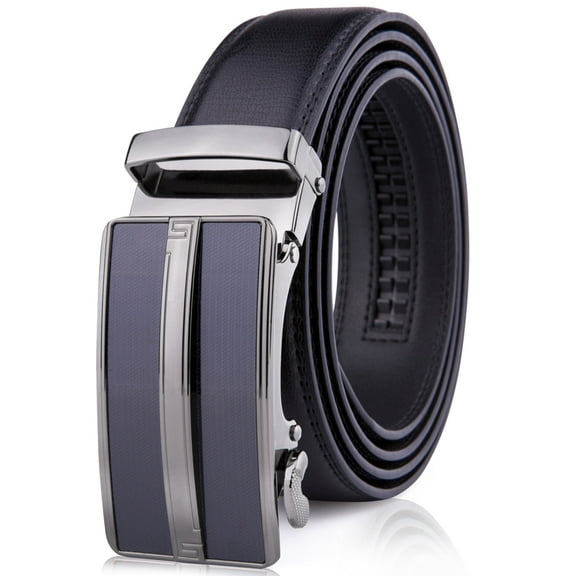 4 optionsAvailable in additional 4 optionsNow$1799current price Now $17.99, Was $24.99$24.99
Microfiber Leather Mens Ratchet Belt Belts For Men Adjustable Automatic Buckle
Save withShipping arrives tomorrowSAILWIND Heated Jacket for Men, Battery Powered Winter Outdoor Coat with Removable Hood Black M $69.99 Was $159.00
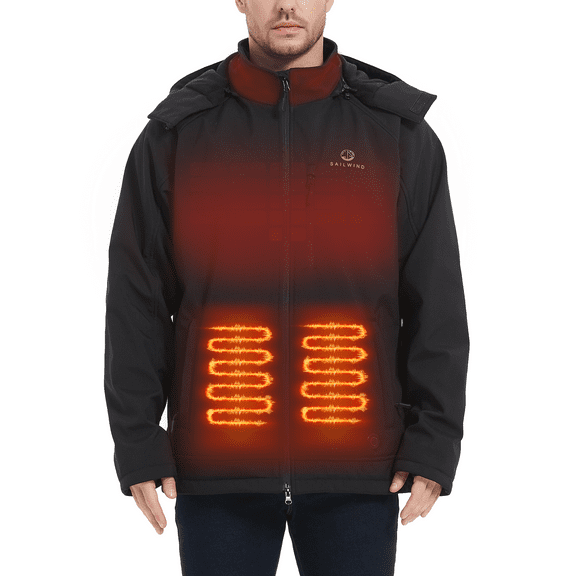 1 optionAvailable in additional 1 optionNow$6999current price Now $69.99, Was $159.00$159.00
SAILWIND Heated Jacket for Men, Battery Powered Winter Outdoor Coat with Removable Hood Black M
Save withShipping arrives tomorrow
More associate faves




FAQ
How do I find similar stories or pages?
Looking for more content like this? Here are a few easy ways that usually help on Walmart.com and in the app:
- Use Search: Enter a few keywords from the page title or topic.
- Check on-page links: Look for sections like related or more to explore, when available.
- Browse categories: Navigation menus and breadcrumbs can point to broader topic hubs.
- Save for later: Bookmark the URL so you can come back and explore from there.
Features can vary by device and page type. If you do not see related links, search is a reliable fallback to surface similar stories and updates, and your browser history can also help you retrace recently viewed pages.
How do I view this page in the Walmart app?
If you prefer the app, try these steps:
- Open the link on your phone: If the app is installed, it may prompt to open.
- Use Open in app if shown: Some mobile browsers offer an option to switch.
- Search by title: Copy a few words from the page heading and search in the app.
- Keep things updated: Update the Walmart app and your mobile browser.
Some content may display in your mobile browser instead of the app depending on device settings and page type. If the link will not open, restarting your device, trying a different browser, or opening the app first and using Search can help.
What’s the best way to share this page?
Sharing is simple, and there are a few approaches:
- Copy the link: Select the page URL from your browser address bar and paste it into a message or email.
- Use your device share menu: On most phones and tablets, the Share icon lets you send the link through text or social apps.
- Share from the app: If you are viewing in the Walmart app and see a share option, use it to pass along the page.
Features can vary by device and app version. If certain apps are restricted on your network, email or plain text links are a reliable fallback. Always make sure you are sharing the correct page and avoid including personal account details in your message.
Why isn’t this page loading on my device?
Loading issues can happen for a few reasons. These tips often help:
- Check your connection: Switch between Wi-Fi and cellular or move to a stronger signal.
- Refresh the page: A simple reload can resolve temporary hiccups.
- Try another browser: Some extensions or settings may block content; disabling blockers can help.
- Clear cache and cookies: This can resolve outdated data conflicts.
- Update the app or browser: Newer versions tend to work more smoothly.
If the problem persists, try again later. VPNs or strict privacy settings can occasionally interfere with loading; turning them off temporarily may help. Website updates or high traffic can also affect availability on some devices.
How can I make this page easier to read?
Adjusting your viewing setup can improve readability:
- Zoom in: Use your browser zoom controls to increase text size.
- Use reader or simplified views: Some browsers offer a mode that reduces clutter.
- Adjust device settings: Increase system text size, enable bold text, or switch to dark mode or high-contrast themes if you prefer.
- Rotate your device: Landscape orientation can make text and images larger.
Options vary by device and browser. Explore your accessibility settings for tools such as magnifiers or screen reader support, and choose the combination that feels most comfortable for longer reads.