

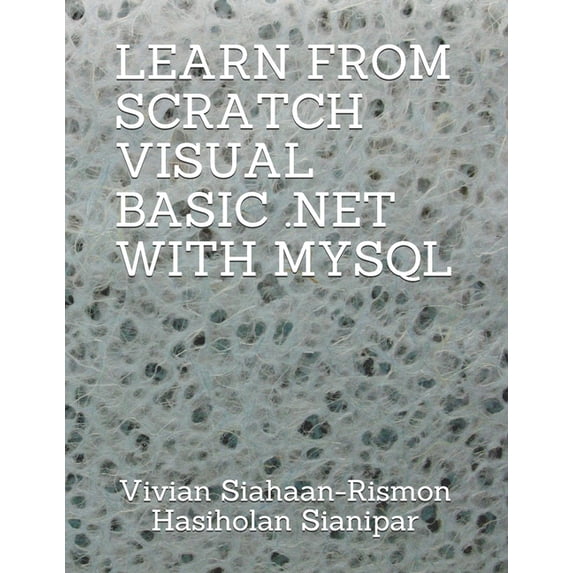
Learn from Scratch Visual Basic .Net with MySQL, (Paperback)
(No ratings yet)
Key item features
- Learn from Scratch Visual Basic .Net with MySQL, (Paperback)
- Author: Rismon Hasiholan Sianipar
- ISBN: 9798558727548
- Format: Paperback
- Publication Date: 2020-11-04
- Page Count: 304
Specs
Publication date, November, 2020
Author, Rismon Hasiholan Sianipar
Book format, Paperback
Genre, Computing & Internet
Pages, 304
Age group, Adult
Publication date
November, 2020
Author, Rismon Hasiholan Sianipar
Author
Rismon Hasiholan Sianipar
Book format, Paperback
Book format
Paperback
Genre, Computing & Internet
Genre
Computing & Internet
Pages, 304
Pages
304
Age group, Adult
Age group
Adult
About this item
Product details
This book will teach you with step-by-step approach to develop from scratch a MySQL-driven desktop application that readers can develop for their own purposes to implement school database project using Visual Basic .NET.In Tutorial 1, you will perform the steps necessary to add 8 tables using phpMyAdmin into School database that you will create. You will build each table and add the associated fields as needed. In this tutorial, you will also build login form and main form.In Tutorial 2, you will build such a form for Parent table. This table has thirteen fields: ParentID, FirstName, LastName, BirthDate, Status, Ethnicity, Nationality, Mobile, Phone, Religion, Gender, PhotoFile, and FingerFile). You need fourteen label controls, two picture boxes, six text boxes, four comboxes, one check box, one date time picker, one openfiledialog, and one printpreviewdialog. You also need four buttons for navigation, six buttons for other utilities, one button for searching member's name, one button to upload parent's photo, and button to upload parent's finger. Place these controls on the form.In Tutorial 3, you will build such a form for Student table. This table has fifteen fields: StudentID, ParentID, FirstName, LastName, BirthDate, YearEntry, Status, Ethnicity, Nationality, Mobile, Phone, Religion, Gender, PhotoFile, and FingerFile). You need sixteen label controls, two picture boxes, six text boxes, five comboxes, one check box, two date time pickers, one openfiledialog, and one printpreviewdialog. You also need four buttons for navigation, seven buttons for controlling editing features, one button for searching parent's name, one button to open parent form, one button to upload student's photo, and one button to upload student's finger.In Tutorial 4, you will build a form for Teacher table. This table has fifteen fields: TeacherID, RegNumber, FirstName, LastName, BirthDate, Rank, Status, Ethnicity, Nationality, Mobile, Phone, Religion, Gender, PhotoFile, and FingerFile). You need an input form so that user can edit existing records, delete records, or add new records. The form will also have the capability of navigating from one record to another. You need sixteen label controls, one picture box, seven text boxes, five comboxes, one check box, one date time picker, one openfiledialog, and one printpreviewdialog. You also need four buttons for navigation, six buttons for controlling editing features, one button for searching teacher's name, and one button to upload teacher's photo.In Tutorial 5, you will build a form for Subject table. This table has only three fields: SubjectID, Name, and Description. You need four label controls, four text boxes, one openfiledialog, and one printpreviewdialog. You also need four buttons for navigation, secen buttons for utilities, and one button for searching subject name. Place these controls on the form. You will also build a form for Grade table. This table has seven fields: GradeID, Name, SubjectID, TeacherID, SchoolYear, TimaStart, and TimeFinish. You need to add seven label controls, one text box, four comboxes, and two date time pickers. You also need four buttons for navigation, seven buttons for controlling editing features, one button to open subject form, and one button to open teacher form.In Tutorial 6, you will build a form for Grade_Student table. This table has only three fields: Grade_StudentID, GradeID, and StudentID. You need an input form so that user can edit existing records, delete records, or add new records. The form will also have the capability of navigating from one record to another. You need two label controls and two comboxes. You also need four buttons for navigation, seven buttons for controlling editing features, one button to open grade form, and one button to open student form.
- Learn from Scratch Visual Basic .Net with MySQL, (Paperback)
- Author: Rismon Hasiholan Sianipar
- ISBN: 9798558727548
- Format: Paperback
- Publication Date: 2020-11-04
- Page Count: 304
info:
We aim to show you accurate product information. Manufacturers, suppliers and others provide what you see here, and we have not verified it.
Specifications
Publication date
November, 2020
Author
Rismon Hasiholan Sianipar
Book format
Paperback
Genre
Computing & Internet
Warranty
Warranty information
Please be aware that the warranty terms on items offered for sale by third party Marketplace sellers may differ from those displayed in this section (if any). To confirm warranty terms on an item offered for sale by a third party Marketplace seller, please use the 'Contact seller' feature on the third party Marketplace seller's information page and request the item's warranty terms prior to purchase.
Similar items you might like
Based on what customers bought
Programming for Beginners SQL for Beginners: No Prior Knowledge Needed, Even If You're a Total Beginner, Book 1, (Paperback) $10.00
 $1000current price $10.00
Programming for Beginners SQL for Beginners: No Prior Knowledge Needed, Even If You're a Total Beginner, Book 1, (Paperback)
Beginning PHP and PostgreSQL E-Commerce: From Novice to Professional, (Paperback) $35.86
 $3586current price $35.86
Beginning PHP and PostgreSQL E-Commerce: From Novice to Professional, (Paperback)
Programming: C Programming Success in a Day & MySQL Programming Professional Made Easy (Paperback) $9.20
 $920current price $9.20
Programming: C Programming Success in a Day & MySQL Programming Professional Made Easy (Paperback)
C for C: Learn the basic vocabs of the C programming language, (Paperback) $9.99
 $999current price $9.99
C for C: Learn the basic vocabs of the C programming language, (Paperback)
PHP Programming for Beginners, (Paperback) $14.99
 $1499current price $14.99
PHP Programming for Beginners, (Paperback)
Visual Basic 2026 Made Easy - Second Edition: Learn VB.NET with Visual Studio 2026 and .NET 10: Windows Forms, Databases, (Paperback) $42.90
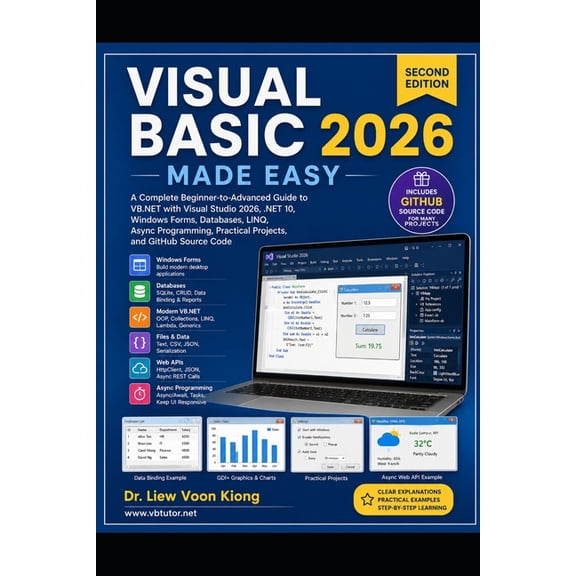 $4290current price $42.90
Visual Basic 2026 Made Easy - Second Edition: Learn VB.NET with Visual Studio 2026 and .NET 10: Windows Forms, Databases, (Paperback)
IPS - a Forth-like Language for Space: High Level Programming of Small Systems in Space (Paperback) $16.20
 $1620current price $16.20
IPS - a Forth-like Language for Space: High Level Programming of Small Systems in Space (Paperback)
Fast and Easy C Lessons In This Edition: Preprocessing On Microsoft Visual Studio Code in Windows (Paperback) $32.00
 $3200current price $32.00
Fast and Easy C Lessons In This Edition: Preprocessing On Microsoft Visual Studio Code in Windows (Paperback)
Android 3 SDK Programming for Dummies $34.99
 $3499current price $34.99
Android 3 SDK Programming for Dummies
MySQL: MySQL Tutorials for Beginners Basic to Advanced MySQL Languages (Paperback) $18.17
 $1817current price $18.17
MySQL: MySQL Tutorials for Beginners Basic to Advanced MySQL Languages (Paperback)
Fun with Office: Learn Coding with Visual Basic (Paperback) $13.31
 $1331current price $13.31
Fun with Office: Learn Coding with Visual Basic (Paperback)
15 out of 5 Stars. 1 reviews5 out of 5 starsLearning C Shell Scripting Gently, (Paperback) $32.66 Was $146.17
 $3266current price $32.66, Was $146.17$146.17
Learning C Shell Scripting Gently, (Paperback)
DIY Coding ScratchJr Programming: Level 3, (Paperback) $15.99
 $1599current price $15.99
DIY Coding ScratchJr Programming: Level 3, (Paperback)
Microsoft Excel Visual Basic for Applications: Step by Step by Reed Jacobson (Paperback), English $9.80 Was $16.07
 $980current price $9.80, Was $16.07$16.07
Microsoft Excel Visual Basic for Applications: Step by Step by Reed Jacobson (Paperback), English
How to Write a Bulk Emails Application in VB.NET and MySQL: Step by Step Fully Working Program, (Paperback) $33.07 Was $37.37
 $3307current price $33.07, Was $37.37$37.37
How to Write a Bulk Emails Application in VB.NET and MySQL: Step by Step Fully Working Program, (Paperback)
Beginning Visual Basic 6 Database Programming, (Paperback) $34.88
 $3488current price $34.88
Beginning Visual Basic 6 Database Programming, (Paperback)
Big6 Skills Information Technology for Learning: No School Left Behind, (Paperback) $37.32
 $3732current price $37.32
Big6 Skills Information Technology for Learning: No School Left Behind, (Paperback)
RISC-V Assembly Language Programming: Learning By Example, (Paperback) $14.80
 $1480current price $14.80
RISC-V Assembly Language Programming: Learning By Example, (Paperback)
Visual Basic.NET FUNdamentals, (Paperback) $10.95
 $1095current price $10.95
Visual Basic.NET FUNdamentals, (Paperback)
Python for Beginners: Learning the Basics, (Hardcover) $30.00
 $3000current price $30.00
Python for Beginners: Learning the Basics, (Hardcover)
Customer ratings & reviews
0 out of 5 stars
This item does not have any reviews yet

Current price is USD$34.28
Price when purchased online
- Free shipping
 Free Holiday returns until Jan 31
How do you want your item?
Ships to
Arrives between Nov 30 - Dec 2
|
Sold and shipped by Alibris Books
4.586053124798036 out of 5 stars

Extended holiday returns
Free Holiday returns until Jan 31More seller options (3)
Starting from $37.00