Portable Scanner, Photo Scanner for A4 Document Scanner 900 DPI Handheld Scanner JPG/PDF Formate LCD Display for Business Image Picture Receipts Books Pages Texts, Handy Scan (Blue)
Hero image 0 of Portable Scanner, Photo Scanner for A4 Document Scanner 900 DPI Handheld Scanner JPG/PDF Formate LCD Display for Business Image Picture Receipts Books Pages Texts, Handy Scan (Blue), 0 of 11

Portable Scanner, Photo Scanner for A4 Document Scanner 900 DPI Handheld Scanner JPG/PDF Formate LCD Display for Business Image Picture Receipts Books Pages Texts, Handy Scan (Blue)

|12 ratings

Key item features

  • Scanning resolutions: 300/600/900 DPI
  • Handheld portable and light weight and easy to carry
  • Supports memory card up to 32GB, can store large capacity files
  • Scan into JPEG or PDF format and store to MicroSD card (not included)
  • Fastest and lightest mobile single-sheet-fed document scanner in its class
  • Power Supply: 2 x AA Batteries (Not included) and Automatic shutdown without use for 3 minutes

Specs

Brand, JustpeComputer scanner type, Handheld Document ScannerModel name, Portable ScannerMaximum scan paper size, 3 inMaximum scanner resolution, 900 dpiPages per min, 0 ppm

About this item

Product details

  • ✔️Handheld Scanner--Easy to Scan

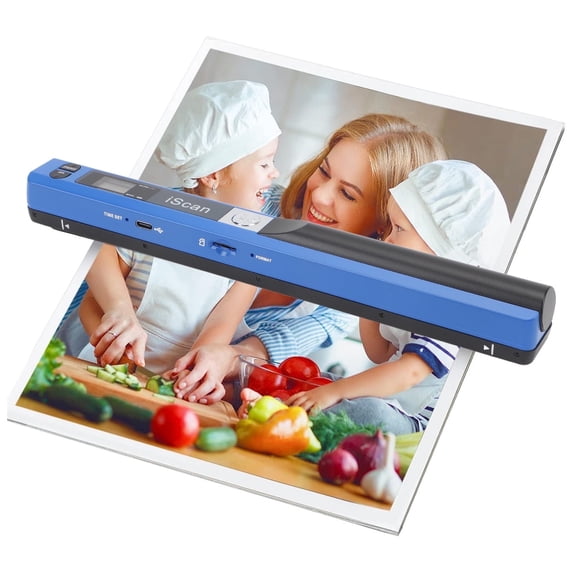
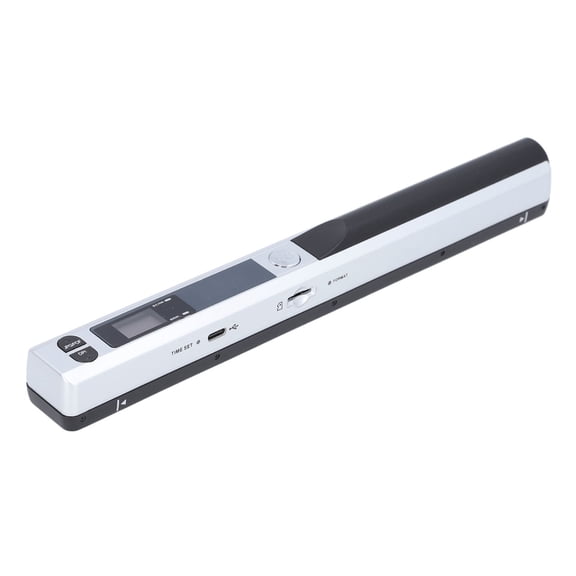
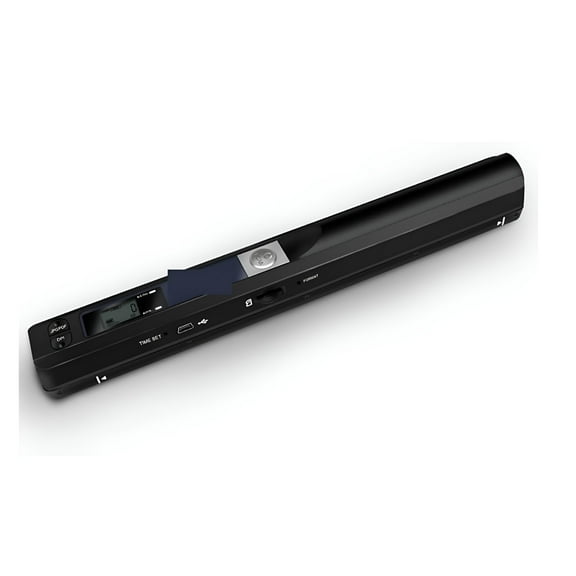
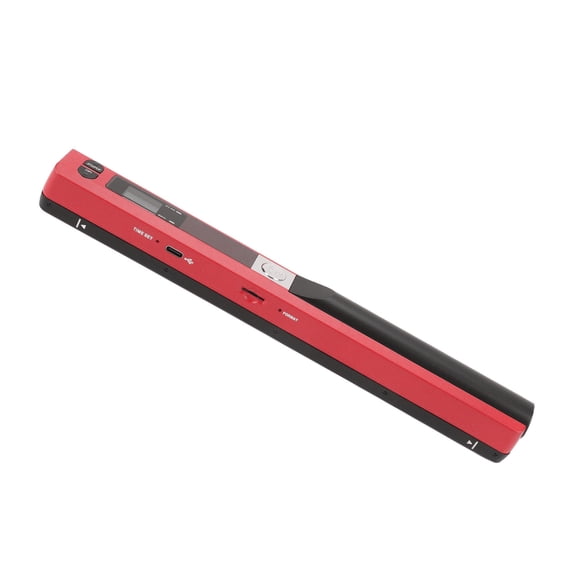
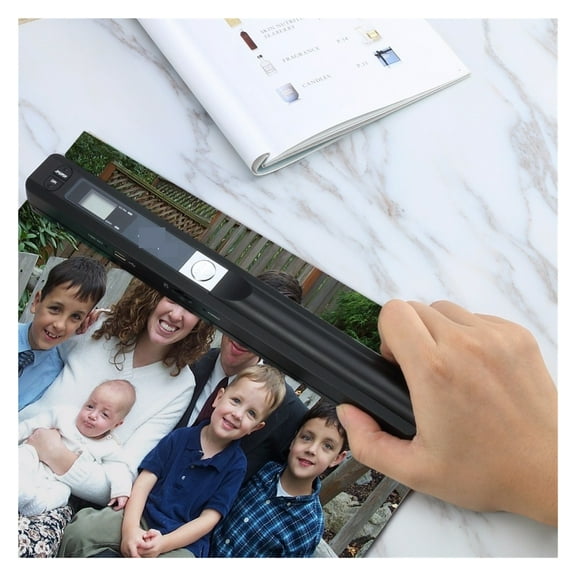
Portable scanners use handheld scanning to maximize your diverse scanning needs. 1. Place the scan target flat on a table. 2. Hold and place the scanner close to the top of the scan target. 3. Scan from top to bottom at a constant speed. 3 modes of resolution for your options: 300dpi/600dpi/900dpi.

  • ✔️Portable Scanner--Easy to Carry

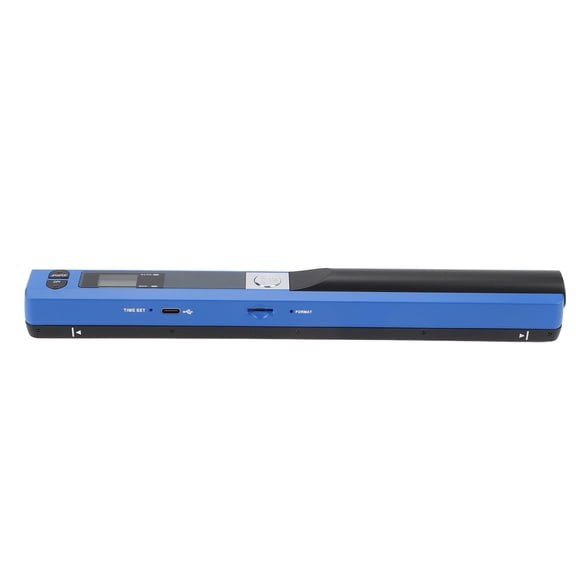
Length: 10 inches. Weight: 0.44 lbs. Power source: 2AA Batteries(not included). Carry method: Put it in a schoolbag/briefcase. Scan way: Flat scan independently from the computer. Storage method: SD Card.

  • ✔️Multi-purpose Scanner--Advantages

Handheld scanners make your scanning have a tactile appeal. Compared to feeding scanners, handheld scanners will maximize protection from bending and damaging old photos by the feeding machine. Scanners can digitize photos, documents, text, charts, drafts, pages, magazines, recipes, small maps, and more.

  • ✔️Scanned Images--Easy to Transfer, No Installation Needed

Transfer method: USB cable. Computers recognize the photo scanner via a USB cable like recognize other hardware such as a camera or SD card. The portable scanner is connectable with Mac, Windows 7/8/10/XP, and Linux systems computers.

  • ✔️Widely Use

It is applicable in bank, insurance business, real agency, home, office, library or outdoors. suitable for lawyer, businessmen, students, travelers and amateur archivists. Scan your important files and save them immediately, no struggling in finding a printing shop, keep it confidential.

  • ✔️Warm Tips

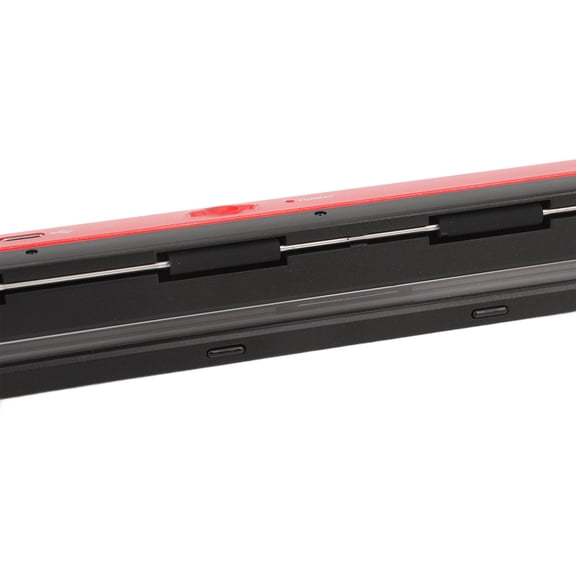
Practice a few more times to get the hang of scanning speed. Poor image quality could be fixed by cleaning the bottom of the scanner, restarting the scanner, or processing white balance calibration. Red light wronging can be solved by restarting the scanner. If you have any questions, please feel to contact us for resolution.

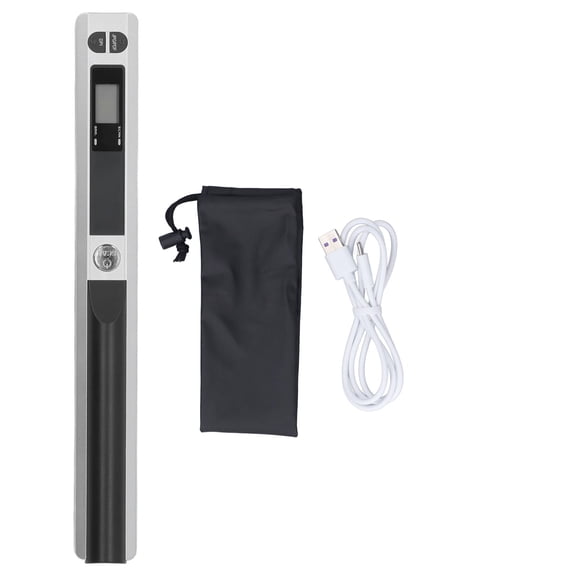
📌Package list:
1 x Scanner
1 x USB Cable
1 x User Manual
1 x Storage Bag
1 x Cloth

📌Instructions for Use:

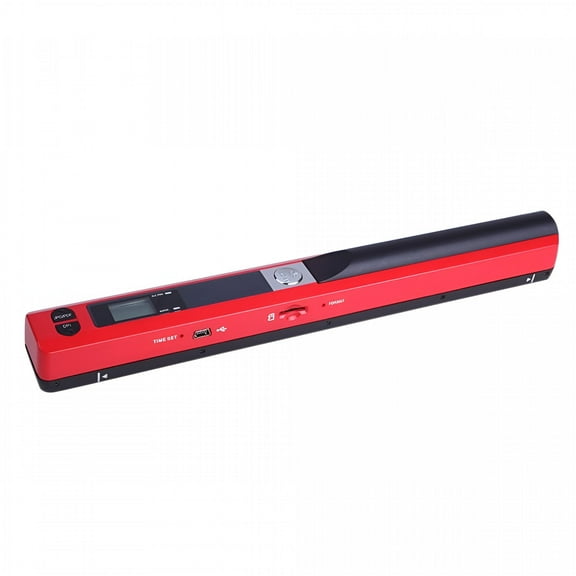
  • 1. Install Battery: Open the battery door, put in 2 x AA batteries, press the [Power/Scan] button to turn on, make sure the battery is installed correctly and the device is normal.
  • 2. Insert Memory Card: Insert the card into the card slot. Remember: Do not forcibly insert the card into the card slot! Forcible insertion may damage the scanner and memory card.
  • 3. Format Memory Card: Press the format button, "F" is displayed on the LCD screen, and press the [Power/Scan] button to start formatting the memory card. The flashing of the memory card on the display ends, and the formatting is complete
  • 4. Set the resolution, scan format, scan color
  • 5. Start Scanning:
    (1)Unfold the scanned object flatly and place the scanner on it
    (2)Hold the scanner to start, press the [Power Scan] button to start scanning
    (3)The scanner moves slowly, and the scanner and hands keep steady to get the best quality picture.
    (4)After scanning, press the [Power/Scan] button again to stop scanning
  • 6. Connection Check: Connect the scanner to the computer to check the scanning effect.

📌Note:
1. The scanned object should be spread out on a flat desktop to ensure the flatness of the scan.
2. Do not use the scanner under strong light, the light will affect the misreading and wrong codes of the scanning head.
3. The scanning speed cannot be too fast or tilted, and the speed should be kept uniform.
4. Pay attention to protect the scanner from strong impact or fall from high places.

  • Scanning resolutions: 300/600/900 DPI
  • Handheld portable and light weight and easy to carry
  • Supports memory card up to 32GB, can store large capacity files
  • Scan into JPEG or PDF format and store to MicroSD card (not included)
  • Fastest and lightest mobile single-sheet-fed document scanner in its class
  • Power Supply: 2 x AA Batteries (Not included) and Automatic shutdown without use for 3 minutes
info:
We aim to show you accurate product information. Manufacturers, suppliers and others provide what you see here, and we have not verified it.  

Specifications

Brand

Justpe

Computer scanner type

Handheld Document Scanner

Model name

Portable Scanner

Maximum scan paper size

3 in

Warranty

Warranty information

Please be aware that the warranty terms on items offered for sale by third party Marketplace sellers may differ from those displayed in this section (if any). To confirm warranty terms on an item offered for sale by a third party Marketplace seller, please use the 'Contact seller' feature on the third party Marketplace seller's information page and request the item's warranty terms prior to purchase.

Customer ratings & reviews

3.4 out of 5 stars
stars
12 ratings9 reviews
Includes global ratings and reviews
How item rating is calculated
Filtered and sorted results would be available on the new 'Customer ratings & reviews' page.
Sort by |

Showing 1-3 of 9 reviews

Jan 2, 2025
Reviewer name: Cherry
Sold byDaitemeiDelivered byWalmart
5 out of 5 stars
5 out of 5 stars review

Verified Purchase

Amazing gift

I was really worried buying this from walmart instead of amazon for christmas but i needed it to come in time and WOWOWOW it was amazing my wife loves it and it worked incredibly well.

Incentivized Review
Helpful?2S9EMKZ7XO9L7336868776
Oct 9, 2025
Reviewer name: Robert
Sold byDaitemeiDelivered byWalmart
5 out of 5 stars
5 out of 5 stars review

Verified Purchase

Convenient

Works perfect!

Incentivized Review
Helpful?2S9EMKZ7XO9L7336868776
Aug 1, 2025
Reviewer name: JCINBHM
Sold byDaitemeiDelivered byWalmart
5 out of 5 stars
5 out of 5 stars review

Verified Purchase

best hand scanner

perfect for book/remote scanning

Incentivized Review
Helpful?2S9EMKZ7XO9L7336868776
Current price is Now $45.90
You save $29.10
was $75.00
Price when purchased online
  • Free shipping
  • Free Holiday returns until Jan 31
Walmart Protection Plan by Allstate

(Only one option can be selected at a time)

How do you want your item?

Try 30 days for just $1! Choose a plan at checkout.
How do you want your item?
Ships to
Arrives by Tue, Nov 17
.
Order within 1 hr 48 min
Sold by FLHH
Fulfilled by Walmart
4.682577565632458 out of 5 stars
4.7 stars out of 5, based on 422 seller reviews(4.7)
Extended holiday returns
Free Holiday returns until Jan 31
walmart plus

Try 30 days of Walmart+ for just $1!

T&C apply.