

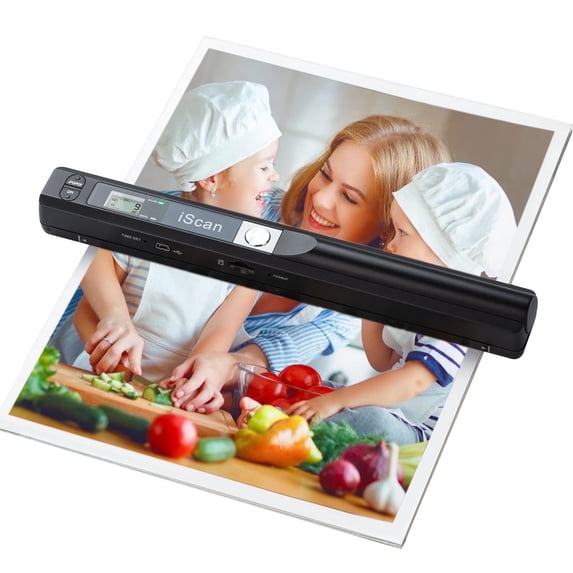
Portable Scanner A4 Document Handheld Scanner 900DPI JPG PDF Formate for Business Picture, Black
Key item features
- High Resolution: Scanning resolutions of 300, 600, and 900 DPI for clear and detailed images.
- Portable Design: Lightweight and handheld, easy to carry in a schoolbag or briefcase.
- Large Storage: Supports memory cards up to 32GB for storing large capacity files.
- Versatile Formats: Scans documents into JPEG or PDF formats, stored on a MicroSD card (not included).
- Easy Power: Powered by 2 AA batteries with an auto power-off feature for convenience.
- Wide Compatibility: Connects to Mac, Windows 7/8/10/XP, and Linux systems via USB cable.
- Multi-Purpose: Ideal for scanning photos, documents, charts, drafts, magazines, and more.
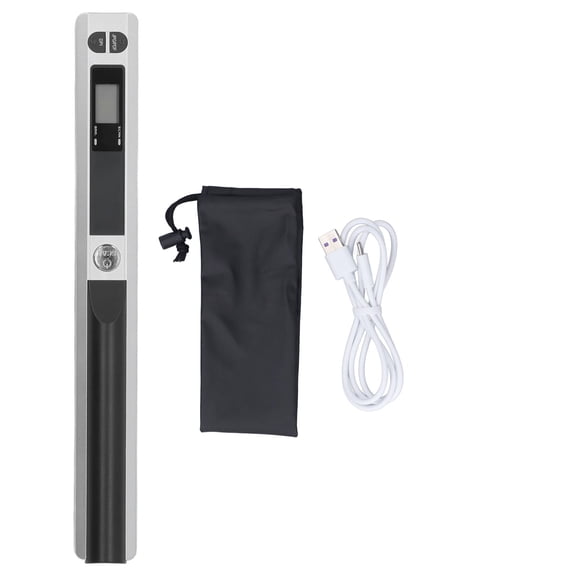
- Complete Package: Includes scanner, USB cable, user manuals, storage bag, cloth, and CD.
Specs
Maximum image resolution, 900 dpi
Paper size, A4
Power type, Battery
Assembled product weight, 0.64 lb
Inputs/Outputs, USB
About this item
Product details
【Handheld Scanner--Easy to Scan】
Portable scanners use handheld scanning to maximize your diverse scanning needs. 1. Place the scan target flat on a table. 2. Hold and place the scanner close to the top of the scan target. 3. Scan from top to bottom at a constant speed. 3 modes of resolution for your options: 300dpi/600dpi/900dpi.
【Portable Scanner--Easy to Carry】
Length: 10 inches. Weight: 0.44 lbs. Power source: 2AA Alkaline Batteries(not included). Carry method: Put it in a schoolbag/briefcase. Scan way: Flat scan independently from the computer. Storage method: SD Card.
【Multi-purpose Scanner--Advantages】
Handheld scanners make your scanning have a tactile appeal. Compared to feeding scanners, handheld scanners will maximize protection from bending and damaging old photos by the feeding machine. Scanners can digitize photos, documents, text, charts, drafts, pages, magazines, recipes, small maps, and more.
【Scanned Images--Easy to Transfer, No Installation Needed】
Transfer method: USB cable. Computers recognize the photo scanner via a USB cable like recognize other hardware such as a camera or SD card. The portable scanner is connectable with Mac, Windows 7/8/10/XP, and Linux systems computers.
【Widely Use】
It is applicable in bank, insurance business, real agency, home, office, library or outdoors. suitable for lawyer, businessmen, students, travelers and amateur archivists. Scan your important files and save them immediately, no struggling in finding a printing shop, keep it confidential.
【Warm Tips】
Practice a few more times to get the hang of scanning speed. Poor image quality could be fixed by cleaning the bottom of the scanner, restarting the scanner, or processing white balance calibration. Red light wronging can be solved by restarting the scanner. If you have any questions, please feel to contact us for resolution.
Package content:
1 x Scanner
1 x USB Cable
2 x User Manual
1 x Storage Bag
1 x Cloth
1 x CD
Instructions for Use:
1. Install Battery: Open the battery door, put in 2 x AA batteries, press the [Power/Scan] button to turn on, make sure the battery is installed correctly and the device is normal.
2. Insert Memory Card: Insert the card into the card slot. Remember: Do not forcibly insert the card into the card slot! Forcible insertion may damage the scanner and memory card.
3. Format Memory Card: Press the format button, "F" is displayed on the LCD screen, and press the [Power/Scan] button to start formatting the memory card. The flashing of the memory card on the display ends, and the formatting is complete
4. Set the resolution, scan format, scan color
5. Start Scanning:
(1)Unfold the scanned object flatly and place the scanner on it
(2)Hold the scanner to start, press the [Power Scan] button to start scanning
(3)The scanner moves slowly, and the scanner and hands keep steady to get the best quality picture.
(4)After scanning, press the [Power/Scan] button again to stop scanning
6. Connection Check: Connect the scanner to the computer to check the scanning effect.
Note:
1. The scanned object should be spread out on a flat desktop to ensure the flatness of the scan.
2. Do not use the scanner under strong light, the light will affect the misreading and wrong codes of the scanning head.
3. The scanning speed cannot be too fast or tilted, and the speed should be kept uniform.
4. Pay attention to protect the scanner from strong impact or fall from high places.
- Scanning resolutions: 300/600/900 DPI
- Handheld portable and light weight and easy to carry
- Supports memory card up to 32GB, can store large capacity files.
- Scan into JPEG or PDF format and store to MicroSD card (*not included)
- Fastest and lightest mobile single-sheet-fed document scanner in its class
- Power Supply: 2 x AA Batteries and Auto Power Off
Specifications
Computer scanner type
Maximum image resolution
Paper size
Power type
Warranty
Warranty information
Please be aware that the warranty terms on items offered for sale by third party Marketplace sellers may differ from those displayed in this section (if any). To confirm warranty terms on an item offered for sale by a third party Marketplace seller, please use the 'Contact seller' feature on the third party Marketplace seller's information page and request the item's warranty terms prior to purchase.
Similar items you might like
Best seller, Portable Scanner, Photo Scanner for A4 Document Scanner 900DPI Handheld Scanner JPG/PDF Formate LCD Display for Business Image Picture Receipts Books Pages Texts, Support SD/TF Card (Silver) $42.99 Was $69.00
Best seller $4299current price $42.99, Was $69.00$69.00
Portable Scanner, Photo Scanner for A4 Document Scanner 900DPI Handheld Scanner JPG/PDF Formate LCD Display for Business Image Picture Receipts Books Pages Texts, Support SD/TF Card (Silver)
353.2 out of 5 Stars. 35 reviews3.2 out of 5 starsPortable Scanner, Photo Scanner for A4 Document Scanner 900 DPI Handheld Scanner JPG/PDF Formate LCD Display for Business Image Picture Receipts Books Pages Texts, Handy Scan (Blue) $45.90 Was $75.00
 $4590current price $45.90, Was $75.00$75.00
Portable Scanner, Photo Scanner for A4 Document Scanner 900 DPI Handheld Scanner JPG/PDF Formate LCD Display for Business Image Picture Receipts Books Pages Texts, Handy Scan (Blue)
123.4 out of 5 Stars. 12 reviews3.4 out of 5 starsPortable Document Scanner, 900DPI Handheld Image Scanner, Scanning Wand, A4 Colour Photo Mobile Scanner Handy Scan, JPG/PDF Format Output, Flat Scanning, Plug-and-Play, for Business/Picture/Receipts $42.99 Was $75.00
 $4299current price $42.99, Was $75.00$75.00
Portable Document Scanner, 900DPI Handheld Image Scanner, Scanning Wand, A4 Colour Photo Mobile Scanner Handy Scan, JPG/PDF Format Output, Flat Scanning, Plug-and-Play, for Business/Picture/Receipts
35 out of 5 Stars. 3 reviews5 out of 5 starsCompact Scanner Document Scanner, 300dpi 600dpi 900dpi Plug and Play Versatile JPG PDF Scanner for Businessmen for Home $48.27
 $4827current price $48.27
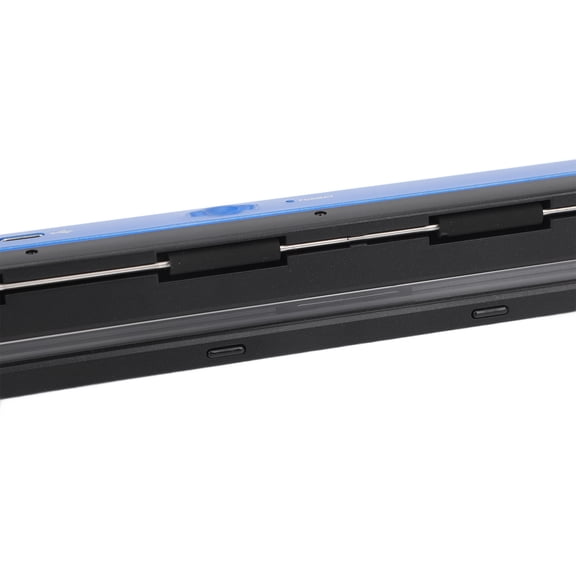
Compact Scanner Document Scanner, 300dpi 600dpi 900dpi Plug and Play Versatile JPG PDF Scanner for Businessmen for Home
Clearance, Handheld Portable Scanner Ultra Speed Scanner Portable Document Scanner $57.39 Was $64.19
Clearance $5739current price $57.39, Was $64.19$64.19
Handheld Portable Scanner Ultra Speed Scanner Portable Document Scanner
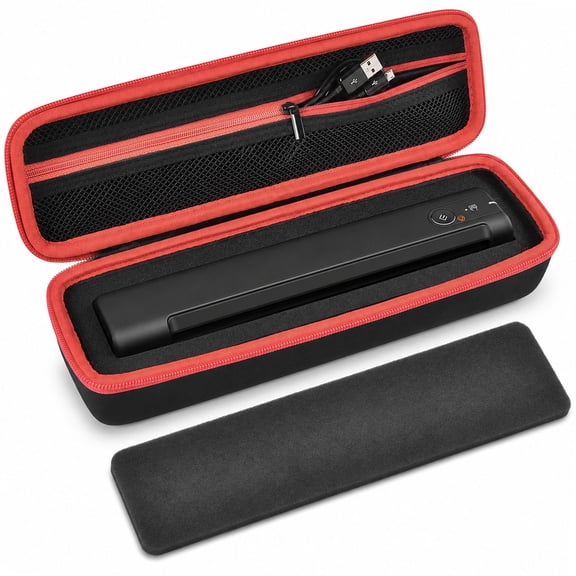
Case Compatible with Epson Workforce ES-50-60W-55R-65WR/ DS-30-70-80W Portable Sheet-Fed Document Scanner, Storage Scanner for PC and Mac-Black (Box Only) $14.99
 $1499current price $14.99
Case Compatible with Epson Workforce ES-50-60W-55R-65WR/ DS-30-70-80W Portable Sheet-Fed Document Scanner, Storage Scanner for PC and Mac-Black (Box Only)
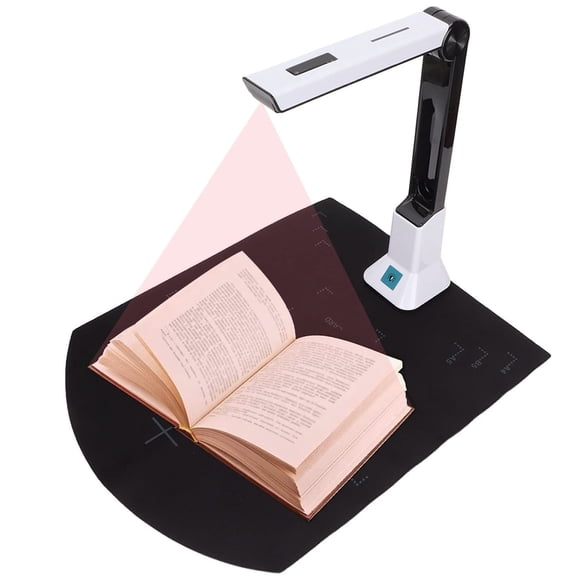
45 out of 5 Stars. 4 reviews5 out of 5 starsPortable Document Scanner, A4 USB Book Scanner with 8MP Document Camera for Teachers Online Teaching, Office, Learning, Smart OCR Scan Auto-Flatten & Deskew Compatible Windows $46.90 Was $79.00
 $4690current price $46.90, Was $79.00$79.00
Portable Document Scanner, A4 USB Book Scanner with 8MP Document Camera for Teachers Online Teaching, Office, Learning, Smart OCR Scan Auto-Flatten & Deskew Compatible Windows
373.2 out of 5 Stars. 37 reviews3.2 out of 5 starsThalyn 900DPI Handheld Scanner Portable Scanner, Fast Scanning Plug and Play JPG PDF Format Clear Display 900DPI Portable Document Scanner Easy To Connect for Picture $47.25
 $4725current price $47.25
Thalyn 900DPI Handheld Scanner Portable Scanner, Fast Scanning Plug and Play JPG PDF Format Clear Display 900DPI Portable Document Scanner Easy To Connect for Picture
Rollback, NETUM High-Speed Document Camera, Smart Document Scanner with OCR Function A4 Camera Scanner 8 Mega-Pixel Lens with LED Lights Adjustable and Portable Scanner for Office Classroom Office, SD-3000NC $64.79 Was $71.99
Rollback $6479current price $64.79, Was $71.99$71.99
NETUM High-Speed Document Camera, Smart Document Scanner with OCR Function A4 Camera Scanner 8 Mega-Pixel Lens with LED Lights Adjustable and Portable Scanner for Office Classroom Office, SD-3000NC
25 out of 5 Stars. 2 reviews5 out of 5 starsAdesso 5MP Fixed-Focus A4 Document Camera Scanner with OCR Text Recognition $49.99
 $4999current price $49.99
Adesso 5MP Fixed-Focus A4 Document Camera Scanner with OCR Text Recognition
72.3 out of 5 Stars. 7 reviews2.3 out of 5 starsBest seller, Canon CanoScan Lide 300 Scanner $75.99 Was $90.93
Best seller $7599current price $75.99, Was $90.93$90.93
Canon CanoScan Lide 300 Scanner
2204.1 out of 5 Stars. 220 reviews4.1 out of 5 starsRIWPKFH Portable Scanner for A4 Documents Photo Pictures Receipt 8.27 Inch HD 900DPI Color Mobile Handheld Scanner Wand $41.99
 $4199current price $41.99
RIWPKFH Portable Scanner for A4 Documents Photo Pictures Receipt 8.27 Inch HD 900DPI Color Mobile Handheld Scanner Wand
11 out of 5 Stars. 1 reviews1 out of 5 starsPortable Document Scanner 900DPI A4 Book and Photo Digital Scanner Instant Scanning Supports JPG/PDF Formats D $47.84
 $4784current price $47.84
Portable Document Scanner 900DPI A4 Book and Photo Digital Scanner Instant Scanning Supports JPG/PDF Formats D
23 out of 5 Stars. 2 reviews3 out of 5 starsPortable Scanner Mini Handheld Document Scanner, A4 Book Scanner JPG And PDF Format 300/600/900 DPI ,High-Speed Capture $67.02
 2 optionsAvailable in additional 2 options$6702current price $67.02
Portable Scanner Mini Handheld Document Scanner, A4 Book Scanner JPG And PDF Format 300/600/900 DPI ,High-Speed Capture
iScan Portable Wireless Color Handheld Scanner, with Accessories Included $50.99


 $5099current price $50.99
iScan Portable Wireless Color Handheld Scanner, with Accessories Included
233.6 out of 5 Stars. 23 reviews3.6 out of 5 starsKODAK Mobile Film Scanner, Portable Scanner for 35mm Film & Slides, Smartphone Picture Scanner $39.99 Was $48.99
 $3999current price $39.99, Was $48.99$48.99
KODAK Mobile Film Scanner, Portable Scanner for 35mm Film & Slides, Smartphone Picture Scanner
393.1 out of 5 Stars. 39 reviews3.1 out of 5 starsGJX 2026 New Portable Handheld Scanner for A4 Documents,Photo,Pictures,Receipt-Scanner Wand for Flat Scanning,Up to 900 Dpi for Office,Home,School,Travel $50.50
 $5050current price $50.50
GJX 2026 New Portable Handheld Scanner for A4 Documents,Photo,Pictures,Receipt-Scanner Wand for Flat Scanning,Up to 900 Dpi for Office,Home,School,Travel
GJX A4 Portable Scanner, Document Scanner Handheld for Business, Photo, Picture, Receipts, Books, JPEG/PDF Format Selection, Hand Scanner $47.89
 $4789current price $47.89
GJX A4 Portable Scanner, Document Scanner Handheld for Business, Photo, Picture, Receipts, Books, JPEG/PDF Format Selection, Hand Scanner
Book & Photo Scan: Portable Handheld Scanner 900DPI A4 Document with LCD Display - JPG PDF $50.07
 $5007current price $50.07
Book & Photo Scan: Portable Handheld Scanner 900DPI A4 Document with LCD Display - JPG PDF
11 out of 5 Stars. 1 reviews1 out of 5 starsEXLEAF Portable Document Scanner, Handheld 900 DPI Receipt Scanner with PDF/JPEG Format, Offline Business Scanner for Office Home Travel, Supports 32GB MicroSD Card, USB 2.0 Plug and Play $47.20
 $4720current price $47.20
EXLEAF Portable Document Scanner, Handheld 900 DPI Receipt Scanner with PDF/JPEG Format, Offline Business Scanner for Office Home Travel, Supports 32GB MicroSD Card, USB 2.0 Plug and Play
Customer ratings & reviews
Filtered and sorted results would be available on the new 'Customer ratings & reviews' page.
Showing 1-3 of 27 reviews
Verified Purchase
works well
works well but it is hard to keep the same speed when pulling it over a photo
Verified Purchase
I received the product on time! Thank you. But have yet to use the product because not everything was in the box as described when I bought it. This was a gift for my sisters' birthday. I am not sure when she will be able to use it with out the missing 32 gb mini sd card. Still looking to buy one so she can use it.
Verified Purchase
To hard to work figure out

- Free shipping
 Free Holiday returns until Jan 31

(Only one option can be selected at a time)
How do you want your item?


