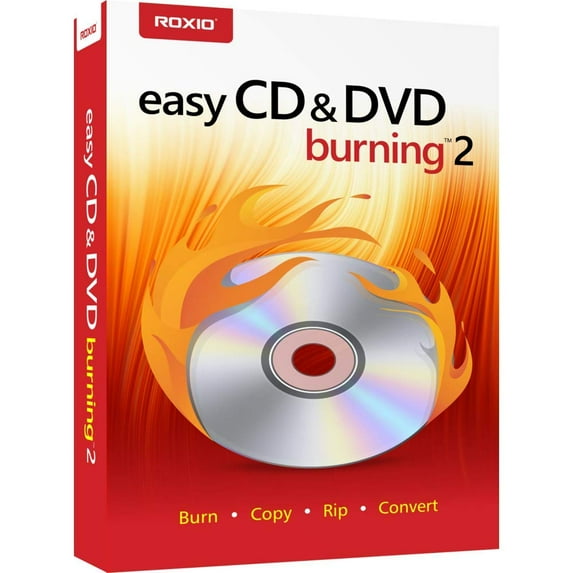
Roxio Easy CD & DVD Burning 2 - Disc Burner & Video Capture
Hero image 0 of Roxio Easy CD & DVD Burning 2 - Disc Burner & Video Capture, 0 of 8

Roxio Easy CD & DVD Burning 2 - Disc Burner & Video Capture

|30 ratings

Key item features

  • Effortless Disc Burning: Easily copy and burn CDs and DVDs in minutes, preserving photos, securing video backups, and creating custom music CDs directly from your desktop.
  • Comprehensive Video Authoring: Capture or import videos, then author DVDs with chapters, menus, and personalized disc labels for a cinematic experience.
  • Versatile Audio Conversion: Convert CDs, LPs, and cassettes to digital audio files, capture audio from online sources, and import music to create custom audio CDs.
  • Efficient Data Archiving: Quickly burn photos, videos, data, and audio to disc, with the ability to archive large files across multiple discs for convenient backup.
  • Intuitive Photo Editing: Make quick photo edits with cropping tools, red-eye removal, and other enhancements to correct and preserve your valuable photos.
  • Industry-Leading Toolkit: Utilize an industry-leading toolkit to burn and copy CDs and DVDs with ease, ensuring peace of mind for your irreplaceable files.
Generated by AI

Specs

Computer Software Type, Image, Video & Audio SoftwareOperating System, Windows 10; Windows 8.x; Windows 7 SP1System Requirements, 1 GB free hard disk space to install 1.6 GHz Intel Pentium 4 or equivalent; 256 MB RAMBrand, CorelNumber of Users, 1Physical Media Format, CD

About this item

Product details

Burn and copy your favorite music, photos, videos and data files to CD and DVD with Roxio easy CD and DVD burning 2. Burn your favorite music, photos, videos, and invaluable data files to disc right from your desktop with the Roxio burn desktop widget. Save music mixes, video backups and other large files across multiple discs. Craft your perfect music playlist or create custom CDs with cross-fades and personalized disc labels. Turn your old cassettes into digital files, removing pops and clicks. Enhance and preserve your photos with red eye removal, cropping, and brightness adjustments. Import photo or video files and create slideshows and home movies with professional transitions, menus and music. If your computer can read it, easy CD & DVD burning 2 can burn it!.
  • Easily copy and burn CDs and DVDs in minutes, right from your desktop. Preserve your photos, secure video backups, and create custom music CDs
  • Capture or import your videos. Plus, author DVDs with chapters, menus and personalized disc labels
  • Convert CDs, LPs, and cassettes to digital audio files. Capture audio from online, or import music directly to your playlist to create custom audio CDs
  • Save time by quickly burning audio CDs. Archive photo and video backups and other large files across multiple discs
  • Make quick photo edits. Easily correct and preserve photos with cropping tools, red-eye removal, and more
  • Your Industry Leading CD & DVD Burning Toolkit Preserve Your Irreplaceable Files in a Few Easy Clicks Peace of mind comes from knowing where your irreplaceable data lives. Why not use the industry’s leading toolkit to burn and copy CDs and DVDs in a few easy clicks? Burn your favorite music, photos, videos, and invaluable data files to disk right from your desktop with the Roxio Burn desktop widget. Create custom music CDs, convert audio CDs into digital files—even burn ISO image files! Add chapters and menus to your DVD for a cinematic experience. If your computer can read it, Easy CD & DVD Burning 2 can burn it!
  • Minimum System Requirements Internet connection required for installation, registration, updates & some features Windows 10/Windows 8.x/Windows 7 SP1 Multimedia compliant CD/DVD recordable drive 1 GB free hard disk space to install 1.6 GHz Intel Pentium 4 or equivalent; 256 MB RAM
  • Quickly burn photos, videos, data and audio to disc
  • Easily copy discs, create ISO image files
  • Conveniently author DVDs with chapters and menus
  • Make effective photo and video edits
  • Backup and archive data to disc easily
  • Burn & Copy Easily burn, rip, or copy CDs and DVDs. Back up your valuable data for complete peace of mind, with the option to span multiple discs for larger files. Burn and copy discs directly on your desktop with the Roxio Burn desktop widget.
  • Author Multiple Video Disc Formats Import video to your PC and create home movies with menus and chapters. Choose from themed templates and customize with titles, images, and music. Easily burn to Video CDs, SVCDs or DVDs, and play them back on your home DVD player.
  • Quick Photo Editing Enhance photos with cropping, red-eye, and special effect tools and use them to create stunning slide shows. Organize and preserve your meaningful photos into digital photo albums. Easily backup photos and burn to disc.
  • Capture and Burn Audio Easily import from CD, play, edit, organize, burn and share music. Get creative with your own music CD mixes by adding cross-fades and other effects or with a personalized disc label. Don't miss out on listening to your older favourites - import from CD or digitalize your old LPs and cassettes.
info:
We aim to show you accurate product information. Manufacturers, suppliers and others provide what you see here, and we have not verified it.  

Specifications

Computer Software Type

Image, Video & Audio Software

Operating System

Windows 10; Windows 8.x; Windows 7 SP1

System Requirements

1 GB free hard disk space to install 1.6 GHz Intel Pentium 4 or equivalent; 256 MB RAM

Brand

Corel

Warranty

Warranty information

90 Day

Please be aware that the warranty terms on items offered for sale by third party Marketplace sellers may differ from those displayed in this section (if any). To confirm warranty terms on an item offered for sale by a third party Marketplace seller, please use the 'Contact seller' feature on the third party Marketplace seller's information page and request the item's warranty terms prior to purchase.

Customer ratings & reviews

3.7 out of 5 stars
stars
30 ratings12 reviews
Includes global ratings and reviews
How item rating is calculated
Filtered and sorted results would be available on the new 'Customer ratings & reviews' page.
Sort by |

Showing 1-3 of 12 reviews

Jan 10, 2026
Reviewer name: james
Top Reviewer
Sold and shipped byDealClock
5 out of 5 stars
5 out of 5 stars review

Verified Purchase

RIXIO

I CAN RIP 1 SONG OR THE WHOLE CD I HAVE NOY TRYED ANY DVDS YET

Helpful?3A6FCUX38E52253787947
Jun 14, 2025
Reviewer name: Clarence
Sold and shipped byAmeriqar Inc
5 out of 5 stars
5 out of 5 stars review

Verified Purchase

i like roxio easy cd%26DVD burning but you can only use it one time when the program go bad you can not use roxio to re install it again have to oder a new roxio cd %26DVD burning

Helpful?3A6FCUX38E52253787947
Aug 20, 2026
Reviewer name: Charles
Sold and shipped byGarner Supply
5 out of 5 stars
5 out of 5 stars review

Verified Purchase

It was not necessary to ship it in such a big box that was overkill

Helpful?3A6FCUX38E52253787947
Current price is $37.76
Price when purchased online
  • Free shipping
  • Free Holiday returns until Jan 31

How do you want your item?

How do you want your item?
Ships to
Arrives between Nov 20 - Nov 21
|
Sold and shipped by MaxxA1
4.029569892473118 out of 5 stars
4 stars out of 5, based on 372 seller reviews(4.0)
Extended holiday returns
Free Holiday returns until Jan 31
Other sellers
$40.18
+Free shipping
Shipping, arrives by Wed, Nov 18 to Columbus, 43215
Sold and shipped by Garner Supply
Extended holiday returns
Free Holiday returns until Jan 31