

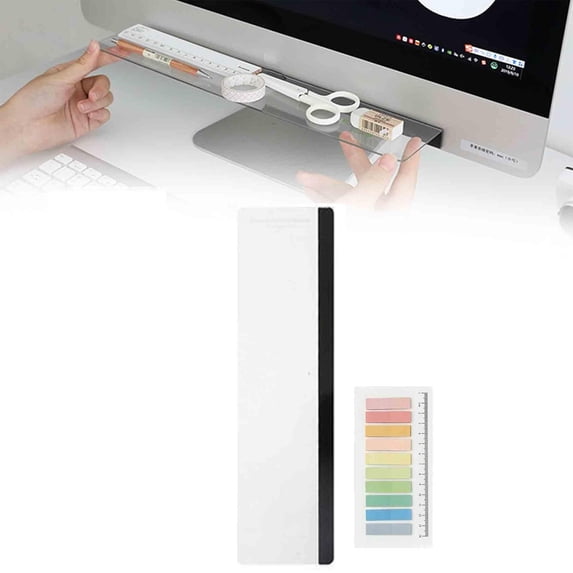
Hero image 0 of Acrylic Monitor Memo Board, Computer Side Sticky Note Holder with Phone Slot, Clear Reminder Panel Left Panel, 0 of 8
Acrylic Monitor Memo Board, Computer Side Sticky Note Holder with Phone Slot, Clear Reminder Panel Left Panel
(No ratings yet)
Key item features
- Installing it is the one-minute version. Clean the frame, peel the adhesive liner, press firmly along the panel edge, and wait a few seconds. The sticky side is designed for the monitor frame, not the screen, so stick it to the plastic bezel and you will not touch the glass at all. When you ever need to move it, it peels off without leaving a gooey residue or a yellow patch behind, which is the detail that separates a cheap acrylic clip from one you will keep for years. The panel is thin enough not to intrude on the screen but rigid enough to hold a stack of notes. Clear acrylic also means it does not fight your monitor's color or the room's decor; it just vanishes until a note is on it. Remote workers and students live by these. The panel sits where the eyes already rest, so the reminder is seen passively instead of actively hunted for. A parent working from home sticks a note with school pickup times. A student tapes an assignment deadline beside a laptop. An office worker keeps a standing to-do visible during back-to-back meetings. Because it mounts to the frame rather than the screen, it does not interfere with a webcam or a monitor arm. It adds no desk surface area, which matters on a cramped home-office setup. It is the organizer that works with the way people already look at a screen all day. The {x} configuration is what matches your monitor. A simple left or right panel goes on the side that matches where you rest your notes; the phone-slot versions add a little ledge that holds a phone upright while it charges, so the cable runs behind the monitor instead of tangling across the desk; the two-pack pairs cover both sides of a wide screen. Pick the one that matches how you actually work rather than buying a generic one-size panel. It attaches in under a minute, needs no tools, and peels off clean if you change desks. It is the small monitor accessory that finally gives the side of your screen a job. Here is the honest limitation. It will not organize your calendar, and you still have to write things down. What it does is relocate the stack of reminders from a drawer and a desk corner to a single clear panel attached to the one screen you stare at all day. The adhesive holds on a plastic bezel, the acrylic stays clear, and the {x} option picks the side and whether you get the phone ledge. Wipe it, swap notes, charge your phone in the lip. That is the entire pitch. It is the low-effort, no-battery productivity tool that stops you from losing the one reminder that actually mattered.
- The bottom lip is where it gets useful. Some versions add a little slot that holds your phone upright while it charges, so the charging cable runs down behind the monitor instead of tangling across the desk. That one feature turns a note board into a small charging dock and stops the phone from lying face-up and distracting you on the desk surface. Notes go on the flat face; the phone or a small earbud case goes in the slot. It is the kind of detail you do not know you need until you see it, and then it is obvious. For a home-office or a workstation that already feels crowded, this adds surface without taking any desk space at all. The {x} configuration is what matches your monitor. A simple left or right panel goes on the side that matches where you rest your notes; the phone-slot versions add a little ledge that holds a phone upright while it charges, so the cable runs behind the monitor instead of tangling across the desk; the two-pack pairs cover both sides of a wide screen. Pick the one that matches how you actually work rather than buying a generic one-size panel. It attaches in under a minute, needs no tools, and peels off clean if you change desks. It is the small monitor accessory that finally gives the side of your screen a job. Here is the honest limitation. It will not organize your calendar, and you still have to write things down. What it does is relocate the stack of reminders from a drawer and a desk corner to a single clear panel attached to the one screen you stare at all day. The adhesive holds on a plastic bezel, the acrylic stays clear, and the {x} option picks the side and whether you get the phone ledge. Wipe it, swap notes, charge your phone in the lip. That is the entire pitch. It is the low-effort, no-battery productivity tool that stops you from losing the one reminder that actually mattered. The adhesive is the make-or-break detail, and here it is designed for the monitor frame, not the glass. Clean the plastic bezel, peel the liner, press the panel on, and hold it for a few seconds. It stays put through a long workday of bumped elbows and closed office doors, yet it peels off without a yellow, gummy residue when you decide to reposition or remove it. That is the line between a product that damages your equipment and one that respects it. Never stick it to the actual screen; the frame has a flat, rigid surface that the tape grips, and the clear acrylic never overlaps what you are looking at. Install once and forget it.
- Who this is built for is obvious once you see it: remote workers, students at a shared desk, and anyone who lives by a checklist. It keeps passwords, delivery codes, meeting reminders, and a standing to-do list right in front of you without opening a notebook. Two-board setups put one reminder panel on each side of an ultrawide monitor, which balances the visual weight. Because the panel is clear, it also works as a subtle frame for a photo, a small quote card, or a kid's drawing without making the monitor look cluttered. The acrylic wipes clean with a damp cloth, and replacing a note is a one-second peel. It is a low-tech productivity tool that needs no app, no battery, and no update. Here is the honest limitation. It will not organize your calendar, and you still have to write things down. What it does is relocate the stack of reminders from a drawer and a desk corner to a single clear panel attached to the one screen you stare at all day. The adhesive holds on a plastic bezel, the acrylic stays clear, and the {x} option picks the side and whether you get the phone ledge. Wipe it, swap notes, charge your phone in the lip. That is the entire pitch. It is the low-effort, no-battery productivity tool that stops you from losing the one reminder that actually mattered. The adhesive is the make-or-break detail, and here it is designed for the monitor frame, not the glass. Clean the plastic bezel, peel the liner, press the panel on, and hold it for a few seconds. It stays put through a long workday of bumped elbows and closed office doors, yet it peels off without a yellow, gummy residue when you decide to reposition or remove it. That is the line between a product that damages your equipment and one that respects it. Never stick it to the actual screen; the frame has a flat, rigid surface that the tape grips, and the clear acrylic never overlaps what you are looking at. Install once and forget it. Here is how a real workday uses it. Morning: write the one deadline on the top note. Midday: slap a second note with the call number. Afternoon: a reminder to pick up groceries. The notes pile up on the side panel in plain peripheral vision instead of being buried in a desk drawer. You glance at them between tabs without breaking flow, which is the whole point. Two side panels balance an ultrawide monitor, one per side, so reminders sit on both edges of the screen. It is a low-tech productivity layer that needs no battery, no sync, and no notification settings. Your to-do list is literally beside you.
- Let us be realistic about what it is and what it is not. It will not organize your whole life, and a busy person still has to write things down. What it does is move that stack of sticky notes from a drawer and a desk corner to a single flat surface attached to the one screen you stare at all day. The adhesive holds on a plastic bezel, peels off clean, and the clear acrylic blends in. The Left Panel configuration picks the side and whether you get the phone slot or the two-board pair, so you match it to your monitor and your workflow rather than the other way around. Wipe it, swap notes, and charge your phone in the lip. A small, unobtrusive acrylic monitor memo board that finally gives your reminders a home you will actually look at. The adhesive is the make-or-break detail, and here it is designed for the monitor frame, not the glass. Clean the plastic bezel, peel the liner, press the panel on, and hold it for a few seconds. It stays put through a long workday of bumped elbows and closed office doors, yet it peels off without a yellow, gummy residue when you decide to reposition or remove it. That is the line between a product that damages your equipment and one that respects it. Never stick it to the actual screen; the frame has a flat, rigid surface that the tape grips, and the clear acrylic never overlaps what you are looking at. Install once and forget it. Here is how a real workday uses it. Morning: write the one deadline on the top note. Midday: slap a second note with the call number. Afternoon: a reminder to pick up groceries. The notes pile up on the side panel in plain peripheral vision instead of being buried in a desk drawer. You glance at them between tabs without breaking flow, which is the whole point. Two side panels balance an ultrawide monitor, one per side, so reminders sit on both edges of the screen. It is a low-tech productivity layer that needs no battery, no sync, and no notification settings. Your to-do list is literally beside you. Think about what it replaces. A desk covered in loose sticky notes that curl and fall off. A phone post-it app you open and forget. A notebook that lives closed in a drawer. This panel keeps one stack visible at all times. The clear acrylic also doubles as a subtle frame for a photo, a quote card, or a kid's drawing without making the monitor look cluttered. Because it is transparent, it never blocks the screen or fights the monitor's color. Wipe it with a damp cloth when notes come off, and it stays crystal clear. It is the small surface that absorbs the clutter that would otherwise cover your desk.
- The problem this solves is small but constant. You finish a call, you write a to-do on a sticky note, you stick it to the monitor, and then it gets buried under three other notes or slides off the back of the stand. This acrylic panel sticks to the side of your monitor frame and gives that stack of reminders a permanent, flat home right where your eyes already are. It is Left Panel, so it lands on whichever side matches how you work, and the clear acrylic disappears against the bezel instead of looking like another gadget glued to your screen. Peel the backing, press it on, and the note you keep forgetting finally lives in your peripheral vision all day. That alone is why people buy a second one. Here is how a real workday uses it. Morning: write the one deadline on the top note. Midday: slap a second note with the call number. Afternoon: a reminder to pick up groceries. The notes pile up on the side panel in plain peripheral vision instead of being buried in a desk drawer. You glance at them between tabs without breaking flow, which is the whole point. Two side panels balance an ultrawide monitor, one per side, so reminders sit on both edges of the screen. It is a low-tech productivity layer that needs no battery, no sync, and no notification settings. Your to-do list is literally beside you. Think about what it replaces. A desk covered in loose sticky notes that curl and fall off. A phone post-it app you open and forget. A notebook that lives closed in a drawer. This panel keeps one stack visible at all times. The clear acrylic also doubles as a subtle frame for a photo, a quote card, or a kid's drawing without making the monitor look cluttered. Because it is transparent, it never blocks the screen or fights the monitor's color. Wipe it with a damp cloth when notes come off, and it stays crystal clear. It is the small surface that absorbs the clutter that would otherwise cover your desk. Remote workers and students live by these. The panel sits where the eyes already rest, so the reminder is seen passively instead of actively hunted for. A parent working from home sticks a note with school pickup times. A student tapes an assignment deadline beside a laptop. An office worker keeps a standing to-do visible during back-to-back meetings. Because it mounts to the frame rather than the screen, it does not interfere with a webcam or a monitor arm. It adds no desk surface area, which matters on a cramped home-office setup. It is the organizer that works with the way people already look at a screen all day.
Specs
Dimensions, 11.02 x 3.15 x 0.79 in
Material, Acrylic
Items included, Memo Board
Brand, Tryhome
Finish, Acrylic
Weight, 0.11 lb
Dimensions
11.02 x 3.15 x 0.79 in
Material, Acrylic
Material
Acrylic
Items included, Memo Board
Items included
Memo Board
Brand, Tryhome
Brand
Tryhome
Finish, Acrylic
Finish
Acrylic
Weight, 0.11 lb
Weight
0.11 lb
About this item
Product details
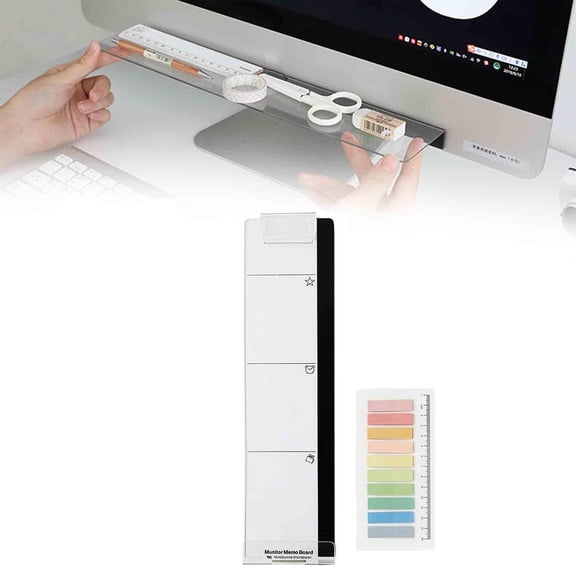
The acrylic monitor memo board sticks to the side of your monitor frame and gives your sticky notes a permanent, flat home in your peripheral vision instead of letting them slide off the desk or disappear under other notes. Peel the liner, press it to the plastic bezel, and it holds all day while peeling off cleanly with no residue when you move it. The clear panel blends against the bezel and wipes clean with a damp cloth, and the Left Panel configuration chooses the mounting side and whether you get the built-in phone slot that doubles as a discreet charging ledge. It keeps passwords, meeting codes, delivery reminders, and standing to-do lists visible without an app or a battery, and two-board setups balance an ultrawide screen. A low-tech, no-battery productivity tool that finally gives your reminders a home you will actually look at. Think about what it replaces. A desk covered in loose sticky notes that curl and fall off. A phone post-it app you open and forget. A notebook that lives closed in a drawer. This panel keeps one stack visible at all times. The clear acrylic also doubles as a subtle frame for a photo, a quote card, or a kid's drawing without making the monitor look cluttered. Because it is transparent, it never blocks the screen or fights the monitor's color. Wipe it with a damp cloth when notes come off, and it stays crystal clear. It is the small surface that absorbs the clutter that would otherwise cover your desk. Remote workers and students live by these. The panel sits where the eyes already rest, so the reminder is seen passively instead of actively hunted for. A parent working from home sticks a note with school pickup times. A student tapes an assignment deadline beside a laptop. An office worker keeps a standing to-do visible during back-to-back meetings. Because it mounts to the frame rather than the screen, it does not interfere with a webcam or a monitor arm. It adds no desk surface area, which matters on a cramped home-office setup. It is the organizer that works with the way people already look at a screen all day.
- Installing it is the one-minute version. Clean the frame, peel the adhesive liner, press firmly along the panel edge, and wait a few seconds. The sticky side is designed for the monitor frame, not the screen, so stick it to the plastic bezel and you will not touch the glass at all. When you ever need to move it, it peels off without leaving a gooey residue or a yellow patch behind, which is the detail that separates a cheap acrylic clip from one you will keep for years. The panel is thin enough not to intrude on the screen but rigid enough to hold a stack of notes. Clear acrylic also means it does not fight your monitor's color or the room's decor; it just vanishes until a note is on it. Remote workers and students live by these. The panel sits where the eyes already rest, so the reminder is seen passively instead of actively hunted for. A parent working from home sticks a note with school pickup times. A student tapes an assignment deadline beside a laptop. An office worker keeps a standing to-do visible during back-to-back meetings. Because it mounts to the frame rather than the screen, it does not interfere with a webcam or a monitor arm. It adds no desk surface area, which matters on a cramped home-office setup. It is the organizer that works with the way people already look at a screen all day. The {x} configuration is what matches your monitor. A simple left or right panel goes on the side that matches where you rest your notes; the phone-slot versions add a little ledge that holds a phone upright while it charges, so the cable runs behind the monitor instead of tangling across the desk; the two-pack pairs cover both sides of a wide screen. Pick the one that matches how you actually work rather than buying a generic one-size panel. It attaches in under a minute, needs no tools, and peels off clean if you change desks. It is the small monitor accessory that finally gives the side of your screen a job. Here is the honest limitation. It will not organize your calendar, and you still have to write things down. What it does is relocate the stack of reminders from a drawer and a desk corner to a single clear panel attached to the one screen you stare at all day. The adhesive holds on a plastic bezel, the acrylic stays clear, and the {x} option picks the side and whether you get the phone ledge. Wipe it, swap notes, charge your phone in the lip. That is the entire pitch. It is the low-effort, no-battery productivity tool that stops you from losing the one reminder that actually mattered.
- The bottom lip is where it gets useful. Some versions add a little slot that holds your phone upright while it charges, so the charging cable runs down behind the monitor instead of tangling across the desk. That one feature turns a note board into a small charging dock and stops the phone from lying face-up and distracting you on the desk surface. Notes go on the flat face; the phone or a small earbud case goes in the slot. It is the kind of detail you do not know you need until you see it, and then it is obvious. For a home-office or a workstation that already feels crowded, this adds surface without taking any desk space at all. The {x} configuration is what matches your monitor. A simple left or right panel goes on the side that matches where you rest your notes; the phone-slot versions add a little ledge that holds a phone upright while it charges, so the cable runs behind the monitor instead of tangling across the desk; the two-pack pairs cover both sides of a wide screen. Pick the one that matches how you actually work rather than buying a generic one-size panel. It attaches in under a minute, needs no tools, and peels off clean if you change desks. It is the small monitor accessory that finally gives the side of your screen a job. Here is the honest limitation. It will not organize your calendar, and you still have to write things down. What it does is relocate the stack of reminders from a drawer and a desk corner to a single clear panel attached to the one screen you stare at all day. The adhesive holds on a plastic bezel, the acrylic stays clear, and the {x} option picks the side and whether you get the phone ledge. Wipe it, swap notes, charge your phone in the lip. That is the entire pitch. It is the low-effort, no-battery productivity tool that stops you from losing the one reminder that actually mattered. The adhesive is the make-or-break detail, and here it is designed for the monitor frame, not the glass. Clean the plastic bezel, peel the liner, press the panel on, and hold it for a few seconds. It stays put through a long workday of bumped elbows and closed office doors, yet it peels off without a yellow, gummy residue when you decide to reposition or remove it. That is the line between a product that damages your equipment and one that respects it. Never stick it to the actual screen; the frame has a flat, rigid surface that the tape grips, and the clear acrylic never overlaps what you are looking at. Install once and forget it.
- Who this is built for is obvious once you see it: remote workers, students at a shared desk, and anyone who lives by a checklist. It keeps passwords, delivery codes, meeting reminders, and a standing to-do list right in front of you without opening a notebook. Two-board setups put one reminder panel on each side of an ultrawide monitor, which balances the visual weight. Because the panel is clear, it also works as a subtle frame for a photo, a small quote card, or a kid's drawing without making the monitor look cluttered. The acrylic wipes clean with a damp cloth, and replacing a note is a one-second peel. It is a low-tech productivity tool that needs no app, no battery, and no update. Here is the honest limitation. It will not organize your calendar, and you still have to write things down. What it does is relocate the stack of reminders from a drawer and a desk corner to a single clear panel attached to the one screen you stare at all day. The adhesive holds on a plastic bezel, the acrylic stays clear, and the {x} option picks the side and whether you get the phone ledge. Wipe it, swap notes, charge your phone in the lip. That is the entire pitch. It is the low-effort, no-battery productivity tool that stops you from losing the one reminder that actually mattered. The adhesive is the make-or-break detail, and here it is designed for the monitor frame, not the glass. Clean the plastic bezel, peel the liner, press the panel on, and hold it for a few seconds. It stays put through a long workday of bumped elbows and closed office doors, yet it peels off without a yellow, gummy residue when you decide to reposition or remove it. That is the line between a product that damages your equipment and one that respects it. Never stick it to the actual screen; the frame has a flat, rigid surface that the tape grips, and the clear acrylic never overlaps what you are looking at. Install once and forget it. Here is how a real workday uses it. Morning: write the one deadline on the top note. Midday: slap a second note with the call number. Afternoon: a reminder to pick up groceries. The notes pile up on the side panel in plain peripheral vision instead of being buried in a desk drawer. You glance at them between tabs without breaking flow, which is the whole point. Two side panels balance an ultrawide monitor, one per side, so reminders sit on both edges of the screen. It is a low-tech productivity layer that needs no battery, no sync, and no notification settings. Your to-do list is literally beside you.
- Let us be realistic about what it is and what it is not. It will not organize your whole life, and a busy person still has to write things down. What it does is move that stack of sticky notes from a drawer and a desk corner to a single flat surface attached to the one screen you stare at all day. The adhesive holds on a plastic bezel, peels off clean, and the clear acrylic blends in. The Left Panel configuration picks the side and whether you get the phone slot or the two-board pair, so you match it to your monitor and your workflow rather than the other way around. Wipe it, swap notes, and charge your phone in the lip. A small, unobtrusive acrylic monitor memo board that finally gives your reminders a home you will actually look at. The adhesive is the make-or-break detail, and here it is designed for the monitor frame, not the glass. Clean the plastic bezel, peel the liner, press the panel on, and hold it for a few seconds. It stays put through a long workday of bumped elbows and closed office doors, yet it peels off without a yellow, gummy residue when you decide to reposition or remove it. That is the line between a product that damages your equipment and one that respects it. Never stick it to the actual screen; the frame has a flat, rigid surface that the tape grips, and the clear acrylic never overlaps what you are looking at. Install once and forget it. Here is how a real workday uses it. Morning: write the one deadline on the top note. Midday: slap a second note with the call number. Afternoon: a reminder to pick up groceries. The notes pile up on the side panel in plain peripheral vision instead of being buried in a desk drawer. You glance at them between tabs without breaking flow, which is the whole point. Two side panels balance an ultrawide monitor, one per side, so reminders sit on both edges of the screen. It is a low-tech productivity layer that needs no battery, no sync, and no notification settings. Your to-do list is literally beside you. Think about what it replaces. A desk covered in loose sticky notes that curl and fall off. A phone post-it app you open and forget. A notebook that lives closed in a drawer. This panel keeps one stack visible at all times. The clear acrylic also doubles as a subtle frame for a photo, a quote card, or a kid's drawing without making the monitor look cluttered. Because it is transparent, it never blocks the screen or fights the monitor's color. Wipe it with a damp cloth when notes come off, and it stays crystal clear. It is the small surface that absorbs the clutter that would otherwise cover your desk.
- The problem this solves is small but constant. You finish a call, you write a to-do on a sticky note, you stick it to the monitor, and then it gets buried under three other notes or slides off the back of the stand. This acrylic panel sticks to the side of your monitor frame and gives that stack of reminders a permanent, flat home right where your eyes already are. It is Left Panel, so it lands on whichever side matches how you work, and the clear acrylic disappears against the bezel instead of looking like another gadget glued to your screen. Peel the backing, press it on, and the note you keep forgetting finally lives in your peripheral vision all day. That alone is why people buy a second one. Here is how a real workday uses it. Morning: write the one deadline on the top note. Midday: slap a second note with the call number. Afternoon: a reminder to pick up groceries. The notes pile up on the side panel in plain peripheral vision instead of being buried in a desk drawer. You glance at them between tabs without breaking flow, which is the whole point. Two side panels balance an ultrawide monitor, one per side, so reminders sit on both edges of the screen. It is a low-tech productivity layer that needs no battery, no sync, and no notification settings. Your to-do list is literally beside you. Think about what it replaces. A desk covered in loose sticky notes that curl and fall off. A phone post-it app you open and forget. A notebook that lives closed in a drawer. This panel keeps one stack visible at all times. The clear acrylic also doubles as a subtle frame for a photo, a quote card, or a kid's drawing without making the monitor look cluttered. Because it is transparent, it never blocks the screen or fights the monitor's color. Wipe it with a damp cloth when notes come off, and it stays crystal clear. It is the small surface that absorbs the clutter that would otherwise cover your desk. Remote workers and students live by these. The panel sits where the eyes already rest, so the reminder is seen passively instead of actively hunted for. A parent working from home sticks a note with school pickup times. A student tapes an assignment deadline beside a laptop. An office worker keeps a standing to-do visible during back-to-back meetings. Because it mounts to the frame rather than the screen, it does not interfere with a webcam or a monitor arm. It adds no desk surface area, which matters on a cramped home-office setup. It is the organizer that works with the way people already look at a screen all day.
info:
We aim to show you accurate product information. Manufacturers, suppliers and others provide what you see here, and we have not verified it.
Specifications
Dimensions
11.02 x 3.15 x 0.79 in
Material
Acrylic
Items included
Memo Board
Brand
Tryhome
Warnings
Similar items you might like
Based on what customers bought
Poscoverge Multifunction Computer Monitor Memo Board - Transparent Computer Side Panel Memo Creative Monitor Side Panel with Phone Holder Suitable for Office Home Desktop 2pcs (Functional Zone) $9.99
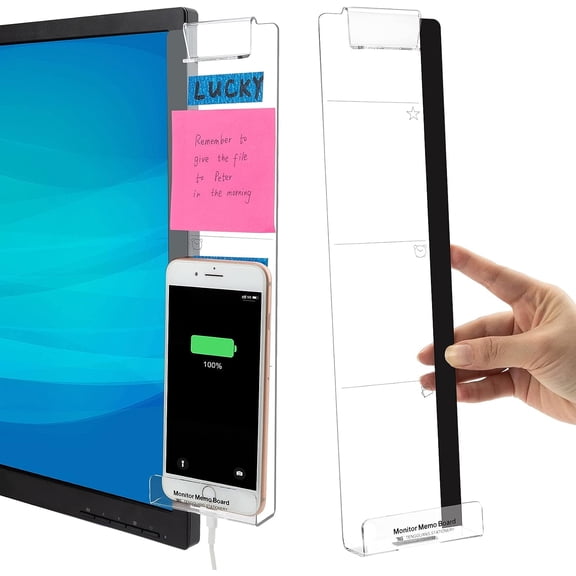 Sponsored$999current price $9.99
Poscoverge Multifunction Computer Monitor Memo Board - Transparent Computer Side Panel Memo Creative Monitor Side Panel with Phone Holder Suitable for Office Home Desktop 2pcs (Functional Zone)
15 out of 5 Stars. 1 reviews5 out of 5 starsSave with Shipping, arrives Wed, Nov 25
Best seller, Pen+Gear Pixie Box Clear Plastic Desktop Organizer $1.24
Best seller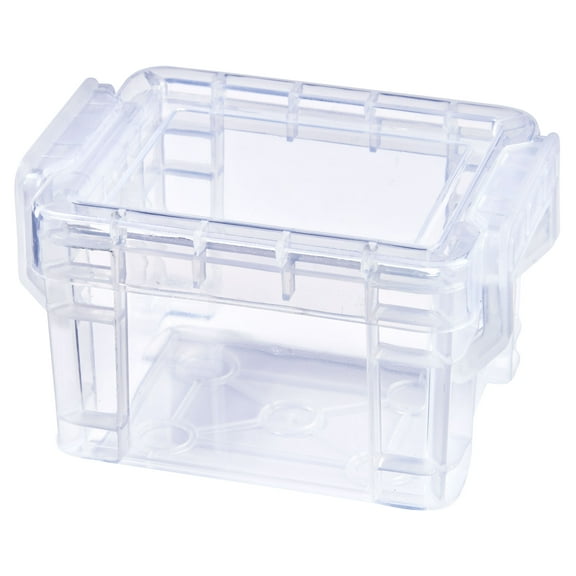 2 optionsAvailable in additional 2 options$124current price $1.24
Pen+Gear Pixie Box Clear Plastic Desktop Organizer
11604.5 out of 5 Stars. 1160 reviews4.5 out of 5 stars2 Pack Clear Acrylic Pen Holders, 2.6x2.6x4 inch Desk Organizer for Office Home Stationery & Makeup Brush Storage $9.99
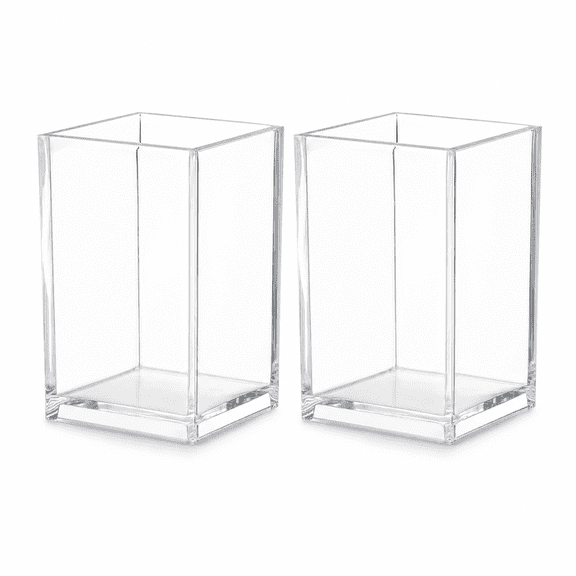 Sponsored$999current price $9.99
2 Pack Clear Acrylic Pen Holders, 2.6x2.6x4 inch Desk Organizer for Office Home Stationery & Makeup Brush Storage
Save withShipping, arrives Wed, Nov 25Monitor Sticky Note Holder - Computer Screen Memo Board - Desk Note Clip - Side-Mounted Notepad Organizer $0.89
 $089current price $0.89
Monitor Sticky Note Holder - Computer Screen Memo Board - Desk Note Clip - Side-Mounted Notepad Organizer
Clearance, Clearance! Desktop Dispenser, Plastic Memo Note Holder Box And Adhesive Note Paper Organizer, For Office Desk Organization, Space Saving $1.61 Was $1.79
Clearance $161current price $1.61, Was $1.79$1.79
Clearance! Desktop Dispenser, Plastic Memo Note Holder Box And Adhesive Note Paper Organizer, For Office Desk Organization, Space Saving
Clear Acrylic Monitor Message Board - Side Mount Sticky Note Holder with Cable Organizer for Dual Screen Setup (11.8 Inch, BS Material) $2.67


 $267current price $2.67
Clear Acrylic Monitor Message Board - Side Mount Sticky Note Holder with Cable Organizer for Dual Screen Setup (11.8 Inch, BS Material)
CCOCC 3.35x3.35 Inch Sticky Note Holder, Clear Acrylic Sticky Dispenser, Post It Note Holder for Office Desk & Home Organization $8.21
 $821current price $8.21
CCOCC 3.35x3.35 Inch Sticky Note Holder, Clear Acrylic Sticky Dispenser, Post It Note Holder for Office Desk & Home Organization
Reduced price, 1PC Scalloped Acrylic Sticky Note Holder 3.35"x3.35" Clear Sticky Note Holder Dispenser for Classroom, Desk Organizer Accessories for Dorm Room Office $3.09 Was $3.44
Reduced price $309current price $3.09, Was $3.44$3.44
1PC Scalloped Acrylic Sticky Note Holder 3.35"x3.35" Clear Sticky Note Holder Dispenser for Classroom, Desk Organizer Accessories for Dorm Room Office
In 50+ people's carts, Pen+Gear Slim Storage Box with Clear Finish, Holds Up to 20 Pencils, Stackable $2.82
In 50+ people's carts 2 optionsAvailable in additional 2 options$282current price $2.82
Pen+Gear Slim Storage Box with Clear Finish, Holds Up to 20 Pencils, Stackable
2274.3 out of 5 Stars. 227 reviews4.3 out of 5 stars100+ bought since yesterday, Pen + Gear Plastic Index Card Box $2.97
100+ bought since yesterday 2 optionsAvailable in additional 2 options$297current price $2.97
Pen + Gear Plastic Index Card Box
3144.5 out of 5 Stars. 314 reviews4.5 out of 5 starsClearance, Monitor Memo Board, Acrylic Desktop Organizer with Transparent Clip for Computer Screen Side Frame, Office Accessory Sticky Note Holder, Topliu $1.05 Was $1.29
Clearance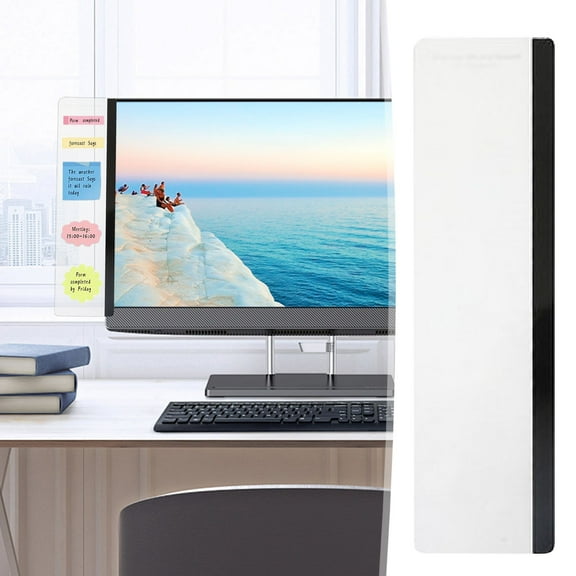

 $105current price $1.05, Was $1.29$1.29
Monitor Memo Board, Acrylic Desktop Organizer with Transparent Clip for Computer Screen Side Frame, Office Accessory Sticky Note Holder, Topliu
CCOCC 2-Pack Monitor Memo Board Set - Sticky Note Holder Clips for Computer Screen, Office Desk Organizer with Adhesive Backing, Home & Workplace Desktop Accessories for Women & Men $9.99
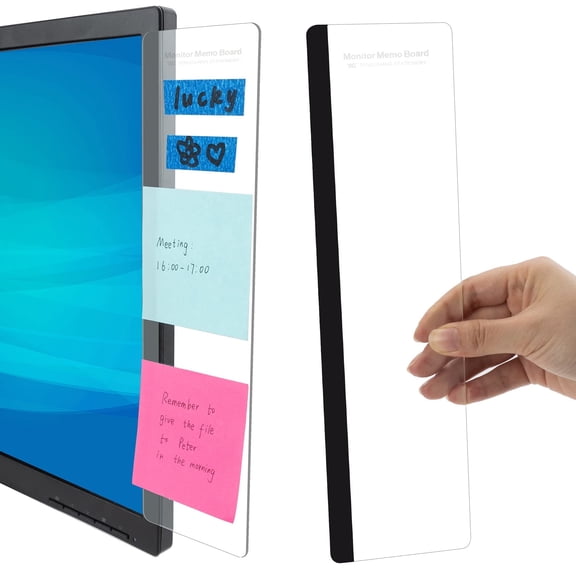 $999current price $9.99
CCOCC 2-Pack Monitor Memo Board Set - Sticky Note Holder Clips for Computer Screen, Office Desk Organizer with Adhesive Backing, Home & Workplace Desktop Accessories for Women & Men
CCOCC Clear Acrylic Sticky Notes Holder, 3x3 Post It Note Dispenser for Desk, Compact Office Organizer with Storage for Paper Clips, Light Blue $8.65
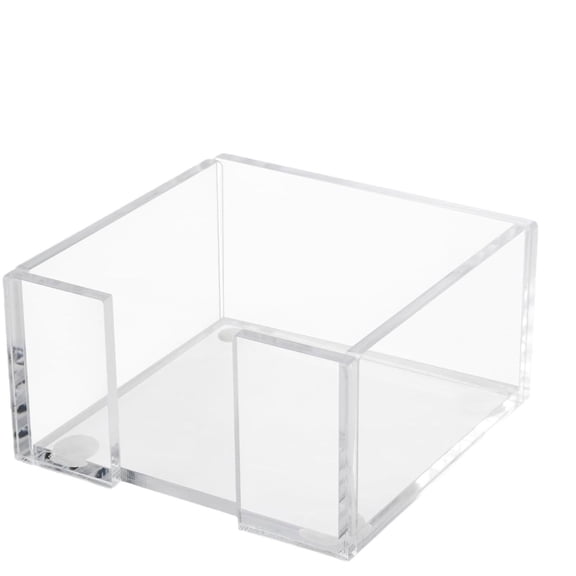 $865current price $8.65
CCOCC Clear Acrylic Sticky Notes Holder, 3x3 Post It Note Dispenser for Desk, Compact Office Organizer with Storage for Paper Clips, Light Blue
CCOCC Sticky Notes Holder,Clear Acrylic 3"X3" Post It Note Holder Dispenser for Desk,Computer Screen,Classroom Office Organizer High Transparency Sticky Note Holder for Desk Light Blue $8.50
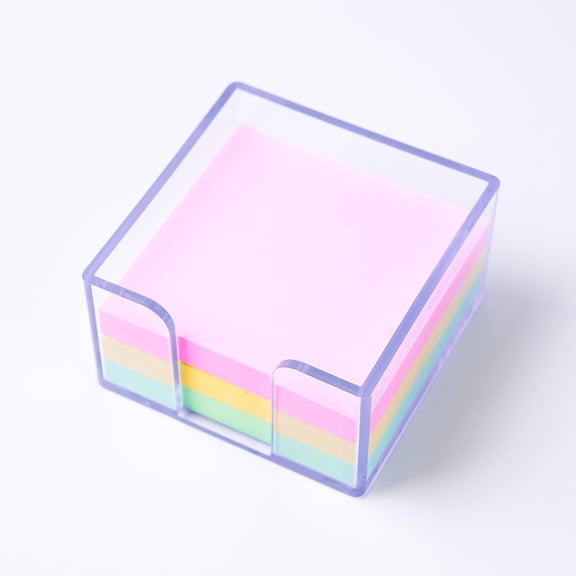 $850current price $8.50
CCOCC Sticky Notes Holder,Clear Acrylic 3"X3" Post It Note Holder Dispenser for Desk,Computer Screen,Classroom Office Organizer High Transparency Sticky Note Holder for Desk Light Blue
2-Pack Acrylic Monitor Memo Holders with Phone Stands – Left Right Side Set for Dual Monitors, Transparent Desk Organizer with Sticky Notes Slot $4.29
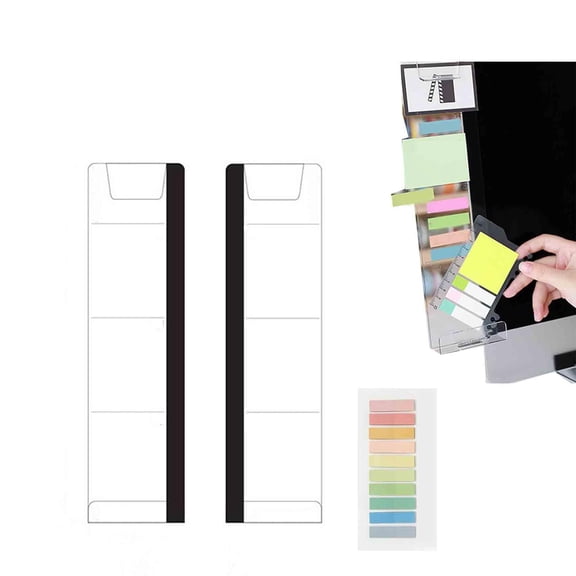


 $429current price $4.29
2-Pack Acrylic Monitor Memo Holders with Phone Stands – Left Right Side Set for Dual Monitors, Transparent Desk Organizer with Sticky Notes Slot
CCOCC Acrylic Sticky Note Holder, 3x3 Crystal Clear Notepad Dispenser with Anti-Slip Base, Desk Organizer for Office and Home $8.08
 $808current price $8.08
CCOCC Acrylic Sticky Note Holder, 3x3 Crystal Clear Notepad Dispenser with Anti-Slip Base, Desk Organizer for Office and Home
Clearance, 2PCS Paper Memo Holders, Safe Memo Holder ,Spike Stick for Bill Receipt Note Paper Order Office Desk $4.45 Was $4.95
Clearance $445current price $4.45, Was $4.95$4.95
2PCS Paper Memo Holders, Safe Memo Holder ,Spike Stick for Bill Receipt Note Paper Order Office Desk
50+ bought since yesterday, Pen+Gear 3 x 5 in Index Card Box, Clear Polypropylene Desktop Storage Organizer $10.86 $3.62/ea
50+ bought since yesterday 2 optionsAvailable in additional 2 options$1086current price $10.86$3.62/ea
Pen+Gear 3 x 5 in Index Card Box, Clear Polypropylene Desktop Storage Organizer
5124.5 out of 5 Stars. 512 reviews4.5 out of 5 starsCCOCC Acrylic Sticky Note Holder,3 X 3 Crystal Clear Acrylic Notepad Holder Sticky Note Dispenser for Dorm Room and Office Desk Organizer Crystal Clear Sticky Note Holder $10.37
 $1037current price $10.37
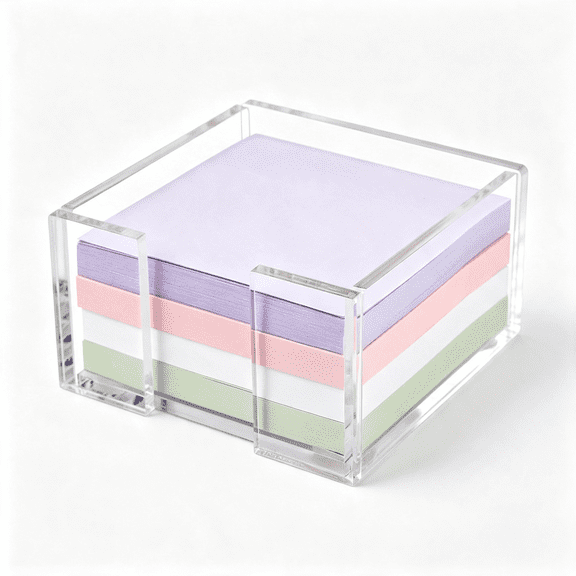
CCOCC Acrylic Sticky Note Holder,3 X 3 Crystal Clear Acrylic Notepad Holder Sticky Note Dispenser for Dorm Room and Office Desk Organizer Crystal Clear Sticky Note Holder
Computer Monitor Memo Board, 2 Pack, Sticky Note Holder, Semi-Transparent Flexible PVC, Desk Organizer, Desk Accessories & Workspace Organizers, 12" L x 3" W, Post It Holder $7.88
 $788current price $7.88
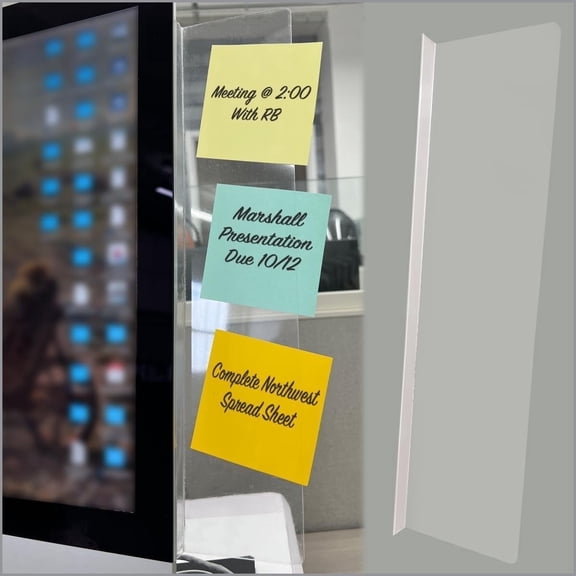
Computer Monitor Memo Board, 2 Pack, Sticky Note Holder, Semi-Transparent Flexible PVC, Desk Organizer, Desk Accessories & Workspace Organizers, 12" L x 3" W, Post It Holder
74.3 out of 5 Stars. 7 reviews4.3 out of 5 stars

Customer ratings & reviews
0 out of 5 stars
This item does not have any reviews yet

Price when purchased online
Not Available
How do you want your item?
Not available