
š„ Welcome to the FANG LIU Home Store š„
Weāre glad to have you here! If you have any questions, suggestions, or concerns about your order, please donāt hesitate to reach out. Our team is committed to providing a prompt and helpful responseātypically within 24 hours.
Smart Automatic Screen Clicker Device Plug In Mobile Tapper Silent Live Streaming Accessory for Continuous Screen Press and Gaming Automation Hot Savings & Everyday Bargains
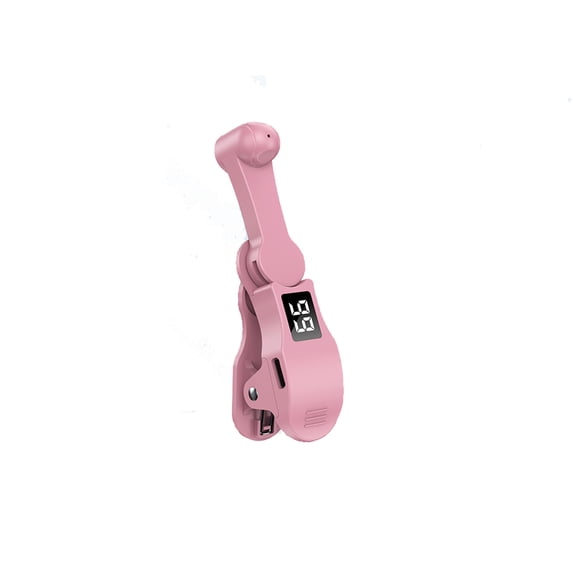
Smart Automatic Screen Clicker Device Mobile Screen Clicker Intelligent Plug-in Clicker Plastic Connector Live Streaming Assistant Mute
Product Description:
What can be more boring and tiresome than a task that requires repetitive clicking or tapping?
An
auto clicker is a tool to your that takes over this duty and performs repetitive clicks and taps of the user. It replaces manual clicking/tapping with fast and ceaseless automatic clicking/tapping.
ćAdvanced Silent ćThis smartphone screen auto clicker utilizes cutting-spatial mapping technology, transitioning from the old mechanical click. This modernization ensures a silent function that completely eliminates any noise and guarantees a longer lifespan. With a commitment to breakthrough technology, it maintains the
integrity of your phone's screen, providing better responsiveness and reliability.
ćEasy ć Simply install the click head or use the screen clip to
replicate the automatic finger click. Connect the USB connector to a power source for use, freeing your hands. Great for gaming, live streaming, and completing tasks efficiently.
ćCustomizable Tapping SpeedćCustomize your mobile screen auto clicker to
meet your exact needs. With 108 adjustable speed settings, you are to choose from a super-fast speed of 99 taps per second or a more leisurely speed of just 1 tap every 9 seconds. You can save your favorite speed and enjoy the finger-like irregular clicking pattern for an uninterrupted experience.
ćLED Display ConveniencećWith an integrated LED digital display, this allows you to view the number of clicks for easy and convenient . Use the smart digital interface to your experience and MAKE more user-friendly.
ćInstructions for UsećActivate BOOT Mode - First press the BOOT button to put the device into BOOT state, and then the screen will display the digital count. Then press the Start button to initiate the click , indicated by a flashing blue light. To modify the frequency in BOOT mode, simply press and hold the BOOT button to make extended adjustments.
Specifications:
Name: Auto Screen Clicker
Function: like fast, game cycle
Size: about 98.4*20.5*44.3mm / 3.87*1.59*1.74in
Click the Gear: once in 9 seconds - 99 times in 1 second
Packing List: 1* Auto Screen Clicker; 1* USB Cable
Includes: 1x clicker
If you need to return an item, please ensure it is kept in its original packaging. We offer a full refund as long as the item remains in unused condition and does not affect resale. Your satisfaction is always our top priority.
