


Tax Prep Tech in Electronics

























About Tax Prep Tech in Electronics - Walmart.com
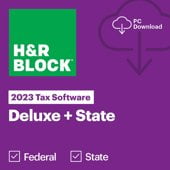
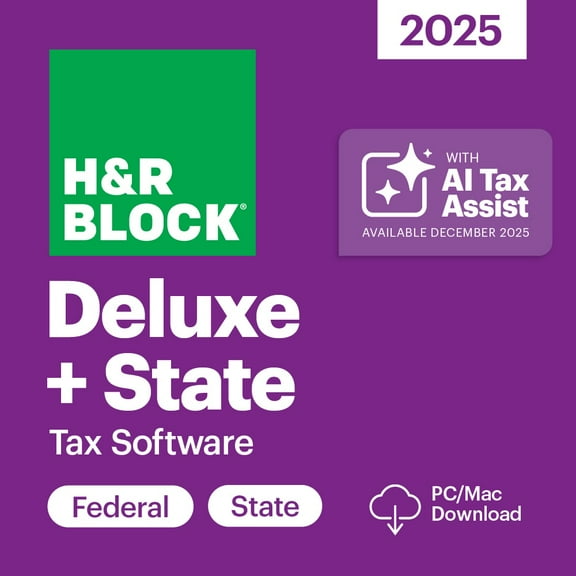
Tax preparation software helps you organize forms, compare filing options, and complete returns with fewer paper steps. You can sort choices by software tier, filing type, and delivery format for a smoother tax season.
If you want category guidance before you choose, you can use this page like a buyer's guide. You can compare Basic, Deluxe, Premier, and Self-Employed options without guessing which level fits your return.
How to choose tax preparation software
You should start with your filing complexity, because that decision shapes the tools you may need. You can usually use simpler options for standard returns, while more involved returns may call for broader guidance.
When you compare software tiers, you should look at what each level is designed to handle. You may need Deluxe for itemized deductions, Premier for rental property or investments, and Self-Employed for sole proprietor income.
You can narrow your options faster by checking these decision points first. You should match the program to your forms, records, and filing goals before you choose a version.
- You can use Basic when your return is straightforward and your documents are limited.
- You may prefer Deluxe when your return includes itemized deductions and more detailed entries.
- You can look at Premier when your filing includes investments or rental property details.
- You may need Self-Employed when your return includes freelance, contract, or sole proprietor income.
- You should check whether federal and state filing are both included in your selected program.
- You can compare digital download and physical disc options based on setup and device preferences.
Choosing federal and state tax software
You should confirm your filing type early, because federal-only and combined options serve different needs. You can avoid extra steps by checking whether your state return is included before checkout.
If you file in more than one place, you should compare federal and state tax software details carefully. You may see different setup paths for Federal Only, Federal and State, or Business filing needs.
You can also check how each tax filing software option handles e-file steps and final submission. You should look for clear prompts, status tracking, and easy navigation between federal and state sections.
Support tools matter when your return has moving parts, so you should compare guidance levels closely. You may want help features, import tools, or CPA audit support explanations written in plain language.
What to look for in tax prep software features
You should compare delivery format next, because setup can affect how quickly you begin. You can choose digital download for fast access, or you can pick a physical disc if that matches your device setup.
Import capability is another decision-critical feature, especially if you filed digitally last year. You should check whether your income tax software can import prior returns, because that may reduce repeat entry.
You can also compare compatibility details before you buy. You should confirm operating system support, account setup steps, and whether your device includes a disc drive.
As you review tax prep programs, you should look for interview-style guidance and form-based entry choices. You can choose the experience that feels clearer for your records and filing habits.
You should also check whether your e-file tax software explains included support clearly. You may see options with help articles, live guidance paths, or CPA audit support descriptions for added confidence.
Matching tax prep software to your tax situation
If your return is simple, you can focus on Basic or similar entry-level tools. You should look for straightforward question flows, standard deduction support, and fast e-file steps.
When your return includes itemized deductions, you may want more guided prompts and category-specific questions. You can use those tools to sort entries for mortgage interest, charitable gifts, and other deduction areas.
If you manage rental property, you should compare Premier-level tools that align with more detailed records. You can look for sections that organize property income, expenses, and related filing workflows.
When you work for yourself, you may need Self-Employed software that reflects independent income patterns. You can compare programs that help you enter business income, expenses, and quarterly tax information.
You should also think about how and where you'll install your 2024 tax software. You can choose a digital option for immediate access, or you can select a disc for a traditional setup process.
For business filing, you should confirm that the program matches the return type you plan to complete. You can compare Business versions separately from personal filing software to keep your search focused.
How you can compare tax filing software with confidence
You can make a clearer choice when you compare software tier, filing type, delivery format, and support in one place. You should use those filters to find tax preparation software that matches your return and setup.
With the right fit, you can move from document gathering to e-file submission with fewer surprises. You should feel more prepared when your software matches your forms, filing scope, and preferred way to work.