

scan & go
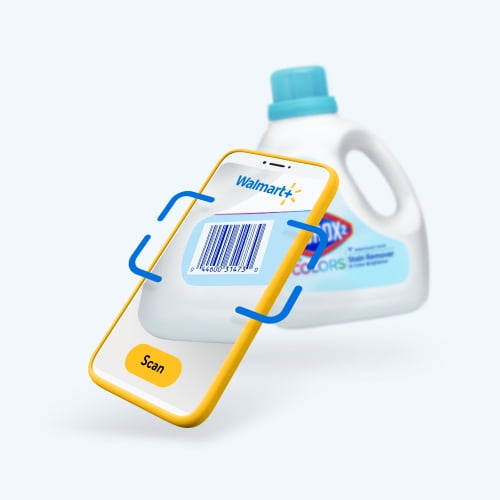
Mobile scan & go
Shop & check out fast with your phone in-store. Just scan, pay, & be on your way!

It's easy in 3 simple steps!

Open your Walmart app
Select Scan & go from the Store Mode landing page. Make sure your location access is enabled.
Scan your items as you shop
Once your items are scanned, click “View cart” to verify that everything is correct.
Tap "Check out"
Tap the blue “Check out” button in the app & head over to self-checkout. Confirm your payment method. Scan QR code at register.

FAQ
Location sharing troubleshooting guide
About scan & go - Walmart.com
With walmart scan, you can use your phone to scan items in store and move through checkout with fewer steps. You get clear mobile guidance, app-based payment, and a digital receipt flow built for Walmart shopping.
If you’re comparing scan and go options, you likely want simple setup and a smooth in-store routine. You can use this guide to understand access, membership, payment, and store hardware before you start.
How to use walmart scan and go
You start by opening the Walmart app and signing into your account before you shop. You can then access the scan and go app experience from your phone and begin scanning eligible items.
When you add each item, you can review your running total as you move through the aisles. You keep your trip organized on one screen, which helps you check items before payment.
- You can scan items as you shop instead of waiting until the end.
- You can pay in the app and use a digital receipt at checkout.
- You can keep your cart visible on your phone during the trip.
- You can follow a simple flow that fits regular store visits.
As you compare mobile scan and go tools, you should look for easy login, clear item review, and a fast payment step. You also want receipt access that stays available on your device.
Choosing device compatibility
You can access mobile scan and go on common phone platforms, and your setup starts with your device. You should check whether you use iOS, Android, or mobile web before you begin.
If you use iOS or Android, you can work from the Walmart app for a more direct in-store flow. If you use mobile web, you should confirm that your experience matches your store visit needs.
You may also want to check your login status before entering the store. You can avoid delays when your account is ready and your phone stays connected during shopping.
Understanding user types and membership
You may wonder whether scan and go requires a specific membership or account type before you shop. You should review user type details first, because access can differ for Walmart+ members, Spark shoppers, and general customers.
If you’re a Walmart+ member, you can look for the in-app flow tied to your membership benefits. If you’re researching scan and go spark shopper details, you should confirm the app path that matches your work or shopping role.
If you’re a general customer, you should check current access details in the app before starting a trip. You can make a quicker decision when you know which account type supports your visit.
Comparing payment methods in the scan and go app
You should choose a payment method that fits your phone checkout routine before you begin scanning. You may see options such as Walmart Pay, credit card, debit card, or gift card in the scan and go app.
When you finish shopping, you can review your items and complete payment from your device. You then move forward with a digital confirmation instead of re-scanning your full cart at a lane.
If you want fewer interruptions, you should confirm your preferred payment method in advance. You can keep checkout moving when your card or gift balance is already connected.
What to look for in store hardware
You should also understand how in-store hardware supports your trip after mobile payment. You may interact with a self-checkout register, an exit scanner, or a digital receipt during the final steps.
At self-checkout, you may follow prompts that connect your phone purchase to the register flow. At the exit scanner, you can present your confirmation so your trip stays simple and organized.
If you searched for a walmart scanner, you likely want to know how your phone connects with store equipment. You can think of the hardware as the final verification step for your digital purchase.
Using scan and go in real shopping situations
You might use scan & go for a quick grocery trip when you want each item logged as you shop. You can keep essentials, household basics, and pantry picks visible on your phone from aisle to checkout.
If you’re managing a routine weekly trip, you can use scan n go to monitor items before payment. You can make fewer last-minute lane decisions when your cart details stay in the app.
If you’re a Spark shopper, you may need a clear mobile flow that matches store steps. You can review scan and go spark shopper guidance in the app and follow the checkout prompts provided there.
When you’re choosing between device types, payment methods, and user roles, you should match the setup to your store routine. You can get a smoother trip when your app access and checkout method align before you shop.
Why this mobile flow works for in-store checkout
You get the most from this service when you understand access, membership, payment, and hardware before you enter the aisle. You can shop with more clarity when your phone handles scanning, payment, and receipt steps together.
If your goal is a more direct in-store routine, this service gives you a practical path from first scan to final confirmation. You leave with a completed purchase and a digital record that stays on your device.