

Samsung Note 10


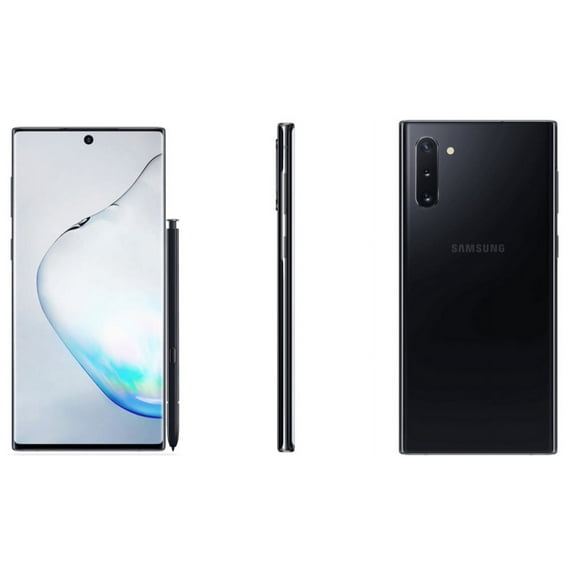


About Samsung Note 10 - Walmart.com
With galaxy note10 options, you can focus on S Pen productivity, a pocket-friendly design, and flexible buying choices in one browse page. You can also compare the decisions that matter for legacy phones, including unlocked compatibility, restored condition, storage capacity, and classic Aura finishes.
If you’re replacing an older Note or adding a backup device, you can narrow choices faster when you compare the right specs first. You can get more clarity when you understand how carrier bands, battery standards, and condition labels shape daily use.
How to choose galaxy note10 options
You should start with carrier compatibility, because network support shapes setup, calling, and data performance. You can compare unlocked models with carrier-specific versions before you choose a finish or storage option.
Next, you should check condition terms like restored, refurbished, and pre-owned, because each label signals a different shopping path. You can also review storage and battery details, since those specs influence how long your phone fits your routine.
- You can use the S Pen for handwritten notes, screen markup, and quick edits without carrying extra tools.
- You can appreciate the slim Note10 body when you want a large display that still feels easier to handle.
- You can choose unlocked models for broader carrier flexibility and simpler switching between supported networks.
- You can find restored options useful when you want flagship-era features like DeX support and fast charging.
Choosing condition and restored galaxy note 10 details
You should read condition labels as a buying guide, not just a cosmetic note. You can see restored, refurbished, or pre-owned listings, and each one points to a different inspection and presentation standard.
When you choose a restored galaxy note 10, you’re usually focusing on a device that’s been checked for core function and cleaned for resale. You should still compare listing details closely, because included accessories, appearance grades, and battery standards can vary.
You may prefer refurbished or pre-owned options when you’re comfortable comparing visible wear, packaging, and accessory bundles. You should look for plain-language notes that explain screen condition, frame marks, and whether charging gear is included.
Battery health matters for a legacy smartphone, so you should check whether the listing states a minimum capacity percentage. You can use that detail to estimate charging habits and everyday runtime.
Comparing galaxy note 10 unlocked and carrier compatibility
You should treat compatibility as a technical decision, especially when you’re shopping older phones across major networks. You can confirm whether a galaxy note 10 unlocked model supports your carrier’s bands and activation requirements.
If you choose unlocked, you can get more flexibility for Verizon, AT&T, or T-Mobile use, depending on the exact model. You should still verify network support, because GSM and CDMA band differences can affect your setup experience.
You may prefer a carrier-specific phone when you want a simpler match for an existing line. You can benefit from checking model numbers, SIM status, and activation notes before you settle on color or condition.
When you travel or switch service later, you may appreciate an unlocked device with broad compatibility. You should compare listing notes carefully, because carrier support can differ even within the same Note10 family.
Choosing storage capacity and color finish
You should match storage to your habits before you compare finishes, because capacity shapes how much media and how many apps you can keep. You can often see galaxy note 10 256gb options, which suit many shoppers who keep photos, videos, and offline files.
If you use cloud storage lightly, you may find 256GB gives you room for documents, notes, and large apps. You should check whether the listing mentions expandable storage support, since that can affect how you plan long-term use.
You may also see higher capacities in some series listings, and you should compare them against your file habits. You can think about video capture, downloaded playlists, and mobile gaming before choosing more storage.
Color is also part of the decision, because finish affects the look you carry every day. You can choose galaxy note 10 aura glow for a reflective style. You can also pick Aura Black, Aura White, or Aura Pink for a different visual feel.
Using galaxy note10 for work, notes, and everyday media
You can use galaxy note10 models for handwritten notes, calendar edits, and document markups with the built-in S Pen. You can notice how useful that pen input feels when you’re signing forms, sketching ideas, or capturing quick reminders.
If you stream often, you can appreciate the large display and generous onboard storage for downloaded content. You can also use the phone for photos, messaging, and multitasking without carrying a larger device.
When you want a backup phone, you may prefer restored models that still offer Samsung DeX and fast charging support. You can get practical utility from those features when you connect to accessories or need quick power between tasks.
If you’re moving from an older Note, you can keep the stylus-centered workflow you already know. You can also compare unlocked access, storage needs, and condition grades with more confidence before you choose.
You can shop this category with more clarity when you compare compatibility, condition, storage, and finish in that order. You can end up with a galaxy note10 that fits your carrier, your files, and your everyday note-taking routine.
Popular in Samsung Note 10 - Walmart.com
- Samsung Galaxy Note 11
- Samsung Note Is Waterproof Not
- Specs Galaxy Note
- Samsung Galaxy Note Is It Waterproof
- Samsung Galaxy Note 9 Camera
- Samsung Galaxy Note Lite Usa
- Galaxy Note Art
- Samsung Galaxy Note 6 Edge
- Material Samsung Galaxy Note
- Samsung Galaxy Note Edge Black
- Samsung Galaxy Note 7
- Samsung Galaxy Note Edge White