Money Center Services & Solutions Online

Walmart Financial Services

We're here when you need us.
In-store money services
Bill pay. Easily manage your accounts in-store.

Bill pay

Easily manage your accounts in-store.

Bill pay. Easily manage your accounts in-store.
Check cashing. Cash payroll, government, personal checks and more.

Check cashing

Cash payroll, government, personal checks & more.

Check cashing. Cash payroll, government, personal checks and more.
Check printing. Save on personalized checks, sent right to your door.

Check printing

Save on personalized checks, sent right to your door.

Check printing. Save on personalized checks, sent right to your door.
Load and unload. Access your money, your way.

Load & Unload

Access your money, your way.

Load and unload. Access your money, your way.
Money orders. Enjoy low fees & lots of security.

Money orders

Enjoy low fees & lots of security.

Money orders. Enjoy low fees & lots of security.
Tax preparation. File in-store with a trusted pro.

Tax preparation

File in-store with a trusted pro.

Tax preparation. File in-store with a trusted pro.
Money transfers. Trust us to get it there safely and on time.

Money transfers

Trust us to get it there safely & on time.

Money transfers. Trust us to get it there safely and on time.

Payment types & services

OnePay Cash Logo

Buy now, pay later with OnePay Later

Easily finance over time.

OnePay Cash Logo
OnePay Cash logo

OnePay Cash

Debit Rewards, high-yield Savings, and no monthly fees.

OnePay Cash logo
OnePay Later with trade up

OnePay Later with trade up

Pay over time for the MacBook Neo.

OnePay Later with trade up
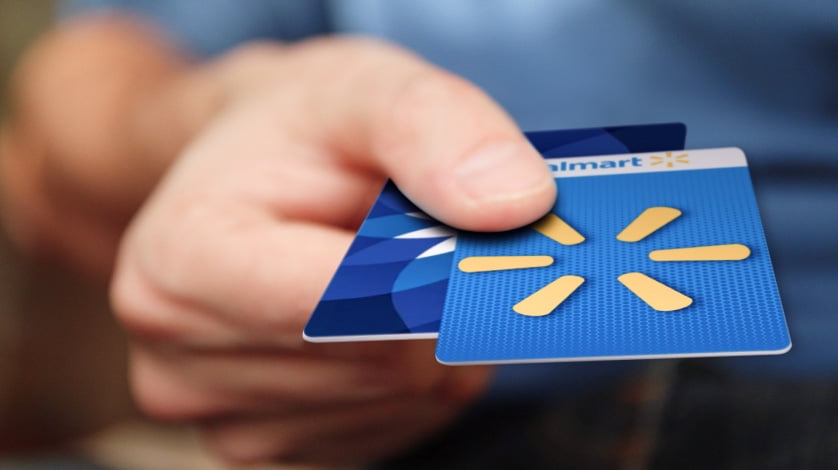
Gift Cards. Give them exactly what they want.

Gift Cards

Give them exactly what they want.

Gift Cards. Give them exactly what they want.
Green Dot. Manage your money with ease—anytime, anywhere. Find out how.

Green Dot

Manage your money with ease- anywhere, anytime.

Green Dot. Manage your money with ease—anytime, anywhere. Find out how.
Walmart MoneyCard. Earn cash back when you shop at Walmart. Find out how.

Walmart MoneyCard

Earn cash back when you shop at Walmart.

Walmart MoneyCard. Earn cash back when you shop at Walmart. Find out how.
Walmart Pay. Use the app and enjoy touch-free payments.

Walmart Pay

Use the app & enjoy touch-free payments.

Walmart Pay. Use the app and enjoy touch-free payments.

Give a gift card

Give a gift card

Something for everyone & always the right fit.

Shop gift cards

FAQ

What money services can I use at Walmart?

Walmart MoneyCenter lets you handle everyday money services in one spot. Depending on your needs, you can: Pay bills through our bill pay service. Send and receive money using online money transfers or in-store help. Cash checks and access funds. Buy money orders for secure payments. Load or unload funds with deposit and withdraw services. Prepare taxes with available tax prep services. Pick up gift cards or explore payment tools. You can start many tasks online or visit the in-store Money Services desk. Service availability, requirements, and fees can vary by location and provider. Reviewing the specific service page before you visit can help you plan your trip.

How do I pay bills at Walmart?

Bill pay is designed to be simple, whether you start online or in store. Go to our bill pay page or visit the Money Services desk. Follow the prompts to set up your payment. Review processing time and any service terms before you submit. Delivery speed and availability can vary by biller and service option. If timing matters, starting early can help account for processing. For the most up-to-date details on participating billers, processing windows, and applicable fees, check the bill pay page linked from the MoneyCenter.

How do money transfers work at Walmart?

You can send or receive money through Walmart’s money transfers either online or in store. Start on the online money transfers page or speak with an associate at the Money Services desk. Choose the transfer option that fits your needs and provide the requested details. Review estimated delivery timing and terms, then submit. Available options and speeds can differ by service, and transfer limits or fees may apply. If timing is important, reviewing choices on the online money transfers page before you begin can help you select what works best for your situation.

How do I add or withdraw cash at Walmart?

Walmart offers deposit and withdraw services to help you move cash the way you prefer. Add funds: Load money through cash reloads, bank transfers, or check deposit, depending on the account you use. Access cash: Use unload services where available to take out funds. Plan ahead: Steps, timing, and any related fees can vary by method. You can get started on the deposit and withdraw page or stop by the in-store Money Services desk. Availability can vary by location and provider, so reviewing instructions for your chosen method first can make your visit quicker.

What’s the difference between online and in-store money services?

Both options support everyday money services, but each has strengths. Online: Convenient for starting bill pay and money transfers from home, viewing service details, and reviewing timing and terms before you go. In store: Helpful when you want face-to-face assistance for money services like check cashing, money orders, or loading/unloading funds. Some services can start online and finish in store, while others are completed on the spot. Availability and requirements can vary by location, so checking the relevant service page and your local store’s offerings can help you choose the best path for your needs.