

Vgate(3)
Vgate iCar Pro Bluetooth 4.0 OBD2 Diagnostic Scanner, Car OBDII Code Reader Car Check Engine Light $26.79

Vgate iCar Pro Bluetooth 4.0 OBD2 Diagnostic Scanner, Car OBDII Code Reader Car Check Engine Light
Vgate iCar Pro Bluetooth 4.0 OBD2 Diagnostic Scanner, Car OBDII Code Reader Car Check Engine Light $26.79
Vgate iCar Pro Bluetooth 4.0 OBD2 Diagnostic Scanner, Car OBDII Code Reader Car Check Engine Light
FZFLZDH vgate iCar Pro BLE 4.0 OBD2 Diagnostic Tool Fault Code Reader OBDII ELM327 Compatible Car Adapter Check Engine Light for iOS iPhone iPad/Android $29.99

FZFLZDH vgate iCar Pro BLE 4.0 OBD2 Diagnostic Tool Fault Code Reader OBDII ELM327 Compatible Car Adapter Check Engine Light for iOS iPhone iPad/Android
FAQ
How do I use an OBD2 scanner with my car?
Using an OBD2 scanner is pretty straightforward for most vehicles. First, make sure your car is turned off, then locate the OBD2 port—usually found under the dashboard near the driver's seat. Plug in the scanner and turn on your vehicle. Next, connect your smartphone or tablet via Bluetooth if the scanner supports wireless connections. Open the compatible app, follow the prompts to pair your device, and you should see any available diagnostic information or codes. Always refer to your scanner's manual for detailed steps and safety tips.
What can an OBD2 scanner help me check?
An OBD2 scanner is handy for checking a range of vehicle health data. It can read trouble codes when your check engine light comes on, monitor engine performance, and display real-time data like RPM, speed, and coolant temperature.
- Reading and clearing diagnostic trouble codes
- Monitoring live engine data
- Checking emissions readiness status
While it won't fix the issue, it can give you a better idea of what's going on before seeing a mechanic.
Will this tool work with my car model?
Most OBD2 scanners are compatible with cars made after 1996 that use the standard OBD2 port. Check your vehicle's manual or look for the OBD2 port under your dashboard. If your car is newer, there's a good chance the tool will connect, but it's always smart to confirm compatibility with your vehicle's year, make, and model before purchasing.
Do I need a special app to use the scanner?
Yes, most Bluetooth OBD2 scanners require a compatible app on your smartphone or tablet for full functionality. Some scanners come with a recommended app, while others work with several popular third-party apps. You can usually find these apps in your device's app store. Be sure to check the product details for app compatibility and whether the app is free or requires a purchase for advanced features.
What should I do after reading a trouble code?
After your OBD2 scanner pulls a trouble code, jot down the code and look up its meaning in the app or online. Some codes are simple fixes, like a loose gas cap, while others could indicate bigger issues. If you're unsure, consider sharing the code with a trusted mechanic for advice. Clearing a code with the scanner may turn off the warning light temporarily, but it's best to address the underlying issue for your safety and vehicle's health.
Popular in Vgate OBD2 Scanners and Car Diagnostic Tools Online
Related Products
ANCEL FX3300 Elite OBD2 Automotive Scanner Car Diagnostic Tool ABS SRS BMS EPB OIL SAS
 ANCEL FX3300 Elite OBD2 Automotive Scanner Car Diagnostic Tool ABS SRS BMS EPB OIL SAS$140.00current price $140.00
Guy-Tech AC / DC Adapter Compatible with Autel MaxiSYS PRO 908 MS908P Smart Automotive Diagnostic and Analysis System Wireless Android Diagnostic Scanner MS906 MS906BT MS906TS Diagnostic Scan Tool
 Guy-Tech AC / DC Adapter Compatible with Autel MaxiSYS PRO 908 MS908P Smart Automotive Diagnostic and Analysis System Wireless Android Diagnostic Scanner MS906 MS906BT MS906TS Diagnostic Scan Tool$11.00current price $11.00
Fcar F802 OBD2 Scanner Code Reader Heavy Duty Truck All System Scan DPF Regen Oil Reset Automotive Diagnostic Tool
 Fcar F802 OBD2 Scanner Code Reader Heavy Duty Truck All System Scan DPF Regen Oil Reset Automotive Diagnostic Tool$424.99current price $424.99
ANCEL V5BT Bidirectional Test OBD2 Scanner Automotive Scanner All System ABS Oil TPMS SAS BMS Resets Vehicle Diagnostic Scan Tool
 ANCEL V5BT Bidirectional Test OBD2 Scanner Automotive Scanner All System ABS Oil TPMS SAS BMS Resets Vehicle Diagnostic Scan Tool$259.99current price $259.99
Autool Cs603 Obd2 Scanner Code Reader Automotive Obdii Oil/Epb/Abs/Sas System Diagnostic Scanner W/ 5 Reset Services 10000+ Code Coverage for 12V
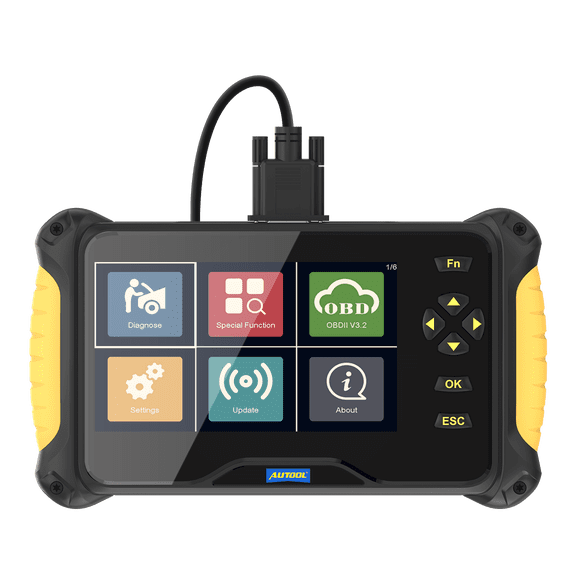 Autool Cs603 Obd2 Scanner Code Reader Automotive Obdii Oil/Epb/Abs/Sas System Diagnostic Scanner W/ 5 Reset Services 10000+ Code Coverage for 12V$152.97current price $152.97
Replacement Chrysler OBD I Cable AX20130 AutoXray New
 Replacement Chrysler OBD I Cable AX20130 AutoXray New$14.99current price $14.99
Edge Insight CTS3 Digital Gauge, Compatible with 1996 & Up OBD-II Vehicles. 84130-3
 Edge Insight CTS3 Digital Gauge, Compatible with 1996 & Up OBD-II Vehicles. 84130-3$493.95current price $493.95
ANCEL BM700 OBD2 Scanner Code Reader ABS SRS EPB TPMS Diagnostic Scanner Fit for BMW/Fit for Mini
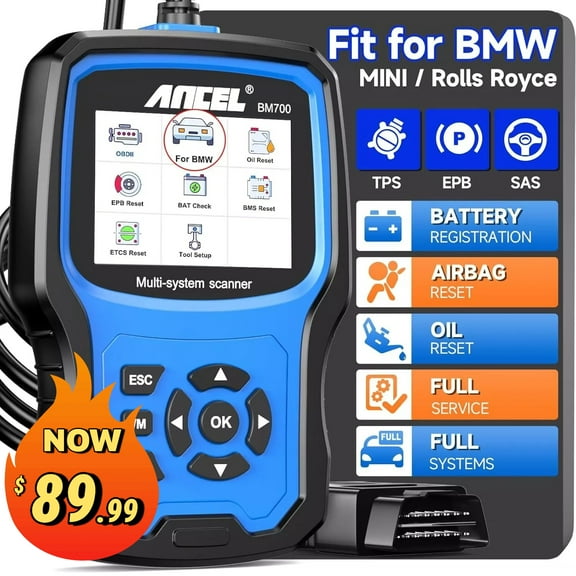 ANCEL BM700 OBD2 Scanner Code Reader ABS SRS EPB TPMS Diagnostic Scanner Fit for BMW/Fit for Mini$89.99current price $89.99
Car Fault Code Reader I/M Readiness Accurate Engine Diagnostic Scanner Multifunctional OBD2 Scanner Read and Erase Fault Code View Freeze Data CAN Diagnostic Tool
 Car Fault Code Reader I/M Readiness Accurate Engine Diagnostic Scanner Multifunctional OBD2 Scanner Read and Erase Fault Code View Freeze Data CAN Diagnostic Tool$12.19current price $12.19
OBD2 Scanner Diagnostic Tool Professional Vehicles Scan Tools
 OBD2 Scanner Diagnostic Tool Professional Vehicles Scan Tools$16.99current price $16.99
Autel MaxiCOM MK808S-TS Car Diagnostic Scan Tool TPMS Relearn Scanner with 36+ Services AutoAuth for FCA SGW Updated of MK808BT/MX808TS/TS601
 Autel MaxiCOM MK808S-TS Car Diagnostic Scan Tool TPMS Relearn Scanner with 36+ Services AutoAuth for FCA SGW Updated of MK808BT/MX808TS/TS601$699.00current price $699.00
Fault diagnosis instrument,Code Scanner Car Scanner Code Vehicle Toolobd Kw310 Professional Code Kw310 Scanner Toolobd Code Scanner Universal Scanner Eryue Vehicle Can Universal Car Black
 Fault diagnosis instrument,Code Scanner Car Scanner Code Vehicle Toolobd Kw310 Professional Code Kw310 Scanner Toolobd Code Scanner Universal Scanner Eryue Vehicle Can Universal Car Black$17.98current price $17.98
