

Swingline Replacement Blade(2)
Swingline ClassicCut Bypass Trimmer Replacement Blade, Blue (10008RRB) | 5-Pack (5 Total) $25.00

Swingline ClassicCut Bypass Trimmer Replacement Blade, Blue (10008RRB) | 5-Pack (5 Total)
Swingline ClassicCut Bypass Trimmer Replacement Blade - Blue - 1 Each From $15.00

Swingline ClassicCut Bypass Trimmer Replacement Blade - Blue - 1 Each
Other options to consider(7)
Swingline Replacement Punch Heads, 9/32", Use with A7074065, A7074028, A7074014 & A7074026 $14.80

Swingline Replacement Punch Heads, 9/32", Use with A7074065, A7074028, A7074014 & A7074026
Swingline, SWI74854, Swingline Replacement Punch Heads for A7074450/A7074440 - 9/32", 1 Each

Swingline, SWI74854, Swingline Replacement Punch Heads for A7074450/A7074440 - 9/32", 1 Each
Swingline ClassicCut 1208P Fixed Blade Trimmer, Durable Plastic, 12", 8 Sheets $18.72 Was $31.30

Swingline ClassicCut 1208P Fixed Blade Trimmer, Durable Plastic, 12", 8 Sheets
Swingline ClassicCut 1215P MultiCut Trimmer Durable Plastic 12 15 Sheets - $93.35

Swingline ClassicCut 1215P MultiCut Trimmer Durable Plastic 12 15 Sheets -
Swingline 1215 Rotary Trimmer - 15 Sheet Cutting Capacity - 12" Cutting Length - Rotating Blade - Silver - 1 Each From $107.28

Swingline 1215 Rotary Trimmer - 15 Sheet Cutting Capacity - 12" Cutting Length - Rotating Blade - Silver - 1 Each
Swingline Standard Staple Cartridge, 5,000 Staple Count, 1/4" Leg Length $13.50

Swingline Standard Staple Cartridge, 5,000 Staple Count, 1/4" Leg Length
Swingline 502e Desktop Electric Stapler Staple Cartridge, 1,500 Staple Count, 1/4" Leg Length $25.19

Swingline 502e Desktop Electric Stapler Staple Cartridge, 1,500 Staple Count, 1/4" Leg Length
FAQ
What kind of blade fits a Swingline trimmer?
If you're looking for a replacement blade for your Swingline paper trimmer, it's important to match the blade type with your specific model. Most Swingline ClassicCut Bypass Trimmers use blades designed for bypass cutting, which means the blade slides past a stationary edge for a clean cut. Always check your trimmer's manual or the product details to confirm compatibility. Using the correct replacement blade helps maintain smooth operation and keeps your cuts precise.
How do you change the blade on a Swingline trimmer?
- First, make sure the trimmer is on a stable surface and unplugged if it uses power.
- Locate the blade housing and follow any instructions provided in your trimmer's manual.
- Carefully remove the old blade, usually by loosening screws or clips.
- Insert the new replacement blade, making sure it's aligned properly.
- Secure the blade and test the trimmer with a sheet of paper to ensure it's cutting smoothly.
Always handle blades with care and keep fingers away from sharp edges during the process.
Can you replace blades on paper cutters easily?
Replacing blades on most paper cutters, including Swingline models, is generally straightforward. Many trimmers are designed with accessible blade housings and simple mechanisms for swapping blades. It's a good idea to consult your product's instructions for step-by-step guidance. If you're unsure, some stores offer in-person assistance or online resources to help with the process. Regular blade replacement keeps your paper cuts clean and prevents jagged edges.
What should I check before buying a replacement blade?
- Model Compatibility: Make sure the blade matches your trimmer's model.
- Blade Type: Choose the right style—bypass, rotary, or guillotine—based on your cutter.
- Installation Instructions: Look for blades that include clear directions or support resources.
- Safety Features: Some blades come with protective covers or easy-grip designs.
Checking these details helps ensure you get a blade that fits and works well with your trimmer.
How can I keep my trimmer blade sharp longer?
- Only use the trimmer for paper or materials it's designed to cut.
- Clean the blade regularly with a soft, dry cloth to remove debris.
- Store the trimmer in a dry place to prevent rust or corrosion.
- Avoid cutting thick stacks or items that could dull the blade quickly.
Following these tips can help extend the life of your replacement blade and keep your cuts crisp.
Popular in Swingline Replacement Blade
Related Products
BAZIC Desktop Stapler + Staple Remover + 1250 Staples, 3-Pack
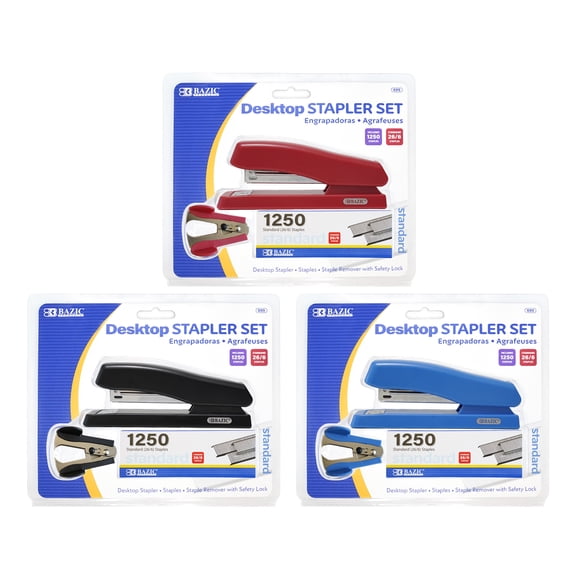 BAZIC Desktop Stapler + Staple Remover + 1250 Staples, 3-Pack$32.09current price $32.09
PLUS Paper Clinch Desktop Staple Free Staple Blue
 PLUS Paper Clinch Desktop Staple Free Staple Blue$17.99current price $17.99
Bostitch Office Plier Stapler (P6C-8)
 Bostitch Office Plier Stapler (P6C-8)$28.99current price $28.99
Stapleless Stapler - Crimp No Holes, Labor Saving ABS Material, Green
 Stapleless Stapler - Crimp No Holes, Labor Saving ABS Material, Green$9.02current price $9.02
BAODELI Heavy Duty Metal Stapler, 50-Sheet Capacity, Includes Staples & Remover, Black, Full Strip for Office Desk
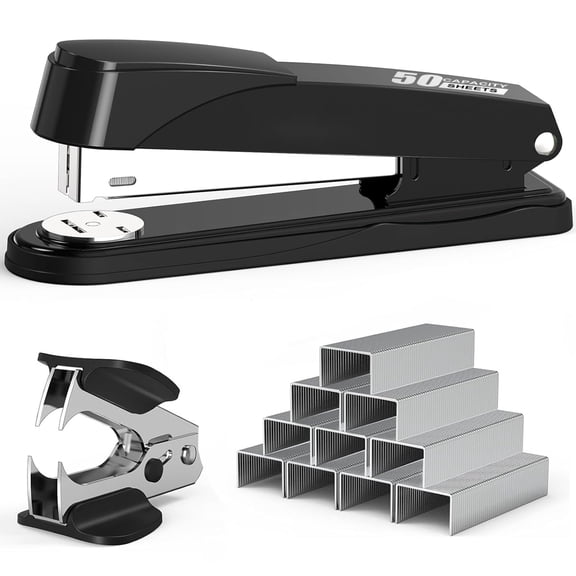 BAODELI Heavy Duty Metal Stapler, 50-Sheet Capacity, Includes Staples & Remover, Black, Full Strip for Office Desk$13.98current price $13.98
Swingline Cub Compact Metal Stapler Periwinkle Purple - Compact Staplers
 Swingline Cub Compact Metal Stapler Periwinkle Purple - Compact Staplers$10.64current price $10.64
Swingline Cub Compact Metal Stapler Rio Red - Compact Staplers
 Swingline Cub Compact Metal Stapler Rio Red - Compact Staplers$9.04current price $9.04
Swingline Standard Stapler 20 Sheets Blush Pink - Full Size Staplers
 Swingline Standard Stapler 20 Sheets Blush Pink - Full Size Staplers$7.99current price $7.99
Swingline Heavy Duty Staple Remover, Spring-loaded, Chrome
 Swingline Heavy Duty Staple Remover, Spring-loaded, Chrome$16.57current price $16.57
Staples TRU RED Mini Stapler 10-Sheet Capacity Black TR58084
 Staples TRU RED Mini Stapler 10-Sheet Capacity Black TR58084$6.63current price $6.63
Swingline 747 Business Desktop Stapler 30 Sheets Arctic White - Full Size
 Swingline 747 Business Desktop Stapler 30 Sheets Arctic White - Full Size$21.88current price $21.88
Staples One-Touch Desktop Stapler 20 Sheet Capacity Gray/Black/Red 2/Pack ST44425/44425VS
 Staples One-Touch Desktop Stapler 20 Sheet Capacity Gray/Black/Red 2/Pack ST44425/44425VS$23.01current price $23.01
SWINGLINE S7035108P Staples,Standard, 1/4",PK5000
 SWINGLINE S7035108P Staples,Standard, 1/4",PK5000$10.06current price $10.06
BE-TOOL Mini Staplers Staple Set Manual Stapler for 20 Sheets Papers Office Desktop Stapler
 BE-TOOL Mini Staplers Staple Set Manual Stapler for 20 Sheets Papers Office Desktop Stapler$8.79current price $8.79
Bostitch Metal Spring Powered Stapler, One Finger, Supports Wounded Warrior Project, Camouflage (INP28-WW)
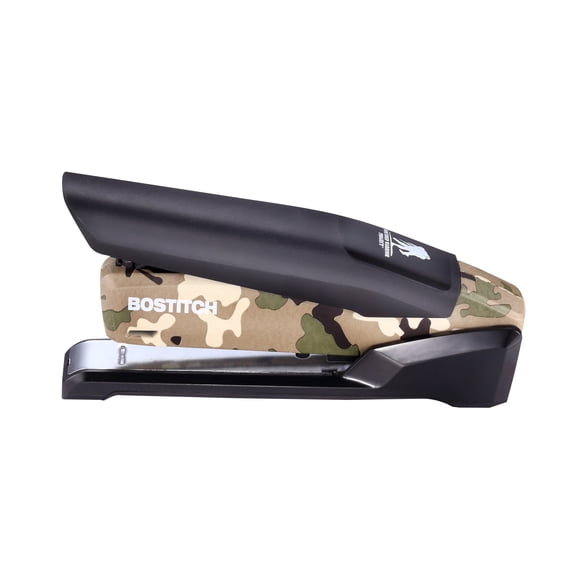 Bostitch Metal Spring Powered Stapler, One Finger, Supports Wounded Warrior Project, Camouflage (INP28-WW)$19.95current price $19.95
747 Classic Full Strip Stapler, 20-Sheet Capacity, Black
 747 Classic Full Strip Stapler, 20-Sheet Capacity, Black$31.33current price $31.33
1 Desk Stapler Standard Staples Paper Manual Office Supplies Desktop Classroom
 1 Desk Stapler Standard Staples Paper Manual Office Supplies Desktop Classroom$7.23current price $7.23
