

Oled55c1pub(1)
Top rated for refresh rate, LG 55" Class 4K UHD Smart OLED C1 Series TV with AI ThinQ OLED55C1PUB $1,029.00
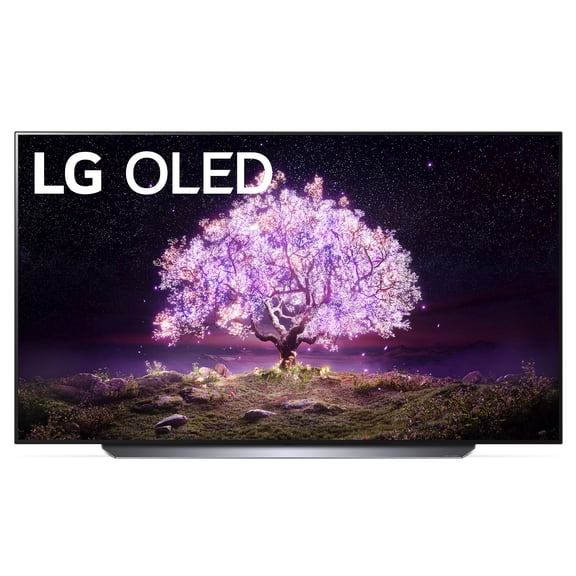
LG 55" Class 4K UHD Smart OLED C1 Series TV with AI ThinQ OLED55C1PUB
FAQ
How do I know if this TV fits my space?
When deciding if a TV will fit your space, it's a good idea to check the product's dimensions listed in the specifications. Remember that the 'class size' (like 55-inch) refers to the general category and not the exact diagonal measurement. To plan your setup, measure your available space and compare with the TV's actual width, height, and depth. Consider leaving room for cables, ventilation, and any stands or mounts you might use.
- Check specification sheets for exact measurements.
- Measure your TV stand or wall area.
- Allow space for accessories and airflow.
Reviewing these details can help you find the right fit for your home.
Can I stream shows on this TV?
Most smart TVs, including those in the UHD OLED category, offer built-in streaming services. You can usually access popular apps to watch movies, shows, or sports directly from your TV. To get started, connect your TV to the internet and follow on-screen instructions to log in or download streaming apps. If you're looking for specific apps, check the product's app availability list or manufacturer's website.
- Connect to Wi-Fi or Ethernet.
- Open the TV's app store or menu.
- Sign in to your favorite streaming platforms.
Streaming is a convenient way to enjoy entertainment right from your TV screen.
What kind of remote comes with this TV?
Smart TVs typically include a remote control designed to work with their features. The remote may offer shortcuts to streaming apps, voice controls, or navigation buttons. To find out exactly what type of remote is included, check the manufacturer's documentation or the product details on the retailer's page. If you need extra functionality, universal remotes are often compatible with most TVs.
- Look for details in the product box or manual.
- Features may include app buttons and navigation controls.
- Universal remotes are sometimes an option if needed.
Knowing your remote's features can help you make the most of your TV experience.
How can I mount this TV on the wall?
Wall mounting your TV is a great way to save space and get a clean look. To do this, you'll need a compatible wall mount bracket that matches the TV's mounting pattern (often called VESA). Check the TV's specifications for this information and make sure your wall can support the weight. Follow the manufacturer's instructions for safe installation, and consider professional help if you're unsure.
- Find the correct mounting pattern in the specs.
- Choose a strong bracket for your wall type.
- Use proper tools and anchors for safety.
Wall mounting can enhance your viewing setup and free up room in your home.
What should I know about cleaning the TV screen?
Keeping your TV screen clean helps maintain picture quality. Use a soft, dry microfiber cloth to gently wipe the screen. Avoid harsh chemicals, sprays, or rough materials that could damage the surface. If needed, lightly dampen the cloth with water, but never spray liquid directly onto the screen. Always unplug your TV before cleaning for safety.
- Use only soft microfiber cloths.
- Don't use cleaners containing alcohol or ammonia.
- Unplug the TV before starting.
Regular gentle cleaning can keep your TV looking its best for years to come.
Popular in oled55c1pub 55 Inch OLED TV Electronics Selection
Related Products
Sony K55XR80M2 55 Inch Bravia 8 QD-OLED 4K HDR Google TV with a Walts FIXED-MOUNT-43-90 TV Mount for 43"-98" TVs and Amber Protection 3-OUTLET-SURGE Surge Protector (2025)
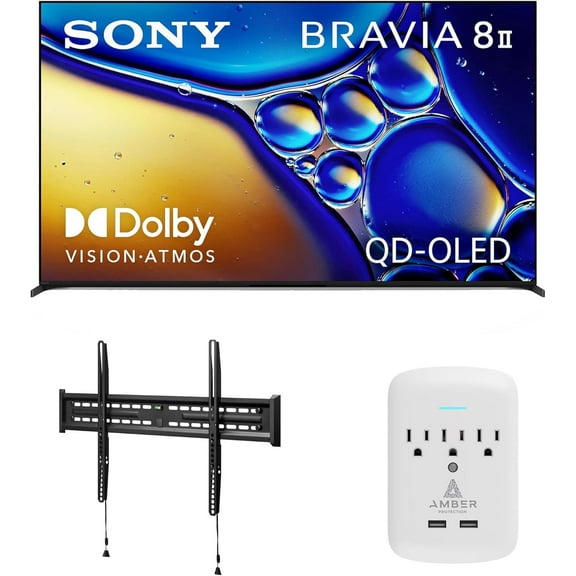 Sony K55XR80M2 55 Inch Bravia 8 QD-OLED 4K HDR Google TV with a Walts FIXED-MOUNT-43-90 TV Mount for 43"-98" TVs and Amber Protection 3-OUTLET-SURGE Surge Protector (2025)$1798.00current price $1798.00
LG 77 Inch OLED evo G4 Series Smart TV 4K HDR (2024)
 LG 77 Inch OLED evo G4 Series Smart TV 4K HDR (2024)$2584.64current price $2584.64
LG 83" Class 4K UHD OLED Web OS Smart TV with Dolby Vision G3 Series - OLED83G3PUA
 LG 83" Class 4K UHD OLED Web OS Smart TV with Dolby Vision G3 Series - OLED83G3PUA$3996.99current price $3996.99
Sony K75XR90 75" XR90 Series Bravia Mini LED HDR QLED 4K Google TV with an Austere 5S-4KHD2-2.5M V-Series 2.5m Premium 4K HDR HDMI Braided Cable (2024)
 Sony K75XR90 75" XR90 Series Bravia Mini LED HDR QLED 4K Google TV with an Austere 5S-4KHD2-2.5M V-Series 2.5m Premium 4K HDR HDMI Braided Cable (2024)$3474.99current price $3474.99