

Imac Skins(41)
Best seller, LSS 17 17.3 inch Laptop Notebook Skin Sticker Cover Art Decal For Hp Dell Lenovo Apple Asus Acer Fits 16.5" 17" 17.3" 18.4" 19" with 2 Wrist Pads Free - Black Waves From $13.95

LSS 17 17.3 inch Laptop Notebook Skin Sticker Cover Art Decal For Hp Dell Lenovo Apple Asus Acer Fits 16.5" 17" 17.3" 18.4" 19" with 2 Wrist Pads Free - Black Waves
LSS 17" Laptop Skin Sticker for HP Dell Lenovo Apple Asus Acer Compaq - Fits 16.5" 17" 17.3" 18.4" 19" - Purple Butterfly From $13.95

LSS 17" Laptop Skin Sticker for HP Dell Lenovo Apple Asus Acer Compaq - Fits 16.5" 17" 17.3" 18.4" 19" - Purple Butterfly
LSS 17 17.3" Laptop Notebook Skin Sticker Cover Art Decal for Hp Dell Lenovo Acer Fits 16.5" 17" 17.3" 18.4" 19" with 2 Wrist Pads Free - Roaring Tiger From $13.95

LSS 17 17.3" Laptop Notebook Skin Sticker Cover Art Decal for Hp Dell Lenovo Acer Fits 16.5" 17" 17.3" 18.4" 19" with 2 Wrist Pads Free - Roaring Tiger
LSS 17 inch Laptop Skin Sticker Cover Art Decal for Hp Dell Lenovo Apple Asus Fits 16.5" 17" 17.3" 18.4" 19" - Abstract From $14.95

LSS 17 inch Laptop Skin Sticker Cover Art Decal for Hp Dell Lenovo Apple Asus Fits 16.5" 17" 17.3" 18.4" 19" - Abstract
LSS 17 17.3 inch Laptop Notebook Skin Sticker Cover Art Decal for Hp Dell Lenovo Apple Asus Acer Fits 16.5" 17" 17.3" 18.4" 19" with 2 Wrist Pads Free - Dual Butterflies From $14.95

LSS 17 17.3 inch Laptop Notebook Skin Sticker Cover Art Decal for Hp Dell Lenovo Apple Asus Acer Fits 16.5" 17" 17.3" 18.4" 19" with 2 Wrist Pads Free - Dual Butterflies
LSS 17 17.3 inch Laptop Notebook Skin Sticker Cover Art Decal For Hp Dell Lenovo Apple Asus Acer Fits 16.5" 17" 17.3" 18.4" 19" with 2 Wrist Pads Free - Blue Eyed Cat From $13.95

LSS 17 17.3 inch Laptop Notebook Skin Sticker Cover Art Decal For Hp Dell Lenovo Apple Asus Acer Fits 16.5" 17" 17.3" 18.4" 19" with 2 Wrist Pads Free - Blue Eyed Cat
LSS 17 inch Laptop Notebook Skin Sticker Cover Art Decal For Hp Dell Lenovo Apple Asus Fits 16.5" 17" 17.3" 18.4" 19" with 2 Wrist Pads Free - Ladybug From $13.95

LSS 17 inch Laptop Notebook Skin Sticker Cover Art Decal For Hp Dell Lenovo Apple Asus Fits 16.5" 17" 17.3" 18.4" 19" with 2 Wrist Pads Free - Ladybug
LSS 15 15.6 inch Laptop Notebook Skin Sticker Cover Art Decal For Hp Dell Lenovo Apple Asus Acer Fits 13.3" 14" 15.6" 16" with 2 Wrist Pads Free - Sunflowers Floral From $13.95

LSS 15 15.6 inch Laptop Notebook Skin Sticker Cover Art Decal For Hp Dell Lenovo Apple Asus Acer Fits 13.3" 14" 15.6" 16" with 2 Wrist Pads Free - Sunflowers Floral
26-29" Anti-Static Dustproof Monitor Dust Cover, Computer Protective Sleeve for LCD LED HD Panel PC Desktop TV, Compatible with iMac 27", Black $12.89
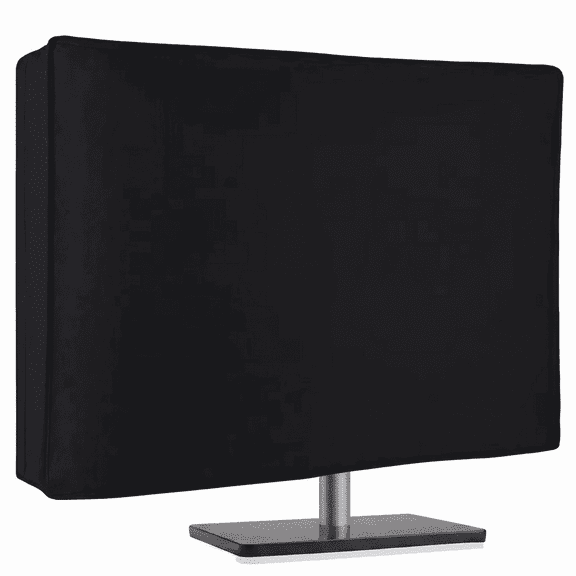
26-29" Anti-Static Dustproof Monitor Dust Cover, Computer Protective Sleeve for LCD LED HD Panel PC Desktop TV, Compatible with iMac 27", Black
FAQ
How do I pick the right iMac skin size?
Choosing the right skin size for your iMac is important for a smooth fit and stylish look. Start by checking your iMac's model and screen size, usually found on the back or in your device settings. Most skins are designed for specific sizes and models, so matching your iMac's measurements with the product description helps ensure compatibility.
- Look for skins labeled for your iMac's inch size (like 27" or 24").
- Double-check the fit in the product details before purchasing.
This way, you'll get a skin that covers your iMac properly and looks great.
Are iMac skins easy to apply?
Applying an iMac skin can be straightforward with a little prep. Make sure your iMac's surface is clean and dry before you start. Most skins come with adhesive backing that lets you position and adjust as needed.
- Peel off a small section of the backing first to align the skin.
- Smooth it out gradually to avoid bubbles.
- Use a soft cloth to press the skin gently onto the surface.
Taking your time during application helps the skin look neat and stay put.
Can I remove an iMac skin without damage?
If you're ready to change or remove your iMac skin, it can usually be done safely. Start by gently peeling the skin from one corner, taking care not to rush. Most skins use adhesives that are designed to come off cleanly, but it's best to go slow.
- Pull steadily and avoid sharp tugs.
- If any residue remains, use a soft, damp cloth to wipe it away.
This approach helps protect your iMac's finish while swapping styles or cleaning.
Do iMac skins protect against scratches?
iMac skins can provide a layer of protection against everyday scratches and minor scuffs. While they're not meant for heavy impact, skins cover the surface and help shield your iMac from dust, fingerprints, and basic wear.
- They act as a barrier between your iMac and external objects.
- Designs vary, so you can personalize your device while adding light protection.
It's a simple way to keep your iMac looking fresh and stylish.
How do I clean my iMac skin?
Keeping your iMac skin clean is easy and helps maintain its appearance. Just use a soft, dry cloth to wipe away dust and fingerprints. If you need a deeper clean, lightly dampen the cloth with water—avoid harsh chemicals or abrasive materials, as these can damage the skin's finish.
- Dust regularly for the best results.
- Spot clean with gentle motions if spills happen.
Regular care keeps your iMac skin looking vibrant and fresh.
Popular in Shop iMac Skins for Apple Computers and MacBooks
Related Products
Fintie Case for MacBook Pro 14 Inch A3401 A3185 A3112 A2992 A2918 A2779 A2442 with M4 M3 M2 M1 Chip (2024 2023 2022 2021 Release) - Heavy Duty Rugged Hard Shell Case Cover with TPU Bumper, Gray
 Fintie Case for MacBook Pro 14 Inch A3401 A3185 A3112 A2992 A2918 A2779 A2442 with M4 M3 M2 M1 Chip (2024 2023 2022 2021 Release) - Heavy Duty Rugged Hard Shell Case Cover with TPU Bumper, Gray$31.99current price $31.99
SUPCASE Unicorn Beetle Series Case Designed for MacBook Pro 13 Inch (2020-2016 Release), Slim Rubberized TPU Bumper Cover with Touch Bar and Touch ID (Black)
 SUPCASE Unicorn Beetle Series Case Designed for MacBook Pro 13 Inch (2020-2016 Release), Slim Rubberized TPU Bumper Cover with Touch Bar and Touch ID (Black)$31.99current price $31.99
MacBook Air 13-inch Case A2337 (M1) / A2179 / A1932 (2021-2018 Release)
 MacBook Air 13-inch Case A2337 (M1) / A2179 / A1932 (2021-2018 Release)$12.49current price $12.49
Fintie Case for MacBook Air 13.6 Inch A3449 A3240 A3113 A2681 (2022 2023 2024 2025 2026 Release) - Protective Snap On Hard Shell Cover for MacBook Air 13 Inch M2 M3 M4 M5 Chip, Crystal Clear
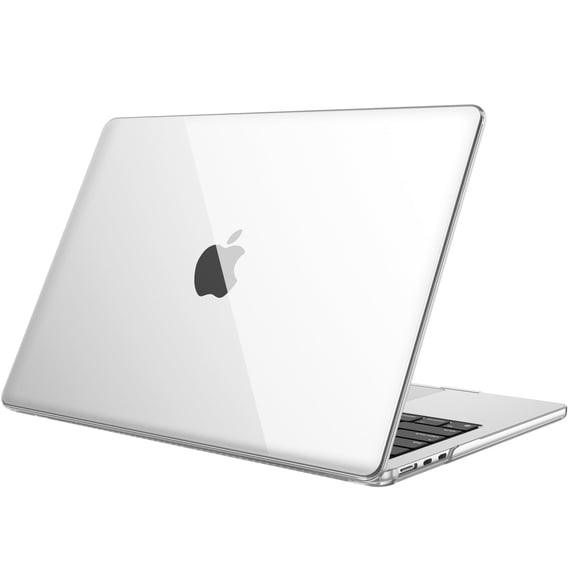 Fintie Case for MacBook Air 13.6 Inch A3449 A3240 A3113 A2681 (2022 2023 2024 2025 2026 Release) - Protective Snap On Hard Shell Cover for MacBook Air 13 Inch M2 M3 M4 M5 Chip, Crystal Clear$10.99current price $10.99
Fintie Case for MacBook Air 13.6 Inch A3449 A3240 A3113 A2681 (2022 2023 2024 2025 2026 Release), Premium Slim Matte Case for MacBook Air 13.6" with M2 M3 M4 Chip, Frost Midnight
 Fintie Case for MacBook Air 13.6 Inch A3449 A3240 A3113 A2681 (2022 2023 2024 2025 2026 Release), Premium Slim Matte Case for MacBook Air 13.6" with M2 M3 M4 Chip, Frost Midnight$11.99current price $11.99
Mosiso 3 in 1 Case for MacBook Air 13.6 inch Case 2022-2025 Release M4 A3240 M3 A3113 M2 A2681 Touch ID, Plastic Hard Shell Case & Keyboard Cover & Webcam Cover, Black
Mosiso 3 in 1 Case for MacBook Air 13.6 inch Case 2022-2025 Release M4 A3240 M3 A3113 M2 A2681 Touch ID, Plastic Hard Shell Case & Keyboard Cover & Webcam Cover, Black
Fintie Case for MacBook Air 15 Inch A3448/A3241/A3114/A2941 (2023-2026 Release) - Protective Snap On Hard Shell Cover for MacBook Air 15.3" M2/M3/M4/M5 Chip, Crystal Clear
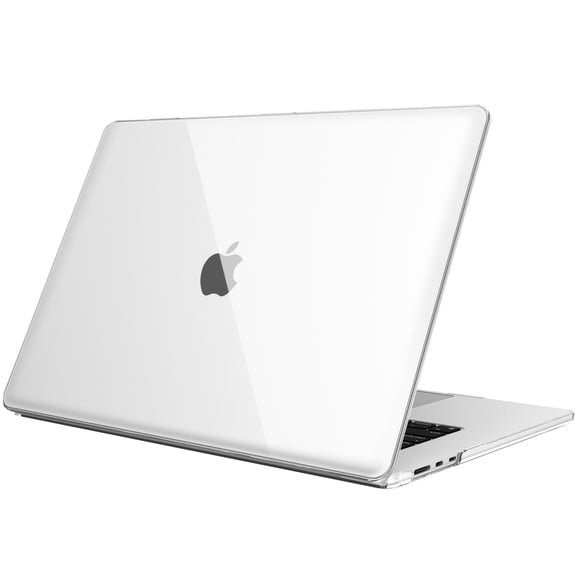 Fintie Case for MacBook Air 15 Inch A3448/A3241/A3114/A2941 (2023-2026 Release) - Protective Snap On Hard Shell Cover for MacBook Air 15.3" M2/M3/M4/M5 Chip, Crystal Clear$12.99current price $12.99
Case for MacBook Air 13 Inch A2337 (M1) / A2179 / A1932 (2018-2020 Release)
 Case for MacBook Air 13 Inch A2337 (M1) / A2179 / A1932 (2018-2020 Release)$29.99current price $29.99
MOSISO Laptop Hard Case for MacBook Air 15 inch Case Release M5/M4/M3/M2 Liquid Retina Display Touch ID, Protective Plastic Hard Shell Case Cover
MOSISO Laptop Hard Case for MacBook Air 15 inch Case Release M5/M4/M3/M2 Liquid Retina Display Touch ID, Protective Plastic Hard Shell Case Cover
HOMEYA For New MacBook Air 13.6 inch Case 2022 M2 A2681, Plastic Hard Shell Case Cover & Keyboard Skin & Screen Protector, Matte Black
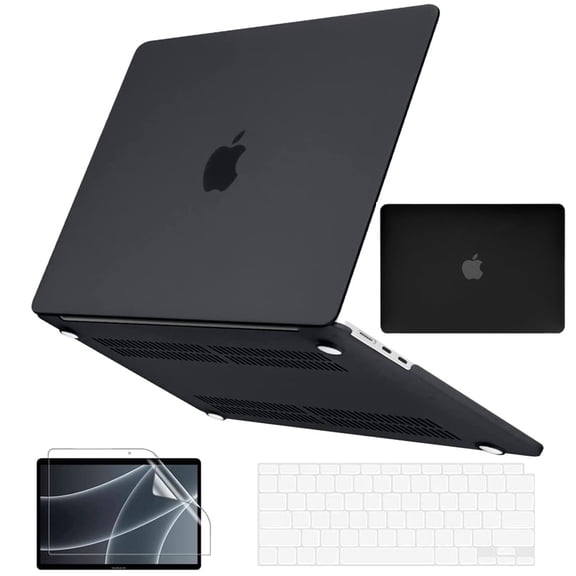 HOMEYA For New MacBook Air 13.6 inch Case 2022 M2 A2681, Plastic Hard Shell Case Cover & Keyboard Skin & Screen Protector, Matte Black$12.99current price $12.99
Fintie Case for MacBook Pro 14 Inch A3434 A3112 A3185 A3401 A2992 A2918 A2779 A2442 (2021-2025) (M5/M4/M3/M2/M1 Pro/Max Chip) with Touch ID - Protective Snap On Hard Shell, Crystal Clear
 Fintie Case for MacBook Pro 14 Inch A3434 A3112 A3185 A3401 A2992 A2918 A2779 A2442 (2021-2025) (M5/M4/M3/M2/M1 Pro/Max Chip) with Touch ID - Protective Snap On Hard Shell, Crystal Clear$13.99current price $13.99
IC ICLOVER 3 in 1 Plastic Hard Shell Case + Keyboard Cover + Screen Protector for MacBook Air 13 inch 2020 Release A2337 M1 A2179 with Retina Display Touch ID, Clear
 IC ICLOVER 3 in 1 Plastic Hard Shell Case + Keyboard Cover + Screen Protector for MacBook Air 13 inch 2020 Release A2337 M1 A2179 with Retina Display Touch ID, Clear$14.99current price $14.99
IBENZER Compatible with New 2024 2023 M2 MacBook Air 15 inch case A2941, Hard Shell Case with Keyboard Cover for Mac Air 15.3" M2 Chip with Retina Display & Touch ID, Midnight Green, W-AT15-MTGN+1
 IBENZER Compatible with New 2024 2023 M2 MacBook Air 15 inch case A2941, Hard Shell Case with Keyboard Cover for Mac Air 15.3" M2 Chip with Retina Display & Touch ID, Midnight Green, W-AT15-MTGN+1$17.49current price $17.49
Mosiso MacBook Air 13 inch Case 2020 Release A2337 M1 A2179 Hard Cover Shell for New Air 13 inch + Keyboard Cover, Red
Mosiso MacBook Air 13 inch Case 2020 Release A2337 M1 A2179 Hard Cover Shell for New Air 13 inch + Keyboard Cover, Red
IBENZER Hexpact Case for MacBook Air 13 inch 2025 2024 2023 2022 M5 A3449 M4 A3240 M3 A3113 M2 A2681, Heavy Duty Case with Keyboard Cover & Screen Film & Screen Lock , MidnightGreen
 IBENZER Hexpact Case for MacBook Air 13 inch 2025 2024 2023 2022 M5 A3449 M4 A3240 M3 A3113 M2 A2681, Heavy Duty Case with Keyboard Cover & Screen Film & Screen Lock , MidnightGreen$29.99current price $29.99