

Brand: V7 Memory(1)
V7 MEMORY VASD2GR-1N OEM 2GB SD CARD BULK PACKD $23.99

V7 MEMORY VASD2GR-1N OEM 2GB SD CARD BULK PACKD
FAQ
How can I check if an SD card fits my device?
To find out if an SD card will work with your device, start by checking your device's manual or specifications for supported card types and sizes. Most devices mention compatible formats like SD, SDHC, or SDXC, as well as maximum storage capacity.
- Look for a label near the card slot or in your device's menu settings.
- Compare the physical size of your SD card to the slot (standard, mini, or micro).
- If you're unsure, ask a store associate or look up your device model online for compatibility details.
Being sure your SD card matches your device can help avoid performance issues.
What can I store on a 2GB SD card?
A 2GB SD card offers basic storage for a variety of files. It's suitable for everyday needs like saving photos, music, and small documents.
- Approximately 500 photos (depending on size and quality).
- Hundreds of MP3 songs or audio files.
- Small video clips or presentations.
Keep in mind, larger files or high-definition videos may quickly fill up the card. It's good for lightweight tasks or backup purposes.
How do I safely remove an SD card?
To avoid file loss or damage, it's important to safely eject your SD card before removing it from your device.
- On computers, right-click the card icon and select 'Eject' before physically taking it out.
- On cameras or other electronics, turn off the device before removing the card.
- Wait for any data transfer or indicator lights to finish before pulling out the card.
These steps can help protect both your files and the SD card itself.
Can I reuse an SD card after deleting files?
Yes, you can reuse an SD card once files are deleted. Deleting files frees up space, allowing you to store new photos, music, or documents.
- For complete removal, consider formatting the card using your device or computer.
- Formatting erases all content and can help clear up space, but be sure to back up anything important first.
- Regularly reusing and formatting can help maintain the card's performance.
Remember, repeated formatting doesn't guarantee unlimited use, but it can help prolong usability.
How do I keep my SD card from getting damaged?
Protecting your SD card helps keep your files safe and ensures reliable performance.
- Store it in a case when not in use to prevent scratches or bending.
- Avoid exposing the card to extreme temperatures or moisture.
- Handle the card gently and avoid touching the metal contacts.
Following these tips can help your SD card last longer and keep your data secure.
Popular in Brand: V7 Memory
Related Products
Total Micro 32GB DDR4 SDRAM Memory Module 32GSD4262R8TM
 Total Micro 32GB DDR4 SDRAM Memory Module 32GSD4262R8TM$358.18current price $358.18
Total Micro 16GB DDR4 SDRAM Memory Module
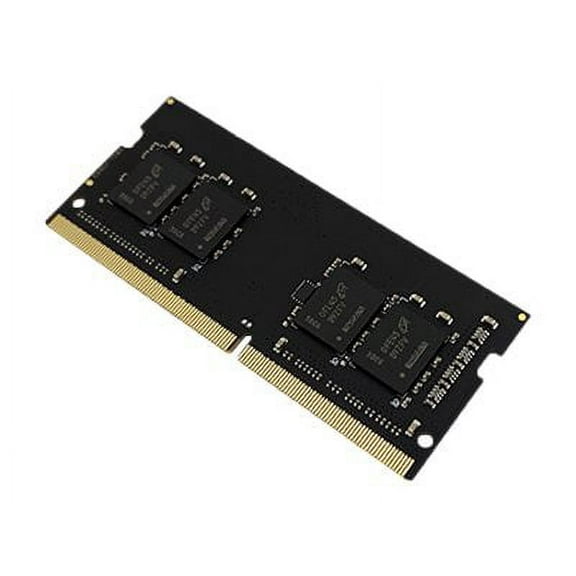 Total Micro 16GB DDR4 SDRAM Memory Module$178.72current price $178.72
CMS 16GB (2X8GB) DDR4 25600 3200MHz Non ECC DIMM Memory Ram Upgrade Replacement for Dell® XPS 8940 Desktop - D123
 CMS 16GB (2X8GB) DDR4 25600 3200MHz Non ECC DIMM Memory Ram Upgrade Replacement for Dell® XPS 8940 Desktop - D123$120.99current price $120.99