

Ubotie(3)
UBOTIE Mini Wireless Retro Typewriter Design Laptop Keyboard & Mouse, Pink $26.99

UBOTIE Mini Wireless Retro Typewriter Design Laptop Keyboard & Mouse, Pink
Colorful Wireless Computer Keyboards Mouse Combos, UBOTIE Polychrome Round Keycaps Retro PC Keyboards 2.4GHz Radio Frequency Connection with Optical Mouse(Blue-Black) From $37.99


Colorful Wireless Computer Keyboards Mouse Combos, UBOTIE Polychrome Round Keycaps Retro PC Keyboards 2.4GHz Radio Frequency Connection with Optical Mouse(Blue-Black)
UBOTIE 84Keys Colorful Wireless Mini Compact Retro Typewriter Design Laptop Keyboards with 2.4GHz USB Nano
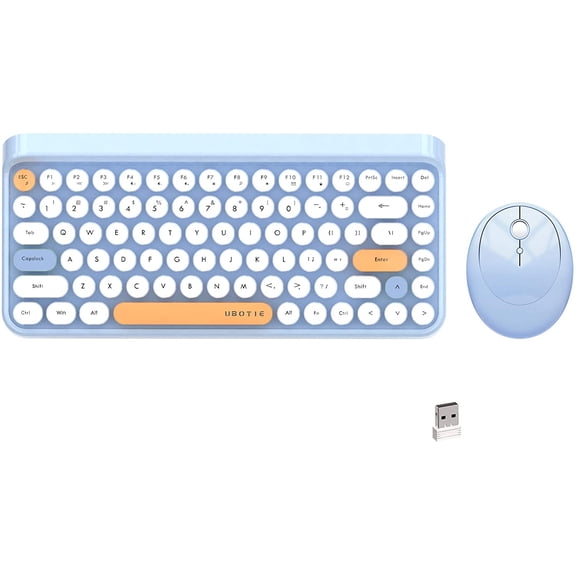


UBOTIE 84Keys Colorful Wireless Mini Compact Retro Typewriter Design Laptop Keyboards with 2.4GHz USB Nano
FAQ
How do I pick the right wireless keyboard?
Choosing a wireless keyboard depends on how you plan to use it and your style preferences. Retro designs, compact layouts, and colorful options can add personality to your workspace, while features like 2.4GHz connectivity may offer flexibility for laptops or PCs.
- Consider the keyboard size and layout for your comfort.
- Look for wireless compatibility with your devices.
- Check for features like unique keycap shapes or included mice.
Exploring available options can help you find a keyboard that fits your needs and brings a bit of fun to everyday tasks.
What makes a retro keyboard different?
Retro keyboards stand out thanks to their typewriter-inspired look, round keycaps, and colorful designs. They blend classic aesthetics with modern wireless technology, making them popular for those who want a unique style at their desk.
- Distinctive round keys and vibrant color schemes.
- Often feature compact layouts suitable for smaller workspaces.
- Wireless connectivity for added convenience.
Retro keyboards can add flair to your setup while offering practical features for everyday use.
Can I use these keyboards with laptops?
Wireless keyboards are generally designed to work with computers and laptops that support USB or radio frequency connections. Compatibility can depend on your device's ports and operating system, so checking the specifications is helpful.
- Many models include a USB nano receiver for easy connection.
- Some compact keyboards are ideal for portable laptops.
- Wireless use means fewer cables and a tidier workspace.
Using a wireless keyboard with your laptop can enhance comfort and personalize your work area.
Are the keyboard and mouse sets easy to store?
Wireless keyboard and mouse sets with compact or mini designs can be convenient for storage and travel. Retro and colorful models often have slim profiles, making them easy to pack away when not in use.
- Lightweight builds are suitable for carrying between locations.
- Mini sizes help maximize desk space.
- Wireless functionality means fewer cables to manage.
Whether at home or on the go, a compact set can be a practical choice.
What should I know about cleaning the keyboard?
Keeping your keyboard clean can help maintain its appearance and usability. It's typically best to use gentle cleaning methods suitable for electronics, such as wiping the surface with a soft, dry cloth. Avoid moisture and harsh chemicals.
- Dust and crumbs can be removed carefully from between the keys.
- Check if your keyboard has removable keycaps for easier cleaning.
- Regular cleaning may help preserve the keyboard's color and design.
Always refer to the manufacturer's instructions for cleaning guidance specific to your keyboard model.
Popular in Shop Wireless Computer Keyboards and Mouse Combos
Related Products
NEO CHAIR Criss Cross Chair with Wheels, Cozy Wide PU Leather Seat, Black
 NEO CHAIR Criss Cross Chair with Wheels, Cozy Wide PU Leather Seat, Black$77.76current price $77.76
Chromium Olivia Professional Styling Chair with Foam Cushions, Black
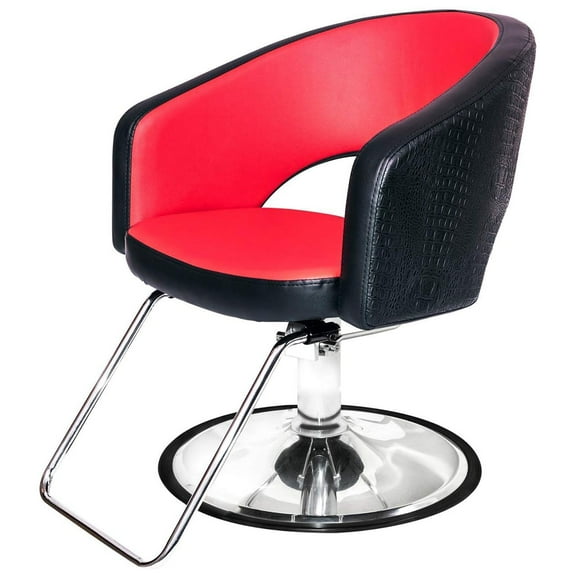 Chromium Olivia Professional Styling Chair with Foam Cushions, Black$203.99current price $203.99
Magshion Desk Chair Height Adjustable with Armrests, Modern Office Chair Vanity Chair, Upholstered Office Chair with Wheels for Salon Living Room Bedroom, Black
 Magshion Desk Chair Height Adjustable with Armrests, Modern Office Chair Vanity Chair, Upholstered Office Chair with Wheels for Salon Living Room Bedroom, Black$89.99current price $89.99