

Provo Craft(2)
Cricut Explore Fine Point Pens 5/Pkg-Candy Shop $18.00
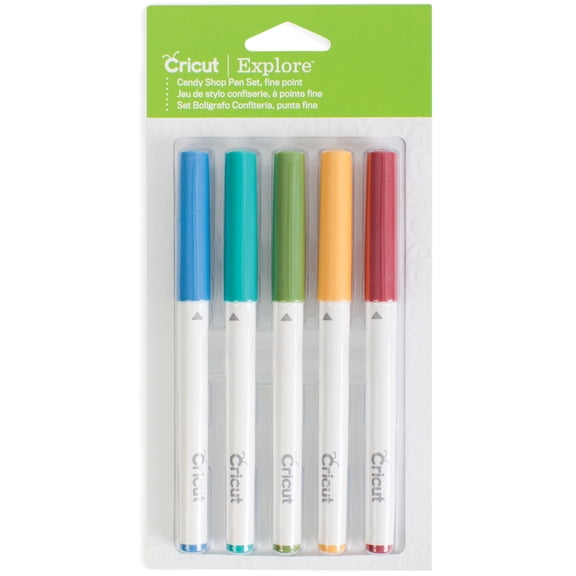
Cricut Explore Fine Point Pens 5/Pkg-Candy Shop
6ft USB Cable Wire Cord for Provo Craft Cricut Explore Air 1& 2 Cutting Machine $8.90

6ft USB Cable Wire Cord for Provo Craft Cricut Explore Air 1& 2 Cutting Machine
FAQ
What can I make with Cricut Explore pens?
Cricut Explore Fine Point Pens are great for adding colorful details to your projects. You can use them to draw, write, and personalize cards, invitations, labels, and scrapbook pages. They're perfect for creating custom designs, doodles, or handwritten notes on a variety of materials. Just pop them into your Cricut Explore machine and let your creativity flow! If you're new to crafting, start with simple projects like greeting cards or gift tags to get comfortable with the pens.
How do I connect my Cricut Explore Air to my computer?
To connect your Cricut Explore Air to your computer, you'll need a compatible USB cable, like the 6ft USB Cable Wire Cord.
- Plug one end of the cable into your Cricut machine.
- Connect the other end to your computer's USB port.
- Turn on your Cricut and open the design software.
Are Cricut Explore pens easy to swap out?
Yes, swapping Cricut Explore Fine Point Pens is simple and quick.
- Open the pen holder on your Cricut machine.
- Remove the current pen and insert the new one until it clicks into place.
- Close the holder and you're ready to go!
Can I use the USB cable for other Cricut machines?
The 6ft USB Cable Wire Cord is designed for Cricut Explore Air 1 & 2, but it may fit other machines with similar USB ports. Always check your machine's compatibility before using a new cable. Using the correct cable helps ensure stable connections and smooth operation. If you're unsure, refer to your machine's manual or reach out to customer support for guidance.
How do I store Cricut pens to keep them working?
To keep your Cricut Explore Fine Point Pens in good shape,
- Store them horizontally to prevent ink from pooling.
- Keep caps tightly closed to avoid drying out.
- Place them in a cool, dry spot away from direct sunlight.