

Odroid(4)
ODROID-N2L with 2GByte RAM $107.21

ODROID-N2L with 2GByte RAM
ODROID-N2L with 2GByte RAM with 12V/2A Power Supply $87.63

ODROID-N2L with 2GByte RAM with 12V/2A Power Supply
Hardkernel 12v/2A Power Supply - US Plug $27.47

Hardkernel 12v/2A Power Supply - US Plug
Hardkernel 5V/4A Power Supply - US Plug $26.61

Hardkernel 5V/4A Power Supply - US Plug
FAQ
What’s the difference between the ODROID-N2L models?
The main difference between the ODROID-N2L options is whether a power supply is included. Some kits come bundled with a compatible 12V/2A power supply, while others are sold as the board only—ideal if you already own a reliable power adapter. When choosing, consider your setup:
- If you don’t have a matching power supply, select the kit that includes one for hassle-free installation.
- If you’re upgrading or replacing a board, the standalone version may suit you best.
How do I pick the right power supply?
Selecting the right power supply for your ODROID device is important for safe and optimal performance. Look at your board’s specifications to find the recommended voltage and amperage—most ODROID-N2L boards require 12V/2A adapters, while some accessories use 5V/4A. Check your device's label or product description before purchasing.
- Never use a supply with incompatible voltage or current ratings.
- Choosing the right plug type (like US plug) ensures a safe fit and proper function.
Can I use these boards for learning projects?
Absolutely! ODROID boards are versatile for hands-on learning and tinkering. Whether you’re interested in coding, building smart devices, or experimenting with operating systems, these boards offer lots of possibilities.
- You can set up simple projects like media centers, retro gaming, or home automation systems.
- Many users start with basic tutorials and expand their skills over time.
Is it easy to set up an ODROID board?
Setting up an ODROID board can be straightforward if you follow a few key steps.
- First, connect the board to a compatible power supply.
- Attach your monitor, keyboard, and mouse.
- Download your chosen operating system image and flash it onto a supported storage device, like a microSD card or eMMC module.
- Insert the storage and power on the board to begin initial setup.
Are replacement power adapters available if mine stops working?
Yes—if your power adapter is lost or no longer works, you can purchase replacement power supplies compatible with your ODROID board. Look for adapters matching your device’s requirements, such as 12V/2A or 5V/4A with the correct plug type.
- Double-check compatibility details before buying.
- It’s a good idea to keep a spare on hand if you rely on your device regularly.
Popular in Shop Brand AC Adapters and Power Supplies Online
Related Products
3 pin Power Cord Compatible With Corsair RM850x RM750e RM850e RM650 SF750 CX650 CX550 RM850 CX750 CV650 CV550 CV750 SF850L C13 AC Cable
 3 pin Power Cord Compatible With Corsair RM850x RM750e RM850e RM650 SF750 CX650 CX550 RM850 CX750 CV650 CV550 CV750 SF850L C13 AC Cable$11.98current price $11.98
AC Adapter Charger for Compaq Presario CQ62-418NR CQ62-421NR CQ62-423NR, Compaq Presario CQ62-213NR CQ62-214NR CQ62-215DX, CQ56 CQ57 CQ58 CQ59 CQ60 CQ61 CQ62 Series
 AC Adapter Charger for Compaq Presario CQ62-418NR CQ62-421NR CQ62-423NR, Compaq Presario CQ62-213NR CQ62-214NR CQ62-215DX, CQ56 CQ57 CQ58 CQ59 CQ60 CQ61 CQ62 Series$16.99current price $16.99
Breadboard Power Supply Module 3.3V / 5V For MB-102
 Breadboard Power Supply Module 3.3V / 5V For MB-102$7.49current price $7.49
AYA 8" (8-Inch) ATX 24-Pin to 14-Pin Power Supply Cable Adapter 18AWG for Lenovo IBM AYA-2414PIN-LNVO
AYA 8" (8-Inch) ATX 24-Pin to 14-Pin Power Supply Cable Adapter 18AWG for Lenovo IBM AYA-2414PIN-LNVO
24Pin to 14Pin ATX Power Adapter Cable for Lenovo M92P M93P H530 Q77 B75 A75 Q75 for ThinkServer TS140 TS440 Motherboard
 24Pin to 14Pin ATX Power Adapter Cable for Lenovo M92P M93P H530 Q77 B75 A75 Q75 for ThinkServer TS140 TS440 Motherboard$9.99current price $9.99
OMNIHIL AC Power Cord for Corsair RM 850x 750x 650x 550x Replacement Power Supply
 OMNIHIL AC Power Cord for Corsair RM 850x 750x 650x 550x Replacement Power Supply$13.96current price $13.96
iTEKIRO 65W AC Adapter for Dell 15 DC15250 LDC15250 DC15255 LDC15255, Dell DA65NM191 G6J41 HA65NS5-00 PA-1650-02D4, Inspiron 14 15 16 5410 5418 5430 5440 5425 3510 3515 3520 3521 3525 3530 3535
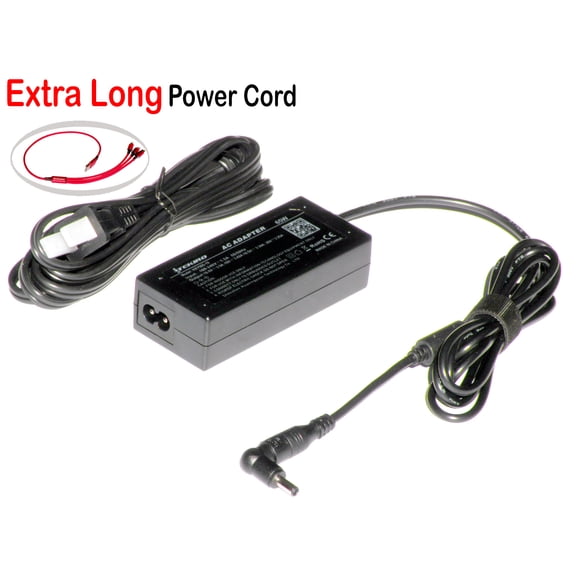 iTEKIRO 65W AC Adapter for Dell 15 DC15250 LDC15250 DC15255 LDC15255, Dell DA65NM191 G6J41 HA65NS5-00 PA-1650-02D4, Inspiron 14 15 16 5410 5418 5430 5440 5425 3510 3515 3520 3521 3525 3530 3535$37.98current price $37.98
ATX 24 Pin to 90 Degree Power Plug Adapter Mainboard Motherboard Power Supply Cable Connectors DIY Mounting Accessessory
 ATX 24 Pin to 90 Degree Power Plug Adapter Mainboard Motherboard Power Supply Cable Connectors DIY Mounting Accessessory$8.51current price $8.51
Power Supply Board For Ps2 Fat Console 30000 To 39000 Built-in Powersupply Board Transformer 110v-220v Universal Y5N9
 Power Supply Board For Ps2 Fat Console 30000 To 39000 Built-in Powersupply Board Transformer 110v-220v Universal Y5N9$8.49current price $8.49
NZXT C1000 Gold Core 80Plus Gold Fully-modular ATX 3.1 Power Supply, US Power Cord
 NZXT C1000 Gold Core 80Plus Gold Fully-modular ATX 3.1 Power Supply, US Power Cord$169.99current price $169.99
Dell PowerEdge T640 GPU Power Supply Cable 05D9DW 5D9DW - New
 Dell PowerEdge T640 GPU Power Supply Cable 05D9DW 5D9DW - New$13.99current price $13.99
24Pin ATX Power Supply Breakout Board Power Module Adjustable Voltage Knob 6 Port USB 2.0 Supports QC2.0 QC3.0,1 * Power Module Kit,Black
 24Pin ATX Power Supply Breakout Board Power Module Adjustable Voltage Knob 6 Port USB 2.0 Supports QC2.0 QC3.0,1 * Power Module Kit,Black$19.72current price $19.72
AC Power Cable Compatible with Dell PowerEdge R415 R420 R510 R515 R520 R610 R605 R620 R710 R715 R230 R330 R530 R630 R730 Server 3 prong C13 Cord
 AC Power Cable Compatible with Dell PowerEdge R415 R420 R510 R515 R520 R610 R605 R620 R710 R715 R230 R330 R530 R630 R730 Server 3 prong C13 Cord$11.98current price $11.98
ATX Main 24-Pin to 6-Pin PCI-E PSU Power Adapter Cable 18AWG for HP Elite 8100 8200 8300 800G1
ATX Main 24-Pin to 6-Pin PCI-E PSU Power Adapter Cable 18AWG for HP Elite 8100 8200 8300 800G1
HQRP AC Power Adapter for Intel NUC Kit D34010WYK / D54250WYK, Adaptor Power Supply Cord
 HQRP AC Power Adapter for Intel NUC Kit D34010WYK / D54250WYK, Adaptor Power Supply Cord$16.95current price $16.95
Laptop Charger AC Power Adapter For MSI ADP-40PHBB,MSI Wind L1300 L1350 L1600 U90 U100 U110 U115 New Power Supply Cord
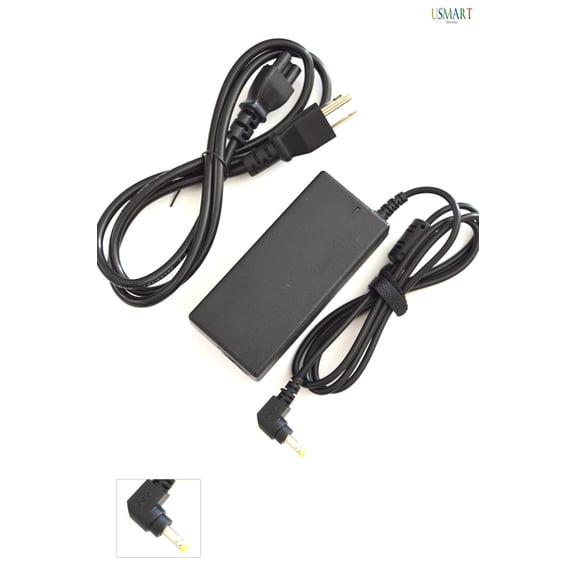 Laptop Charger AC Power Adapter For MSI ADP-40PHBB,MSI Wind L1300 L1350 L1600 U90 U100 U110 U115 New Power Supply Cord$17.99current price $17.99