

Doordash(3)
Best seller DoorDash $25 eGift Card [Email Delivery] From $25.00
![DoorDash $25 eGift Card [Email Delivery]](https://i5.walmartimages.com/seo/DoorDash-25-eGift-Card_4f9aa1c3-8133-40bc-89bb-9c7be0e68810.c65c9778b297228fed4bc35da9767cc5.jpeg?odnHeight=576&odnWidth=576&odnBg=FFFFFF)
DoorDash $25 eGift Card [Email Delivery]

Extra Large Insulated Food Delivery Bag, 60LBS Weight-Bearing Cooler Bag for Doordash, Catering, Keeps Food Hot/Cold, Durable Zippers, Reusable Thermal Bag From $3.69
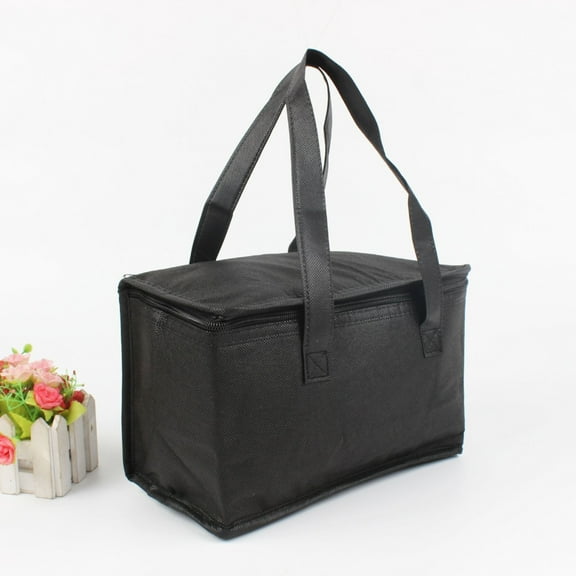


Extra Large Insulated Food Delivery Bag, 60LBS Weight-Bearing Cooler Bag for Doordash, Catering, Keeps Food Hot/Cold, Durable Zippers, Reusable Thermal Bag
FAQ
How do I redeem a food delivery gift card?
You can redeem most food delivery gift cards by adding the code to your delivery app or account.
- Open the delivery service’s app or website and sign in.
- Go to Payment, Wallet, or Gift Cards.
- Enter the code (and PIN, if included) from your email or physical card.
- At checkout, select the gift card balance as your payment method.
Helpful tips: Codes are often case-sensitive and single‑use. Some cards may have region or account restrictions set by the issuer. If the exact steps differ, check the instructions on the product page or in your delivery email. Keeping the code private and redeeming it to your account promptly can help protect the balance.
How do I email this as a gift?
Many digital gift cards on Walmart can be sent directly to someone’s inbox.
- Select the digital delivery option on the product page (if available).
- Enter the recipient’s name and email, and add a short message.
- Confirm the delivery date and time—some listings allow scheduling.
- Place your order and watch for a confirmation in your Walmart account.
Before you buy: Double‑check the email address for accuracy. Delivery timing is listed on the product page and can vary due to order verification or peak periods. If the email doesn’t arrive, ask the recipient to check spam or promotions folders. You can also review your order status in your account for updates.
When will the e‑gift card be delivered?
Delivery timing for e‑gift cards can vary by listing and verification needs.
- Check the Delivery details on the product page for the estimated window.
- Many digital cards are sent the same day, but order reviews or high‑volume periods may extend delivery.
- Track your order in your Walmart account for real‑time status (e.g., processing or delivered).
- If you’re gifting, let the recipient know to check spam or promotions folders.
Factors like payment verification, security checks, and holidays can affect speed. If the card hasn’t arrived after the stated timeframe, consider using the “resend” option (when offered) or reach out to customer care with your order number for help.
How do I add this to my registry?
Adding a digital gift card to a registry depends on the listing and registry tools you use.
- Sign in to your Walmart account and open the product page.
- Select Add to registry (if shown), then choose the registry you want.
- Confirm the details and share your registry link with friends and family.
If the button isn’t available, you can copy the product link and add it as a custom item to your registry or wishlist, if your registry supports that. Keep in mind that digital items are delivered by email, so you may want to include delivery notes (like the preferred email address) in your registry details.
How do I check the gift card balance?
Balance details are managed by the card’s issuer and can usually be viewed through their tools.
- Follow the instructions in your delivery email or on the back of the card.
- After redeeming, open the issuer’s app or website to view your wallet or gift card balance.
- If you haven’t redeemed yet, use the balance checker link (when provided) or the issuer’s support page.
- For privacy and security, Walmart doesn’t have access to card balances.
If something doesn’t look right—for example, the balance isn’t updating—reach out to the issuer’s support team listed in your email. Keeping the code private and redeeming it to a secure account can help safeguard your funds.
Popular in Shop DoorDash Gift Cards and Delivery Bags
Related Products
Lawn Sprinkler 19 Hole Nozzles 4 Spray Modes for Yard, Garden Water Oscillating Sprinkler with Spray Jet Cleaning Needle
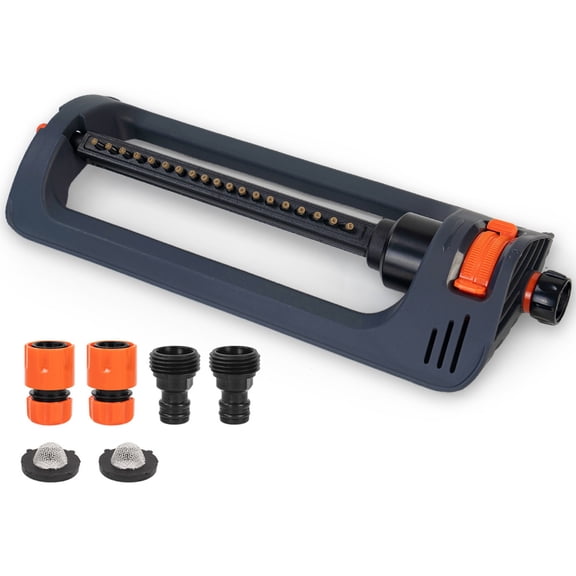 Lawn Sprinkler 19 Hole Nozzles 4 Spray Modes for Yard, Garden Water Oscillating Sprinkler with Spray Jet Cleaning Needle$19.99current price $19.99