

Surface Pro













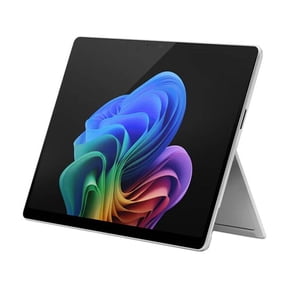
About Surface Pro - Walmart.com
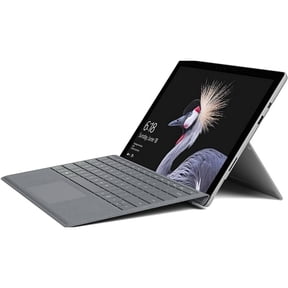
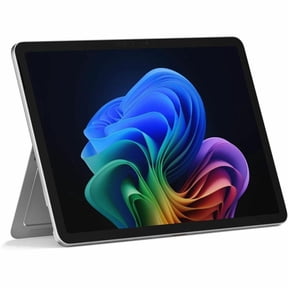
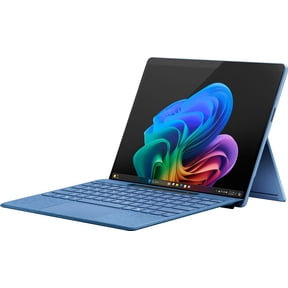
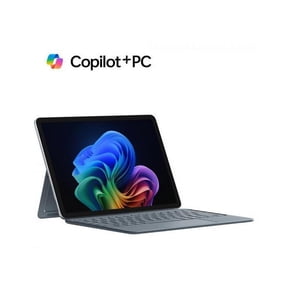
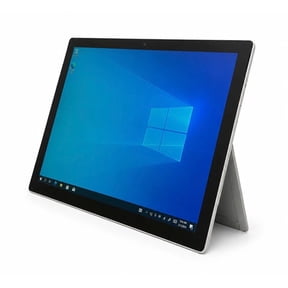
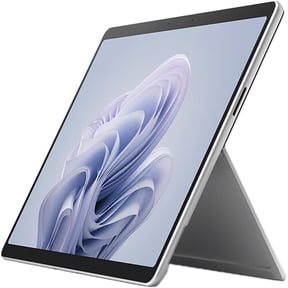
You can compare microsoft surface pro price options at Walmart while you narrow down the right model, bundle, and storage setup for your workday. You can also find Surface Pro choices that switch between tablet touch use and keyboard-based typing in one device.
When you compare generations, you can match your workload and daily routine without guessing which specs matter first. You may notice that Surface Pro 9, Surface Pro 8, Surface Pro X, and Surface Pro 7 fit different computing styles.
How to compare microsoft surface pro price by model
Start with model generation, because you can usually see the biggest difference in design, speed, and connection options there. You can use that first filter to narrow the surface pro cost before you compare smaller upgrades.
If you want a current feel, you may look at Surface Pro 9 for newer processors and newer accessory support. If you want a familiar setup, you may compare Surface Pro 8, Surface Pro X, or Surface Pro 7.
You may also want to check whether you’re buying a tablet only configuration or a bundle. You can change how much your setup does on day one when you choose a package with a keyboard or pen.
Choosing the right Surface Pro laptop tablet setup
You can use a surface pro laptop tablet for note taking, email, streaming, and desktop-style tasks without carrying two devices. You can get a detachable format that fits a desk, a couch, or a travel bag.
- You can switch from touchscreen tablet use to keyboard typing when your day changes.
- You can compare bundle types to see whether your setup includes a Type Cover keyboard or Surface Pen.
- You can pick storage and memory based on documents, photos, apps, and multitasking needs.
- You can look for pickup and delivery options when you want convenient access from Walmart.
For school or office use, you may want a bundle that’s ready for typing right away. For drawing or handwritten notes, you may prefer a package that includes a pen.
If you’ve wondered how much is the surface pro for basic tasks, you can often stay focused on lighter memory and storage options. If you run more tabs or larger apps, you may want more memory and a larger SSD.
What to look for in processor, RAM, and storage
You should compare the processor first when you want the cost of surface pro laptop options to match your workload. You can choose Intel Core i5, Intel Core i7, or Microsoft SQ3 based on speed needs and mobility priorities.
An Intel Core i5 option can fit everyday browsing, documents, video calls, and routine productivity. An Intel Core i7 option can make more sense when you keep many apps open or handle heavier creative work.
If you’re considering Microsoft SQ3, you should check whether constant mobility matters in your routine. You may prefer that option when you want a connected setup that stays flexible away from Wi-Fi.
RAM matters because you can feel it during multitasking, not just during startup. You can choose 8GB for lighter use, 16GB for frequent multitasking, or 32GB for larger workloads.
Storage capacity shapes how many local files you can keep on the device. You can compare 128GB SSD, 256GB SSD, 512GB SSD, and 1TB SSD based on photos, documents, and downloaded apps.
If you store most files in the cloud, you may be comfortable with 128GB or 256GB. If you keep videos, large presentations, or design files locally, you may want 512GB or 1TB.
Checking bundles, accessories, and connectivity
You should always verify what comes in the box before you decide how much does a surface pro cost for your needs. You may see tablet only listings, bundles with a keyboard, or bundles with a Surface Pen.
That difference matters because your setup can feel very different once you start typing, sketching, or taking notes. You can avoid extra follow-up purchases when you confirm included accessories before checkout.
You may also want to compare connectivity if you work in more than one location. Some shoppers look for in-store availability and quick pickup, while others check for home delivery or shipping convenience.
When you review connectivity, you should check whether your model supports the access style you prefer. You can also compare Wi-Fi only and cellular-ready options when you want flexibility away from a fixed connection.
Matching Surface Pro models to real use
You can match older and newer generations to how you actually work instead of chasing specs you won’t use. That approach helps you compare microsoft surface pro price choices with less confusion.
For class notes, web research, and portable typing, you may choose 8GB RAM with 256GB storage and a keyboard bundle. For creative software or larger work files, you may lean toward 16GB or 32GB RAM.
If your days include travel, meetings, and quick handwritten notes, you may want a pen bundle and a lighter file setup. If your files stay local, you should compare 512GB and 1TB SSD options more closely.
You may also compare generations when accessory compatibility matters in your current setup. If you already use a keyboard or pen, you should confirm support before you finalize your choice.
When you want a clear buying path, these model, processor, memory, storage, and bundle filters give you practical decision points. You can land on the right Surface Pro configuration with fewer compromises and a setup that fits your routine.