


Vizio TVs


Terms & Conditions
*For a limited time, only active, paying Walmart+ members are eligible for a discount of up to $46 on the purchase of a Protection Plan by Allstate when you purchase an eligible product. Free trial Walmart+ members are not eligible. Eligibility is determined at the time you purchase the Protection Plan. Offer limited to qualifying SKUs and requires the bundled purchase of the product and a Protection Plan. Retail purchase price for a Protection Plan varies between $34 and $74.About
If you're asking who sells vizio tvs, Walmart helps you compare screen sizes, series classes, and smart features in one place. You'll find clear ways to narrow your choice, whether you want a simple bedroom TV or a larger living room screen.
Because this category includes several series and display types, you'll want guidance that matches how you watch every day. You can compare D-Series, V-Series, M-Series Quantum, and P-Series options by room size, streaming habits, and gaming setup.
How to choose who sells vizio tvs for your space
When you buy vizio tvs, screen size should match your room before you compare anything else. You'll usually want a 32-inch or 43-inch screen for smaller spaces, while 55-inch, 65-inch, and 75-inch screens suit larger rooms.
For everyday viewing, you can use viewing distance as a simple guide. You'll often feel comfortable sitting closer to a 4K Ultra HD screen, because the picture stays detailed at shorter distances.
In a guest room or kitchen, you may prefer a 32-inch or 43-inch model that fits a dresser or compact stand. In a family room, you might choose a 65-inch or 75-inch screen for a wider picture during movies and sports.
Buy vizio tvs by display technology and resolution
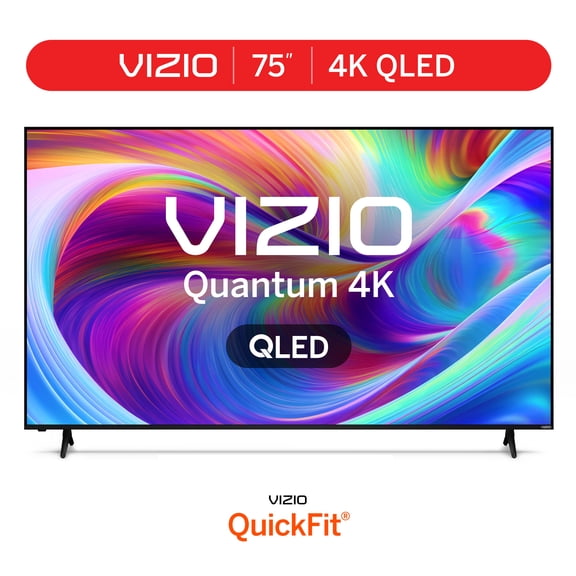
When you compare LED, QLED, and OLED models, you'll want to focus on brightness, color, and room lighting. Standard LED screens can suit everyday streaming, while QLED can give you richer color in brighter spaces.
If you watch in a dim room and care about deep contrast, you may lean toward OLED. If you want a straightforward option for casual viewing, you may prefer LED with 1080p Full HD or 4K Ultra HD.
- You can choose LED for simple everyday watching in bedrooms, dorms, or secondary spaces.
- You can choose QLED when you want brighter highlights and fuller color for sports, movies, and daytime viewing.
- You can choose OLED when your setup centers on contrast, cinematic scenes, and a refined picture in darker rooms.
- You can choose 4K Ultra HD when you want sharper detail on larger screens and newer streaming content.
Resolution matters more as your screen gets larger and your seating moves closer. You'll usually notice 4K Ultra HD helps you keep text, menus, and scene details clearer on 50-inch screens and up.
Purchase Vizio television with the right smart platform
When you purchase vizio television models, you'll want to compare SmartCast and the Vizio Home Screen experience. You can stream apps, find inputs, and move between shows faster when the menu feels familiar to your household.
If you use Apple AirPlay or Chromecast built-in features, you should check compatibility before you choose. You'll appreciate easier streaming from phones, tablets, and laptops when your TV fits the devices you already use.
For simple setup, you may want a model that gets you from box to streaming with fewer steps. You'll also want to check app access, voice control options, and how easily your home screen surfaces favorite services.
Shop vizio televisions by series class and connections
As you shop vizio televisions, series class helps you match picture features to your viewing style. You can look at D-Series for straightforward essentials, V-Series for everyday 4K needs, M-Series Quantum for stronger color, and P-Series for larger home setups.
Ports matter just as much as picture quality when you connect a console, soundbar, or streaming device. You'll want to count HDMI inputs, and you should check whether HDMI 2.1 appears if gaming support matters to you.
If you use a soundbar, you should look for eARC support on compatible models. You'll get simpler audio passthrough for TV sound, apps, and connected devices when your setup includes that connection.
For gaming rooms, you may want lower-lag features, higher refresh support, and the right HDMI connection. For movie nights, you may focus more on color, contrast, and whether your soundbar pairs cleanly with the TV.
How to match Vizio TVs to real rooms and routines
If you need a TV for a dorm, office, or bedroom, you may start with a 32-inch or 43-inch screen. You'll likely want easy streaming, simple menus, and a footprint that works on smaller furniture.
For a main living room, you may compare 55-inch and 65-inch models with 4K Ultra HD. You'll get a more immersive view for sports, series marathons, and family movie nights when your seating area has enough wall or stand space.
If your room gets strong daylight, you may look at QLED models or brighter screens. You'll notice color and highlights stay easier to see when sunlight reaches your viewing area.
When your setup includes a console and soundbar, you should compare HDMI 2.1, eARC, and input count together. You'll avoid cable reshuffling later when your TV supports the devices you plan to connect from day one.
You can also pair your TV search with related home theater needs. You'll often want to consider Vizio soundbars and TV wall mounts so your screen, sound, and placement work together cleanly.
With the right size, series class, smart platform, and ports, you can choose a Vizio TV that fits how you actually watch. You'll feel more confident when your screen matches your room, streaming habits, and connected devices from the start.