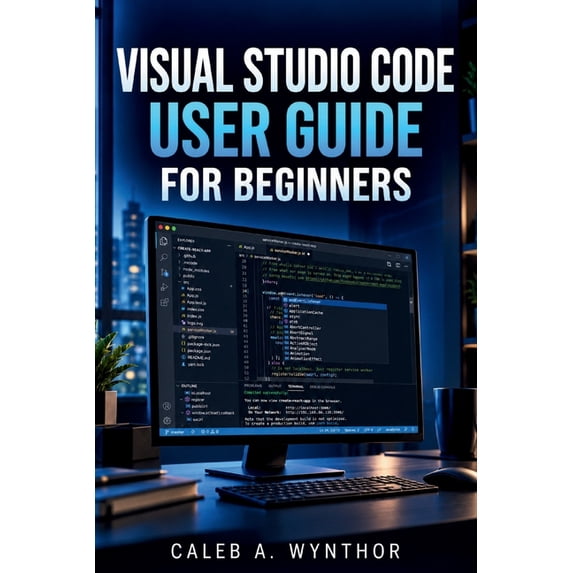
Visual Studio Code User Guide for Beginners: Learn Project Creation, Code Editing, Extensions, Debugging Tools, and Prof, (Paperback)

Visual Studio Code User Guide for Beginners: Learn Project Creation, Code Editing, Extensions, Debugging Tools, and Prof, (Paperback)

(No ratings yet)

Key item features

  • Visual Studio Code User Guide for Beginners: Learn Project Creation, Code Editing, Extensions, Debugging Tools, and Prof, (Paperback)
  • Author: Caleb A Wynthor
  • ISBN: 9798172146442
  • Format: Paperback
  • Publication Date: 2026-09-05
  • Page Count: 148

Specs

Publication date, September, 2026Author, Caleb A WynthorBook format, PaperbackGenre, Computing & InternetPages, 148Age group, Adult

About this item

Product details

Have you ever opened Visual Studio Code and wondered where to begin, which tools to use, or how to create a productive coding workspace?

Starting with a development environment can feel confusing when you are unfamiliar with project setup, file organization, extensions, debugging, and essential workflows. Visual Studio Code User Guide for Beginners is designed to help you understand the features and tools needed to work confidently with Visual Studio Code.

This educational guide provides clear explanations and practical guidance to help you set up your workspace, navigate the interface, create projects, work with programming languages, solve common coding challenges, and develop better development habits.

Inside this guide, you will learn how to:

- Set up Visual Studio Code and customize essential workspace settings
- Understand the editor interface, file management, and productivity features
- Create and organize coding projects using practical workflows
- Use extensions, language support tools, and development features effectively
- Explore web development and Python projects inside Visual Studio Code
- Run programs, test code, identify errors, and use debugging tools
- Understand Git and version control basics for managing project changes
- Use AI assisted coding tools responsibly to support learning and productivity
- Build professional workflows and continue improving your development skills

Whether you are beginning your programming journey or looking for a structured way to understand Visual Studio Code, this guide provides a practical foundation for learning, creating, and improving your projects.

Your development journey starts with understanding your tools. With the right knowledge and practice, Visual Studio Code can become a powerful workspace for turning your ideas into functional projects.

Start learning today and take the next step toward becoming a more confident and capable Visual Studio Code user.
  • Visual Studio Code User Guide for Beginners: Learn Project Creation, Code Editing, Extensions, Debugging Tools, and Prof, (Paperback)
  • Author: Caleb A Wynthor
  • ISBN: 9798172146442
  • Format: Paperback
  • Publication Date: 2026-09-05
  • Page Count: 148
info:
We aim to show you accurate product information. Manufacturers, suppliers and others provide what you see here, and we have not verified it.  

Specifications

Publication date

September, 2026

Author

Caleb A Wynthor

Book format

Paperback

Genre

Computing & Internet

Warranty

Warranty information

Please be aware that the warranty terms on items offered for sale by third party Marketplace sellers may differ from those displayed in this section (if any). To confirm warranty terms on an item offered for sale by a third party Marketplace seller, please use the 'Contact seller' feature on the third party Marketplace seller's information page and request the item's warranty terms prior to purchase.

Customer ratings & reviews

0 out of 5 stars
0 ratings|0 reviews
This item does not have any reviews yet

Current price is $19.99
Price when purchased online
  • Free 90-day returns

How do you want your item?

Try 30 days for just $1! Choose a plan at checkout.
How do you want your item?
Ships to
Arrives by Wed, Nov 25
Sold and shipped by Walmart.com
Free 90-day returns
This item is gift eligible

More seller options (1)

Starting from $19.50
walmart plus

Try 30 days of Walmart+ for just $1!

T&C apply.