


Visual C# .Net and Database: Practical Tutorials (Paperback)
Key item features
Visual C# .Net and Database: Practical Tutorials (Paperback)
Specs
Author, Rismon Hasiholan Sianipar, Vivian Siahaan
Book format, Paperback
Genre, Computing & Internet
Pages, 402
Age group, Adult
About this item
Product details
This book aims to develop a database-driven desktop application that readers can develop for their own purposes to implement database-oriented digital image processing, machine learning, and image retrieval applications. In Tutorial 1, you will perform the steps necessary to add 6 tables using Visual C# into the ImageProc database. This table has sixteen fields: OfficerID, FirstName, LastName, RegNumber, BirthDate, AppData, Gender, Status, Rank, Address, Mobile, Phone, Email, Description, PhotoFile, and FingerFile). You need seventeen label controls, two picture boxes, ten text boxes, two comboxes, one check box, two date-time pickers, one open file dialog, and one print preview dialog. You also need four buttons for navigation, eight buttons for utilities, one button for searching an officer's name, one button to upload an officer's photo, and one button to upload an officer's fingerprint. In Tutorial 2, you will perform the steps necessary to create and implement a police station form. In this tutorial, you will build such a form for the PoliceStation table. This table has seven fields: PSID, OfficerID, PSName, City, Address, Phone, and Description. You need eight label controls, six text boxes, two comboxes, one check box, and one print preview dialog. You also need four buttons for navigation, eight buttons for utilities, and one button for searching the officer's name. Place these controls on the form. In Tutorial 3, you will build such a form for the Accused table. This table has thirteen fields: AccusedID, FullName, MotherName, CrimeCase, BirthDate, Gender, Address, Mobile, Phone, Email, Description, PhotoFile, and FingerFile). The form will also have the capability of navigating from one record to another. You need fourteen label controls, two picture boxes, nine text boxes, two comboxes, one date time picker, one open file dialog, and one print preview dialog. You also need four buttons for navigation, eight buttons for utilities, one button for searching the accused's name, one button to upload the accused's photo, and one button to upload the accused's fingerprint. In Tutorial 4, you will build such a form for the Witness table. This table has thirteen fields: WitnessID, FullName, MotherName, CrimeCase, BirthDate, Gender, Address, Mobile, Phone, Email, Description, PhotoFile, and FingerFile). You need fourteen label controls, two picture boxes, nine text boxes, two comboxes, one date time picker, one open file dialog, and one print preview dialog. You also need four buttons for navigation, eight buttons for utilities, one button for searching a witness's name, one button to upload a witness's photo, and one button to upload a witness's fingerprint. In Tutorial 5, you will build such a form for the Victim table. This table has thirteen fields: VictimID, FullName, MotherName, CrimeCase, BirthDate, Gender, Address, Mobile, Phone, Email, Description, PhotoFile, and FingerFile). You need fourteen label controls, two picture boxes, nine text boxes, two comboxes, one date time picker, one open file dialog, and one print preview dialog. You also need four buttons for navigation, eight buttons for utilities, one button for searching the victim's name, one button to upload the victim's photo, and one button to upload the victim's fingerprint. In Tutorial 6, you will build such a form for the CrimeReg table. This table has fourteen fields: CRID, CRNumber, PSID, VictimID, AccusedID, DateReport, DateCrime, Arrested, CaseStatus, Description, Feature1, Feature2, Feature3, and Feature4. You need thirty-two label controls, seven text boxes, ten comboxes, one check box, two date-time pickers, six picture boxes, and one print preview dialog. You then need four buttons for navigation, eight buttons for utilities, and one button for searching crime register numbers. You also need a button to save every feature.
Visual C# .Net and Database: Practical Tutorials (Paperback)
Specifications
Publication date
Author
Book format
Genre
Warranty
Warranty information
Similar items you might like
Best seller, Better Homes and Gardens New Cook Book (Hardcover) $22.29 Was $25.99
Best seller $2229current price $22.29, Was $25.99$25.99
Better Homes and Gardens New Cook Book (Hardcover)
704.5 out of 5 Stars. 70 reviews4.5 out of 5 starsPython Crash Course, 3rd Edition : A Hands-On, Project-Based Introduction to Programming (Paperback) $26.73
 2 optionsAvailable in additional 2 options$2673current price $26.73
Python Crash Course, 3rd Edition : A Hands-On, Project-Based Introduction to Programming (Paperback)
184.9 out of 5 Stars. 18 reviews4.9 out of 5 starsBest seller, A Guide Book of United States Coins Red Book 2027, (Spiral-Bound) $16.73
Best seller $1673current price $16.73
A Guide Book of United States Coins Red Book 2027, (Spiral-Bound)
594.8 out of 5 Stars. 59 reviews4.8 out of 5 starsFRREECAD Tutorials on Path or CAM Workbench, (Paperback) $11.00
 $1100current price $11.00
FRREECAD Tutorials on Path or CAM Workbench, (Paperback)
Best seller, What to Cook When You Don't Feel Like Cooking: Make It Fast (Hardcover) $13.99 Was $24.48
Best seller $1399current price $13.99, Was $24.48$24.48
What to Cook When You Don't Feel Like Cooking: Make It Fast (Hardcover)
184.8 out of 5 Stars. 18 reviews4.8 out of 5 starsMicrosoft Visio 2013 Basics (Paperback) $17.48
 $1748current price $17.48
Microsoft Visio 2013 Basics (Paperback)
"QMG Piano Chords CheatSheet - Laminated A4 Chart & Circle of Fifths $10.95
 3 optionsAvailable in additional 3 options$1095current price $10.95
"QMG Piano Chords CheatSheet - Laminated A4 Chart & Circle of Fifths
134.5 out of 5 Stars. 13 reviews4.5 out of 5 starsBest seller, Everyday Eats: 100 Simple and Healthy Recipes for Real Life (Hardcover) $24.95
Best seller $2495current price $24.95
Everyday Eats: 100 Simple and Healthy Recipes for Real Life (Hardcover)
35 out of 5 Stars. 3 reviews5 out of 5 starsBest seller, Homemaking with Babs: Tips and Tricks for Making a House a Home (Hardcover) $26.60
Best seller $2660current price $26.60
Homemaking with Babs: Tips and Tricks for Making a House a Home (Hardcover)
214.7 out of 5 Stars. 21 reviews4.7 out of 5 starsLearn From Scratch Visual C#.NET with MySQL to Develop Desktop Applications (Paperback) $27.84
 $2784current price $27.84
Learn From Scratch Visual C#.NET with MySQL to Develop Desktop Applications (Paperback)
Visual C# .Net with MySQL: A Definitive Guide to Develop Database-Oriented Desktop Applications (Paperback) $32.67
 $3267current price $32.67
Visual C# .Net with MySQL: A Definitive Guide to Develop Database-Oriented Desktop Applications (Paperback)
Pre-Owned Tutorial Guide to AutoCAD 2020 (Paperback) 9781630572761 $8.56
 $856current price $8.56
Pre-Owned Tutorial Guide to AutoCAD 2020 (Paperback) 9781630572761
Tables and Graphics Explained: Making Placement Picture Perfect (Paperback) $14.50
 $1450current price $14.50
Tables and Graphics Explained: Making Placement Picture Perfect (Paperback)
A Self-teaching Dress Making System.., (Paperback) $13.95
 $1395current price $13.95
A Self-teaching Dress Making System.., (Paperback)
Das Streuobstkochbuch, (Paperback) $22.90
 $2290current price $22.90
Das Streuobstkochbuch, (Paperback)
C Quick Syntax Reference, (Paperback) $7.86 Was $19.66
 $786current price $7.86, Was $19.66$19.66
C Quick Syntax Reference, (Paperback)
The Ultimate Educational Guide to MIPS Assembly Programming (Paperback) $24.62
 $2462current price $24.62
The Ultimate Educational Guide to MIPS Assembly Programming (Paperback)
C : The Ultimate Beginners Guide to C Programing (Paperback) $16.99
 $1699current price $16.99
C : The Ultimate Beginners Guide to C Programing (Paperback)
AI Software Handbooks Beginner Lessons in .NET, GitHub and Codex CLI, (Paperback) $6.99
 $699current price $6.99
AI Software Handbooks Beginner Lessons in .NET, GitHub and Codex CLI, (Paperback)
SQL Server with C# (Paperback) $14.95
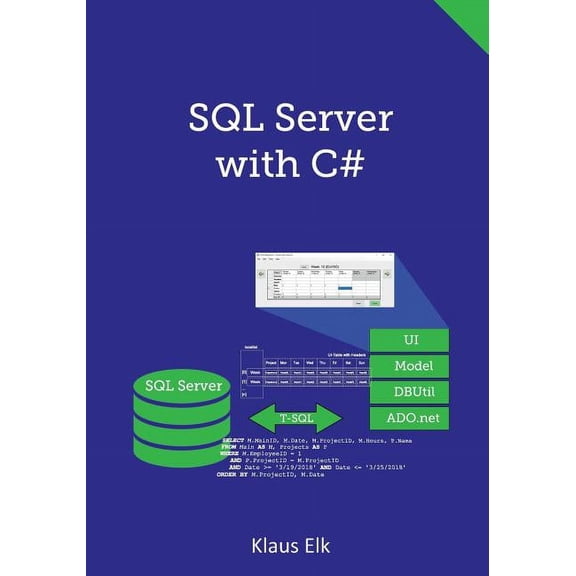 $1495current price $14.95
SQL Server with C# (Paperback)
Customer ratings & reviews

- Free shipping
 Free Holiday returns until Jan 31
How do you want your item?


Related pages
- Best Sellers In Editing Writing Reference
- Flowchart Programming
- Learn C Programming For Beginners
- Image Editor
- ASP.NET Programming Language Books
- PHP Programming Language Books
- HTML Programming Language Books
- Python Programming Language Books
- Ielts Hacker Listening
- Information Theory Books
- Introduction To Computer Science 2
- JavaScript Programming Language Books