

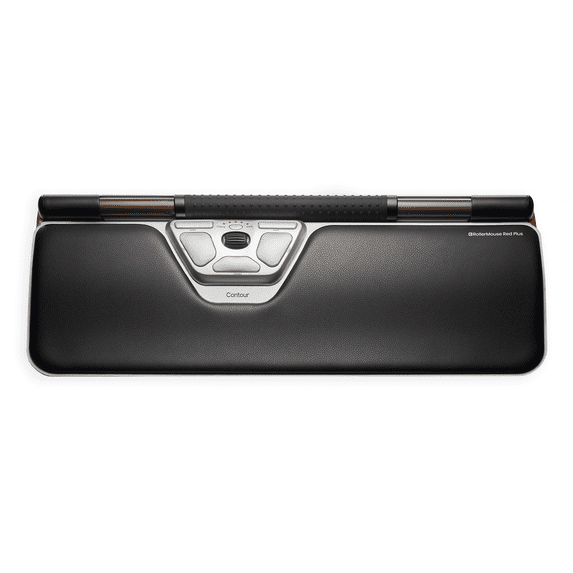
Contour RollerMouse Red Plus Wireless Centered Ergonomic Mouse
Key item features
- Nothing to reach for, nothing to grip: RollerMouse Red Plus sits in front of your keyboard, where your hands already are. Roll the bar to move the cursor. Press it to click. Use your left hand, your right hand, or both. Standard workstation advice says to keep your upper arms close to your body, not reaching forward or to the sides.¹ RollerMouse builds that into your desk.
- Give your shoulder a break:² In a lab study of 15 people, a centered roller bar like RollerMouse cut activity in the main shoulder muscle by 79%, compared with a traditional mouse at the side.³ In another, 12 people new to RollerMouse raised their upper arm about half as much as with a mouse at the side: 7° vs 14° out to the side.⁴ Your arms stay close as you move between typing and pointing.
- Feel the difference: In a lab session of nearly 4 hours, people new to RollerMouse felt less than half the wrist strain with it than with a traditional mouse.⁵ Skeptical at first. Won over by the end. Afterwards, they rated RollerMouse higher for position, control, and buttons.⁶
- Customers notice the difference: Nearly 9 in 10 surveyed customers said RollerMouse increased their comfort or well-being at work.⁷ And nearly 9 in 10 have recommended RollerMouse to others.⁸ More than 3 in 4 said it was easy to get used to, younger and older alike.⁹ Start with email and browsing, and set up the buttons as you go.
- Precise, and made for your desk: In a controlled lab study, people preferred RollerMouse to a standard mouse, with no loss of performance.¹⁰ Pick from 10 cursor speeds (600 to 2800 DPI) and adjust the click force to your touch. Reprogram the six buttons in the optional Contour Personalization App. Place your keyboard right behind the rollerbar. The keyboard risers in the box lift it to the right height.
- Which RollerMouse is this? RollerMouse Red is our flagship centered mouse, with a solid aluminum frame, a textured rollerbar, and click force you can adjust. This is RollerMouse Red Plus, with a full-size palm support: 6.2 in deep overall, for extra support across your hands and wrists. It's built to last, and made with 76% recycled content by product weight (16% post-consumer recycled plastic and 59% post-industrial recycled aluminum). The memory-foam wrist rest, covered in smooth vegan leather, can be replaced. Reviewed by Tom's Hardware (June 2025).
- Ready for your setup: Go wireless with Bluetooth 5.1 or the plug-and-play 2.4 GHz USB-A receiver. No pairing needed with the receiver. The rechargeable 2000 mAh battery lasts up to 3 months per charge and charges over USB-C. It works with Windows and macOS. In the box: RollerMouse Red, keyboard risers, USB-C charging cable, 2.4 GHz USB-A receiver, receiver range extender, USB-C to USB-A adapter, user guide. 2-year warranty.
Specs
Mouse type, Wireless Mice
Color, Red
Motion detect, Optical
Buttons, 7
Dexterity, Ambidextrous
About this item
Product details
The mouse moved.
RollerMouse Red Plus Wireless is a centered ergonomic mouse with a rollerbar that sits in front of your keyboard. You point and click without reaching for a mouse at the side. And it's ambidextrous: use your left hand, your right hand, or both.
You grip your computer mouse more than once a minute: around 600 times a day, more than 140,000 times a year.¹¹ Our centered pointing devices have nothing to grip.
How it works
Roll the bar to move the cursor. Press it to click. Then go back to typing, with your hands still in front of the keyboard. Put RollerMouse in front of your keyboard, use the keyboard risers in the box to set the height, connect it, and you're ready.
Made for your workday
RollerMouse is made for long days at a computer: email, spreadsheets, writing, browsing, and video calls, at home or in the office. It suits right- and left-handed people alike, and anyone who likes to switch hands during the day.
What the research shows
Consistent across five lab studies: RollerMouse needed less muscle activity in the pointing arm than a traditional mouse.¹²⁻¹⁶ In a lab study of 15 people, a centered roller bar like RollerMouse cut activity in the main shoulder muscle by 79%.³ And nearly 9 in 10 surveyed customers said RollerMouse increased their comfort or well-being at work.⁷
Which RollerMouse is this?
RollerMouse Red is our flagship centered mouse, with a solid aluminum frame, a textured rollerbar, and click force you can adjust. This is RollerMouse Red Plus, with a full-size palm support: 6.2 in deep overall, for extra support across your hands and wrists. It's built to last, and made with 76% recycled content by product weight (16% post-consumer recycled plastic and 59% post-industrial recycled aluminum). The memory-foam wrist rest, covered in smooth vegan leather, can be replaced.
Questions people ask
Is RollerMouse easy to get used to?
More than 3 in 4 surveyed customers said RollerMouse was easy to get used to, younger and older alike.⁹ Start with email and browsing, then use it for everything.
Can I use it left-handed?
Yes. RollerMouse is ambidextrous: roll and click with your left hand, your right hand, or both.
Does it work with Mac?
Yes. RollerMouse Red Plus works with Windows and macOS.
Will it fit in front of my keyboard?
Place your keyboard right behind the rollerbar. The keyboard risers in the box lift it to the right height, so your fingers move between keys and rollerbar without lifting your hands.
Do I need software?
No. Connect it and start working. The optional Contour Personalization App lets you reprogram the buttons.
How long does the battery last?
Up to 3 months per charge. It charges over USB-C.
How do the RollerMouse models differ?
RollerMouse Red is our flagship, with a solid aluminum frame. RollerMouse Red Plus adds a full-size palm support. RollerMouse Pro comes in three sizes: Slim, Regular, and Extended. RollerMouse Pro3 is wired, plug and play, and as wide as a full-size keyboard. RollerMouse Go is our compact model for hybrid work and travel. Red, Red Plus, and Pro come wired or wireless.
Prefer touch? Rather hold?
Contour Touch puts a touchpad in the same place. UniMouse is a vertical mouse that tilts from 35° to 70°, so you can find the angle that's most comfortable for you.
Specifications
Connection: wireless (Bluetooth 5.1 or 2.4 GHz USB-A receiver)
Battery: rechargeable, 2000 mAh, up to 3 months per charge, charges over USB-C
Cursor speed: 10 levels, 600-2800 DPI
Sensor: optical
Buttons: 6, programmable
Works with: Windows and macOS
Size: 16.8 x 6.2 x 0.9 in (426 x 157 x 24 mm)
Weight: 2.05 lb (932 g)
In the box: RollerMouse Red, keyboard risers, USB-C charging cable, 2.4 GHz USB-A receiver, receiver range extender, USB-C to USB-A adapter, user guide
Warranty: 2 years
Contour. Leaders in workplace health.
Sources
1. Supported by expert guidance in a peer-reviewed review of computer workstation ergonomics. Citation: Emerson et al., Journal of Hand Therapy 2021.
2. Supported by evidence from a controlled lab study (24 adults new to RollerMouse; nearly 4-hour session using RollerMouse Free2 and a traditional mouse in turn; activity of the shoulder muscle (deltoid) was lower with RollerMouse). Citation: Kluth & Keller, Occupational Ergonomics 2015.
3. Supported by evidence from a controlled lab study (15 adults; a centered roller-bar mouse of similar design vs a traditional mouse at the side; activity of the front shoulder muscle (anterior deltoid) was 79% lower). Citation: Kumar & Kumar, International Journal of Occupational Safety and Ergonomics 2008.
4. Supported by evidence from a controlled lab study (12 adults new to RollerMouse; RollerMouse Free2 vs a traditional mouse to the right of the keyboard; shoulder angles measured during pointing tasks; the study was partly funded by free product units from Contour). Citation: Lin et al., Applied Ergonomics 2015.
5. Supported by evidence from a controlled lab study (24 adults new to RollerMouse; nearly 4-hour session using RollerMouse Free2 and a traditional mouse in turn; strain self-rated on a 0–4 scale, wrist 1.0 vs 2.2). Citation: Kluth & Keller, Occupational Ergonomics 2015.
6. Supported by evidence from a controlled lab study (24 adults new to RollerMouse; nearly 4-hour session using RollerMouse Free2 and a traditional mouse in turn; average ratings after use). Citation: Kluth & Keller, Occupational Ergonomics 2015.
7. Supported by evidence from a customer survey (209 of 233 Contour customers in Denmark, Sweden and Norway agreed; Danish customers were asked about comfort or well-being at work, Swedish and Norwegian customers about comfort or joy at work; online, self-reported; April 2024; commissioned by Contour). Source: Kvadrant customer survey 2024.
8. Supported by evidence from a customer survey (206 of 233 Contour customers in Denmark, Sweden and Norway said they had recommended RollerMouse to others; any RollerMouse model; online, self-reported; April 2024; commissioned by Contour). Source: Kvadrant customer survey 2024.
9. Supported by evidence from a customer survey (178 of the 231 Contour customers in Denmark, Sweden and Norway who answered said RollerMouse was easy to get used to: 113 of 149 aged 45 or over and 65 of 82 under 45; online, self-reported; April 2024; commissioned by Contour). Source: Kvadrant customer survey 2024.
10. Supported by evidence from a controlled lab study (24 adults with 15 years of computer experience on average, mostly on a standard mouse, all completed the same standardized computer work with RollerMouse Free2, new to them, and with a standard mouse; afterwards they rated RollerMouse more favorably). Citation: Kluth & Keller, Occupational Ergonomics 2015.
11. Supported by independent evidence from a workplace study measuring real mouse use at people’s own desks (16 office workers, 3 workdays each; 78 grips per hour on average). 600 a day assumes an 8-hour computer day; 140,000 a year assumes 230 working days. Citation: Johnson et al., Scandinavian Journal of Work, Environment & Health 2000.
12. Supported by evidence from a controlled lab study (12 adults, RollerMouse Free2 vs a traditional mouse; the study was partly funded by free product units from Contour). Citation: Lin et al., Applied Ergonomics 2015.
13. Supported by evidence from a controlled lab study (24 adults, RollerMouse Free2 vs a traditional mouse). Citation: Kluth & Keller, Occupational Ergonomics 2015.
14. Supported by independent evidence from a controlled lab study (31 adults, RollerMouse Red Plus vs a traditional mouse). Citation: Gaudez et al., Ergonomics 2026.
15. Supported by independent evidence from a standardized lab study (6 adults; RollerMouse Red Plus vs nine other pointing devices, including a traditional mouse; overall activity of seven hand, arm and shoulder muscles; devices ranked, not compared pair by pair). Citation: Alcaraz-Mateos et al., Revista Española de Patología 2022.
16. Supported by evidence from a controlled lab study (15 adults; a centered roller-bar mouse of similar design vs a conventional mouse at the side; the shoulder, upper back and forearm muscles all worked less). Citation: Kumar & Kumar, International Journal of Occupational Safety and Ergonomics 2008.
- Nothing to reach for, nothing to grip: RollerMouse Red Plus sits in front of your keyboard, where your hands already are. Roll the bar to move the cursor. Press it to click. Use your left hand, your right hand, or both. Standard workstation advice says to keep your upper arms close to your body, not reaching forward or to the sides.¹ RollerMouse builds that into your desk.
- Give your shoulder a break:² In a lab study of 15 people, a centered roller bar like RollerMouse cut activity in the main shoulder muscle by 79%, compared with a traditional mouse at the side.³ In another, 12 people new to RollerMouse raised their upper arm about half as much as with a mouse at the side: 7° vs 14° out to the side.⁴ Your arms stay close as you move between typing and pointing.
- Feel the difference: In a lab session of nearly 4 hours, people new to RollerMouse felt less than half the wrist strain with it than with a traditional mouse.⁵ Skeptical at first. Won over by the end. Afterwards, they rated RollerMouse higher for position, control, and buttons.⁶
- Customers notice the difference: Nearly 9 in 10 surveyed customers said RollerMouse increased their comfort or well-being at work.⁷ And nearly 9 in 10 have recommended RollerMouse to others.⁸ More than 3 in 4 said it was easy to get used to, younger and older alike.⁹ Start with email and browsing, and set up the buttons as you go.
- Precise, and made for your desk: In a controlled lab study, people preferred RollerMouse to a standard mouse, with no loss of performance.¹⁰ Pick from 10 cursor speeds (600 to 2800 DPI) and adjust the click force to your touch. Reprogram the six buttons in the optional Contour Personalization App. Place your keyboard right behind the rollerbar. The keyboard risers in the box lift it to the right height.
- Which RollerMouse is this? RollerMouse Red is our flagship centered mouse, with a solid aluminum frame, a textured rollerbar, and click force you can adjust. This is RollerMouse Red Plus, with a full-size palm support: 6.2 in deep overall, for extra support across your hands and wrists. It's built to last, and made with 76% recycled content by product weight (16% post-consumer recycled plastic and 59% post-industrial recycled aluminum). The memory-foam wrist rest, covered in smooth vegan leather, can be replaced. Reviewed by Tom's Hardware (June 2025).
- Ready for your setup: Go wireless with Bluetooth 5.1 or the plug-and-play 2.4 GHz USB-A receiver. No pairing needed with the receiver. The rechargeable 2000 mAh battery lasts up to 3 months per charge and charges over USB-C. It works with Windows and macOS. In the box: RollerMouse Red, keyboard risers, USB-C charging cable, 2.4 GHz USB-A receiver, receiver range extender, USB-C to USB-A adapter, user guide. 2-year warranty.
Specifications
Brand
Mouse type
Color
Motion detect
Warranty
Warranty information
Please be aware that the warranty terms on items offered for sale by third party Marketplace sellers may differ from those displayed in this section (if any). To confirm warranty terms on an item offered for sale by a third party Marketplace seller, please use the 'Contact seller' feature on the third party Marketplace seller's information page and request the item's warranty terms prior to purchase.
Similar items you might like
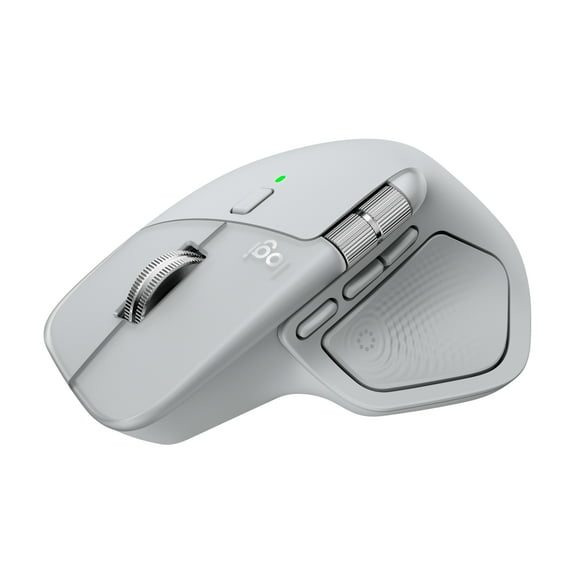
Logitech MX Master 4, Ergonomic Wireless Mouse with Advanced Performance Haptic Feedback, Pale Gray $109.99
 $10999current price $109.99
Logitech MX Master 4, Ergonomic Wireless Mouse with Advanced Performance Haptic Feedback, Pale Gray
6894.4 out of 5 Stars. 689 reviews4.4 out of 5 starsIn 100+ people's carts, Onn Silent Wireless 5-Button Mouse with 1600 DPI, USB Nano Receiver, Pink $9.88
In 100+ people's carts 3 optionsAvailable in additional 3 options$988current price $9.88
Onn Silent Wireless 5-Button Mouse with 1600 DPI, USB Nano Receiver, Pink
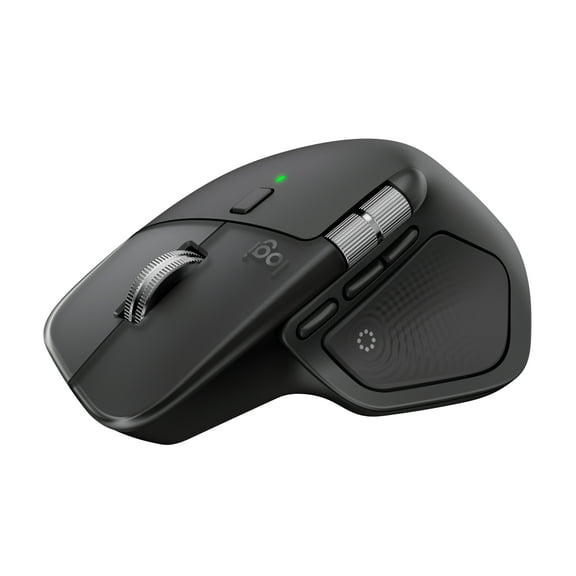
7124.7 out of 5 Stars. 712 reviews4.7 out of 5 starsLogitech MX Master 4, Ergonomic Wireless Mouse with Advanced Performance Haptic Feedback, Ultra-Fast Scrolling, Black $109.99
 $10999current price $109.99
Logitech MX Master 4, Ergonomic Wireless Mouse with Advanced Performance Haptic Feedback, Ultra-Fast Scrolling, Black
7054.4 out of 5 Stars. 705 reviews4.4 out of 5 starsContour RollerMouse Pro Wireless Centered Ergonomic Mouse, Slim $293.00
 3 optionsAvailable in additional 3 options$29300current price $293.00
Contour RollerMouse Pro Wireless Centered Ergonomic Mouse, Slim
In 100+ people's carts, Onn Wireless 3-Button Mouse With 2.4 GHz USB Nano Receiver, Gray Stone Finish $7.88
In 100+ people's carts $788current price $7.88
Onn Wireless 3-Button Mouse With 2.4 GHz USB Nano Receiver, Gray Stone Finish
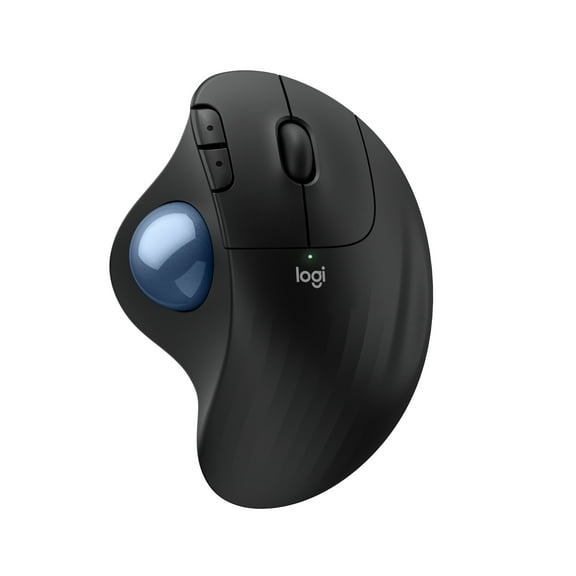
2494.6 out of 5 Stars. 249 reviews4.6 out of 5 starsLogitech ERGO M575S Wireless Trackball Mouse, Wireless Ergonomic Mouse With Bluetooth and Encrypted Dongle, Black/Blue Ball $44.99 Was $49.99
 $4499current price $44.99, Was $49.99$49.99
Logitech ERGO M575S Wireless Trackball Mouse, Wireless Ergonomic Mouse With Bluetooth and Encrypted Dongle, Black/Blue Ball
1114.7 out of 5 Stars. 111 reviews4.7 out of 5 starsContour RollerMouse Red Wireless Centered Ergonomic Mouse $394.00 Was $431.91
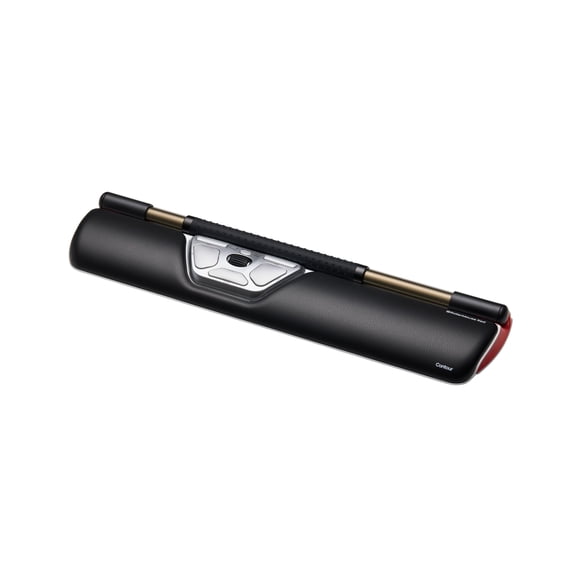 $39400current price $394.00, Was $431.91$431.91
Contour RollerMouse Red Wireless Centered Ergonomic Mouse
Contour RollerMouse Red Wired Centered Ergonomic Mouse $325.00 Was $373.99
 $32500current price $325.00, Was $373.99$373.99
Contour RollerMouse Red Wired Centered Ergonomic Mouse
iJoy Wireless Bear Glitter Mouse $9.88
 2 optionsAvailable in additional 2 options$988current price $9.88
iJoy Wireless Bear Glitter Mouse
914.5 out of 5 Stars. 91 reviews4.5 out of 5 starsContour Design Pro 3-Wired Roller Mouse $358.78
 $35878current price $358.78
Contour Design Pro 3-Wired Roller Mouse
In 50+ people's carts, Apple Magic Mouse Wireless USB-C with Multi-Touch Surface, White, 1 Each $59.99 Was $79.00
In 50+ people's carts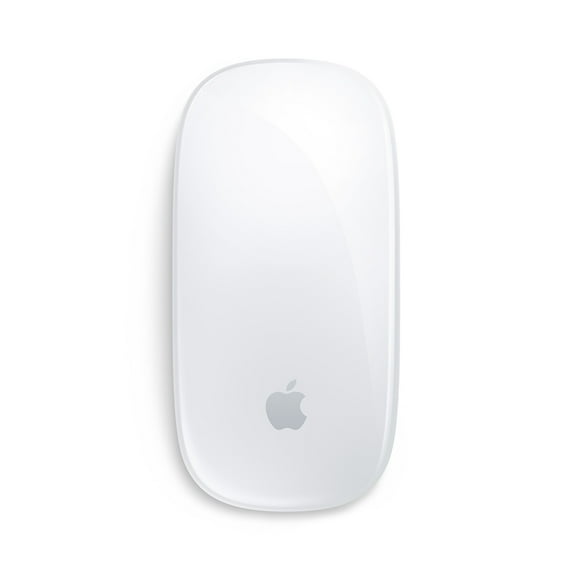 $5999current price $59.99, Was $79.00$79.00
Apple Magic Mouse Wireless USB-C with Multi-Touch Surface, White, 1 Each
4234.5 out of 5 Stars. 423 reviews4.5 out of 5 starsContour RollerMouse Pro Wired Centered Ergonomic Mouse, Extended $314.00
 $31400current price $314.00
Contour RollerMouse Pro Wired Centered Ergonomic Mouse, Extended
Compact Wireless Mouse, Forest Floral $7.00 Was $11.87
 $700current price $7.00, Was $11.87$11.87
Compact Wireless Mouse, Forest Floral
814.6 out of 5 Stars. 81 reviews4.6 out of 5 starsFroura AOC Ergonomic Mouse, Wireless Rechargeable Vertical Mouse, 200H Working Time, 4800 DPI Optical Tracking, Silent Button, RGB, 2.4GHz Programmable Mice for Laptop, Desktop, MacBook, Black $35.99 Was $78.99
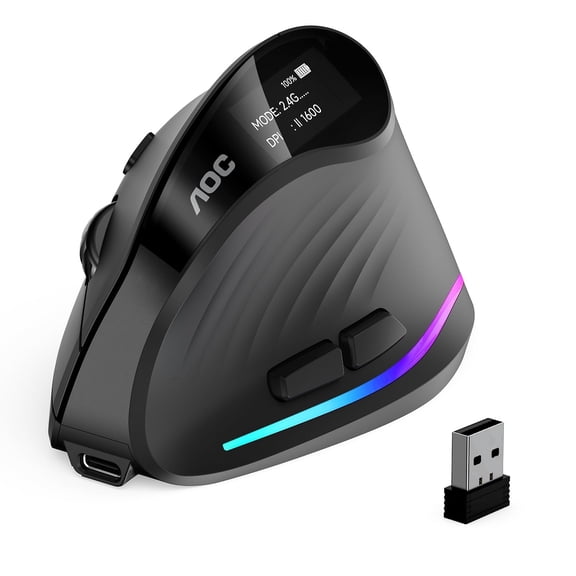 2 optionsAvailable in additional 2 options$3599current price $35.99, Was $78.99$78.99
Froura AOC Ergonomic Mouse, Wireless Rechargeable Vertical Mouse, 200H Working Time, 4800 DPI Optical Tracking, Silent Button, RGB, 2.4GHz Programmable Mice for Laptop, Desktop, MacBook, Black
5114.6 out of 5 Stars. 511 reviews4.6 out of 5 starsLogitech Mobi Fold, Ultra-Portable Travel Mouse, Small and Light, Touch Scroll, Quiet Clicks, 4K DPI, Bluetooth, Graphite $72.99
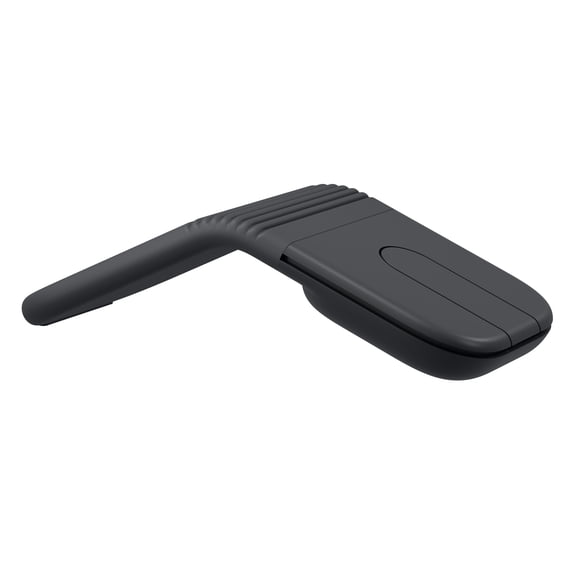 3 optionsAvailable in additional 3 options$7299current price $72.99
Logitech Mobi Fold, Ultra-Portable Travel Mouse, Small and Light, Touch Scroll, Quiet Clicks, 4K DPI, Bluetooth, Graphite
1814.1 out of 5 Stars. 181 reviews4.1 out of 5 starsErgonomic Wireless Trackball Mouse, Adjustable Angle, Quiet Click, Rechargeable, Multi-Device Bluetooth & 2.4G, for Windows Mac-Black Ball $35.55 Was $69.99
 6 optionsAvailable in additional 6 options$3555current price $35.55, Was $69.99$69.99
Ergonomic Wireless Trackball Mouse, Adjustable Angle, Quiet Click, Rechargeable, Multi-Device Bluetooth & 2.4G, for Windows Mac-Black Ball
624.5 out of 5 Stars. 62 reviews4.5 out of 5 starsClearance, Wireless Mouse for Laptop, 2.4G Silent Mouse Quiet Click, Small Portable Computer Mouse, 5 DPI Levels, Cordless Mice for PC, Chromebook, Mac $10.99 Was $18.99
Clearance
 $1099current price $10.99, Was $18.99$18.99
Wireless Mouse for Laptop, 2.4G Silent Mouse Quiet Click, Small Portable Computer Mouse, 5 DPI Levels, Cordless Mice for PC, Chromebook, Mac
934.6 out of 5 Stars. 93 reviews4.6 out of 5 starsRollback, Logitech Advanced Wireless Mouse 2, Black, Walmart Exclusive $19.97 Was $24.88
Rollback 2 optionsAvailable in additional 2 options$1997current price $19.97, Was $24.88$24.88
Logitech Advanced Wireless Mouse 2, Black, Walmart Exclusive
3754.7 out of 5 Stars. 375 reviews4.7 out of 5 starsBest seller, Incipio Stick-On Mouse Sleeve, Adhesive Laptop Mouse Holder Pocket, Slim Stretch Fabric Storage for Wireless Mouse & Accessories, Grey $2.97
Best seller

 $297current price $2.97
Incipio Stick-On Mouse Sleeve, Adhesive Laptop Mouse Holder Pocket, Slim Stretch Fabric Storage for Wireless Mouse & Accessories, Grey
504.6 out of 5 Stars. 50 reviews4.6 out of 5 starsContour RollerMouse Pro3 Mouse - Optical - Cable - USB - 2400 dpi - Scroll Wheel - 8 Button(s) - Symmetrical $309.00 Was $330.00
 $30900current price $309.00, Was $330.00$330.00
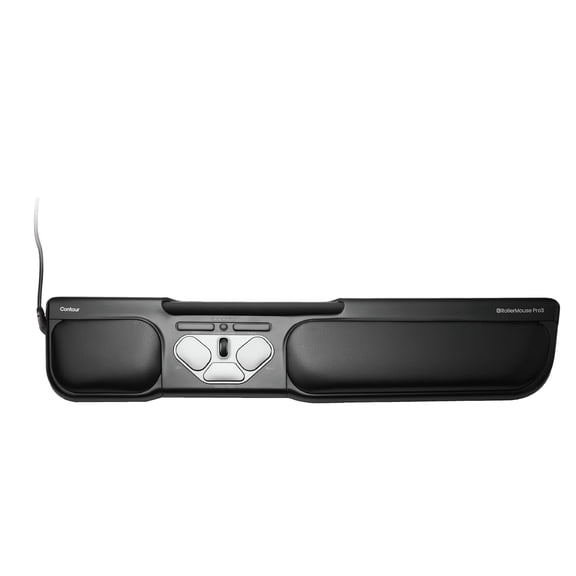
Contour RollerMouse Pro3 Mouse - Optical - Cable - USB - 2400 dpi - Scroll Wheel - 8 Button(s) - Symmetrical
44.8 out of 5 Stars. 4 reviews4.8 out of 5 stars
Customer ratings & reviews

- Free shipping
 Free Holiday returns until Jan 31

(Only one option can be selected at a time)
How do you want your item?

