Overall pick

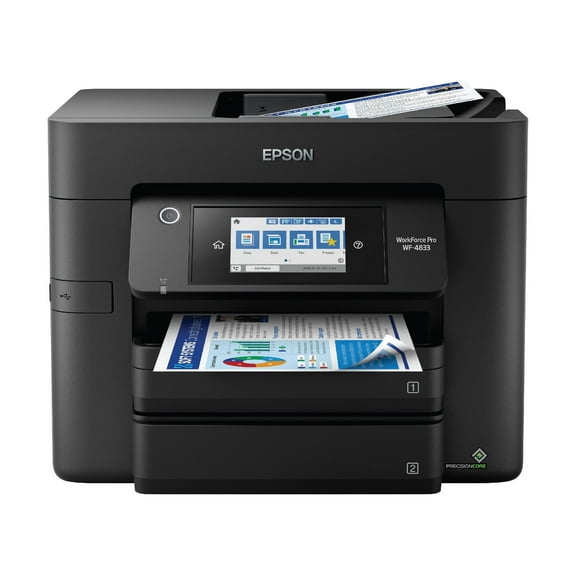
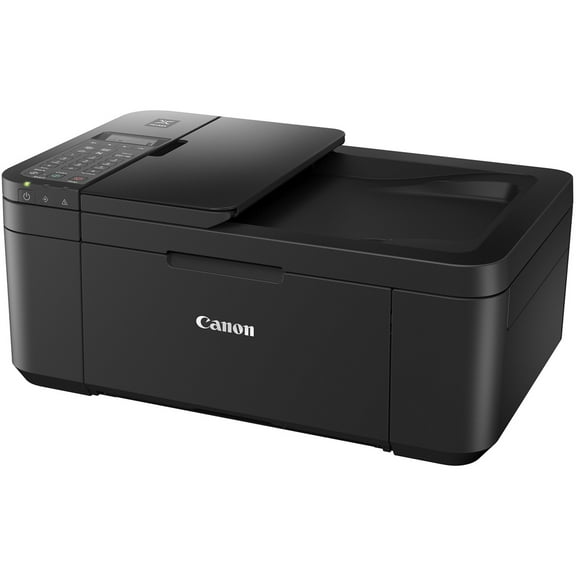
Epson WorkForce WF-2950 All-in-One Wireless Color Printer with Scanner, Copier and Fax

Key item features

  • Professional Printing: Epsons leading-edge printing technology delivers sharp text and vibrant color graphics for home office use.
  • Voice-Activated: Easily print on-the-go using Alexa and Siri with hands-free, voice-activated printing.
  • Versatile Scanning: Create searchable PDFs and more with included Epson ScanSmart scanning software.
  • Economical Design: Automatic 2-sided printing helps save paper and reduce waste.
  • Individual Ink: Easy and affordable color printing with individual ink cartridges, allowing you to replace only the ink you need.
  • Reliable Performance: Consistently delivers high-quality prints with heat-free technology and a permanent printhead.
  • Wireless Connectivity: Supports easy wireless connections and printing from Android or iOS devices.
  • Easy Setup: Features a large 2.4" color display for effortless navigation and easy installation through the Epson Smart Panel app.
Generated by AI
Current price is $79.00
Price when purchased online
  • Free shipping
  • Free 30-day returns
Walmart Protection Plan by Allstate

(Only one option can be selected at a time)

How do you want your item?

Try 30 days for just $1! Choose a plan at checkout.
How do you want your item?
Columbus, 43215
Arrives by Tomorrow
Sold and shipped by Walmart.com
Free 30-day returns
This item is gift eligible
walmart plus

Try 30 days of Walmart+ for just $1!

T&C apply.

About this item
Product details

Specifications

Warranty

Customer ratings & reviews

4 out of 5 stars
stars4,906 ratings1,521 reviews
How item rating is calculated

Reviews summary

Pros

  • : Offers good cost with acceptable operating expenses.
  • : Simple to set up and operate.

Cons

  • : Printer's ink cartridges deplete rapidly, needing frequent refills.
Generated by AI

Customer photos

  • +95 images
Filtered and sorted results would be available on the new 'Customer ratings & reviews' page.
Sort by |

Showing 1-3 of 1,521 reviews

Dec 7, 2025
Janet
Top Reviewer
5 out of 5 stars review

Verified Purchase

Epson saves the day... or days...

Wow, wow, wow... after decades of HP printers, and not happy with the latest purchase of the same... I bought my first Epson. If packaging alone was rated, it'd be off the charts!!! Compared to the crappy non-packaging job on that HP delivery (and returning!), this Epson was battened down like Fort Knox. It was secured like I've never seen before, and greatly appreciated, as it was simple to set up and actually make copies without all the fuss HP seemed to want to drag me into. Some of us don't need all the bells and whistles (though this printer pretty much covers all of that) and just want a printer to... print (copy/scan). Thank you Epson, for taking me off the ledge. I am now a loyal Epson customer, as long as they don't go the route of every other "app" and new customer "account." Follow the directions carefully, and anyone can set this awesome deal of a printer up. Really.

Helpful?5NN6UYAOMQ8D799609741
Nov 16, 2025
Desiry
5 out of 5 stars review

Verified Purchase

Amazing 🖨 ❤️ 😍 for the price!

I ❤️ how fast the printer prints the pages. I ❤️ how quiet the printer prints I ❤️ the easy-to-use mobile app I ❤️ the feeder function it saves so much time when you have to print large projects in duplicate or more. The only downside the printer 🖨 is made out of cheap plastic so be careful when handling. In addition, every time you print you have to make sure you pull out the paper tray or your pages will fall on whatever surface is below the tray. Once you get the hang of no automatic paper tray release and manually pulling out the tray yourself for your printed pages to land on you will be 💯 % satisfied.

Helpful?5NN6UYAOMQ8D799609741
Oct 2, 2025
kenneth
3 out of 5 stars review

Verified Purchase

So I bought the printer for work and overall it was fairly inexpensive. Recently I bought some non Epson replacement cartridges and they worked fine. Shortly afterwards an update came out for the printer which I installed and magically the printer no longer recognizes the non Epson ink cartridges and won't let me print or scan anything as long as I have the Non Epson ink cartridge installed.

Helpful?5NN6UYAOMQ8D799609741
reply from Epson

Hello kenneth, Epson periodically provides firmware updates to address issues of security, performance, minor bug fixes, and to ensure your printer functions as designed. Your WF-2950 was designed to work only with genuine Epson ink cartridges, therefore some updates may affect the functionality of third-party ink. Non-Epson branded or altered Epson cartridges that functioned prior to a firmware update may not continue to function. If we can help with anything else, please reach out to our Epson Support Team at (562) 276-4382; Hours: Monday – Friday, 7 a.m. to 4 p.m. (PT). Sincerely, Joseph – The Epson Team.