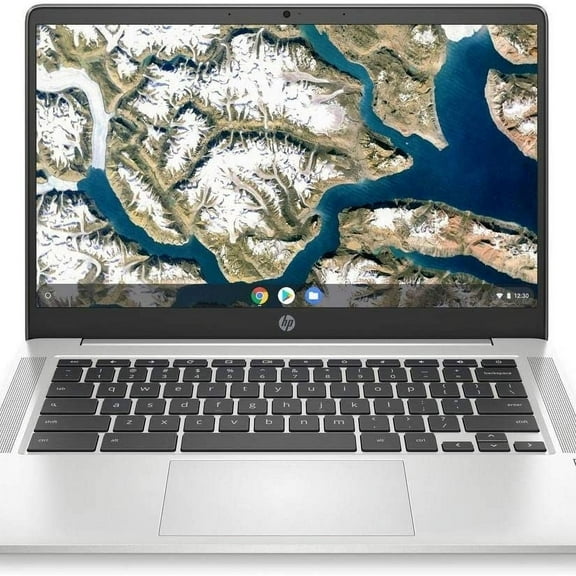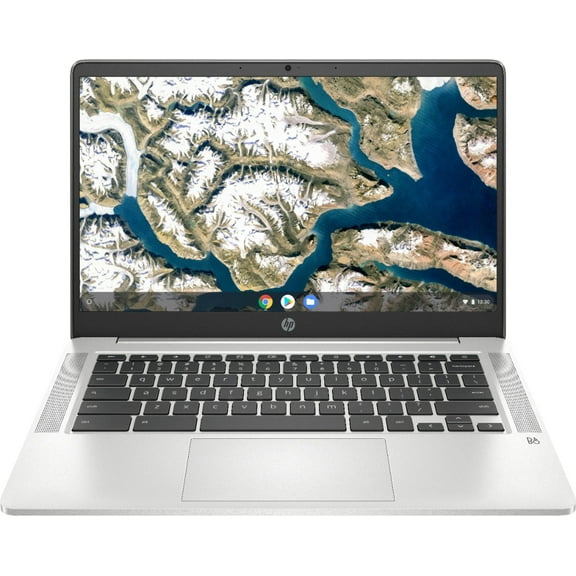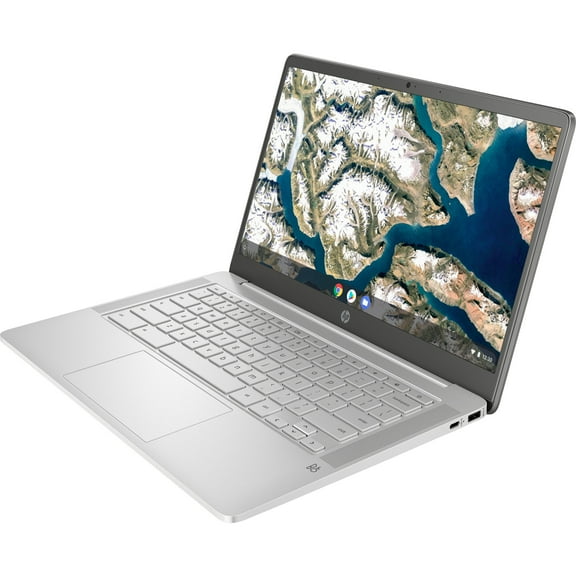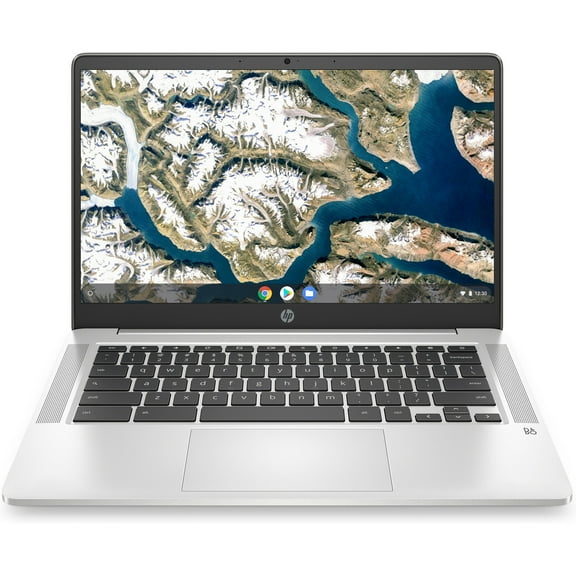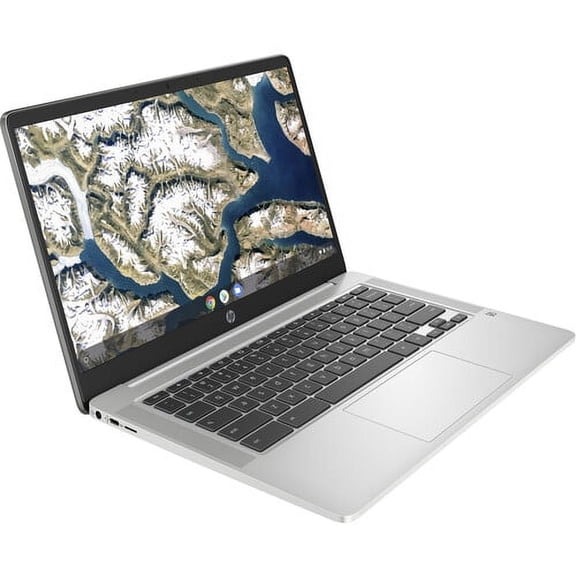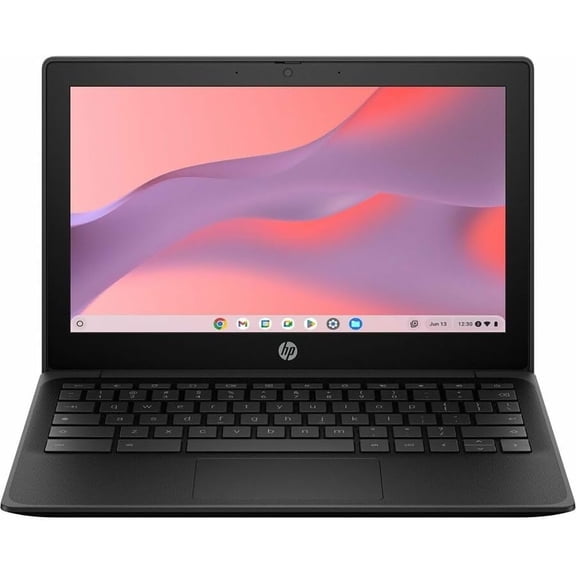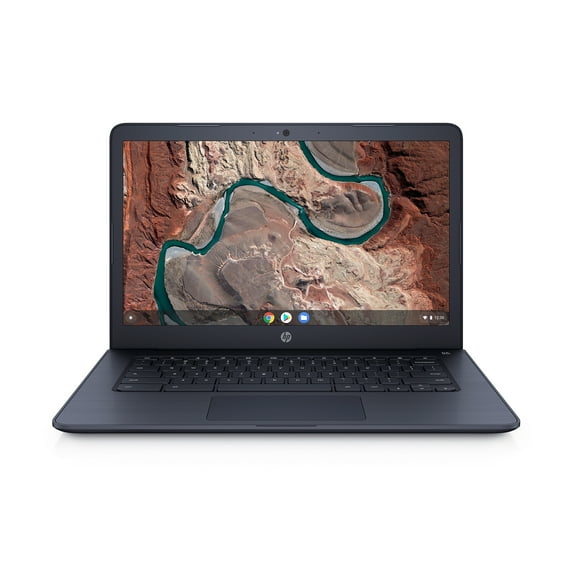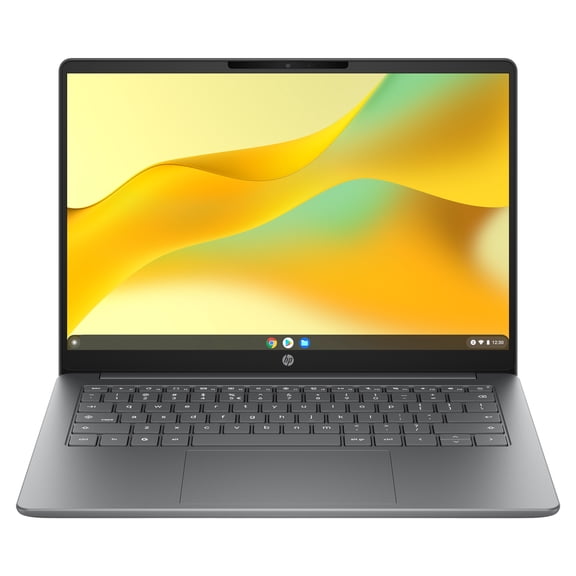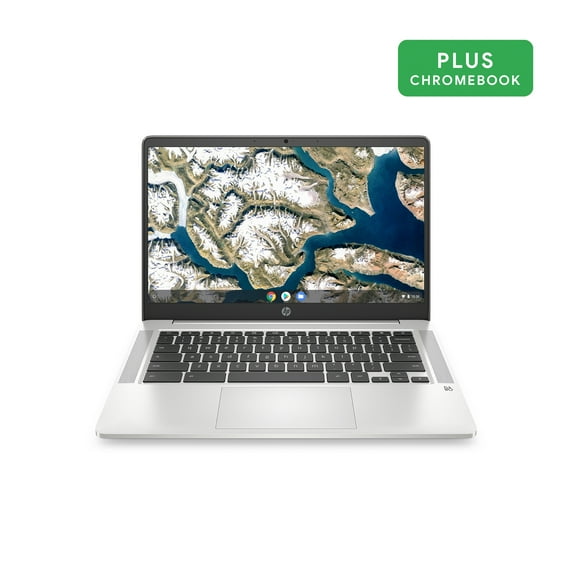

HP 14" Intel Pentium 4GB/64GB Chromebook - Silver - 14a-na0031wm
Key item features
- Vibrant Display: Features a 14.0-inch diagonal HD, SVA, anti-glare, micro-edge, WLED-backlit display with an 82% screen-to-body ratio for an immersive viewing experience.
- Responsive Performance: Powered by an Intel Pentium Silver N5000 Processor and 4 GB LPDDR4-2400 SDRAM, offering smooth operation for various tasks.
- Ample Storage: Includes 64 GB eMMC internal storage, providing sufficient space for essential files and applications.
- Immersive Audio: Equipped with Audio by B&O and dual speakers, delivering a rich and clear sound experience.
- Extended Battery: Offers an impressive battery life of up to 13 hours and 30 minutes of mixed usage, ideal for on-the-go productivity and entertainment.
- Portable Design: Weighing 3.24 lb, this thin and light silver Chromebook is easy to transport, making it convenient for use anywhere.
- Integrated Connectivity: Features Realtek Wi-Fi 5 (2x2) and Bluetooth 5.0 combo for seamless wireless connections, along with an HP Wide Vision HD Camera.
Specs
- Proc. brandIntel
- ProcessorIntel Pentium
- OSChrome OS
- RAM memory4 GB
Reviews summary
Pros
- : Setup process has step-by-step instructions.
- : Ideal for portable use and comfortable viewing.
- : Offers great value considering its cost.
- : Lasts a full day with moderate use.
Neutral
- : Provides a responsive and clicky feel, but may lack ergonomic features.
- : Can be sharp, but inconsistent in brightness and clarity.
- Free shipping
Free 15-day returns
How do you want your item?
More seller options (1)
About this item
Product details
- Operating system: Chrome
- Processor: Intel Pentium Silver N5000 Processor
- Display: 14.0-inch diagonal HD, SVA, anti-glare, micro-edge, WLED-backlit
- Memory: 4 GB LPDDR4-2400 SDRAM (onboard)
- Internal storage: 64 GB eMMC
- Graphics: Intel® UHD Graphics 605
- Sound: Audio by B&O with dual speakers
- Battery life: Up to 13 hours and 30 minutes (mixed usage)
- Wireless: Realtek Wi-Fi 5 (2x2)(19a) and Bluetooth® 5.0 combo
- Camera: HP Wide Vision HD Camera with integrated dual array digital microphone
- Product weight: 3.24 lb
- MFG Year: 2019
Specifications
Brand
Proc. brand
Processor
OS
Warranty
Warranty information
Please be aware that the warranty terms on items offered for sale by third party Marketplace sellers may differ from those displayed in this section (if any). To confirm warranty terms on an item offered for sale by a third party Marketplace seller, please use the 'Contact seller' feature on the third party Marketplace seller's information page and request the item's warranty terms prior to purchase.
Warranty url
Warnings
Ingestion Hazard
Similar items you might like
Based on what customers bought
In 100+ people's carts Acer Chromebook 315 15.6 inch Laptop Intel Processor N4500 4GB RAM 64GB eMMC Pure Silver $199.00
In 100+ people's carts
Sponsored$19900current price $199.00$199.00Acer Chromebook 315 15.6 inch Laptop Intel Processor N4500 4GB RAM 64GB eMMC Pure Silver
194424.3 out of 5 Stars. 19442 reviewsSave withShipping, arrives tomorrowChromebook HP 11 G7 EE-11.6”- Intel Celeron N4000 - 4GB Ram 16GB SSD $54.00 Was $60.16
SponsoredNow$5400current price Now $54.00, Was $60.16$60.16You save $6.16You save$6.16Chromebook HP 11 G7 EE-11.6”- Intel Celeron N4000 - 4GB Ram 16GB SSD
52.4 out of 5 Stars. 5 reviewsShipping, arrives in 3+ daysIn 500+ people's carts HP 14 inch HD Windows Laptop AMD Athlon 7120 4GB RAM 128GB SSD Moonlight Blue $178.99
In 500+ people's carts
3 optionsAvailable in additional 3 options$17899current price $178.99HP 14 inch HD Windows Laptop AMD Athlon 7120 4GB RAM 128GB SSD Moonlight Blue
61984.2 out of 5 Stars. 6198 reviewsIn 50+ people's carts HP 14 inch HD Chromebook Laptop Intel Processor N200 4GB RAM 128GB UFS Glacier Silver $134.00
In 50+ people's carts
$13400current price $134.00HP 14 inch HD Chromebook Laptop Intel Processor N200 4GB RAM 128GB UFS Glacier Silver
76384.2 out of 5 Stars. 7638 reviewsHP 14" Intel Pentium 4GB/64GB Chromebook - Silver 14a-na0131wm $153.59
$15359current price $153.59HP 14" Intel Pentium 4GB/64GB Chromebook - Silver 14a-na0131wm
953.9 out of 5 Stars. 95 reviewsHP 14" HD Laptop for Students and Business,Intel Celeron N4120, 4GB RAM, 64GB eMMC, Long Battery Life, UHD Graphics, Webcam, HDMI, Wi-Fi,Windows 11 Home in S Mode, Snowflake White $99.99
13 optionsAvailable in additional 13 options$9999current price $99.99HP 14" HD Laptop for Students and Business,Intel Celeron N4120, 4GB RAM, 64GB eMMC, Long Battery Life, UHD Graphics, Webcam, HDMI, Wi-Fi,Windows 11 Home in S Mode, Snowflake White
13133.8 out of 5 Stars. 1313 reviewsRestored HP Chromebook 11 G4, 2.16 GHz Intel Celeron, 2GB DDR3 RAM, 16GB SSD Hard Drive, Chrome, 11" Screen $56.99
Sponsored$5699current price $56.99Restored HP Chromebook 11 G4, 2.16 GHz Intel Celeron, 2GB DDR3 RAM, 16GB SSD Hard Drive, Chrome, 11" Screen
22.5 out of 5 Stars. 2 reviewsShipping, arrives in 3+ daysRestored: Like NewHP Chromebook 14” HD Laptop, Student and Business Laptop, Intel Celeron N4500, 4GB RAM, 64GB eMMC, Long Battery Life, HP Fast Charge, Chrome OS, Gray with Mazepoly Accessories $229.00
$22900current price $229.00HP Chromebook 14” HD Laptop, Student and Business Laptop, Intel Celeron N4500, 4GB RAM, 64GB eMMC, Long Battery Life, HP Fast Charge, Chrome OS, Gray with Mazepoly Accessories
Lenovo Ideapad 3 Chromebook, 11.6" HD, Intel Celeron N4020, 4GB RAM, 32GB eMMC, ChromeOS, Onyx Black, 82BA0000US $189.00
$18900current price $189.00Lenovo Ideapad 3 Chromebook, 11.6" HD, Intel Celeron N4020, 4GB RAM, 32GB eMMC, ChromeOS, Onyx Black, 82BA0000US
7584.2 out of 5 Stars. 758 reviewsHP 14" Touchscreen Laptop, AMD Athlon Silver 3050U, 64GB SSD, Windows 10 S, 14-fq0057nr $259.00
$25900current price $259.00HP 14" Touchscreen Laptop, AMD Athlon Silver 3050U, 64GB SSD, Windows 10 S, 14-fq0057nr
1774.1 out of 5 Stars. 177 reviewsHP Chromebook 14-Inch HD Laptop, Intel Celeron N4000, 4 GB RAM, 32 GB eMMC, Chrome (14a-na0020nr, Ceramic White) $199.00
$19900current price $199.00HP Chromebook 14-Inch HD Laptop, Intel Celeron N4000, 4 GB RAM, 32 GB eMMC, Chrome (14a-na0020nr, Ceramic White)
1384.2 out of 5 Stars. 138 reviewsHP 11-v069cl 11.6" HD Chromebook Intel Celeron N3060 4GB Memory 16GB eMMC Chrome OS, Ash gray $189.00
$18900current price $189.00HP 11-v069cl 11.6" HD Chromebook Intel Celeron N3060 4GB Memory 16GB eMMC Chrome OS, Ash gray
364.2 out of 5 Stars. 36 reviewsHP Chromebook 14" (64 GB eMMC, Intel Celeron 2.6 GHz, 4 GB) Laptop 14a-ne0013dx $198.00
2 optionsAvailable in additional 2 options$19800current price $198.00HP Chromebook 14" (64 GB eMMC, Intel Celeron 2.6 GHz, 4 GB) Laptop 14a-ne0013dx
24.5 out of 5 Stars. 2 reviewsHP Chromebook Laptop Computer 14" HD Intel N-series 4 GB memory; 64 GB eMMC $389.00
$38900current price $389.00HP Chromebook Laptop Computer 14" HD Intel N-series 4 GB memory; 64 GB eMMC
474 out of 5 Stars. 47 reviewsHP Fortis G10 Chromebook 11.6-Inch 4GB RAM 32GB Flash Memory Chrome OS $179.88
$17988current price $179.88HP Fortis G10 Chromebook 11.6-Inch 4GB RAM 32GB Flash Memory Chrome OS
HP ProBook 645 G1 1.9GHz A8 8GB 320GB Windows 10 Pro 64 Laptop $169.99
$16999current price $169.99HP ProBook 645 G1 1.9GHz A8 8GB 320GB Windows 10 Pro 64 Laptop
63 out of 5 Stars. 6 reviewsHP Chromebook 11 - 11.6" HD - Intel Celeron N3060 - 4GB Memory - 16GB eMMC $48.00
$4800current price $48.00HP Chromebook 11 - 11.6" HD - Intel Celeron N3060 - 4GB Memory - 16GB eMMC
84 out of 5 Stars. 8 reviewsHP Chromebook x360-14" HD Touch - Celeron N4000-4GB - 32GB eMMC - Silver White $388.88
$38888current price $388.88HP Chromebook x360-14" HD Touch - Celeron N4000-4GB - 32GB eMMC - Silver White
124.2 out of 5 Stars. 12 reviewsHP EliteBook 840 G1 14" Laptop, Windows 10 Home, Intel Core i5-4300U Processor, 8GB RAM, 500GB Hard Drive $199.99
$19999current price $199.99HP EliteBook 840 G1 14" Laptop, Windows 10 Home, Intel Core i5-4300U Processor, 8GB RAM, 500GB Hard Drive
773.5 out of 5 Stars. 77 reviewsHP Stream 14" Celeron 4GB/64GB Laptop-Blue, 14-cb171wm $781.99
$78199current price $781.99HP Stream 14" Celeron 4GB/64GB Laptop-Blue, 14-cb171wm
24.5 out of 5 Stars. 2 reviews
Customer ratings & reviews
Reviews summary
Pros
- : Setup process has step-by-step instructions.
- : Ideal for portable use and comfortable viewing.
- : Offers great value considering its cost.
- : Lasts a full day with moderate use.
Neutral
- : Provides a responsive and clicky feel, but may lack ergonomic features.
- : Can be sharp, but inconsistent in brightness and clarity.
Customer photos


+37 images
Showing 1-3 of 330 reviews
lightweight and amazing battery life
Short version: This is a super lightweight laptop that is comfortable to use and has amazing battery life. While it's not as functional as a full PC, it runs many Android apps, and a ton of Chrome web apps. For the most part it feels like a full computer, and is versatile and easy to use. Now for the details.... The laptop is extremely lightweight. The case has a matte, almost very slightly textured, finish. It's not slick or shiny at all. The HP stickers came off very easily. The screen is pretty good. Maybe not my most favorite, because the matte texture makes it feel a little less sharp, but the non glare is super nice for having it outside. The touchpad has a nice feel, easy to click but doesn't click accidentally when you're typing, which is something I usually find to be an issue. You can set up natural scrolling for the touchpad, but in the settings it is called Australian scrolling. There's not a Delete button, but you can use Alt + Backspace to Delete things in front of the cursor. There is a row of useful keys for volume, brightness, forward/back, and so on. Hold down the power button for a moment to bring up Power and Lock options. The keyboard itself is great. It's got a good feel when you type. The keys aren't noisy, but they feel sturdy and durable (take some pointers, Apple). The letters/icons are also very easy to see on the keys, and the size of the keyboard/keys is great for my stubby fingers. My hands don't feel crowded like they do on little bluetooth keyboards. When you sign in, it takes you through the setup screens, which are almost identical to setting up an Android device. There is a notification for 100 GB Google One free for a year, which does require a payment method to activate, but it is easy to cancel from the Play Store like other subscriptions. There are no additional junk apps, which was awesome. Only Google apps, and one shortcut to the HP registration page. I approve. It took a little bit to figure out the difference between the web apps and the Play Store apps, because most of them, like Google Keep and Drive, look really nice as web apps. Since this saves storage and can have more functionality, I stick with the web apps for most of the Google products. If you use this for Zoom, the Chrome app for Zoom was great and overall felt just like using it on a full PC. The battery life is excellent. When I got it, I unplugged it at 100% and after almost 2 hours of installing programs, browsing, and video calling, it dropped 14%. I used it outside for around an hour and a half or so, with maximum screen brightness, browsing, and bluetooth music, and it dropped to 82%. The time remaining bounces all over like on any computer, so pay attention to the percentage, not the minutes left. So far, I've definitely been able to get the advertised 12 or 13 hours of it, no problem. This is cool because I won't need to charge it all the time, and I can take it to the coffee shop or wherever, and I don't have to worry about having an outlet nearby or even bringing the power cord. I use Google Drive a lot, as well as other apps for notetaking, etc, so I generally end up pulling out my phone to write things down when I'm studying away from home. This is going to change how I work. I took it outside on an overcast morning and with the screen brightness all the way up, it was quite usable. If it was sunny I don't know that I would be able to use it outside, but as long as there's some shade, it's probably fine. The webcam isn't amazing and in lower light the picture becomes very noisy and dark. It's definitely not awful, and likely will meet the need for any basic video call. With a better light, it improves a lot. In overcast light outside, the picture was just fine. Not incredibly sharp, but more than adequate to take a picture. Inside, you'll need to put a light source behind the webcam to show up without dark shadows. The sound is great for video/voice calls. I also tested music on this and the speakers sound really really great. There was a lot of depth to the sound and great volume. I'm actually super surprised at how good the sound was, better than my regular laptop for sure. I was concerned that since this isn't a regular OS that it might be basically just a giant phone or a tablet with a keyboard. But there is actually significantly more functionality than I expected. There is a nice mix of PC and Android behavior. Most apps respond to right clicking or swiping on the touchpad. I was able to drag and drop files into the Chrome browser like I would on a regular PC. You can resize windows, minimize, etc. I do a lot of typing on documents, journaling, and messaging, which is very difficult on a tablet without an external keyboard. I also rely on a lot of apps that don't have super great PC versions (usually just a stripped down website). This has the easy viewing of a PC/tablet with the same easy maneuvering I get from a PC and the app features I have on my phone. The fact that it's lightweight and has a great battery makes it perfect. One of the best parts is that Chromebooks can run Linux programs. This means that if you need a desktop program and it's available for Linux (like LibreOffice, desktop Spotify for editing playlists, etc), then you can install the deb file on the Chromebook or run the command to install in the Linux terminal. This worked great overall. Something to note is that of course that will take more space, and there's not a ton of hard drive space here. The other big thing is that there is not audio/mic capability on the Linux apps, so you can use the other features, but you're out of luck if you want to use desktop Zoom or listen to Spotify. Still, the Linux is in beta, and it's more of a bonus than their selling point, so I can't really complain about that. The security features were also an interesting thing I didn't know much about, but I am glad to have. If you search "defense in depth for Chrome OS" you'll find a lot of useful details, but basically, everything you do on the Chromebook is "sandboxed" so if you do run into something malicious, it's much less likely to infect everything on your computer. There are some other features and checks that the OS does as well to keep things running safely and smoothly. It should be noted that you need a Google account to use this laptop. It's also designed to be more cloud based, so you aren't going to be able to store a ton of files on the laptop itself (although you can use external storage or add and SD card). Much of the functionality comes from the Chrome Web Apps, which may be used without an internet connection at times (depending on the app) but will expect a connection at some point, so if you don't have consistent internet access, or are wanting a machine to use offline or with lots of storage, you may want to pass over this for a more traditional PC.
Great App Notebook
HP Chromebook 14 HD Is the best I ever had! Easy to navigate and download apps. I love using it to Stream my shows, Brilliant display Of colors. I use Netflix and Xfinity apps for streaming With no issues at all. We love talking to are grandchildren on it too. They are always calling us and telling on Their parents. lol I highly recommend this notebook!
As my nephew says" SWEET"
First the bad. You won't be able to play or run most of your Windows games or programs. Now the good. There's an app for that. My wife can't play Microsoft Jigsaw, but there are dozens of other jigsaw games in the Google App store. This computer sets up practically on it's own. Log into your google account, and presto, it looks just like what your accustomed to seeing. The picture is great. The computer and keyboard feel solid. Not cheap. The keyboard is not backlit which would be nice, but adds to the price. It runs flawlessly thru my day to day activities. You can set up multiple users. Interface is simple. There is even a button to make the screen go full without all that stuff on the edges that shrinks the usable screen size. The Bluetooth and WIFI work perfectly. I was pleasantly surprised by my first experience with a Chromebook.