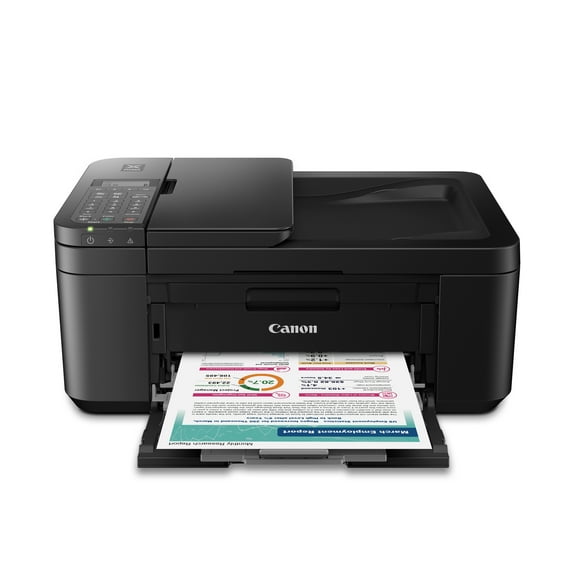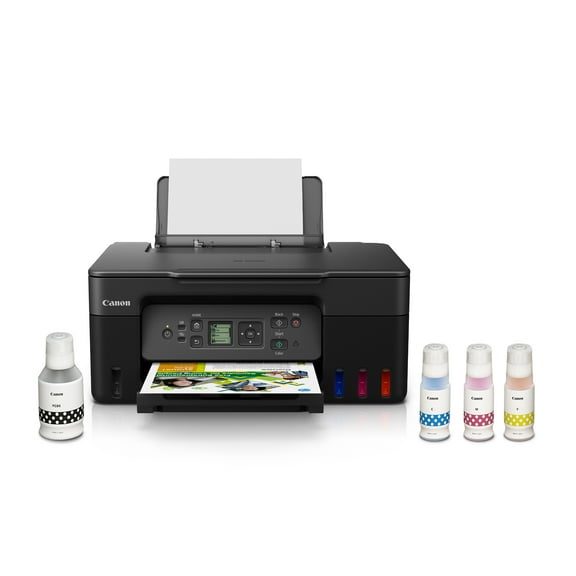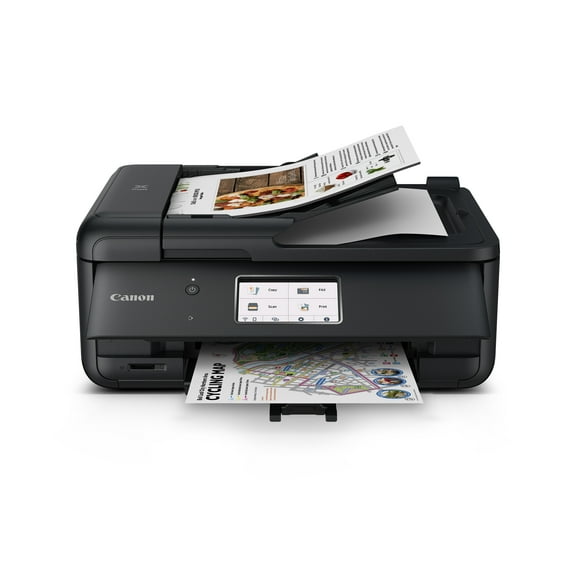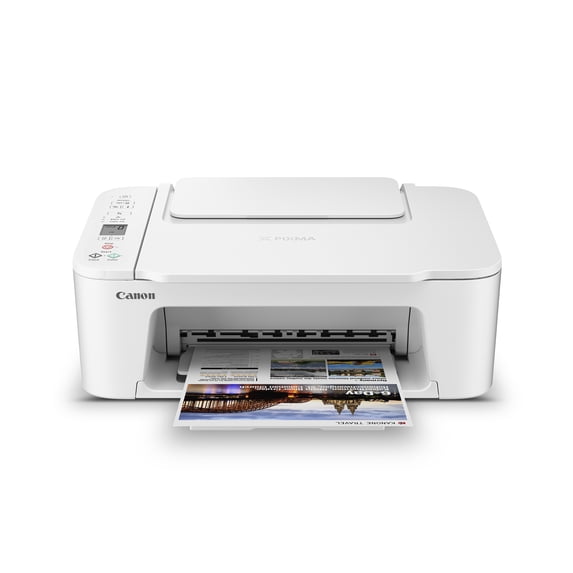
Canon PIXMA TS3722 Wireless All-In-One Inkjet Printer for Home Office
Hero image 0 of Canon PIXMA TS3722 Wireless All-In-One Inkjet Printer for Home Office, 0 of 9
Overall pick

Canon PIXMA TS3722 Wireless All-In-One Inkjet Printer for Home Office

33.8K ratings

Key item features

  • Versatile Functionality: This all-in-one inkjet printer offers print, copy, and scan capabilities, with single-sided printing, making it suitable for various home office tasks.
  • Efficient Performance: Achieve print speeds of approximately 7.7 images per minute for black and 4 images per minute for color, supported by a 60-sheet plain paper capacity.
  • Effortless Setup: Experience a quick and easy setup process right out of the box, complemented by simple-to-install ink using only two easy-to-replace cartridges.
  • Intuitive Control: Navigate printer functions with ease using the 1.5-inch segment LCD screen, providing an intuitive user interface.
  • Robust Connectivity: Benefit from stable and reliable Dual Band Wi-Fi (2.4GHz or 5GHz) and easy wireless setup without needing a computer, alongside high-speed USB connectivity.
  • Diverse Media Support: Print on a wide array of media types and sizes, including photo paper, envelopes, borderless photos, and banners, utilizing a hybrid ink system for sharp text and vivid colors.
  • Creative Applications: Utilize PosterArtist Online to design professional posters, banners, and signage, enhancing creative output for various projects.
Generated by AI

Specs

Brand, CanonPrinting tech, InkjetPrinter functions, PrintPages per min., 7.7 ppmMono color, ColorMaximum print resolution, 4800 dpi

About this item

Product details

Designed for home use, the Canon PIXMA TS3722 All-in-One inkjet printer delivers high-quality printing and outstanding wireless connectivity in a compact size. The PIXMA TS3722 is easy to set up and maintain and offers great media versatility to print on a variety of media types and sizes, including photo paper, envelopes, borderless photos, banners and more. Use PosterArtist Online to create professional-posters, banners and signage. Print both documents and photos on a variety of paper types using a hybrid ink system with pigment black for sharp black text and dye-based colors for vivid photos up to 8.5” x 14”. Produce crisp, colorful documents and photos quickly and cost-effectively with fast print speeds and high-quality 2 cartridge FINE Hybrid ink system. Keep printing with a plain paper capacity of up to 60 sheets in the rear paper tray. Easily connect and print through high-speed USB or wirelessly from computers or mobile devices, and easily print from your compatible mobile devices using the free Canon PRINT app and more. Each printer comes with a 1-year limited warranty and is backed by Canon's Service and Support network.
  • ALL-IN-ONE: Print, Copy, Scan features for full control at your fingertips. Single-sided printing only.
  • FAST PRINT SPEEDS: Print approximately 7.7 (black) / 4 (color) images per minute.
  • EASY SETUP: Get running in just a few minutes thanks to a streamlined and easy setup process out of the box.
  • EASY TO INSTALL INK: Print full color each time with only 2 (no mess) easy-to-replace ink cartridges.
  • 1.5” LCD SCREEN: Get the job done with an intuitive and easy to use 1.5” segment LCD screen.
  • STABLE, RELIABLE CONNECTION: Stable and reliable connection with Dual Band Wi-Fi (2.4GHz or 5GHz).
  • EASY WIRELESS CONNECT: Easy Wi-Fi setup in minutes. Connect to Wi-Fi without the need for a computer.
info:
We aim to show you accurate product information. Manufacturers, suppliers and others provide what you see here, and we have not verified it.  

Specifications

Brand

Canon

Printing tech

Inkjet

Printer functions

Print

Pages per min.

7.7 ppm

Customer ratings & reviews

4.2 out of 5 stars
stars
33.8K ratings7,927 reviews
Includes global ratings and reviews
How item rating is calculated

Reviews summary

Pros

  • : Offers good quality at a lower cost.
  • : Setup and operation are consistently simple.
  • : Ideal for occasional printing needs in a home office or personal space.
  • : Setup process typically takes around 10-15 minutes.

Cons

  • : Requires frequent and costly replacements.
  • : Paper handling can be unreliable, causing frequent jams and feeding issues.
Generated by AI
Filtered and sorted results would be available on the new 'Customer ratings & reviews' page.
Sort by |

Showing 1-3 of 7,927 reviews

Sep 11, 2026
Reviewer name: Walmart customer
Top Reviewer
Walmart Associate
5 out of 5 stars
5 out of 5 stars review

Verified Purchase

nice

I'm liking what I see out of this printer. Setup was easy and the ink cartridges were easy to install.

Helpful?2AZAYKA22U095126097483
Jul 12, 2026
Reviewer name: anonymous
Top Reviewer
5 out of 5 stars
5 out of 5 stars review

Verified Purchase

Very nice printer

This us a very nice Canon printer. It is easy to set up and use, straight out of the box. I would happily recommend it to anyone who needs an easy-to-use printer.

Helpful?2AZAYKA22U095126097483
Sep 24, 2026
Reviewer name: Christopher
5 out of 5 stars
5 out of 5 stars review

Verified Purchase

Best Bargain

For this price I am blown away by this printer! From my IPhone 18 or my laptop, color printing super fast! Totally recommend if you aren't looking to spend a lot of money but need to print shipping labels or anything quick.

Helpful?2AZAYKA22U095126097483
Current price is $53.00
Price when purchased online
5 free offers, including Apple Music up to 2 months Free
  • Free shipping
  • Free Holiday returns until Jan 31
Walmart Protection Plan by Allstate

(Only one option can be selected at a time)

How do you want your item?

Try 30 days for just $1! Choose a plan at checkout.
How do you want your item?
Ships to
Arrives by Today
.
Order within 14 hr 14 min
Sold and shipped by Walmart.com
Extended holiday returns
Free Holiday returns until Jan 31
This item is gift eligible
walmart plus

Try 30 days of Walmart+ for just $1!

T&C apply.