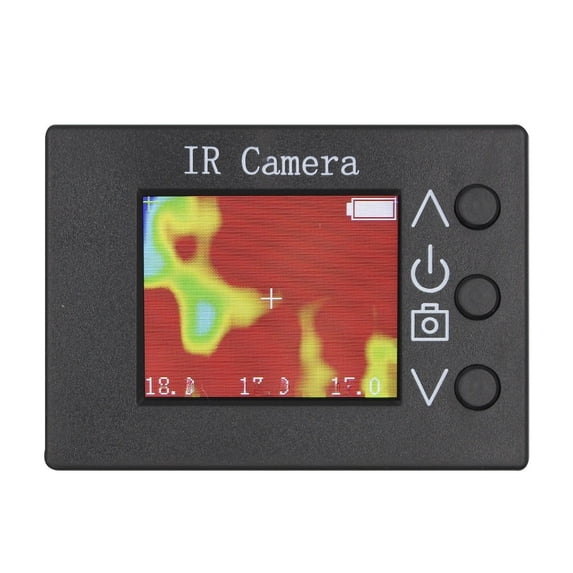
Features:
This is a handheld, multi-functional thermal imager using the MLX90640ESF_BAB infrared sensor, characterized by its small size and light weight.
Equipped with a 1.8" TFT display, data is clearly displayed. Suitable for various applications, it is an indispensable tool for both home and industrial use.
This device features an integrated design, operating without external devices.
Applications
- High-precision non- for contact temperature measurement
- Security and intrusion detection
- Body temperature detection
- for Smart building temperature monitoring and control
- Automotive air conditioning control
- Microwave oven and oven temperature detection and control
- Temperature monitoring of industrial parts
- Visual temperature sensor
- Underfloor heating system leak detection and maintenance
- Thermal detection of and components
Specifications:
Part Name: MLX90640 1.8-inch LCD Digital Infrared Thermal Imager
Material: ABS
Color: Black
1. Housing Material
2. Module: JM_MLX90640_CSB
3. Uses MLX90640ESF_BAB infrared sensor
4. Resolution: 32x24
5. Temperature measurement range: -40℃~300℃
6. Measurement accuracy: +/-2℃ (center area, 0~100℃).
7. Operating temperature: 10℃~50℃
8. Operating humidity: <=70%
9. Refresh rate: 8HZ
10. No calibration required
11. Field of view: 55°x35°
12. Displays center point, highest and lowest temperatures
13. Takes photos (can save 90 photos, can connect to a computer, can copy and delete)
14. Rechargeable (200mAh)
15. TFT size: 1.8 inches (display resolution: 160x128)
16. size: 66x46x20mm
17. Power port: Type-C 5V/1A
18. Working time: ≥4 hours
IV. Operating Instructions
1. Charging: Use Type-C cable, 5V/1A.
2. Turn on/off: Long press the middle button
4. Take a photo: Press the middle button
5. View photos: Press the up or down button.
6. Exit Photos: Press and hold the up or down button.
7. Copy Photos: Connect to your computer using a USB cable; your computer will create a disk.
Package content:
1* Thermal Imager
1* Screen Cleaning Cloth
1* Type-C Power Cable
Note:
Do not for modify photos on the disk or add other files to it. Fully charge and power off the device before connecting to your computer.