FIFINE D6 Stream Controller with 15 Customizable Macro Keys, Stream Control Deck with Trigger Actions in Software for OBS/Twitch/YouTube, PC, Mac
Key item features
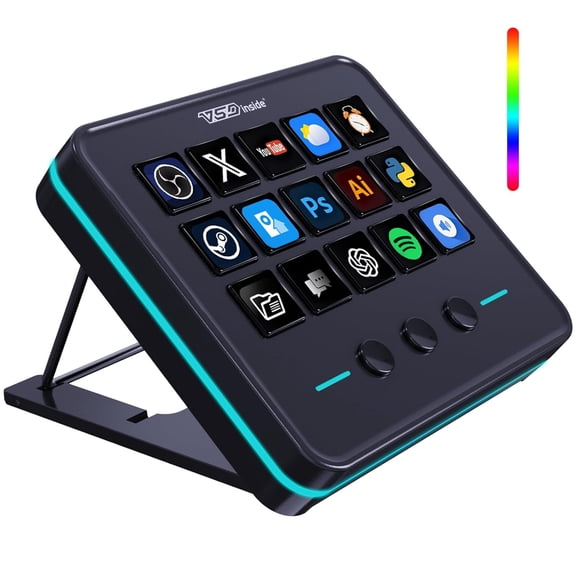
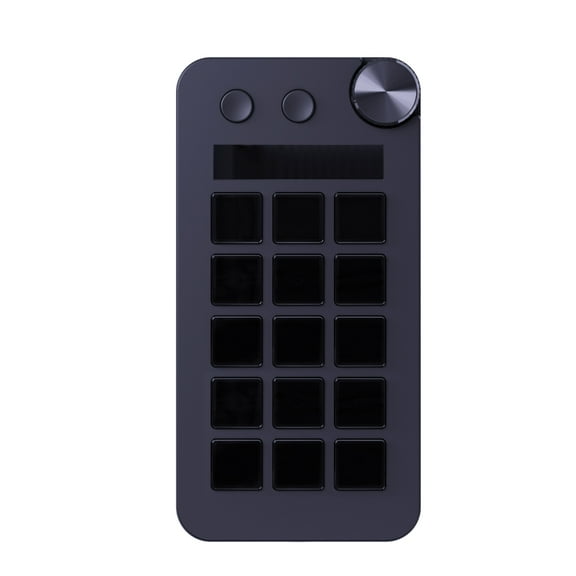
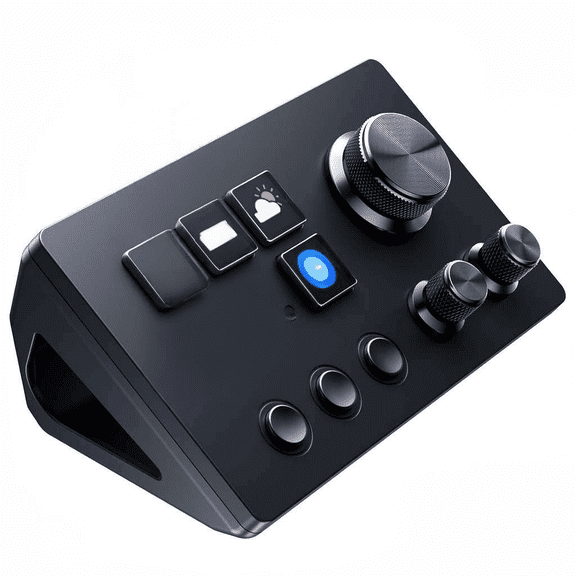
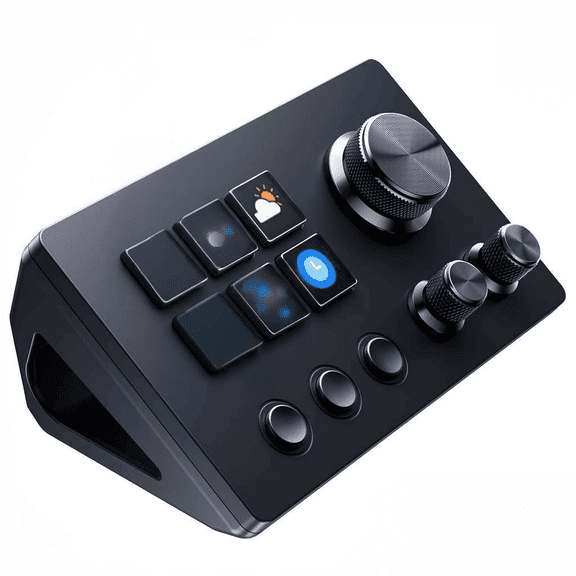
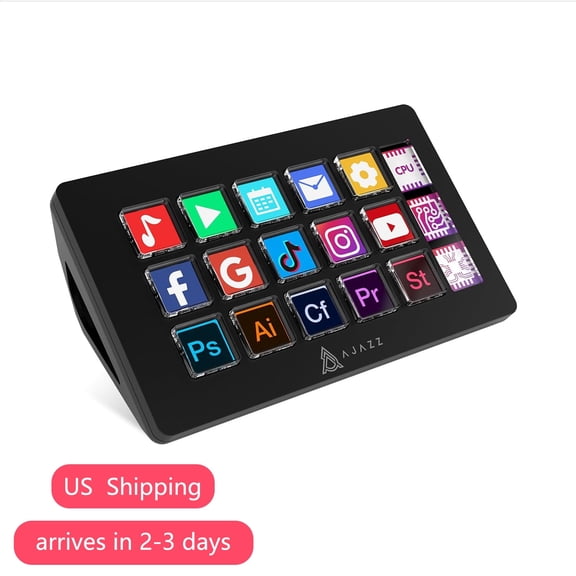
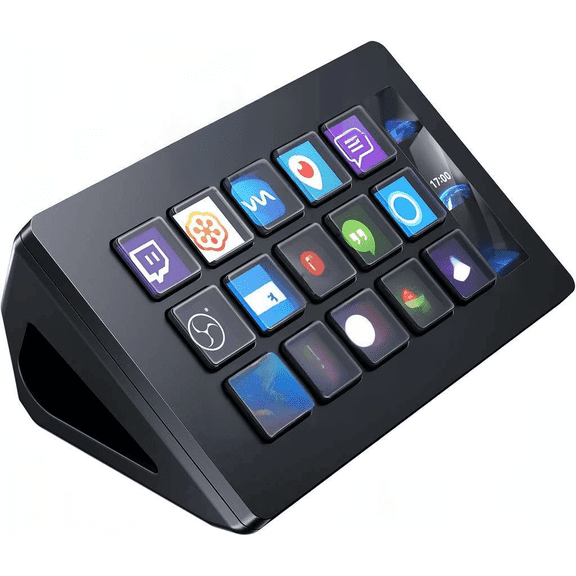
- [15 Customizable Keyboards]Easily Assign quick trigger actions to each of the 15 individual macro keyboards through the FIFINE software. After customizing shortcuts, the icons of the corresponding applications are displayed directly on the stream deck touch screen.(Tips: Key page switching can be set in the software, allowing different key layouts for different scenes.)
-
[One-touch Keypads]Based on the icons displayed on the Stream Controller, you can freely switch to the corresponding application or software with just a single press. The visual layout helps reduce the risk of accidental touches or incorrect operations, thereby simplifying your workflow and improving overall efficiency.(Tip: Please make sure both the firmware and software are updated to the latest version before first use.) -
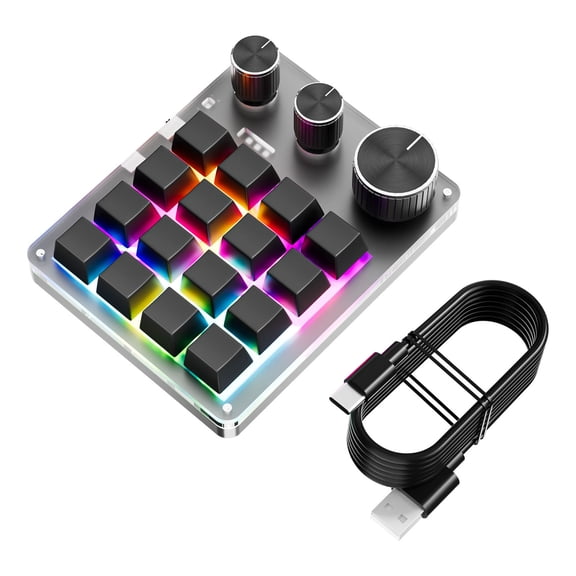
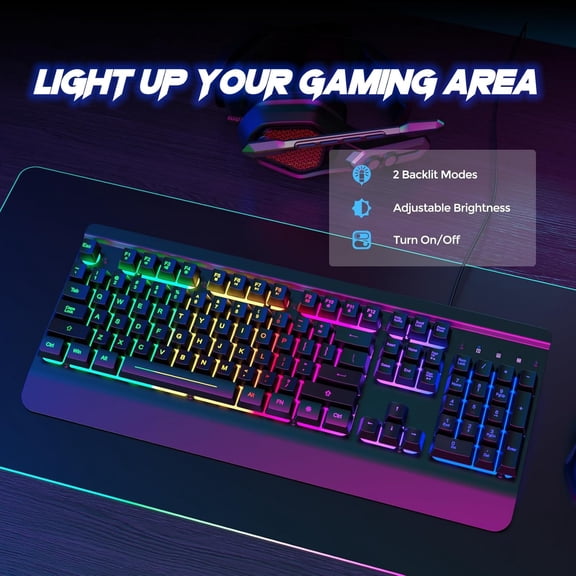
[Dynamic RGB Lighting Effects]Customizable RGB lighting adds an extra layer of enjoyment to your setup. By configuring dynamic RGB to match key layouts and gaming atmospheres, the lighting effects on the stream controller deliver a more immersive gaming experience. -
[Wide Application Compatibility]The control deck supports a wide range of software, applications, and plugins, whether downloaded from app stores or directly from your computer. The FIFINE D6 stream controller is compatible with OBS Studio, Streamlabs, Twitch, YouTube, and more, allowing you to easily customize a personal live streaming control console and stay in control of every step of your stream. -
[Multi-Tasking Use Scenarios]Whether you’re using the PC media controller for gaming, live streaming, photography / graphic design, video editing, music creation, or everyday office work, this versatile streaming device makes multitasking easier. You can also create folders to organize different programs, allowing each scene to be managed and operated independently. -
[WHAT'S IN THE BOX]1 x Stream Controller1 x FIFINE D6 Software(Download in FIFINE Website)1 x USB Cable1 x User's Manual
Specs
- FeaturesBacklit Keys, Multi-Device, RGB Lighting
- WirelessN
- Computer keyboard typeOne-Handed Keyboards
- BrandFIFINE
- ColorBlack
- Power typeCorded Electric
- Free shipping
Free 30-day returns
(Only one option can be selected at a time)
How do you want your item?
About this item
Product details
The FIFINE D6 Stream Controller delivers powerful and flexible control for content creators. With 15 customizable macro keys, you can easily assign quick actions through the software to switch OBS scenes or execute complex tasks with a single press. Each scene can have its own key layout, and the visual icons displayed on the touch screen reduce the risk of accidental presses, keeping your workflow smooth and efficient.
Enhance your setup with dynamic RGB lighting and fully personalized control. The customizable lighting can be synchronized with your key layouts and gaming atmosphere, creating an immersive experience. FIFINE software allows you to adjust shortcuts, icons, and lighting combinations, enabling you to build a truly personalized control console and elevate your streaming and creative workflow.
Designed for wide-ranging compatibility and versatile usage, the FIFINE D6 works with OBS Studio, Streamlabs, Twitch, YouTube, and more, while also supporting gaming, live streaming, video editing, graphic design, music production, or everyday office tasks. Users can create folders to organize different programs and manage scenes independently, making multitasking easier and ensuring every step of your stream or workflow is under control.
Visit FIFINE Store for More:
Click to enter the FIFINE store
Feel Free to Contact Us:
- [15 Customizable Keyboards]Easily Assign quick trigger actions to each of the 15 individual macro keyboards through the FIFINE software. After customizing shortcuts, the icons of the corresponding applications are displayed directly on the stream deck touch screen.(Tips: Key page switching can be set in the software, allowing different key layouts for different scenes.)
-
[One-touch Keypads]Based on the icons displayed on the Stream Controller, you can freely switch to the corresponding application or software with just a single press. The visual layout helps reduce the risk of accidental touches or incorrect operations, thereby simplifying your workflow and improving overall efficiency.(Tip: Please make sure both the firmware and software are updated to the latest version before first use.) -
[Dynamic RGB Lighting Effects]Customizable RGB lighting adds an extra layer of enjoyment to your setup. By configuring dynamic RGB to match key layouts and gaming atmospheres, the lighting effects on the stream controller deliver a more immersive gaming experience. -
[Wide Application Compatibility]The control deck supports a wide range of software, applications, and plugins, whether downloaded from app stores or directly from your computer. The FIFINE D6 stream controller is compatible with OBS Studio, Streamlabs, Twitch, YouTube, and more, allowing you to easily customize a personal live streaming control console and stay in control of every step of your stream. -
[Multi-Tasking Use Scenarios]Whether you’re using the PC media controller for gaming, live streaming, photography / graphic design, video editing, music creation, or everyday office work, this versatile streaming device makes multitasking easier. You can also create folders to organize different programs, allowing each scene to be managed and operated independently. -
[WHAT'S IN THE BOX]1 x Stream Controller1 x FIFINE D6 Software(Download in FIFINE Website)1 x USB Cable1 x User's Manual
Specifications
Features
Wireless
Computer keyboard type
Brand
Warranty
Warranty information
Please be aware that the warranty terms on items offered for sale by third party Marketplace sellers may differ from those displayed in this section (if any). To confirm warranty terms on an item offered for sale by a third party Marketplace seller, please use the 'Contact seller' feature on the third party Marketplace seller's information page and request the item's warranty terms prior to purchase.
Warranty url
Similar items you might like
Based on what customers bought
Best seller Wagpak Large Print Backlit Keyboard - Wired USB Lighted Computer Keyboard for Laptops $21.99 Was $34.99
Best seller
3 optionsAvailable in additional 3 options$2199current price $21.99, Was $34.99$34.99Wagpak Large Print Backlit Keyboard - Wired USB Lighted Computer Keyboard for Laptops
1754.2 out of 5 Stars. 175 reviews16-key Black Keypad Mechanical Keyboard Custom Shortcut Keys ] Programmable E6P3 $22.03
$2203current price $22.0316-key Black Keypad Mechanical Keyboard Custom Shortcut Keys ] Programmable E6P3
StreamDeck Global Version StreamDeck LCD Live Content Creation Controller Customs Button Visual Keyboards for PC $89.27
2 optionsAvailable in additional 2 options$8927current price $89.27StreamDeck Global Version StreamDeck LCD Live Content Creation Controller Customs Button Visual Keyboards for PC
Clearance Customizable Macros Keyboards with 12 Key, RGBs Lighting, Two Control Knobs, Wireless Receiver & USB C Cable $43.09 Was $48.15
Clearance
$4309current price $43.09, Was $48.15$48.15Customizable Macros Keyboards with 12 Key, RGBs Lighting, Two Control Knobs, Wireless Receiver & USB C Cable
Best seller Wireless Keyboard with 7-Color RGB Backlit, Marvo Full-Size Computer Keyboard with Phone Tablet Holder, Rechargeable 2.4G Wireless Gaming Keyboard with Light up Keys, Compatible with Mac,Window,Black $19.59 Was $21.99
Best seller
2 optionsAvailable in additional 2 options$1959current price $19.59, Was $21.99$21.99Wireless Keyboard with 7-Color RGB Backlit, Marvo Full-Size Computer Keyboard with Phone Tablet Holder, Rechargeable 2.4G Wireless Gaming Keyboard with Light up Keys, Compatible with Mac,Window,Black
2504.3 out of 5 Stars. 250 reviewsLED Backlight Outemu Switch Full for Key Macro Defines Keyboard One-hand Keyboar $40.02
$4002current price $40.02LED Backlight Outemu Switch Full for Key Macro Defines Keyboard One-hand Keyboar
Clearance Customizable Macro Keypad with Single Knob, 9Key/10Key/12Key/15Key Mechanical Gaming Keyboards, Programmable Keypad $32.52 Was $36.34
Clearance
$3252current price $32.52, Was $36.34$36.34Customizable Macro Keypad with Single Knob, 9Key/10Key/12Key/15Key Mechanical Gaming Keyboards, Programmable Keypad
Thin Keyboard 78-key small Layout Translucent Keypad with Multiple Color Backlighting Enhances Visual Appeal $16.95
$1695current price $16.95Thin Keyboard 78-key small Layout Translucent Keypad with Multiple Color Backlighting Enhances Visual Appeal
XINYUAN 1 Key Keyboard Macro Keyboard Rgb Lighting Effect Red Axis M5V3 $7.08
$708current price $7.08XINYUAN 1 Key Keyboard Macro Keyboard Rgb Lighting Effect Red Axis M5V3
Enhance Your Keyboard with Bright White Delete Button with LED Push $13.99
$1399current price $13.99Enhance Your Keyboard with Bright White Delete Button with LED Push
Jomaa Ultra Slim Portable Wired Keyboard Illuminated Keyboard Plug And Play Supports Multi-Device 78-keys Keyboard $19.99
$1999current price $19.99Jomaa Ultra Slim Portable Wired Keyboard Illuminated Keyboard Plug And Play Supports Multi-Device 78-keys Keyboard
Programmable Keyboard Hot-swappable RGB 24-key Keypad Macro Support New M2 H4C1 $25.79
$2579current price $25.79Programmable Keyboard Hot-swappable RGB 24-key Keypad Macro Support New M2 H4C1
15 out of 5 Stars. 1 reviews6 Keys USB Mini Keypad Programming Macro Pad with 1 Knobs Macro Mechanical Game $20.07
$2007current price $20.076 Keys USB Mini Keypad Programming Macro Pad with 1 Knobs Macro Mechanical Game
Programmable Keyboard Hot swappable RGB 24 key Keypad Macro Support Y6H2 к: Z2P2 $25.79
$2579current price $25.79Programmable Keyboard Hot swappable RGB 24 key Keypad Macro Support Y6H2 к: Z2P2
12Keys Macropad Programmable Keyboard with Easy Setups Small Keypad for Office $20.54
2 optionsAvailable in additional 2 options$2054current price $20.5412Keys Macropad Programmable Keyboard with Easy Setups Small Keypad for Office
Ergonomic 33Key Hot Swappable Mechanical Numerics Keypad With AntiSlip Base RGBs Backlit USB Wireds Design For Programming Accounting Tasks $30.37
$3037current price $30.37Ergonomic 33Key Hot Swappable Mechanical Numerics Keypad With AntiSlip Base RGBs Backlit USB Wireds Design For Programming Accounting Tasks
Ergonomic Arcs Wireds Keyboards RGBs Gradients Keycaps 25 Key Rollover Layout for PC $28.42
$2842current price $28.42Ergonomic Arcs Wireds Keyboards RGBs Gradients Keycaps 25 Key Rollover Layout for PC
Waterproof 33Key RGBs Illuminateds Mechanical Number Pad Hot Swappable USB Connectivitys Ergonomic Keycaps For Home Office Computer Setups $26.64
$2664current price $26.64Waterproof 33Key RGBs Illuminateds Mechanical Number Pad Hot Swappable USB Connectivitys Ergonomic Keycaps For Home Office Computer Setups
Clearance RGB 24-Key Hot-Swap Keypad,Programmable Macro Pad with Backlit Mechanical Keys $24.42 Was $27.54
Clearance
$2442current price $24.42, Was $27.54$27.54RGB 24-Key Hot-Swap Keypad,Programmable Macro Pad with Backlit Mechanical Keys
Keypad DIY With 6 Keys Typec Interface Wireless Customizable Keyboards Z9Q $16.88
$1688current price $16.88Keypad DIY With 6 Keys Typec Interface Wireless Customizable Keyboards Z9Q
Customer ratings & reviews
Customer images
Showing 1-2 of 2 reviews
Verified Purchase
Awesome product
The Ampligame programmable stream controller by fifine is an awesome choice for gamers on a budget. installation was nice and simple. Came within a reasonable price without limiting features compared to the brand-named competition. The controls are smooth and responsive, yet LEDs on it are bright and clear. Highly recommend buying this device if you're a gamer to elevate your gaming setup.
Verified Purchase
Stream Deck - not just for streamers!
I'm not a streamer. Definitely not “plug and play.” Day 1: Wanted to throw it out the window. Day 2: Not terrible. Day 3 : This thing is actually really cool! I had no experience with stream controllers before getting the FIFINE D6 Stream Controller. The User Guide makes setup sound simple, like drag-and-drop icons and you're done. That wasn't my experience. Issue %231: I kept getting a “USB device not recognized” pop-up. Turns out I had it plugged into a non-powered USB hub that couldn't supply enough power. Plugging it directly into my PC fixed it. Issue %232: The software download. If your file ends in “.crdownload,” it didn't finish. In my case, my browser blocked it. Watch for the pop-up and click “Keep” in Chrome. After installing and updating, click the “?” icon for tutorials. The videos are short, sometimes fast, and a few weren't available. Third-party tutorials online may be easier to follow. Once set up, it became extremely useful. I work in full-screen mode and hate Alt Tabbing just to launch programs. I had to hunt for that tiny “Show Desktop” spot on the taskbar. I created a shortcut to show my desktop and a multi-action button that launches several programs at once. Another big plus: text shortcuts. I moderate social media and often reuse the same responses. Instead of opening a text editor to copy and paste, I mapped those blurbs to buttons which saves time and effort. The D6 has 15 buttons, and you can add pages and scenes to expand your shortcuts. If you're new to the terminology, you'll pick it up quickly. Rearranging buttons is simple if you change your mind. The plugin store needs work. Some plugins are unavailable, and there are no previews to show what icons will look like before installing. URLs in descriptions aren't clickable, so you have to type them manually. You can screenshot and use the Snipping Tool's copy-text feature, but that shouldn't be necessary. There's also an RGB light strip. Full customization requires separate software. I'm happy with the default options, and you can cycle through some lighting modes using the button next to the USB-C port. The buttons felt stiff at first but respond best when pressed in the center. It just takes a little getting used to. Included is a screenshot of what the buttons look like mapped in the software and on the actual device. Some of the text labels are cut off in the software but can still be seen on the device. WRAP-UP: Frustrating at first, but once configured, it's genuinely useful and fun to use. Thank you for reading my review!