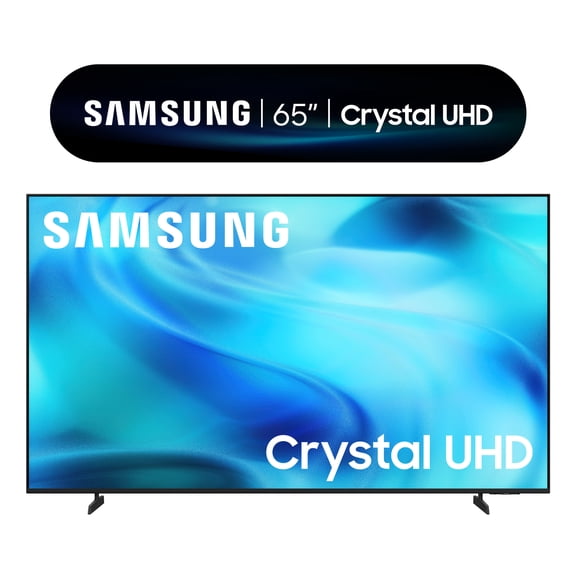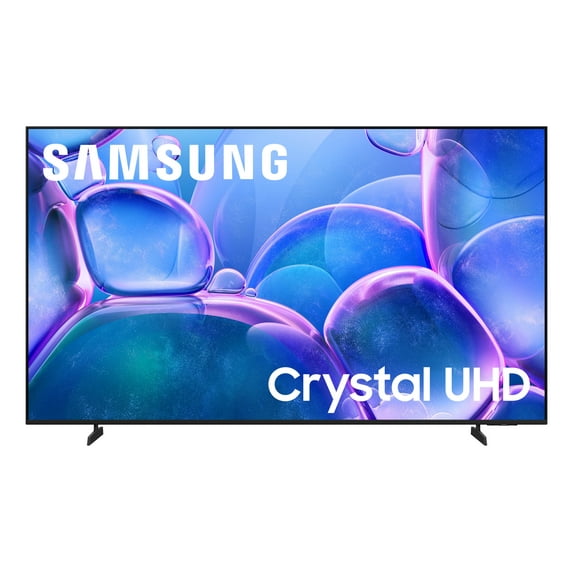
Samsung 65” Class Crystal UHD U7900F 4K Smart TV 2025 - UN65U7900FFXZA
Hero image 0 of Samsung 65” Class Crystal UHD U7900F 4K Smart TV 2025 - UN65U7900FFXZA, 0 of 10
500+ bought since yesterdayOverall pick

Samsung 65” Class Crystal UHD U7900F 4K Smart TV 2025 - UN65U7900FFXZA

Key item features

  • Crystal Processor 4K-Immerse yourself in colorful, lifelike entertainment and catch every shade of color as it was meant to be seen in dazzling 4K resolution. Plus, enhance the clarity of your content with powerful 4K upscaling, ensuring that everything you watch—movies, TV shows, games and sports—looks sharp and clear, bringing every detail to life.
  • MetalStream Design-Enhance the look of your space with a sleek TV made from a single sheet of metal. Inspired by aircraft design, it showcases clean lines that beautifully balance form and function. With a slim bezel and elegant look, this TV not only enhances your décor but also minimizes distractions and expands your viewing.
  • Samsung Knox Security-Your TV experiences are secured. Samsung Knox Security protects you from harmful attacks by automatically blocking unauthorized apps and phishing websites. It also safeguards your IoT devices connected to your TV, plus your sensitive information, including your PIN codes and passwords. With regular updates, your TV is always kept safe.¹
  • Endless Free Content-Watch 2,700+ free channels, including over 400 premium Samsung TV Plus channels and on free streaming apps with just an internet connection. With Samsung TV Plus, get live national and local news, sports, movies, music, kids' shows, K-Content and reality TV-all for free. Plus, enjoy thousands of free movies and shows on demand. With content frequently added, there’s always something new to explore. Plus, discover a diverse lineup of channels from free streaming TV services like Pluto TV and Freevee. There’s content for every occasion or mood.²
  • 4K Upscaling-Watch 2,700+ free channels, including over 400 premium Samsung TV Plus channels and on free streaming apps with just an internet connection. With Samsung TV Plus, get live national and local news, sports, movies, music, kids' shows, K-Content and reality TV - all for free. Plus, enjoy thousands of free movies and shows on demand. With content frequently added, there’s always something new to explore. Plus, discover a diverse lineup of channels from free streaming TV services like Pluto TV and Freevee. There’s content for every occasion or mood.
  • Motion Xcelerator 60Hz-Play your favorite video games and enjoy sports with fast motion clarity. This technology automatically estimates the motion between individual frames and then uses it to predict subsequent frames to improve the smoothness of the motion. It supports up to 4K 60Hz, providing fast performance for your favorite games.
  • HDR-Get expanded contrast between the lightest and darkest parts of a scene, so you can enjoy a wide spectrum of colors, enhanced detail and depth. See your content with added realism — from the reflective highlights in a dark, moody alleyway to the deep shadows cast on a bright and sunny afternoon. In HDR10+ content, each scene is dynamically tone mapped for optimal contrast and enhanced HDR performance.
  • Color Booster-Reimagine the vibrancy of color—set the tone for the scene with richer hues that burst with purity and intensity. With just a few clicks on the remote, you can enhance the saturation of your content and make every single color stand out. Watch as warm reds and oranges radiate with a fiery glow, while cool blues and greens glow like precious gems.
  • Object Tracking Sound Lite-Feel like you're in the middle of the action with sound that follows objects on screen. Featuring a virtual top channel, every sound is placed in space and moves with the action, enhancing your sense of immersion. Whether it's a car chase, an intense shootout, or a romantic dinner conversation, you’ll feel like you're right in the middle of it all.
  • Q-Symphony-Unlock more robust, nuanced sound when your Samsung TV and soundbar speakers work together as one. Most soundbars mute the TV speakers when activated. Why choose between your TV and soundbar to play sound, when you can have them both work together? Enjoy optimized surround sound, hear clear dialogue, and dive into a cinematic sound experience.³
  • ¹Personal data includes directly input PIN-codes and passwords, and IoT device information shared through the SmartThings app. The latest software is required.
  • ²Samsung Account required for network-based smart services, including streaming apps and other smart features. Computer, mobile or other device may be necessary to create/log in to Samsung Account (free to download and create). Without Account log in, only external device connections (e.g., via HDMI) and terrestrial/over-the-air TV (only for TVs with tuners) available. Channels may vary by location and are subject to change. UI is subject to change without prior notice.
  • ³Requires a compatible 2020-2025 Q-Series, S-Series, B750F or B650F soundbar (sold separately). For more information, check soundbar specifications.
Current price is $328.00
Price when purchased online
  • Free shipping
  • Free 30-day returns
Walmart Protection Plan by Allstate

(Only one option can be selected at a time)

TV Wall Mount Service

How do you want your item?

Try 30 days for just $1! Choose a plan at checkout.
How do you want your item?
Ships to
Arrives by Tomorrow
Sold and shipped by Walmart.com
Free 30-day returns
Packaging note:

Ships in the manufacturer's original packaging, which may reveal the contents.

walmart plus

Try 30 days of Walmart+ for just $1!

T&C apply.

About this item

Product details

Specifications

Warranty

Warnings

Customer ratings & reviews

4.3 out of 5 stars
stars11.2K ratings3,225 reviews
How item rating is calculated

Reviews summary

Pros

  • : Offers high-quality features at an affordable cost.
  • : Offers clear and sharp image details.
  • : Display features rich, bright hues with great clarity.
  • : Displays vibrant, sharp, and clear images with excellent color quality.
  • : Interface is easy to navigate and control.

Neutral

  • : Can be strong with some devices, but prone to lag or drops with others.
Generated by AI

Customer photos

  • +1002 images
Filtered and sorted results would be available on the new 'Customer ratings & reviews' page.
Sort by |

Showing 1-3 of 3,225 reviews

Mar 1, 2026
Joseph
Top Reviewer
5 out of 5 stars review

Verified Purchase

Great value

Amazing TV for this price picture is amazing very clear people look real to life. So easy to install snap in stand plug in cord. Step by step set up easier with scan with phone.

Helpful?7ANJIY0VW40X16815105564
Dec 24, 2025
Megan
Walmart Associate
2 out of 5 stars review

Verified Purchase

Disappointed

I was excited to buy because it’s my first Samsung TV. But I’ve had the TV less than a month and have had it randomly lose partial sound and the picture get color distortion. The only way I have fixed it is to turn the tv off for a minute to get the TV to go back to normal.

Helpful?7ANJIY0VW40X16815105564
reply from Samsung

Hi Megan, <br /><br />Thank you for your feedback. Please ensure your U7900F TV is running the latest firmware update 1132.0. To do so, go to Settings&gt; Support&gt; Software Update. If that version is not available you can download the update on a USB drive and manually update your TV: <br /><br />1. On Samsung&#39;s website (upper right corner), go to: Support &gt; Manual &amp; Software &gt; Find your TV model, and click on the Firmware – Upgrade File.<br />2. When the file has finished downloading, locate it and then unzip it. There is normally one folder inside but there may be multiple files.<br />3. Copy or move all of the files that were included in the zip file to a USB flash drive, but do not place them inside any other folders. If you place the software folders inside a folder on the USB flash drive, the TV or monitor will not find them.<br />4. Connect the USB drive containing the software upgrade into a USB port on your device.<br />5. Using your device&#39;s remote, navigate to and select Settings, then select All Settings, and then select Support. Select Software Update, select Update Now, and then select Yes if prompted.<br /><br />Your device will search the USB drive for update files. Follow the on-screen instructions to install the updated software. Updates usually take a few minutes; please do not turn off the TV until the update is complete. When the update is finished, it will restart automatically.<br /><br />Should you need more help, we&#39;re here for you. You can reach us at 1-800-SAMSUNG (8AM – 12AM EST, 7 days a week), or connect with a LiveChat agent by selecting ‘Support’ on our website.<br /><br />~ Samsung Advisor

Dec 13, 2025
Leana
1 out of 5 stars review

Verified Purchase

It’s too bad they won’t allow you to give zero star ratings. I haven’t had this television for a month yet, and I’ve already had my second service call today. They’re telling me they need to reschedule another appointment for next week because they can’t figure out what’s happening with the screen, which appears to be separating from the frame. I’ve spoken with Samsung directly, and I’m not happy with them either. They keep having me send photos in and do screen sharing, but they can’t seem to get it together. So, I’m considering returning the television because it’s become too much of a hassle.

Helpful?7ANJIY0VW40X16815105564
reply from Samsung

Hi Leana,<br /><br />We&#39;re sorry to hear about the issues you are experiencing with your U7900 and appreciate your patience while you await your service appointment. If you have any questions or wish to reschedule your appointment, please reach out to us at 1-800-SAMSUNG, 8AM – 12AM EST, 7 days a week. LiveChat and additional support resources are also available through the Support link on our website.<br /><br />~ Samsung Advisor