Interactive Video Thumbnail

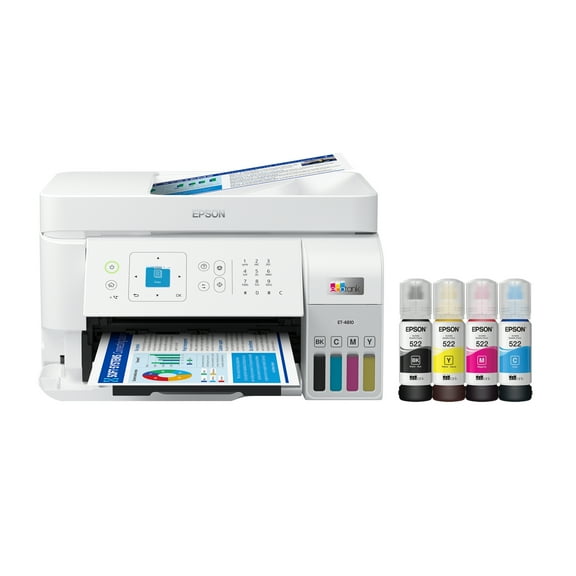
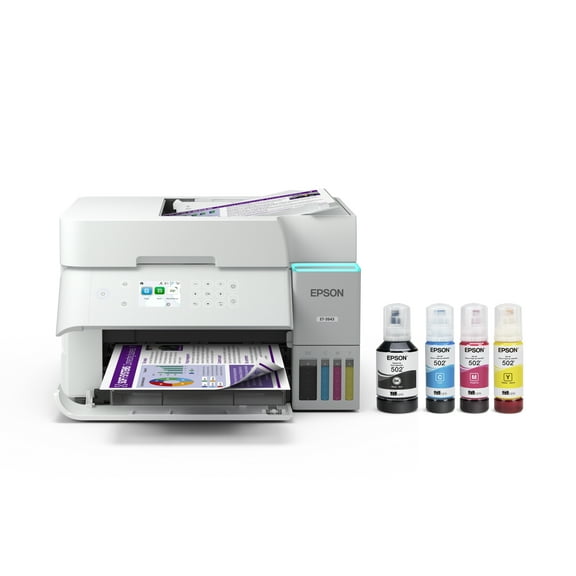
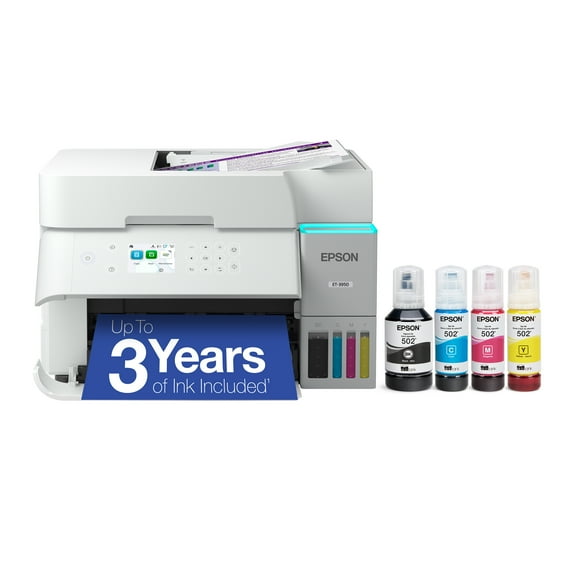
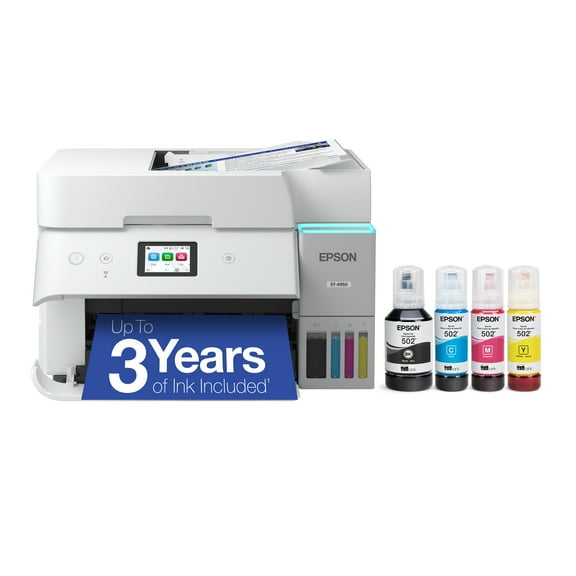
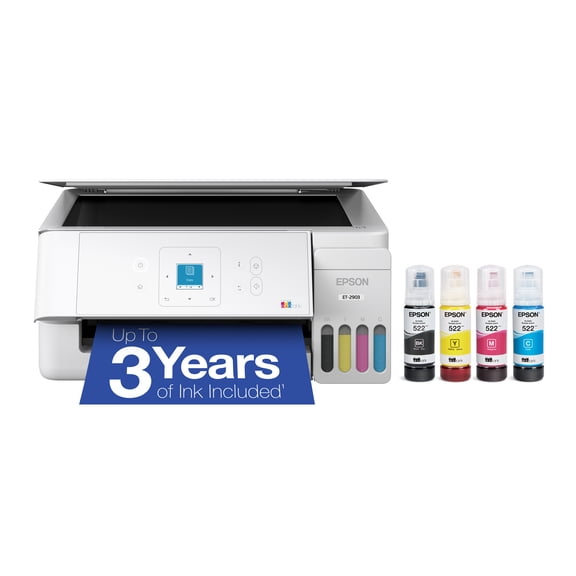
Epson EcoTank ET-2980 Wireless All-in-One Color Supertank Printer with up to 3 Years of Ink, Refillable Tanks, Perfect for Home, 15 PPM, 1.44" Color Screen, Auto 2-Sided Printing - White

210 ratings

Key item features

  • Included Ink: Comes with up to three years of ink, equivalent to approximately 6,600 black pages and 5,500 color pages, reducing out-of-ink frustrations.
  • Effortless Refilling: Features supersized ink tanks and unique EcoFit bottles for simple, mess-free ink refilling without drying out.
  • Wireless Connectivity: Offers wireless mobile printing and scanning capabilities via the Epson Smart Panel app for convenient smart device integration.
  • Durable Design: Engineered with a unique permanent printhead designed to last the printer's lifetime, offering improved duty cycles.
  • Family-Friendly Features: Includes a 1.44" color screen, automatic two-sided printing, a 100-sheet paper tray, and a built-in scanner.
  • Cartridge-Free Printing: Utilizes refillable ink tanks, eliminating cartridge waste and contributing to reduced plastic in landfills.
Generated by AI
Current price is Now $269.99
You save $60.00
was $329.99
Price when purchased online

5 free offers, including Apple Music up to 1 month free
  • Free shipping
  • Free 30-day returns
Walmart Protection Plan by Allstate

(Only one option can be selected at a time)

Tech Support

How do you want your item?

Try 30 days for just $1! Choose a plan at checkout.
How do you want your item?
Ships to
Arrives by Sat, Aug 15
.
Order within 43 min
Low stock
Sold and shipped by Walmart.com
Free 30-day returns
This item is gift eligible

walmart plus

Try 30 days of Walmart+ for just $1!

T&C apply.

About this item
Product details

Specifications

Warranty

Customer ratings & reviews

4 out of 5 stars
stars
210 ratings143 reviews
How item rating is calculated

Reviews summary

Pros

  • : Produces sharp and clear prints with excellent color accuracy.
  • : Setup process takes minimal time.
  • : Comes with a good amount of ink.
  • : Setup and refill process is simple and easy to follow.

Neutral

  • : Can be strong and reliable, but also prone to drops and disconnections.

Cons

  • : Initial investment is higher compared to average inkjet printers.
Generated by AI
Filtered and sorted results would be available on the new 'Customer ratings & reviews' page.
Sort by |

Showing 1-3 of 143 reviews

Feb 16, 2026
Reviewer name: Joe in GA
5 out of 5 stars
5 out of 5 stars review

Easy set up, great print quality!

I had no problem setting up my new printer and loading the ink bottles. The instructions were clear and easy to understand. The install instructions run on an iPad or iPhone and make the process easier. I loaded the drivers on my laptop, also with no problems. The print quality, especially photos are much higher quality than my old HP printer with ink cartridges. The very small LED panel is hard to read, but not really needed much with the software on an Apple device. Overall this was a great upgrade from our old printer and the ink subscription we were paying for. Be advised that this printer will not print on both sides of a page, it is one side only

Review from epson.com
Helpful?692XQ6BO1QTI15786959148
Aug 21, 2025
Reviewer name: Mundy Pond
4 out of 5 stars
4 out of 5 stars review

Control panel screen much too SMALL!

Love the printer. Wireless connection was problematic but I persevered😁. The only complaint I have is the control panel on the front of the printer. I am a senior citizen and navigating the very small control panel was a challenge. A one inch screen just won't cut it. It has to be the smallest control panel on any piece of computer equipment I have ever seen.

International review
Review from epson.com
Helpful?692XQ6BO1QTI15786959148
May 5, 2026
Reviewer name: Stefan H
4 out of 5 stars
4 out of 5 stars review

Seller Verified Purchase

Good printer, suspect app for IPhone

A good value printer with the eco tank option to save on ink cartridges. It was easy to set up and use initially. But the next day it didn't show up on my Epson Smart Panel app on my phone! Do I had to remove the app and reinstall it for it to connect. It has done this 3 more times since then. It does this on my wife's iPhone as well. Not too impressed by that. We learned now that we have to power the phone down completely if it doesn't connect. Some days it does, some days it doesn't????

Review from epson.com
Helpful?692XQ6BO1QTI15786959148