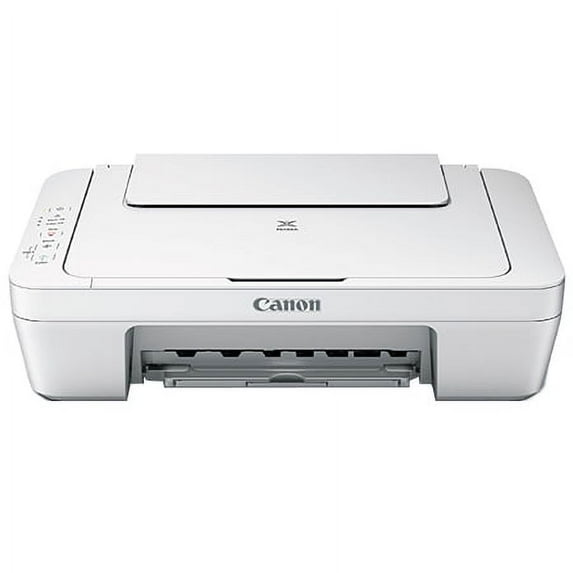
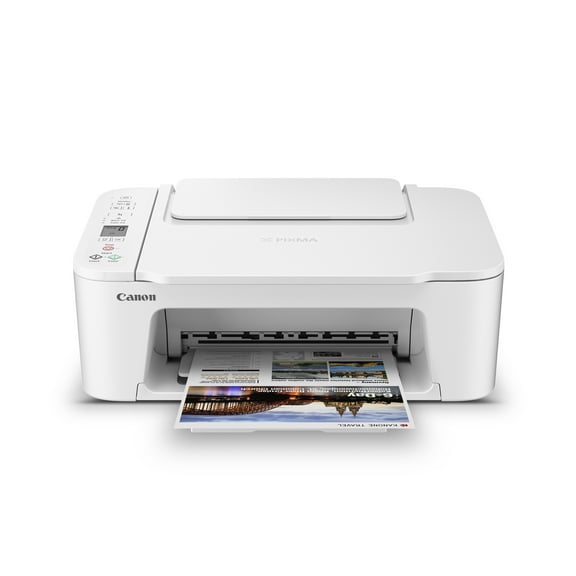
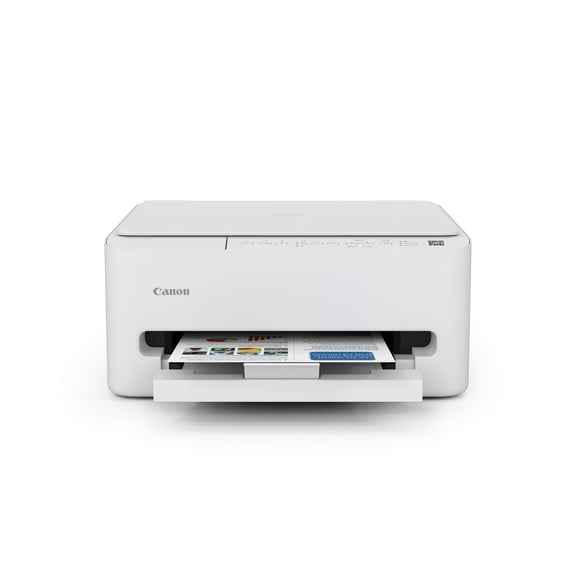
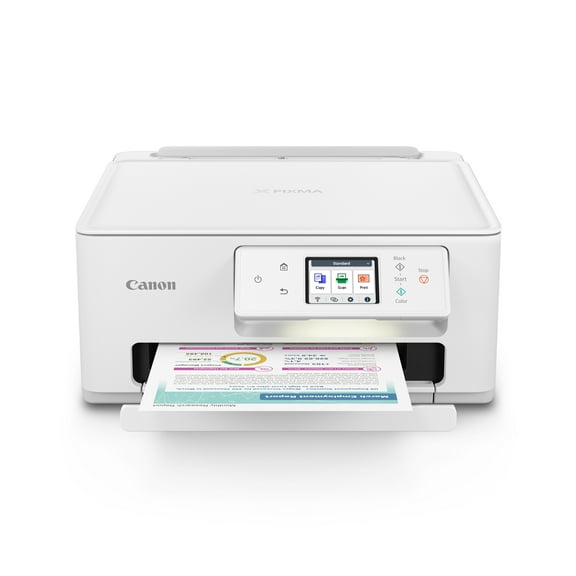
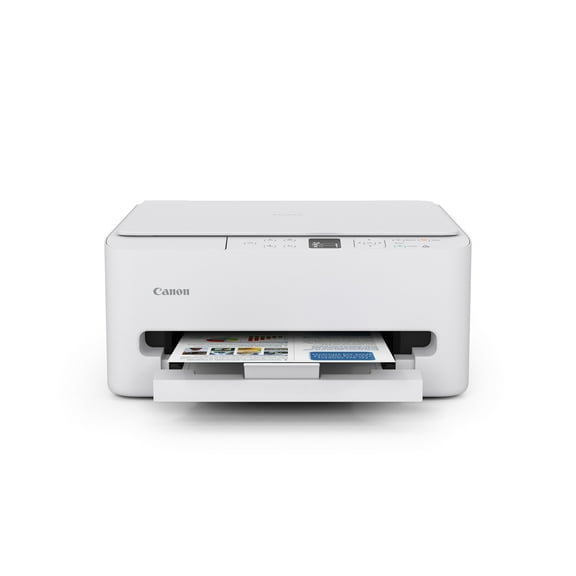
Canon PIXMA MG2522 Wired All-in-One Color Inkjet Printer White for Home Office Dorm

Canon PIXMA MG2522 Wired All-in-One Color Inkjet Printer

8,879 ratings

Key item features

  • Versatile Functions: Print, scan, and copy with the Canon PIXMA MG2522 All-in-One Color Inkjet Printer.
  • Paper Capacity: Holds up to 60 sheets of plain paper, ideal for home, office, or dorm use.
  • High Resolution: Scanner offers a maximum optical resolution of 600 x 1200 DPI for clear, detailed scans.
  • Print Speed: Achieve print speeds of up to 8.0 Ipm for black and 4.0 Ipm for color documents.
  • Ink Compatibility: Compatible with Fine ink cartridges, including PG-245, CL-246, PG-243, and CL-244, with standard and XL options available.
  • Compact Design: Lightweight and easy to move, this printer fits comfortably on a desk and is perfect for various settings.
  • Efficient Printing: Supports optional XL ink cartridges to reduce the frequency of replacements, making it convenient for continuous use.
Generated by AI

About this item

Product details

Specifications

Warranty

Customer ratings & reviews

3.7 out of 5 stars
stars
8,879 ratings5,254 reviews
How item rating is calculated

Reviews summary

Pros

  • : Offers excellent quality at a low cost.
  • : The printer installs fast and runs without software.
  • : The printer performs basic scanning, copying and light printing.
  • : Setup process is quick and simple.

Neutral

  • : Printer creates vivid photos but suffers jams and incomplete pages.

Cons

  • : Printer's ink cartridges run out quickly, requiring frequent replacements.
Generated by AI
Filtered and sorted results would be available on the new 'Customer ratings & reviews' page.
Sort by |

Showing 1-3 of 5,254 reviews

Mar 17, 2024
Reviewer name: Cg
5 out of 5 stars
5 out of 5 stars review

Verified Purchase

The Canon Pixma MG 2522/2500 Series. W O W!!!

***This one is wired or will need to be attached to your device via USB cord for use*** Good printer; excellent price. (Discounted price sometimes available, if purchased online). Very simple to use; no complicated assembly required.(The box states that cord is included. On-screen manuals, Software downloads, Downloads for picture printing, Canon IJ utility for scanning pretty easy to find on the Canon USA website, (for U.S. use). Think they are also International, for whoever may need that access. Please see attached snipped screen-shots of Utilities, and more, necessary for ease of printing and scanning. These are shared directly from my computer. The CP MG IJ Scan Utility can be pinned to the Taskbar for quick and easy access. There have been times I have had to search outside Canon for more information, but the site is very useful for the programs, patches and fixes, troubleshooting, customer service needs, device repair and registration, etc. I just bought another Canon Pixma MG 2522/2500 series scanner/printer yesterday. The CP MG is my favorite. This makes the 3rd one purchased, so far. I would like to also mention that the reason I got 1 more yesterday, is because the current CP MG is telling me via flashing messages that it's "ink absorber is almost full", Support code 1700. I did look it up and found that service is required, by Canon or authorized repair, or, according an article on the subject that I found, following steps, I could do it myself. However, for now, CP MG 2 will be used for copying only, until I can send it off for service. Hope this information is helpful.

Helpful?2ZDHIGG0J8VS108208974
Apr 12, 2023
Reviewer name: Ziomara
5 out of 5 stars
5 out of 5 stars review

Verified Purchase

Helpful?2ZDHIGG0J8VS108208974
Apr 16, 2024
Reviewer name: JamesK
4 out of 5 stars
4 out of 5 stars review

Verified Purchase

Good For the Price

If all you want is something that will print, scan, and copy on an occasional basis this should work for you. It does not have WiFi but I used a USB extension cord and it seems to work fine. The main problem is that whenever I print 4 X 6 photos they have an uneven border, no matter what settings I use or which program I use to print them. One of the main reasons I bought this particular printer was because my Canon TS3322 got stuck on Error P09. Canon wants $20 just to tell me if it can be repaired or not! Since this uses the same ink cartridges and the TS3322 and I already had both new cartridges on hand, this was the most practical choice economically. If you want to print 2-sided documents it tells you on your computer screen when to re-insert the pages, and how to orientate them. It missed a few pages when I was printing a 60 page document, but it didn't fail to print them all, just some of them were one-sided. Not a great choice for professional work. The "starter" cartridges didn't last long but that was expected. The quality of the photos is satisfactory (for snapshots etc.), other than the borders. If it wasn't for the fact that I already had new ink cartridges on hand I would not have bought another Canon printer, due to their $20 fee just to tell you if your printer can be repaired. I give it four stars because it was so inexpensive. Otherwise I would have given it three. I think the P09 error code was punishment for not chaning the ink cartridges soon enough!

Helpful?2ZDHIGG0J8VS108208974
Current price is $299.95
Price when purchased online
5 free offers, including Apple Music up to 2 months Free
  • Free shipping
  • Free Holiday returns until Jan 31
Walmart Protection Plan by Allstate

(Only one option can be selected at a time)

Tech Support

How do you want your item?

How do you want your item?
Ships to
Arrives between Oct 26 - Oct 27
|
Sold and shipped by Daily Spirit Deals
4.2594936708860756 out of 5 stars
4.3 stars out of 5, based on 632 seller reviews(4.3)
Extended holiday returns
Free Holiday returns until Jan 31