

Rocket Arena in Video Game Titles


About Rocket Arena in Video Game Titles - Walmart.com
Your rocket arena game search should lead you to fast three-on-three action, clear platform choices, and easy format comparisons. You can use this page to compare editions, check compatibility, and pick the version that fits your console or PC setup.
How to choose a rocket arena game
When you compare a rocket arena game, you should start with platform support, edition details, and delivery format. You can narrow your choice quickly when you know whether you want PlayStation 4, Xbox One, or PC play.
If you want a colorful hero shooter, you’ll notice this title centers on rockets, ring-outs, and ability-based matches. You can expect three-on-three multiplayer action instead of a traditional military shooter style.
You may also want to compare how each version fits your library and play habits. You can choose physical discs for shelf storage or digital downloads for quick access from your account.
Key benefits for your multiplayer sessions
This category works well when you want quick rounds, distinct heroes, and arcade-style movement. You can jump into matches that focus on aerial movement, blast-based knockouts, and character abilities.
- You get hero-based combat, so your character choice affects your movement, attacks, and special abilities.
- You can enjoy three-on-three arena matches that suit short sessions and repeat play.
- You can compare formats and editions without sorting through unrelated shooter styles.
- You’ll find a rocket arena video game experience built around ring-outs instead of standard elimination pacing.
Because this game emphasizes knockback, you can focus on timing and positioning as much as aim. You may prefer that style if you want a competitive game with a brighter, less grounded visual approach.
The roster-driven design also gives you clear variety from match to match. You can switch heroes to try different mobility patterns, attack ranges, and ability combinations.
Choosing the right platform and format
Platform compatibility should guide your first decision. You should check whether you need PlayStation 4, Xbox One, or PC support before you compare edition extras.
If you play on console, you’ll want to match the game to your system generation and account setup. If you play on PC, you should review system requirements and launcher details before choosing a format.
Format matters because it changes how you access the game. You can choose a physical disc if you want a boxed copy, or you can choose a digital download for code-based redemption.
You should also consider multiplayer requirements before you decide. If you plan to play online on console, you may need an active subscription service for network play.
That detail can shape your overall experience because this title centers on online matches. You’ll want to confirm account access, internet setup, and platform services before you commit.
Comparing editions and gameplay details
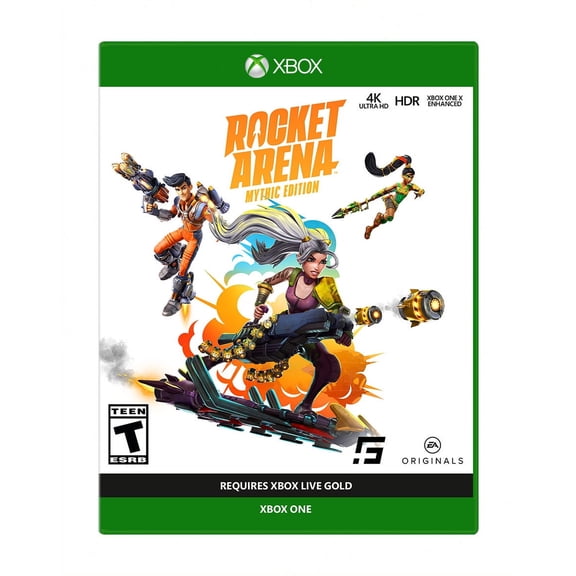
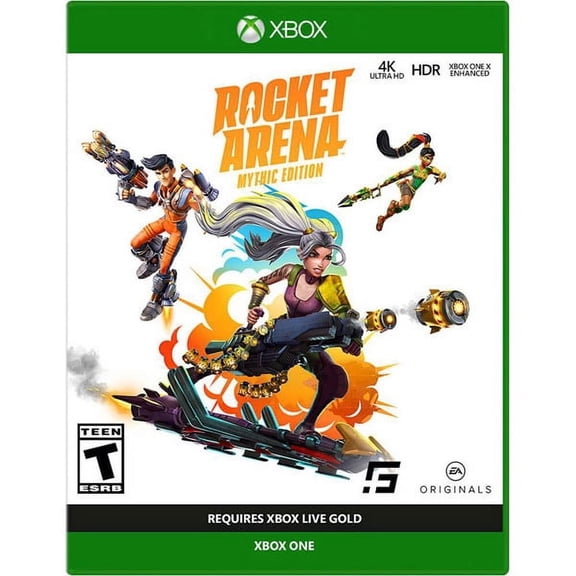
Edition differences can matter if you want extra content tied to cosmetics or bonus items. You should compare Standard Edition and Mythic Edition listings to see what each package includes.
A Standard Edition usually fits shoppers who want the base game and core multiplayer access. A Mythic Edition may suit you if you want added visual items or packaged extras connected to the roster.
You should read the listing details closely because extras can vary by platform or format. You can make a cleaner choice when you compare included content instead of relying on the edition name alone.
Genre also matters when you’re choosing a rocket arena video game. You’re looking at a hero shooter with action and multiplayer elements, so abilities and team roles shape each match.
That means you can expect character-driven play rather than identical loadouts for every player. You may enjoy that setup if you like learning hero kits, cooldown timing, and team coordination.
Matching Rocket Arena to your play style
You should consider this category if you want shorter competitive sessions and bright arcade energy. You can fit a few matches into an evening without committing to a lengthy single-player campaign.
If you share a household with different gaming preferences, you may like the approachable visual style and readable action. You can use the ESRB rating on each listing to judge whether the tone fits your home.
That rating helps you compare content expectations in plain terms before you buy. You should also use it alongside platform and multiplayer details for a more complete decision.
If you like team-based games, you may appreciate how hero abilities create different roles during a match. You can pick characters that favor mobility, disruption, or direct damage depending on your approach.
Players who collect boxed games may prefer disc versions for display or trading. Players who want instant library access may prefer digital versions tied to their platform account.
When you use these decision points, you can sort the category with more confidence. You’ll end up with the edition, format, and platform setup that supports smoother match-ready play.