Tablet Sims

Uses item details. Price when purchased online

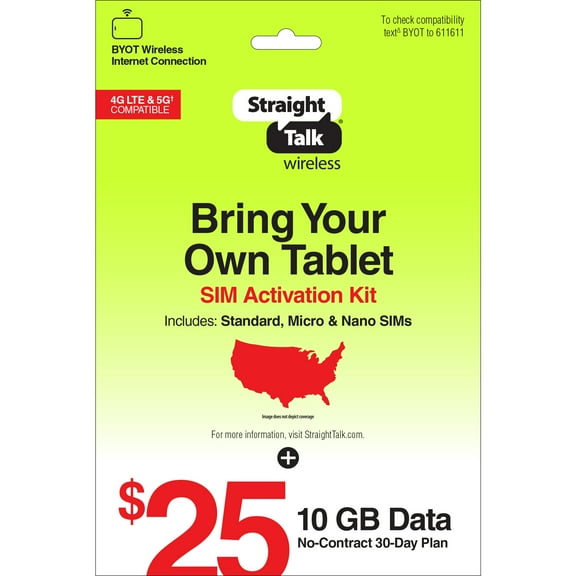
Straight Talk Bring Your Own Tablet Sim Kit - Prepaid $29.88

Straight Talk Bring Your Own Tablet Sim Kit - Prepaid
$2988

Straight Talk Bring Your Own Tablet Sim Kit - Prepaid

3 out of 5 stars
3 out of 5 Stars. 22 reviews

Other options to consider

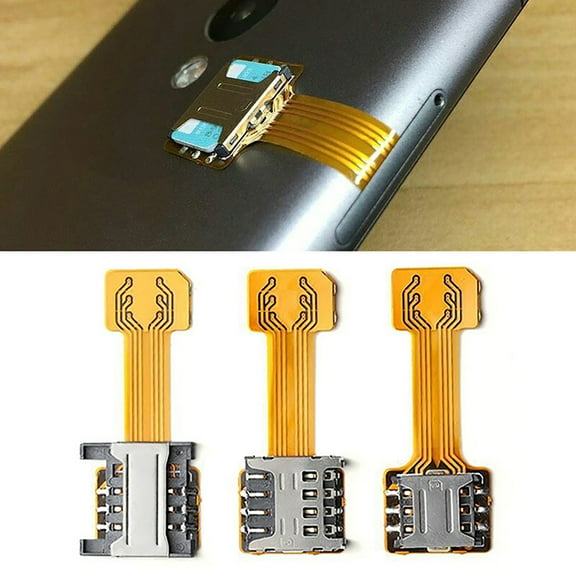
SPRING PARK TF Hybrid Sim Slot Dual SIM Card Adapter Micro SD Extender for Android Phone

SPRING PARK TF Hybrid Sim Slot Dual SIM Card Adapter Micro SD Extender for Android Phone

SPRING PARK TF Hybrid Sim Slot Dual SIM Card Adapter Micro SD Extender for Android Phone

Highly rated by customers

FAQ

How do tablet SIM cards work?

Tablet SIM cards let your device connect to cellular networks for internet access, just like a phone SIM card. Once installed, your tablet can use mobile data when WiFi isn't available.

  • Insert the SIM card into your tablet's SIM slot.
  • Follow the activation instructions provided with the SIM kit.
  • Choose a data plan that fits your needs.

Using a SIM card gives you more flexibility, especially on the go or in areas without WiFi.

Can I use a SIM card in any tablet?

Not all tablets support SIM cards. To use one, your tablet needs a SIM slot and compatibility with the provider's network.

  • Check your tablet's specifications for cellular support.
  • Look for a SIM tray or slot on the device.
  • Ensure it works with the network type (4G/5G/LTE).

If your tablet only connects to WiFi, a SIM card won't work. Always confirm compatibility before purchasing.

What's the difference between data-only and regular SIM cards?

Data-only SIM cards are designed to provide internet access without calling or texting features. Regular SIM cards typically allow voice and SMS, along with data.

  • Data-only SIMs are ideal for tablets, laptops, and hotspots.
  • Regular SIMs are usually used in smartphones.

Choosing a data-only SIM can save you money if you just need internet on your tablet.

How do I activate a tablet SIM kit?

Activating a tablet SIM kit is usually straightforward. You'll need to follow the instructions provided by the SIM card provider.

  • Insert the SIM card into your tablet.
  • Visit the activation website or call the number listed in the kit.
  • Select a data plan and complete the activation process.

Activation steps can vary, so it's always best to follow the details included in your kit for smooth setup.

Do tablet SIM cards require a contract?

Many tablet SIM cards, including prepaid and data-only options, don't require a contract. This gives you the flexibility to use mobile data without long-term commitments.

  • Prepaid SIMs let you pay for data as you go.
  • No contract means you can change plans or providers easily.

Always check the details of the SIM card or kit to see if a contract is needed for your chosen plan.