

T43u(1)
Yealink SIP-T43U IP Phone, Corded, Corded, Wall Mountable, Classic Gray $165.00

Yealink SIP-T43U IP Phone, Corded, Corded, Wall Mountable, Classic Gray
Other options to consider(6)
UNIFIED FIRMWARE ENHNCD SIP PH $111.25

UNIFIED FIRMWARE ENHNCD SIP PH
Yealink T4U Series Expansion Module, Black $134.99

Yealink T4U Series Expansion Module, Black
Yealink T46S $169.99
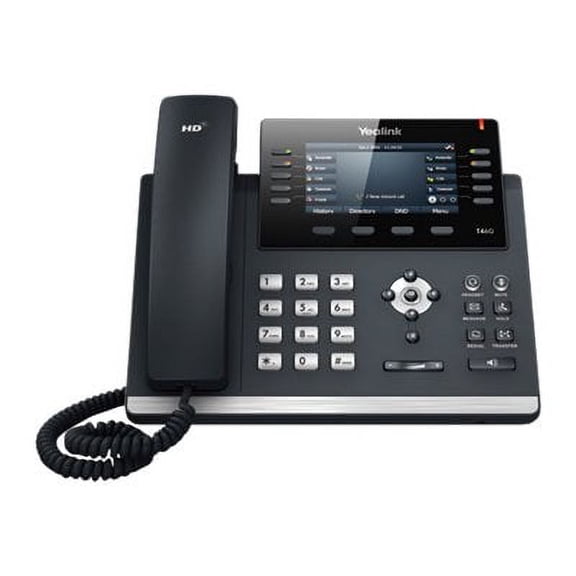
Yealink T46S
Yealink YEA-SIP-T46U Unified Firmware Enhanced SIP Phone

Yealink YEA-SIP-T46U Unified Firmware Enhanced SIP Phone
RJ9 Corded Office Telephone Headset $25.42

RJ9 Corded Office Telephone Headset
Office Phone Headset for Yealink VoIP Phone T46S T48S T42S T23G T27G $39.19

Office Phone Headset for Yealink VoIP Phone T46S T48S T42S T23G T27G
FAQ
How does a VoIP phone work in an office?
A VoIP phone uses your office's internet connection to make and receive calls instead of traditional phone lines. This means voice data travels over the internet, which can help streamline communication and reduce costs.
- It connects to the network via an Ethernet cable or sometimes Wi-Fi.
- Calls are managed using a compatible VoIP service or system.
- Many models offer features like call transfer, conferencing, and voicemail.
It's a great option for modern offices looking for flexible, scalable communication solutions.
Can you use this phone with a headset?
Yes, many VoIP phones include ports for headsets, making it easy to keep your hands free while you work. When choosing a headset, check for compatibility with the phone's available ports—often RJ9 or 3.5mm jacks.
- Some phones also support Bluetooth headsets for wireless convenience.
- Using a headset can help reduce neck and shoulder strain during long calls.
Always double-check the phone's manual or product description for specific headset compatibility details.
What setup do I need to install this phone?
To get your VoIP phone up and running, you'll need a few basics in your office setup:
- A stable internet connection with enough bandwidth for voice calls.
- An available Ethernet port to connect the phone to your network.
- Access to power, either through a standard adapter or Power over Ethernet (PoE) if your network supports it.
Following the included instructions can help you connect and configure features to fit your workflow.
How do you transfer calls on this type of phone?
Most VoIP phones make call transfers simple with dedicated buttons or menu options. The process usually involves:
- Pressing the 'Transfer' button during a call.
- Dialing the extension or number you want to transfer to.
- Completing the transfer by pressing the 'Transfer' button again or following on-screen prompts.
Consult your phone's user guide for step-by-step instructions, as options can vary by model.
What are the main benefits of using a corded desk phone?
Corded desk phones offer several advantages for office communication:
- Consistent audio quality since they're less prone to interference than wireless devices.
- Reliable power, as they're not dependent on batteries.
- Often include advanced features like multiple lines, programmable keys, and easy call management.
They're a dependable choice for busy workspaces where clear communication matters most.
Popular in Shop t43u Office Supplies and Headsets Online
Related Products
Yealink 1208709 BH71 Pro Bluetooth Headset with USB-C/A Dongle,Teams &Zoom Certified, 4 Noise Cancelling Microphone
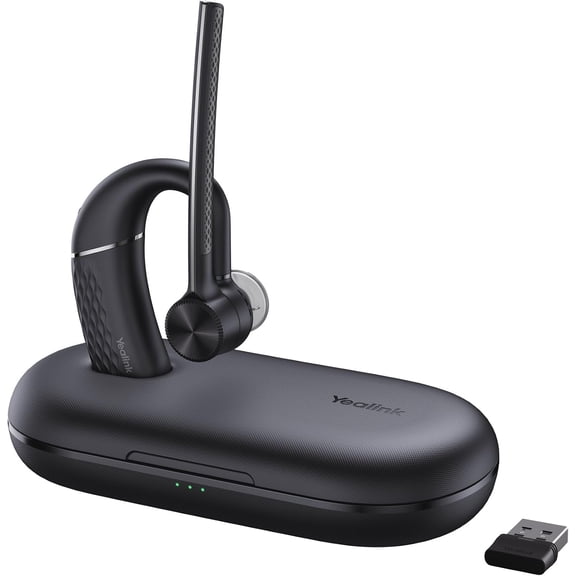 Yealink 1208709 BH71 Pro Bluetooth Headset with USB-C/A Dongle,Teams &Zoom Certified, 4 Noise Cancelling Microphone$104.99current price $104.99
Swiifome Trucker Bluetooth Headset V5.0 with Noise Canceling&Mute Microphone for Cell Phones for Trucker, Home Office, Skype
 Swiifome Trucker Bluetooth Headset V5.0 with Noise Canceling&Mute Microphone for Cell Phones for Trucker, Home Office, Skype$38.99current price $38.99
Yealink 1208671 WH64 Mono Teams DECT Hybrid Wireless Headset, Black
 Yealink 1208671 WH64 Mono Teams DECT Hybrid Wireless Headset, Black$162.99current price $162.99
Cellet Universal Mono 3.5mm Hands-Free Headset with Flexible Boom Microphone – Adjustable Headband, Single-Ear (Mono) Wired Headset for Calls & Office Use
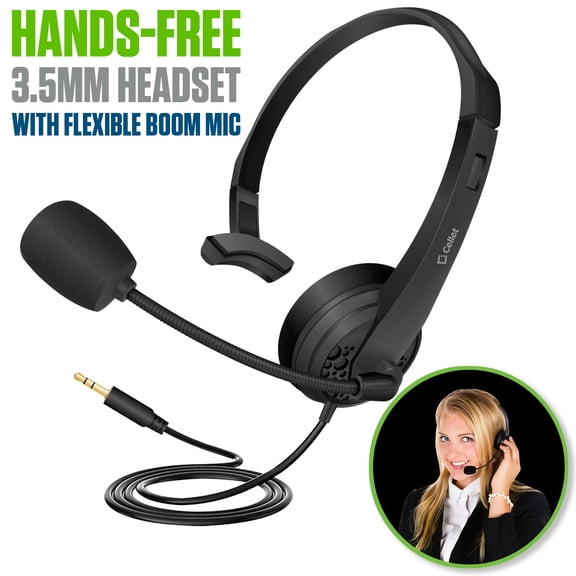 Cellet Universal Mono 3.5mm Hands-Free Headset with Flexible Boom Microphone – Adjustable Headband, Single-Ear (Mono) Wired Headset for Calls & Office Use$16.99current price $16.99
Plantronics CS540 Convertible Wireless Headset System
 Plantronics CS540 Convertible Wireless Headset System$148.21current price $148.21
Plantronics CS530 Over the Ear Bluetooth Wireless Headset System - Black
 Plantronics CS530 Over the Ear Bluetooth Wireless Headset System - Black$149.00current price $149.00
YEALINK BH76 Teams Certified Bluetooth Wireless Stereo Headset, Black, ANC
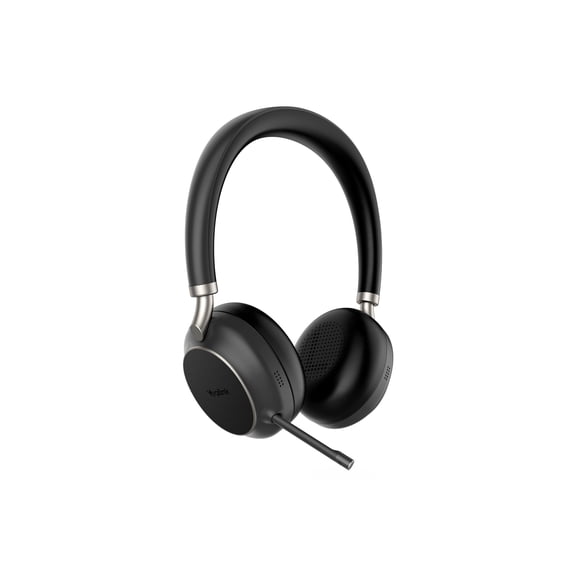 YEALINK BH76 Teams Certified Bluetooth Wireless Stereo Headset, Black, ANC$163.08current price $163.08
Yealink BH76 - Headset - on-ear - Bluetooth - wireless - active noise canceling - USB-C via Bluetooth adapter - black - Optimized for UC
 Yealink BH76 - Headset - on-ear - Bluetooth - wireless - active noise canceling - USB-C via Bluetooth adapter - black - Optimized for UC$249.99current price $249.99
Yealink Wideband Headset for Yealink IP Phone - Mono - RJ-9 - Wired - 32 Ohm - 20 Hz - 20 kHz - Over-the-head - Monaural - Uni-directional, Electret, Noise Cancelling Microphone - Black
 Yealink Wideband Headset for Yealink IP Phone - Mono - RJ-9 - Wired - 32 Ohm - 20 Hz - 20 kHz - Over-the-head - Monaural - Uni-directional, Electret, Noise Cancelling Microphone - Black$45.26current price $45.26
Sangoma Technologies 1TELH010LF Phone Headset H10 Dect Monaural Over-the-head
 Sangoma Technologies 1TELH010LF Phone Headset H10 Dect Monaural Over-the-head$172.49current price $172.49
Polycom Compatible Jabra PRO 920 Wireless Headset Bundle | Electronic Remote Answerer (EHS) included
 Polycom Compatible Jabra PRO 920 Wireless Headset Bundle | Electronic Remote Answerer (EHS) included$339.95current price $339.95
Pre-Owned Poly - CS510 Support Convertible Wireless Headset (Plantronics) - Over-the-Head One Ear/Monaural Headset - DECT 6.0 - Connects to Desk Phone - Telephone Headset
 Pre-Owned Poly - CS510 Support Convertible Wireless Headset (Plantronics) - Over-the-Head One Ear/Monaural Headset - DECT 6.0 - Connects to Desk Phone - Telephone Headset$122.00current price $122.00
RJ9 Telephone Headset - Corded Binaural Phone Headphone With Noise Cancelling Mic For Call Center Customer Service
 RJ9 Telephone Headset - Corded Binaural Phone Headphone With Noise Cancelling Mic For Call Center Customer Service$12.97current price $12.97