Smc1500c(4)
APC Smart-UPS SMC1500C 1500VA Desktop UPS $581.99

APC Smart-UPS SMC1500C 1500VA Desktop UPS
APC BACK UPS SMC1500C 1500VA 120V 12V 12Ah UPS Battery - This Is an AJC Brand Replacement $52.49

APC BACK UPS SMC1500C 1500VA 120V 12V 12Ah UPS Battery - This Is an AJC Brand Replacement
APC SMC1500C 1440 VA 900 Watts 8 Outlets UPS $581.99 Was $619.00
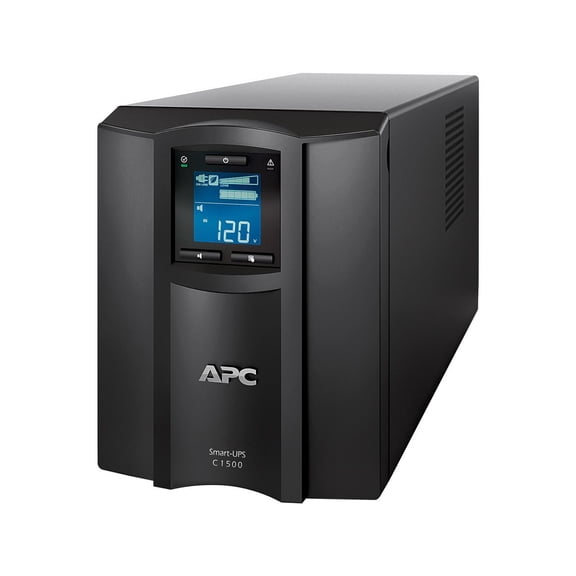
APC SMC1500C 1440 VA 900 Watts 8 Outlets UPS
Powerwarehouse RBC6-PW Sealed Lead Acid Battery for APC bp1000, bp1000i, bp1100, smc1500, smc1500c, smc1500i, smc1500ic, smc1500tw $99.00

Powerwarehouse RBC6-PW Sealed Lead Acid Battery for APC bp1000, bp1000i, bp1100, smc1500, smc1500c, smc1500i, smc1500ic, smc1500tw
FAQ
What does a UPS do for my computer?
A UPS, or uninterruptible power supply, helps protect your computer from power outages and voltage fluctuations. It provides backup power so your devices can keep running if the electricity goes out.
- Lets you save your work and safely shut down.
- Helps prevent damage from unexpected surges or drops.
- Can support multiple devices, depending on the model.
Having a UPS can make a difference during storms or unstable power situations.
How do I know what size UPS I need?
Choosing the right UPS size depends on the total wattage of the devices you want to protect. Check your electronics for their power requirements and add them up.
- Pick a UPS with a higher wattage than your total needs.
- Consider how long you want backup power to last.
- Look at the number of outlets for your setup.
This helps ensure your devices stay protected and powered when it matters.
Can I replace the battery in my UPS?
Most UPS units let you replace the battery once it starts losing capacity. Always check your user manual for instructions and safety tips.
- Turn off and unplug the UPS before opening it.
- Use the recommended battery type for your model.
- Handle batteries with care and dispose of old ones responsibly.
Replacing the battery can help extend your UPS's usefulness.
How often should I test my UPS?
It's a good idea to test your UPS every few months to make sure it's working as expected. You can do this by unplugging it from the wall while devices are connected.
- Listen for alarms or indicator lights during the test.
- Watch how long your devices stay powered.
- If you notice issues, check the battery or contact support.
Regular testing helps catch problems before they affect your electronics.
What should I plug into a UPS?
UPS units are best used for electronics that need protection from sudden power loss, like computers, modems, routers, and monitors. Avoid plugging in devices with high power needs, such as heaters or printers.
- Stick to essential electronics for backup.
- Read the manual for your UPS's outlet limits.
- Use surge protection for other devices if needed.
This helps maximize the UPS's backup capacity and keeps your important gear safe.
Popular in SMC1500C UPS and Lithium Battery Electronics
Related Products
2pc HHR-75AAAB5B 1.2V Compatible with 700mAh NiMH Rechargeable Battery
 2pc HHR-75AAAB5B 1.2V Compatible with 700mAh NiMH Rechargeable Battery$13.95current price $13.95
Portable 14500 3.7V 800mAh Rechargeable Battery JST Plug Consumer Electronics
 Portable 14500 3.7V 800mAh Rechargeable Battery JST Plug Consumer Electronics$7.59current price $7.59
Keeppower RCR123A Li-ion Battery with Type-C Port Rechargeable 3V 1000mAh Included with a 2-in-1 USB-C Charging Cable (2 Pack)
 Keeppower RCR123A Li-ion Battery with Type-C Port Rechargeable 3V 1000mAh Included with a 2-in-1 USB-C Charging Cable (2 Pack)$25.99current price $25.99
OM SYSTEM LI-92B 4.9Wh 3.6V 1350mAh Rechargeable Lithium-Ion Battery
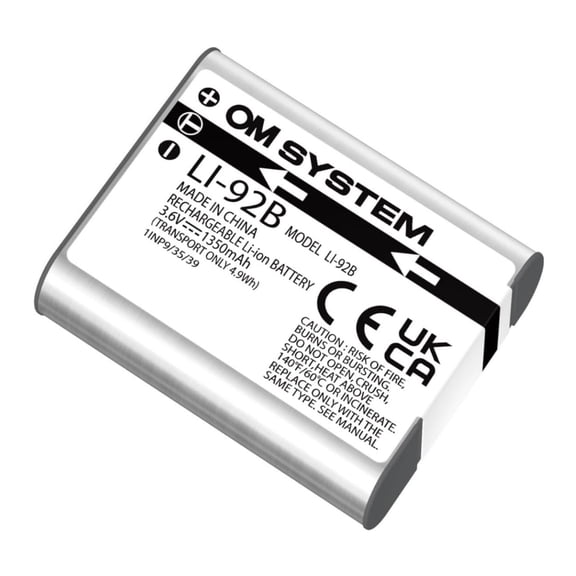 OM SYSTEM LI-92B 4.9Wh 3.6V 1350mAh Rechargeable Lithium-Ion Battery$44.98current price $44.98
Core SWX SNAP Mighty 45Wh 14.8V 3100mAh Smart Stacking Lithium-ion Battery with USB-C Cable
 Core SWX SNAP Mighty 45Wh 14.8V 3100mAh Smart Stacking Lithium-ion Battery with USB-C Cable$130.52current price $130.52
Green Extreme EN-EL15c 16.8Wh 7.0V 2400mAh Lithium-Ion Battery Pack with USB-C Charging Port V4
 Green Extreme EN-EL15c 16.8Wh 7.0V 2400mAh Lithium-Ion Battery Pack with USB-C Charging Port V4$39.95current price $39.95
Green Extreme BP-U90 Lithium-Ion Battery Pack (14.4V 10500mAh)
 Green Extreme BP-U90 Lithium-Ion Battery Pack (14.4V 10500mAh)$119.00current price $119.00
US STOCK 4PCS CR2/3 8.L 3V Battery 2000mAh For Fuji PLC Memory Backup Power Supply
US STOCK 4PCS CR2/3 8.L 3V Battery 2000mAh For Fuji PLC Memory Backup Power Supply
Nickel Cadmium Battery 2.4v 900mah ~ BGN800-2DWP-A800EC (Rechargeable)
 Nickel Cadmium Battery 2.4v 900mah ~ BGN800-2DWP-A800EC (Rechargeable)$8.95current price $8.95
Total Micro 3-Cell 50Wh 4330mAh Li-Ion Battery 933321-855-TM
 Total Micro 3-Cell 50Wh 4330mAh Li-Ion Battery 933321-855-TM$91.85current price $91.85
Rechargeable Battery for Swif--fer PowerMop, 3.7V 2.5Ah Lithium-Ion Battery Pack with USB Charging Cable
 Rechargeable Battery for Swif--fer PowerMop, 3.7V 2.5Ah Lithium-Ion Battery Pack with USB Charging Cable$19.99current price $19.99
BatteryGuy Best Power LI 520 replacement battery - BatteryGuy brand equivalent (High Rate - Qty of 2)
 BatteryGuy Best Power LI 520 replacement battery - BatteryGuy brand equivalent (High Rate - Qty of 2)$63.82current price $63.82
2 Pack Power2000 LP-E6NH LPE6 240 mAH 7.4V Lithium Rechargeable Battery
 2 Pack Power2000 LP-E6NH LPE6 240 mAH 7.4V Lithium Rechargeable Battery$45.99current price $45.99
Green Extreme NP-W235 2250mAh Lithium-Ion Rechargeable Battery
 Green Extreme NP-W235 2250mAh Lithium-Ion Rechargeable Battery$24.95current price $24.95