

Skyline 2(2)
Ps5 Cities : Skylines II (Undefined) $49.99
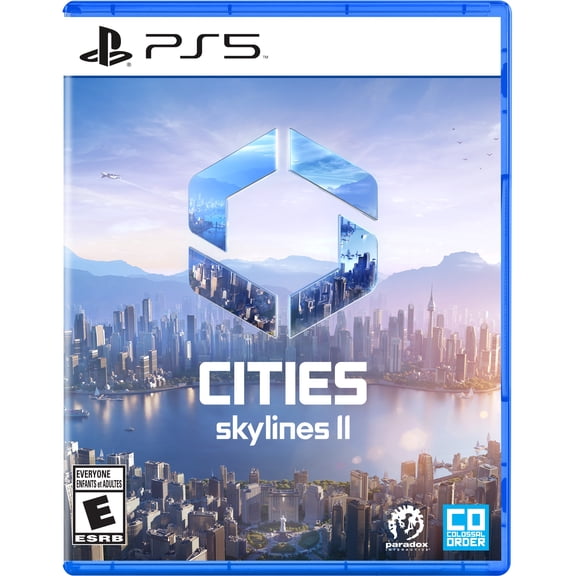
Ps5 Cities : Skylines II (Undefined)
Cities: Skylines II, Xbox Series X $49.99

Cities: Skylines II, Xbox Series X
Other options to consider(5)
Cities: Skylines, Deep Silver, Nintendo Switch, 816819016268 $43.00

Cities: Skylines, Deep Silver, Nintendo Switch, 816819016268
Cities: Skylines - Parklife Edition [PlayStation 4] $29.79

Cities: Skylines - Parklife Edition [PlayStation 4]
Cities: Skylines - Nintendo Switch Edition - Nintendo Switch $49.97

Cities: Skylines - Nintendo Switch Edition - Nintendo Switch
Pre-Owned Cities Skylines, Marketplace Brands, Xbox One, Physical $79.99

Pre-Owned Cities Skylines, Marketplace Brands, Xbox One, Physical
Cities: Skylines - Parklife Edition [Xbox One] $35.20

Cities: Skylines - Parklife Edition [Xbox One]
FAQ
Can I play Cities: Skylines II on Xbox Series X?
Yes, you can play Cities: Skylines II on Xbox Series X. This version is designed to run on the console, offering a smooth city-building experience with optimized controls for Xbox. Make sure your console software is up to date for best performance. If you're new to city-building games, the console interface is user-friendly and helpful for beginners.
- Compatible with Xbox Series X
- Optimized controls for console gameplay
- Update your console software for best results
Check product packaging for any additional requirements before starting.
How does Cities: Skylines II differ from the first game?
Cities: Skylines II builds on the original with expanded features and improved mechanics. You'll notice more detailed city simulation, updated graphics, and enhanced management tools. The game introduces deeper systems for traffic, economy, and weather, giving you more control and realism.
- Advanced city simulation and management
- Improved graphics and visuals
- New systems for weather and economy
These upgrades create a richer city-building experience for both new and returning players.
Do I need internet to play Cities: Skylines II?
Cities: Skylines II can be played offline for the main city-building experience. However, an internet connection may be needed for updates, downloadable content, or multiplayer features if offered. Make sure to check your console's network settings and the game's documentation for specifics.
- Main gameplay is available offline
- Internet required for updates and extra content
- Multiplayer features may need a connection
Playing offline lets you build at your own pace without interruptions.
What should I know before buying Cities: Skylines II?
Before you buy Cities: Skylines II, consider your console compatibility and storage space. The game is available for PS5 and Xbox Series X, so make sure your system matches. Also, check if you have enough free space for installation and updates.
- Available for PS5 and Xbox Series X
- Requires sufficient storage space
- Look for any age ratings or system requirements
Thinking ahead helps you avoid installation issues and enjoy the game right away.
Are there tips for beginners starting Cities: Skylines II?
If you're new to Cities: Skylines II, start small and learn as you go. Begin with basic roads and services, keep an eye on your budget, and gradually expand your city. Use the in-game tutorials and help guides to understand advanced features.
- Start with simple layouts
- Manage your budget carefully
- Use tutorials for guidance
Exploring different strategies can help you build a thriving city over time.
Popular in Skyline 2
Related Products
SEGA Mega Drive Classics (Nintendo Switch) Over 50 Classic Games
 SEGA Mega Drive Classics (Nintendo Switch) Over 50 Classic Games$29.99current price $29.99
Paper Mario: The Thousand-Year Door Switch (EU Import)
Paper Mario: The Thousand-Year Door Switch (EU Import)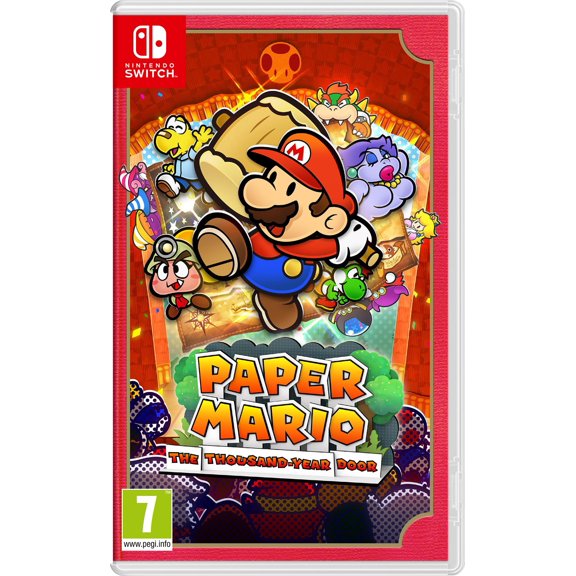
MultiCart 68-in-1 Game Cartridge, SNES, Super Nintendo [Physical]
 MultiCart 68-in-1 Game Cartridge, SNES, Super Nintendo [Physical]$41.00current price $41.00
MultiCart 100-in-1 Game Cartridge, SNES, Super Nintendo [Physical] Red
 MultiCart 100-in-1 Game Cartridge, SNES, Super Nintendo [Physical] Red$39.99current price $39.99
MultiCart 100-in-1 Game Cartridge, SNES, Super Nintendo [Physical]
 MultiCart 100-in-1 Game Cartridge, SNES, Super Nintendo [Physical]$34.77current price $34.77
Super Smash Bros. Ultimate - US Version
 Super Smash Bros. Ultimate - US Version$55.99current price $55.99
SEGA Genesis Classics - Nintendo Switch - English/French
 SEGA Genesis Classics - Nintendo Switch - English/French$29.99current price $29.99
Luigi's Mansion 3 - (Region Free Version)
 Luigi's Mansion 3 - (Region Free Version)$57.95current price $57.95


