

Sealy Adjustable Base Remote(2)
Uses item details. Price when purchased online
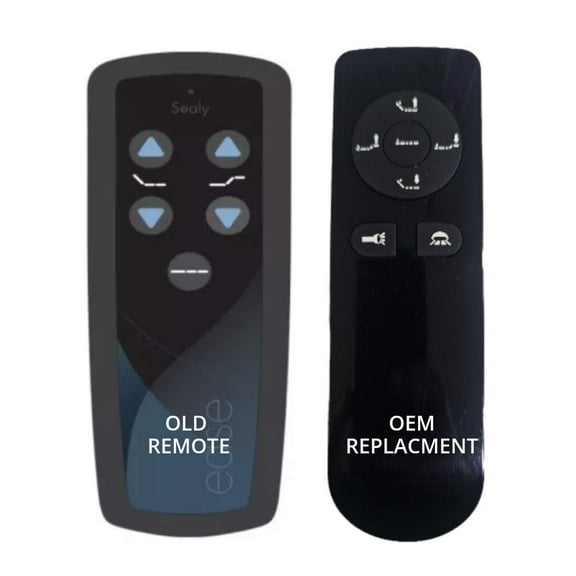
Sealy Ease 1.0 Adjustable Bed Replacement Remote ( new Grey Version) $129.00
$12900
current price $129.00Sealy Ease 1.0 Adjustable Bed Replacement Remote ( new Grey Version)
5 out of 5 stars
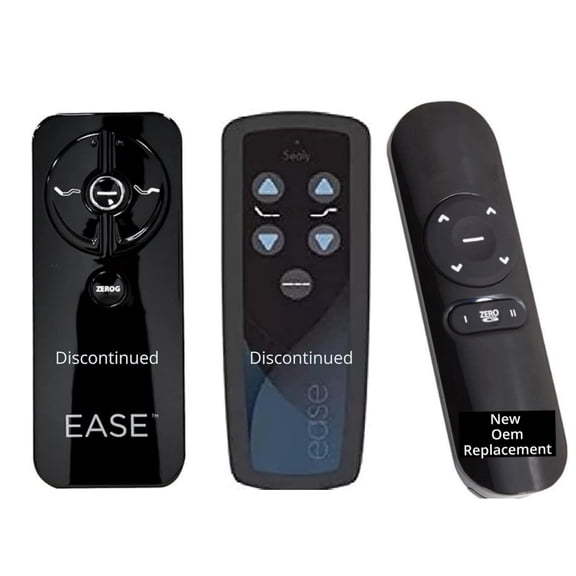
Ease and Ease 2.0 Adjustable Beds Replacment Remote(New Silver Alt Version) $129.00
$12900
current price $129.00Ease and Ease 2.0 Adjustable Beds Replacment Remote(New Silver Alt Version)
3 out of 5 stars
Other options to consider(1)
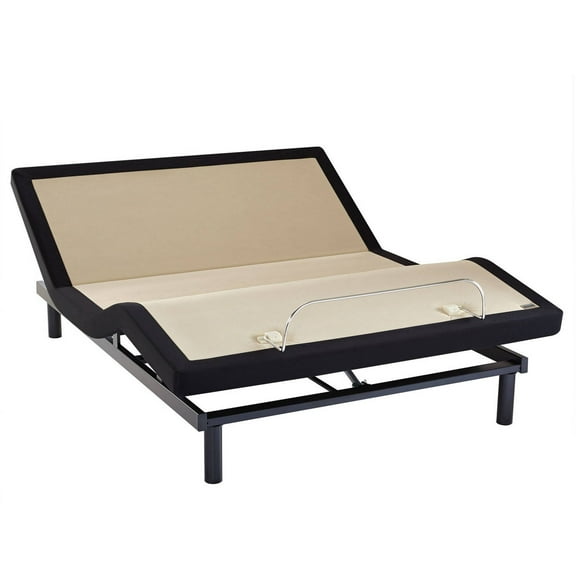
Sealy Ease Adjustable Bed Base 1.0, Full From $749.00
2 options
Available in additional 2 optionsFrom$74900
Sealy Ease Adjustable Bed Base 1.0, Full
3.8 out of 5 stars
FAQ
How do I reset my adjustable bed remote?
If your adjustable bed remote isn't responding, you can try resetting it. Usually, this involves unplugging the bed base from the wall for about a minute, then plugging it back in. Afterward, hold down the pairing button on the remote or base, depending on your model.
- Check your user manual for specific instructions, as steps may vary.
- Make sure batteries in the remote are fresh.
- If the reset doesn't work, consider contacting customer support for further guidance.
Why isn’t my adjustable base remote working?
If your adjustable base remote isn't working, there are a few things to check:
- First, replace the batteries with new ones.
- Make sure the bed base is plugged in and the outlet is functioning.
- Look for any signs of damage on the remote or base.
- If the remote still doesn't work, try re-pairing it with the base following your model's instructions.
How do you pair a Sealy adjustable bed remote?
Pairing your Sealy adjustable bed remote is usually straightforward.
- Unplug the bed base for about 60 seconds, then plug it back in.
- Press and hold the pairing button on the base (often located near the power cord) until you see a light flash.
- Press the corresponding button on your remote to complete the pairing process.
Can I adjust my bed without the remote?
Most adjustable beds rely on the remote for operation, so adjusting without it can be tricky. Some models may have manual controls or buttons located on the base itself, but this isn't always the case.
- If your remote is lost or broken, check your product manual for alternative controls.
- Replacement remotes are often available for purchase.
- Contact customer support if you're unsure about manual options.
What should I look for in a replacement remote?
When shopping for a replacement remote for your adjustable bed, consider these points:
- Make sure the remote is compatible with your specific bed model.
- Check for features like preset positions or backlighting if those matter to you.
- Look for easy-to-read buttons and clear instructions.
- Verify if batteries are included or need to be purchased separately.
Popular in Sealy Adjustable Base Remote Controls
Related Products
Renanim Adjustable Bed with Massage Head & Foot Incline - Remote, USB - Queen
 Renanim Adjustable Bed with Massage Head & Foot Incline - Remote, USB - Queen$615.00current price $615.00
Renanim SFE Adjustable Bed with Hybrid Memory Foam Mattress, Electric Massage, Twin XL Adjustable Bed Frame + Firm Mattress, USB, Under Bed Light, Wireless Remote
 Renanim SFE Adjustable Bed with Hybrid Memory Foam Mattress, Electric Massage, Twin XL Adjustable Bed Frame + Firm Mattress, USB, Under Bed Light, Wireless Remote$845.00current price $845.00
Twin XL Adjustable Bed Frame Base with Massage, Zero Gravity Ergonomic Electric Bed with Ultra-Quiet Motor, 2 USB Ports, Under-Bed Light, Wireless Remote, Fast Assembly, 3 Height Option
 Twin XL Adjustable Bed Frame Base with Massage, Zero Gravity Ergonomic Electric Bed with Ultra-Quiet Motor, 2 USB Ports, Under-Bed Light, Wireless Remote, Fast Assembly, 3 Height Option$292.60current price $292.60
Renanim Adjustable Bed Base with Massage, Twin XL Adjustable Bed Frame (SF), Wireless Remote, USB Ports, Under-Bed Light, 5 Minutes Assembly, Head/Foot Incline Zero Gravity Bed
 Renanim Adjustable Bed Base with Massage, Twin XL Adjustable Bed Frame (SF), Wireless Remote, USB Ports, Under-Bed Light, 5 Minutes Assembly, Head/Foot Incline Zero Gravity Bed$435.00current price $435.00
Best Choice Products Queen Size Adjustable Bed Base for Stress Management with Massage, Remote Control, USB Ports
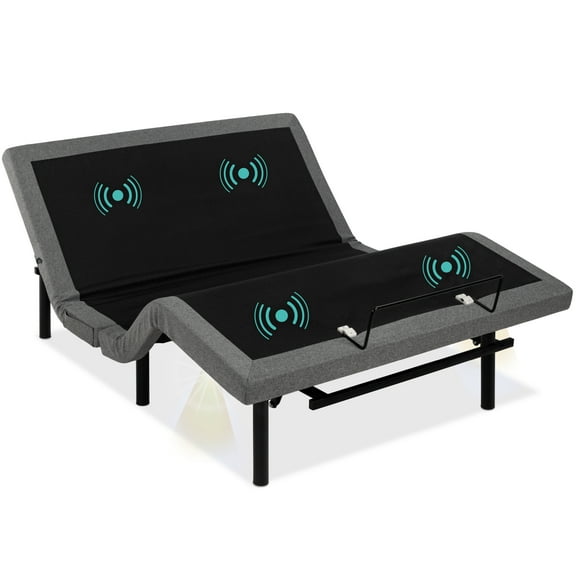 Best Choice Products Queen Size Adjustable Bed Base for Stress Management with Massage, Remote Control, USB Ports$399.99current price $399.99
IdealBase Adjustable Bed Frame Twin XL, Massaging Zero Gravity Adjustable Bed Base, Electric Adjustable Beds with 3 Speed Head & Foot Massage, Wireless Remote, 2 USB Ports, 800LBs Capacity Gray
 IdealBase Adjustable Bed Frame Twin XL, Massaging Zero Gravity Adjustable Bed Base, Electric Adjustable Beds with 3 Speed Head & Foot Massage, Wireless Remote, 2 USB Ports, 800LBs Capacity Gray$309.99current price $309.99