

Samsung J700(2)
Restored Samsung Simple Mobile Galaxy J7 Crown Smartphone $70.00 Was $136.00
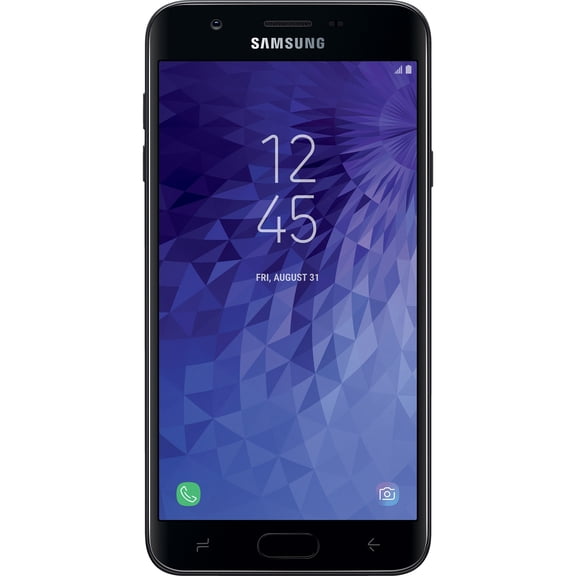
Restored Samsung Simple Mobile Galaxy J7 Crown Smartphone

Other options to consider(7)
Restored T-Mobile Samsung Galaxy J7 Star Cell Phone 32GB 2GB RAM 5.5 inch TFT HD Silver $80.00

Restored T-Mobile Samsung Galaxy J7 Star Cell Phone 32GB 2GB RAM 5.5 inch TFT HD Silver
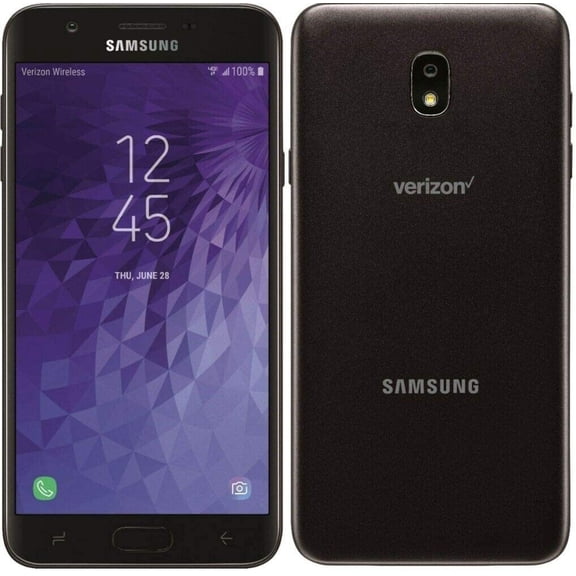
Restored Samsung Simple Mobile Galaxy J7 Crown Smartphone $70.00 Was $136.00
Restored Samsung Simple Mobile Galaxy J7 Crown Smartphone
F700U1 Samsung Galaxy Z Flip $599.00

F700U1 Samsung Galaxy Z Flip

USB Adaptive Fast OEM Home Charger Power Adapter Travel Wall B8O for Samsung Galaxy Note 10 Plus, J7, (2018) Refine, J5 J3, (2018) Halo Fold Alpha A9 A6 A50 A20 A10e - Sonim XP8 XP3 $18.69

USB Adaptive Fast OEM Home Charger Power Adapter Travel Wall B8O for Samsung Galaxy Note 10 Plus, J7, (2018) Refine, J5 J3, (2018) Halo Fold Alpha A9 A6 A50 A20 A10e - Sonim XP8 XP3

FAQ
What can I do with a Samsung Galaxy J700T?
The Samsung Galaxy J700T is a versatile smartphone that lets you stay connected and productive. With it, you can:
- Make calls and send texts
- Browse the internet and check emails
- Download and use popular apps
- Take photos and videos with its built-in camera
- Listen to music and watch videos
- Use GPS for maps and navigation
Its features make it a solid choice for everyday tasks, whether you’re keeping in touch with friends or managing your schedule.
How do I unlock a pre-owned Samsung J700T?
If your pre-owned Samsung J700T is listed as unlocked, it should work with most compatible carriers. To get started:
- Insert your preferred carrier’s SIM card into the phone.
- Turn on the device and follow the on-screen setup instructions.
- If you’re prompted for a code, reach out to your carrier for assistance.
Keep in mind, network compatibility can vary, so it’s a good idea to check with your carrier to confirm support for this model before switching SIM cards.
What should I check before buying a used Galaxy J700T?
Before purchasing a pre-owned Galaxy J700T, consider these tips:
- Review the device’s condition for any visible wear or damage.
- Check if it’s unlocked or tied to a specific carrier.
- Confirm that all essential functions (like the camera, touchscreen, and buttons) are working.
- Look for a return policy or warranty for extra peace of mind.
- Make sure the phone includes necessary accessories, like a charger.
Shopping with a trusted retailer can help ensure you get a reliable device.
How can I transfer data to my Samsung J700T?
Moving your contacts, photos, and apps to your Samsung J700T is simple with these steps:
- Use a cloud service (like Google Account) to sync contacts and calendar events.
- Transfer photos and files with a USB cable or Bluetooth.
- Download your favorite apps from the app store.
For more detailed instructions, you can check your phone’s settings or visit the manufacturer’s support site. Always back up important data before transferring.
How do I keep my Galaxy J700T running smoothly?
To help your Samsung Galaxy J700T perform well over time, try these tips:
- Regularly clear unused apps and files to free up storage.
- Restart your phone every so often to refresh its system.
- Keep the software updated for the latest features and security patches.
- Use a protective case and screen protector to guard against damage.
These simple habits can help extend the life and reliability of your device.
Popular in Samsung J700 Cell Phones and Cases
Related Products
Android Micro USB Charger Cable 6ft 2 Pack Fast Charging Cord for Phones Samsung Galaxy S5/S6/S7 Edge,J3/J7 Prime Crown,Note 4/5, LG Stylo 3/Aristo 4/G4/K40/K30,Moto E5/E6/G6 Play,PS4 Pro Controller
 Android Micro USB Charger Cable 6ft 2 Pack Fast Charging Cord for Phones Samsung Galaxy S5/S6/S7 Edge,J3/J7 Prime Crown,Note 4/5, LG Stylo 3/Aristo 4/G4/K40/K30,Moto E5/E6/G6 Play,PS4 Pro Controller$7.95current price $7.95
Type-C USB Data/Charger Cable for Samsung Galaxy A12, A02s
 Type-C USB Data/Charger Cable for Samsung Galaxy A12, A02s$8.99current price $8.99
Replacement USB-C Charging Data Cable Compatible with Samsung Galaxy A13 5G
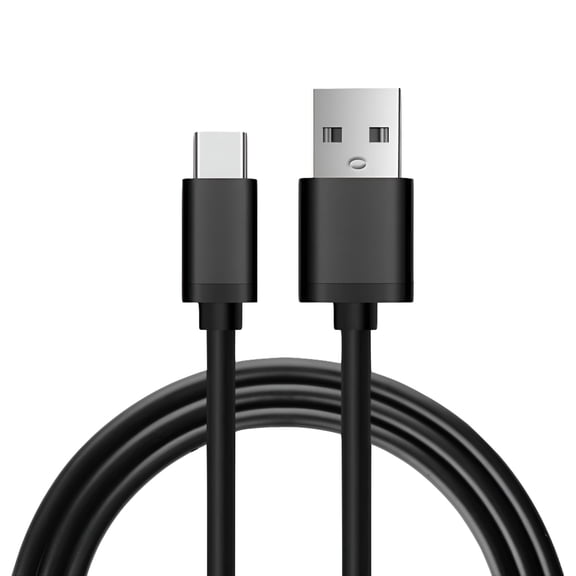 Replacement USB-C Charging Data Cable Compatible with Samsung Galaxy A13 5G$8.99current price $8.99
Type-C USB Data/Charger Cable for Samsung Galaxy A14 5G
 Type-C USB Data/Charger Cable for Samsung Galaxy A14 5G$8.99current price $8.99
Adaptive Fast Wall Adapter Micro USB Charger for Samsung Galaxy A10 Bundled with UrbanX Micro USB Cable Cord 4ft Super Fast Charging Kit - White
 Adaptive Fast Wall Adapter Micro USB Charger for Samsung Galaxy A10 Bundled with UrbanX Micro USB Cable Cord 4ft Super Fast Charging Kit - White$7.64current price $7.64
25W 3-Pack Samsung Super Fast Phone Charger, USB C Fast Charger, Samsung Charge Fast Charging Cord, Samsung Galaxy S25 S24 Ultra Charge 6FT Type C Charging Cable for Galaxy S25 Ultra/S25/S24/S23/S22
 25W 3-Pack Samsung Super Fast Phone Charger, USB C Fast Charger, Samsung Charge Fast Charging Cord, Samsung Galaxy S25 S24 Ultra Charge 6FT Type C Charging Cable for Galaxy S25 Ultra/S25/S24/S23/S22$13.99current price $13.99
PwrON USB Data Charger Cable Replacement for Samsung Galaxy Note 10.1" GT-N8010 GT-N8013
 PwrON USB Data Charger Cable Replacement for Samsung Galaxy Note 10.1" GT-N8010 GT-N8013$8.18current price $8.18
Android Charger Type C Cable Fast Charging with 12FT USB C Phone Charger Cord for Samsung Galaxy S10/S10e/S10+/S9/S9+/S8/S8+/S23/S22/S21 Ultra/S20/Note 20/Note 10/Note 9/8/Z Flip 3/A03s/A02s, 2Pack
 Android Charger Type C Cable Fast Charging with 12FT USB C Phone Charger Cord for Samsung Galaxy S10/S10e/S10+/S9/S9+/S8/S8+/S23/S22/S21 Ultra/S20/Note 20/Note 10/Note 9/8/Z Flip 3/A03s/A02s, 2Pack$18.99current price $18.99
Adaptive Fast Home Charger w MicroUSB 10ft USB Cable V7E for Samsung Galaxy Sky, S7 S6 S5, Sport (SM-G860P) Mini S4 Mega SPH-L600 J7 Sky Pro SGH-M819, V (2017) J3 V, Prevail LTE Grand Prime
 Adaptive Fast Home Charger w MicroUSB 10ft USB Cable V7E for Samsung Galaxy Sky, S7 S6 S5, Sport (SM-G860P) Mini S4 Mega SPH-L600 J7 Sky Pro SGH-M819, V (2017) J3 V, Prevail LTE Grand Prime$24.59current price $24.59
Freedomtech Adaptive Fast Charging QC3.0 USB Wall Charger Compatible with Samsung Galaxy S25 S24 S23 S22 S21+ Ultra, Note 20 10 9 8 USB Wall Charger + 6 Feet USB-C Type C Cable Data Sync Cord
 Freedomtech Adaptive Fast Charging QC3.0 USB Wall Charger Compatible with Samsung Galaxy S25 S24 S23 S22 S21+ Ultra, Note 20 10 9 8 USB Wall Charger + 6 Feet USB-C Type C Cable Data Sync Cord$8.49current price $8.49
Borz for Samsung Galaxy S8 S9 S10, S10e S10+ Note 8 Note 9 Note 10 Note 10+ 5G Charger Adaptive Fast Charging With 4FT USB Type C Cable Data Sync Cord for Lg G5 G6 G7 V20 V30 V40 V50 OnePlus
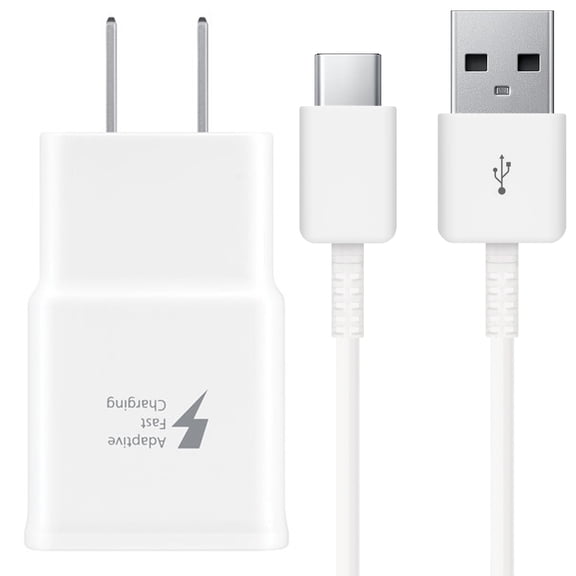 Borz for Samsung Galaxy S8 S9 S10, S10e S10+ Note 8 Note 9 Note 10 Note 10+ 5G Charger Adaptive Fast Charging With 4FT USB Type C Cable Data Sync Cord for Lg G5 G6 G7 V20 V30 V40 V50 OnePlus$7.99current price $7.99
Charger Cord Type-C 10ft USB Cable w USB 18W Quick Home Charger V4D for Samsung Galaxy Note 10 Plus Fold A9 A50 A20 A10e - Sonim XP8 XP3 - Sony Xperia 5 10 Plus 1 - Xiaomi Redmi Note 7
 Charger Cord Type-C 10ft USB Cable w USB 18W Quick Home Charger V4D for Samsung Galaxy Note 10 Plus Fold A9 A50 A20 A10e - Sonim XP8 XP3 - Sony Xperia 5 10 Plus 1 - Xiaomi Redmi Note 7$22.55current price $22.55
USB C Cable 0.8FT 3FT 6FT Type C Charger Fast Charging Cord Phone Charger Cables for Samsung Galaxy S21 S20 Ultra Plus S10 S9 S8 A71 A51 A21 A11 A10E, LG K51 V50 V40 V30, Moto, Google,iPhone, Black
 USB C Cable 0.8FT 3FT 6FT Type C Charger Fast Charging Cord Phone Charger Cables for Samsung Galaxy S21 S20 Ultra Plus S10 S9 S8 A71 A51 A21 A11 A10E, LG K51 V50 V40 V30, Moto, Google,iPhone, Black$10.55current price $10.55
Afflux 15W USB Wall Charger Adapter with 6FT USB-A to USB-C Cable, Compatible with Samsung Galaxy Phones, White
 Afflux 15W USB Wall Charger Adapter with 6FT USB-A to USB-C Cable, Compatible with Samsung Galaxy Phones, White$5.99current price $5.99
S25 S24 S23 S22 Ultra Samsung Charger Fast Charging,25W Android Phone Charger Cord Type C Block & Super Fast Charger USB C Cable 10Ft for Samsung Galaxy S25/S24/S23/S22/S21/S20/Plus/Ultra/FE,2 Pack
 S25 S24 S23 S22 Ultra Samsung Charger Fast Charging,25W Android Phone Charger Cord Type C Block & Super Fast Charger USB C Cable 10Ft for Samsung Galaxy S25/S24/S23/S22/S21/S20/Plus/Ultra/FE,2 Pack$19.99current price $19.99
Samsung Galaxy S9 Compatible Home Wall Adaptive Fast Charger with 6ft Type-C USB Cable Data Sync Wire Power Cord USB-C V1N
 Samsung Galaxy S9 Compatible Home Wall Adaptive Fast Charger with 6ft Type-C USB Cable Data Sync Wire Power Cord USB-C V1N$23.75current price $23.75