

Refurbished Ooma(2)
Ooma Linx Wireless Phone Jack. Works with Ooma Telo Free Home Phone Service and Ooma Office Small Business Phone Service. $49.99

Ooma Linx Wireless Phone Jack. Works with Ooma Telo Free Home Phone Service and Ooma Office Small Business Phone Service.
Deal, Ooma Phone Genie VoIP Internet Home Phone Service With Cordless Handset, $9.88/month + taxes and fees service required $59.99 Was $79.99

Ooma Phone Genie VoIP Internet Home Phone Service With Cordless Handset, $9.88/month + taxes and fees service required
Explore related products(67)
FAQ
How does a VoIP home phone work?
A VoIP home phone connects to your internet instead of a traditional phone line. This setup lets you make and receive calls using your broadband connection.
- Calls are transmitted digitally, often resulting in clearer audio.
- You can use cordless handsets with many VoIP systems for added convenience.
- Some services require a monthly fee plus taxes and fees.
With VoIP, you get features that may not be available with standard landlines, such as voicemail and call forwarding.
Can I use a wireless handset with this phone service?
Yes, many VoIP home phone services support wireless handsets. This lets you move freely around your home while making calls.
- Check that your handset is compatible with the system you're using.
- Wireless handsets often pair with a base unit connected to your internet.
- Some models also include features like speakerphone and caller ID.
Wireless handsets can make your phone setup more flexible and convenient.
What do I need to set up a VoIP phone?
To set up a VoIP home phone, you'll need a few basics.
- A high-speed internet connection (Wi-Fi or Ethernet).
- A compatible VoIP device, such as a phone service box or adapter.
- Power for the device and any handsets.
Setup usually involves plugging the device into your router and following simple instructions. If your system supports wireless connectivity, you may also need to connect it to your Wi-Fi network.
Is it easy to add extra phone jacks?
Adding extra phone jacks can be simple with the right accessories. Some VoIP systems offer wireless phone jacks that work with your service, letting you place phones in different rooms without extra wiring.
- Look for compatible wireless phone jack adapters.
- Plug the adapter into a power outlet where you want a phone.
- Follow pairing instructions to connect it to your main VoIP device.
This can help expand your phone system throughout your home or office.
What features can I expect from a VoIP home phone?
VoIP home phones often come with a variety of features designed to make communication easier.
- Voicemail and call forwarding options.
- Caller ID, call waiting, and three-way calling.
- Wireless connectivity for handsets and phone jacks.
These features can help streamline your phone service and offer flexibility for both home and office use.
Popular in Refurbished Ooma Phones and VoIP Devices
Related Products
Viking Electronics E-30-PT-EWP Emergency Phone (E30PTEWP)
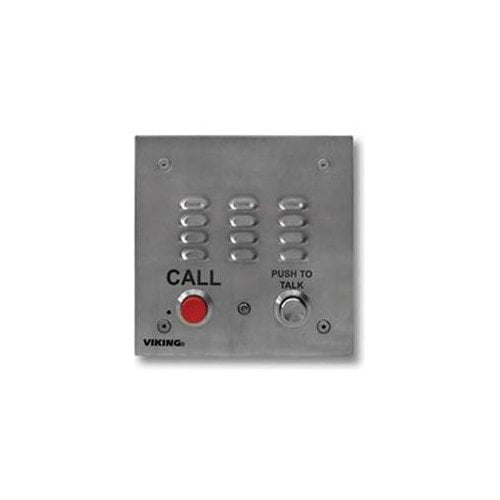 Viking Electronics E-30-PT-EWP Emergency Phone (E30PTEWP)$400.09current price $400.09