

Playstation Vc(1)
In 500+ people's carts, Sony PlayStation VGC Gift Card $10-$250 [Digital] From $10.00

Sony PlayStation VGC Gift Card $10-$250 [Digital]
Other options to consider(7)
In 500+ people's carts, Sony PlayStation Store (Bow) $25 Gift Card [Digital] From $10.00

Sony PlayStation Store (Bow) $25 Gift Card [Digital]
In 200+ people's carts, Sony PlayStation Store (Gifting) $10 Gift Card [Digital] From $10.00

Sony PlayStation Store (Gifting) $10 Gift Card [Digital]
Best seller, Sony PlayStation Store (Birthday) $10 Gift Card [Digital] From $10.00

Sony PlayStation Store (Birthday) $10 Gift Card [Digital]
Best seller, Crunchyroll MegaFan 1 Month Gift Card [Digital] $13.99

Crunchyroll MegaFan 1 Month Gift Card [Digital]
Crunchyroll MegaFan 3 Month Gift Card [Digital] $40.99

Crunchyroll MegaFan 3 Month Gift Card [Digital]
Meta Quest $15 Digital Gift Card - For Apps, Games, Experiences From $15.00
Meta Quest $15 Digital Gift Card - For Apps, Games, Experiences
The Sims 4: Eco-Lifestyle, Electronic Arts, Xbox One [Digital Download] Was $19.97
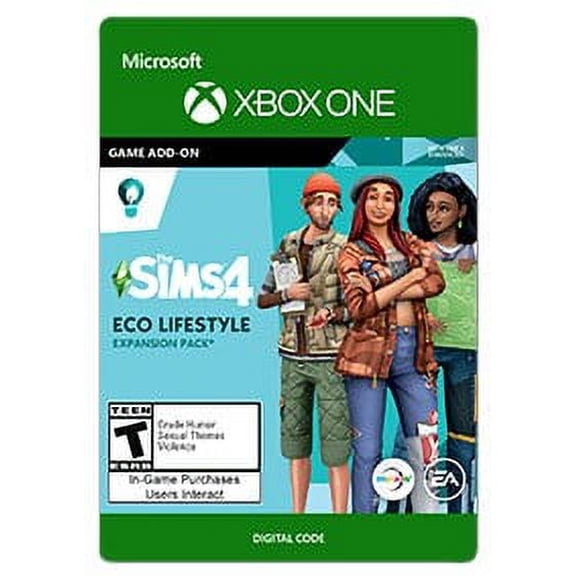
The Sims 4: Eco-Lifestyle, Electronic Arts, Xbox One [Digital Download]
FAQ
What is VC on PlayStation?
VC stands for Virtual Currency, which is used in certain PlayStation games to unlock in-game items, upgrades, or features. You can purchase VC through the PlayStation Store using gift cards or digital codes, available right here at Walmart. VC is specific to games like NBA 2K, so make sure to check if your favorite game supports it. Using VC can enhance your gaming experience by giving you access to more customization options and content.
How do I buy VC for PlayStation games?
To buy VC for PlayStation games, you’ll need to visit the PlayStation Store on your console or online.
- First, add funds to your PlayStation account using a PlayStation Store gift card from Walmart.
- Then, search for the VC pack you want within the game or the PlayStation Store.
- Follow the prompts to complete your purchase.
Can I get VC for free on PlayStation?
While there are occasional in-game events or promotions that may reward players with free VC, most VC is purchased through the PlayStation Store.
- Some games offer daily bonuses or challenges that can earn you small amounts of VC.
- Always check for official promotions within the game or on the PlayStation Store.
What can I use PlayStation gift cards for?
PlayStation gift cards can be redeemed for a variety of digital content on the PlayStation Store.
- Use them to buy games, add-ons, subscriptions like PlayStation Plus, and in-game currency such as VC.
- They’re a flexible option for adding funds to your account or gifting to friends and family.
How do I redeem a PlayStation gift card?
Redeeming a PlayStation gift card is simple and can be done right from your console or online.
- Go to the PlayStation Store and select 'Redeem Codes.'
- Enter the code from your gift card.
- The funds will be added to your account instantly.
Popular in PlayStation VC Gifts and Registry Items
Related Products
Jazwares Tower of Hell Roblox Ninja Legends Pyx Action Figure, Multicolor
 Jazwares Tower of Hell Roblox Ninja Legends Pyx Action Figure, Multicolor$14.98current price $14.98
Jazwares Roblox Series 1 Star Sorority:Rosalia The Spider Sorcerer Deluxe Mystery Pack Action Figure
 Jazwares Roblox Series 1 Star Sorority:Rosalia The Spider Sorcerer Deluxe Mystery Pack Action Figure$21.83current price $21.83
Roblox Series 1 Dungeon Quest: Poison Angel Deluxe Mystery Pack
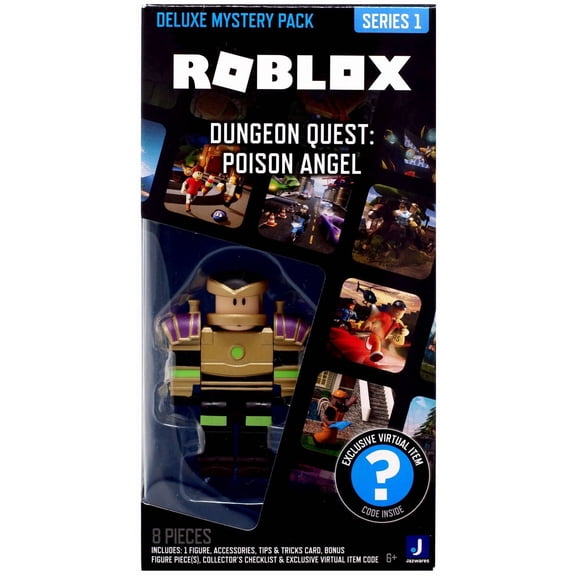 Roblox Series 1 Dungeon Quest: Poison Angel Deluxe Mystery Pack$23.88current price $23.88
Booster Gold (Futures End) 7" Figure - McFarlane Toys
 Booster Gold (Futures End) 7" Figure - McFarlane Toys$29.98current price $29.98
Roblox Brookhave St. Luke's Hospital Figure Pack [Includes Exclusive Virtual Item]
 Roblox Brookhave St. Luke's Hospital Figure Pack [Includes Exclusive Virtual Item]$32.21current price $32.21
Octopath Traveler II PlayStation 5 PS5
 Octopath Traveler II PlayStation 5 PS5$45.40current price $45.40
F.I.S.T.: Forged in Shadow Torch - PlayStation 5
 F.I.S.T.: Forged in Shadow Torch - PlayStation 5$39.99current price $39.99
NECA - Assassin's Creed: Revelations 7" Scale Action Figure - Ezio Auditore
 NECA - Assassin's Creed: Revelations 7" Scale Action Figure - Ezio Auditore$24.89current price $24.89
ROBLOX CELEBRITY PET SIMULATOR GAME PACK
 ROBLOX CELEBRITY PET SIMULATOR GAME PACK$72.88current price $72.88
