

Nookcolor(1)
Barnes & Noble NOOK Color BNRV200 Tablet, 7" WSVGA, Texas Instruments OMAP3621, 512 MB, 8 GB Storage, Android 2.2 Froyo $31.95

Barnes & Noble NOOK Color BNRV200 Tablet, 7" WSVGA, Texas Instruments OMAP3621, 512 MB, 8 GB Storage, Android 2.2 Froyo
Other options to consider(2)
Replacement Battery For Barnes & Noble 3.7v 3200mAh / 11.84Wh Ebook, eReader Battery $30.89
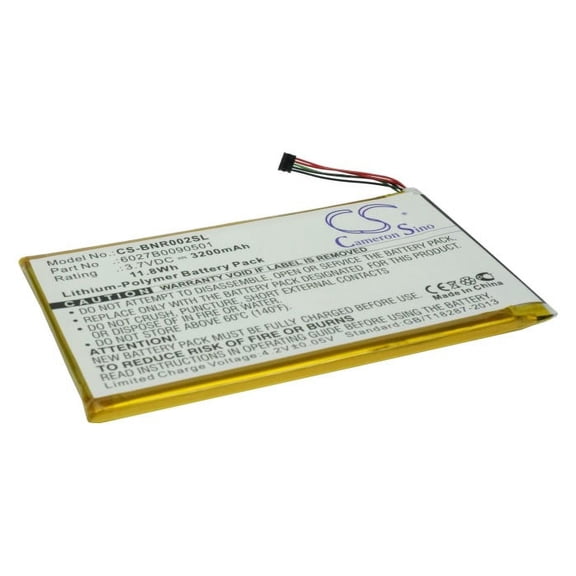
Replacement Battery For Barnes & Noble 3.7v 3200mAh / 11.84Wh Ebook, eReader Battery
6027B0090501 NOOK COLOR ENCORE Battery Nook Color Tablet BNTV250 BNTV250A BNRV200 $19.95

6027B0090501 NOOK COLOR ENCORE Battery Nook Color Tablet BNTV250 BNTV250A BNRV200
FAQ
How do I charge my NOOK Color tablet?
Charging your NOOK Color tablet is simple. Use the included USB cable and compatible wall adapter to connect your tablet to a power source. You'll see an indicator light or battery icon on the tablet showing it's charging. For best results, use accessories designed specifically for your device and avoid using third-party chargers that aren't recommended, as they might affect performance. Typically, a full charge can take several hours, depending on your usage and the charger. Make sure the charging port is clean and free of dust to maintain a steady connection.
What kind of battery does NOOK Color use?
The NOOK Color tablet uses a rechargeable lithium-polymer battery, typically rated at 3.7V with around 3200mAh capacity, depending on the model. This type of battery is lightweight and designed for repeated charging cycles. If you notice your battery life isn't what it used to be, consider power-saving tips like lowering screen brightness or closing unused apps. If a replacement is needed, look for batteries clearly marked as compatible with your specific NOOK Color model for the best fit and performance.
Can I replace the NOOK Color battery myself?
While it is possible to replace a NOOK Color battery, the process involves opening the device, which may require small tools and careful handling. If you're comfortable with tech DIY tasks, you can find compatible batteries made for your NOOK Color model. However, if you're unsure, it's a good idea to seek professional help or visit an authorized service center. Taking care with battery replacement can help avoid accidental damage or voiding your device warranty.
How do I improve battery life on my NOOK Color?
You can take several steps to help extend your NOOK Color's battery life:
- Lower the screen brightness to a comfortable level.
- Turn off Wi-Fi when you're not using it.
- Close any apps or programs you're not actively using.
- Keep the software updated for optimal efficiency.
These habits can help your NOOK Color run longer between charges. Remember, all batteries naturally lose capacity over time, but good care can keep your tablet usable for as long as possible.
Are replacement batteries compatible with all NOOK Color models?
Not all replacement batteries fit every NOOK Color model. It's essential to match the battery's specifications—such as voltage, capacity, and model numbers—to your tablet. Check your device’s manual or look for information on the model sticker, often found on the back or under the battery. If you’re unsure, reach out to the product manufacturer or a qualified technician before buying a replacement battery to make sure it will work safely with your NOOK Color.
Popular in Shop NOOKColor Tablets and Accessories Electronics Online
Related Products
5V Micro USB Replacement AC Adapter Compatible with Lenovo Tab 4 10.1in Android Tablet Power Supply
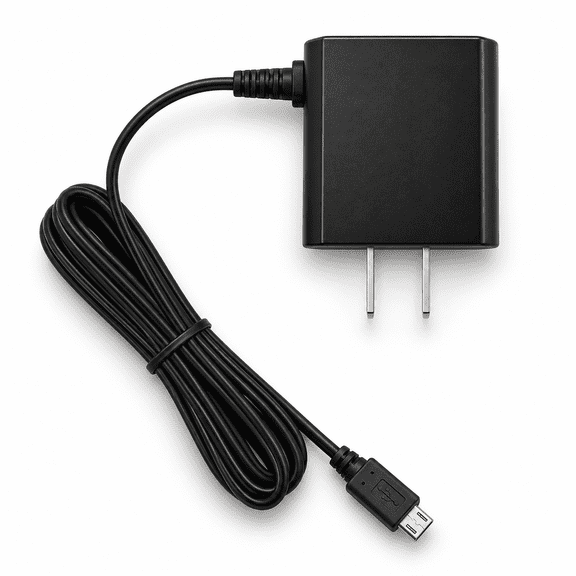 5V Micro USB Replacement AC Adapter Compatible with Lenovo Tab 4 10.1in Android Tablet Power Supply$9.99current price $9.99
Open Box onn 12.1" Tablet Pro, 128GB, (2024 Model) - Grey
 Open Box onn 12.1" Tablet Pro, 128GB, (2024 Model) - Grey$102.00current price $102.00
Open Box onn 10.1" Tablet, 32GB, (2024 Model) - Indigo
 Open Box onn 10.1" Tablet, 32GB, (2024 Model) - Indigo$62.00current price $62.00
micro USB AC Wall Charger Adapter For Kurio Smart 8.9 inch 2 In 1 Kids Tablet PC
 micro USB AC Wall Charger Adapter For Kurio Smart 8.9 inch 2 In 1 Kids Tablet PC$13.93current price $13.93
NOOK HD+ 9" Tablet Battery Replacement Kit with Tools, Video Instructions, Extended Life Battery and Full One Year Warranty
 NOOK HD+ 9" Tablet Battery Replacement Kit with Tools, Video Instructions, Extended Life Battery and Full One Year Warranty$29.95current price $29.95
Open Box onn. TBGRY100146660 11" 4GB RAM 64GB Storage 2.8 GHz Octa-Core Processor 2024 Wi-Fi Tablet Pro, Grey
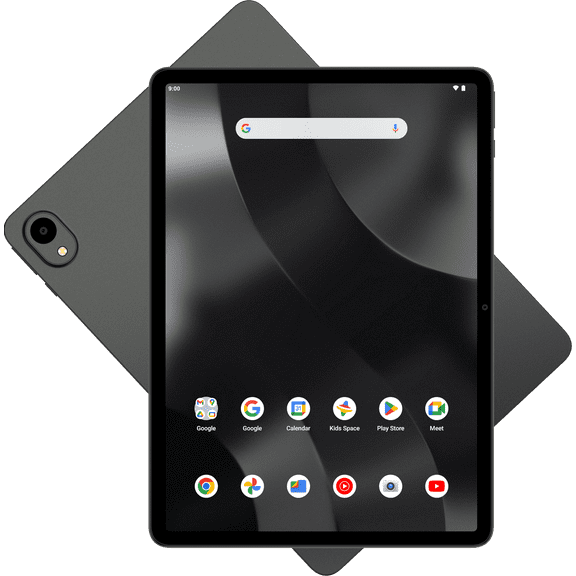 Open Box onn. TBGRY100146660 11" 4GB RAM 64GB Storage 2.8 GHz Octa-Core Processor 2024 Wi-Fi Tablet Pro, Grey$95.00current price $95.00
Open Box onn 8" Kids Tablet, 32GB (2024 Model) - Lavender
 Open Box onn 8" Kids Tablet, 32GB (2024 Model) - Lavender$35.00current price $35.00
Open Box onn 8" Kids Tablet, 32GB (2024 Model) - Pink
 Open Box onn 8" Kids Tablet, 32GB (2024 Model) - Pink$29.00current price $29.00
Battery for ONN ONA19TB002 Tablet 8 8" YB2798103 CS-NAT198SL 3400mAh 12.58Wh
 Battery for ONN ONA19TB002 Tablet 8 8" YB2798103 CS-NAT198SL 3400mAh 12.58Wh$32.89current price $32.89
EDO Tech Wall Charger for Onn 100011885 100011886 100026203 100003562 100003561 100043279 Android 8" 10.1" 11.6" Tablet Pro Gen 2 (6.5 ft Long Cable Compact USB Type C AC Power Adapter)
 EDO Tech Wall Charger for Onn 100011885 100011886 100026203 100003562 100003561 100043279 Android 8" 10.1" 11.6" Tablet Pro Gen 2 (6.5 ft Long Cable Compact USB Type C AC Power Adapter)$18.00current price $18.00
Barnes & Noble NOOK HD 7" Tablet Battery Replacement Kit with Tools, Video Instructions, Extended Life Battery and Full One Year Warranty
 Barnes & Noble NOOK HD 7" Tablet Battery Replacement Kit with Tools, Video Instructions, Extended Life Battery and Full One Year Warranty$25.95current price $25.95
PwrON Compatible USB Charging Charger Power Supply Lead Cable Replacement for NABI NABI2-NV7A Tablet
 PwrON Compatible USB Charging Charger Power Supply Lead Cable Replacement for NABI NABI2-NV7A Tablet$7.85current price $7.85