

Iphone Headset(6)
TWS Earphones Compatible With iPhone 16e/17e - Wireless Earbuds Headphones True Stereo Headset $36.99
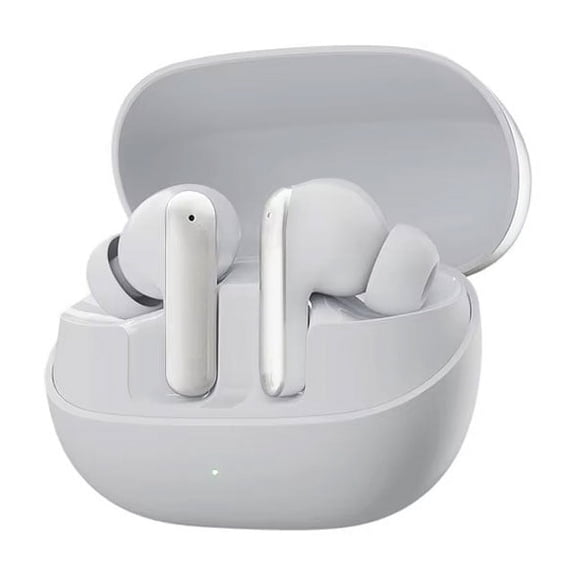
TWS Earphones Compatible With iPhone 16e/17e - Wireless Earbuds Headphones True Stereo Headset
TWS Earphones Compatible With iPhone 16e/17e - Wireless Earbuds Headphones True Stereo Headset $36.99

TWS Earphones Compatible With iPhone 16e/17e - Wireless Earbuds Headphones True Stereo Headset
TWS Earphones Compatible With iPhone 16e/17e - Wireless Earbuds Headphones True Stereo Headset $41.99

TWS Earphones Compatible With iPhone 16e/17e - Wireless Earbuds Headphones True Stereo Headset
Retro Phone Handset for iPhone iPhone & Android with Type-C,Classic Telephone Receiver,Stylish Wired Headset,Clear Audio Plug & Play for Calls & Video Chats,Gift for All or Festival
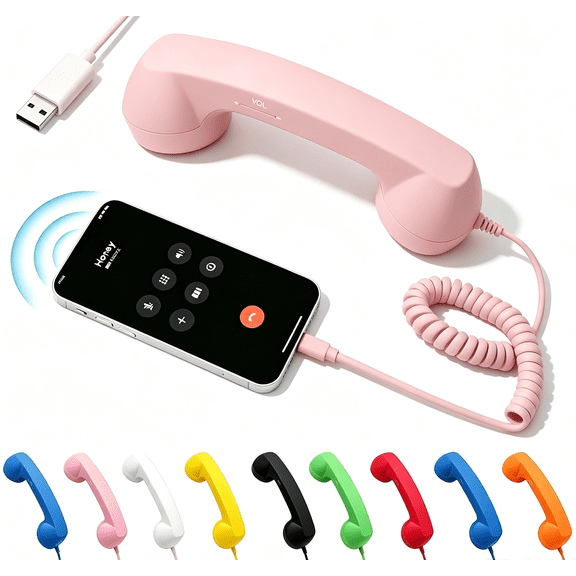


Retro Phone Handset for iPhone iPhone & Android with Type-C,Classic Telephone Receiver,Stylish Wired Headset,Clear Audio Plug & Play for Calls & Video Chats,Gift for All or Festival
TWS Earphones Compatible With iPhone 16e/17e - Wireless Earbuds Headphones True Stereo Headset $41.99

TWS Earphones Compatible With iPhone 16e/17e - Wireless Earbuds Headphones True Stereo Headset
Bluetooth Headphones Wireless Earbuds 30 Hrs Battery Life with Wireless Charging Case Waterproof Earphones Microphone Stereo Headset for iPhone & Android, Bluetooth Earphones for Sports and Working $128.99

Bluetooth Headphones Wireless Earbuds 30 Hrs Battery Life with Wireless Charging Case Waterproof Earphones Microphone Stereo Headset for iPhone & Android, Bluetooth Earphones for Sports and Working
Other options to consider(1)
3.5mm Cell Phone Handset,Retro Telephone Handset Anti Radiation Receivers for iPhone iPad,Mobile Phones,Computer, Blue
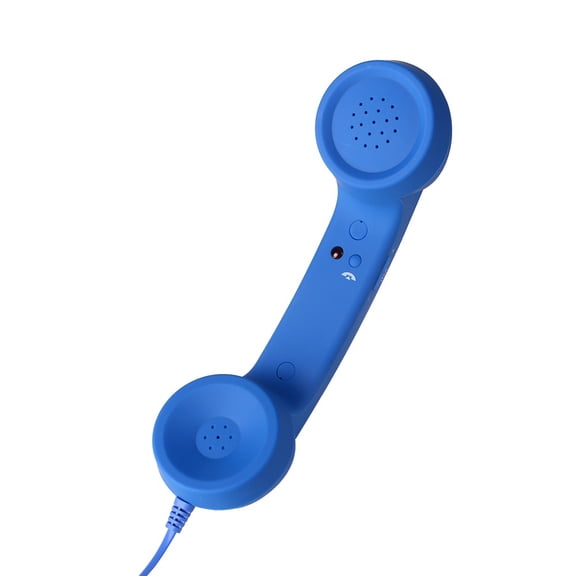


3.5mm Cell Phone Handset,Retro Telephone Handset Anti Radiation Receivers for iPhone iPad,Mobile Phones,Computer, Blue
FAQ
How do I connect wireless earbuds to my iPhone?
To connect wireless earbuds, make sure your earbuds are in pairing mode—usually by taking them out of the charging case or pressing a button. On your iPhone, open Settings > Bluetooth and switch Bluetooth on. You'll see a list of available devices; select your earbuds' name to pair. Some earbuds pair automatically on first use. If prompted for a code, try 0000 or check your product manual. Once connected, you'll hear audio through the earbuds and can manage settings like microphone and playback from your phone.
What should I look for in an iPhone headset?
- Comfort: Choose something that fits your ear shape, especially if you'll use it for long periods.
- Compatibility: Look for headsets with the right connector—USB-C, Lightning, or Bluetooth—so they work with your specific iPhone model.
- Microphone Quality: If you take calls often, a built-in mic can help you sound clearer.
- Special Features: Consider extras like noise canceling, water resistance, or built-in controls for music and calls.
Reading customer reviews and checking return policies can help guide your decision.
Can I use these headsets for online meetings?
Most iPhone-compatible headsets, both wired and wireless, can be used for online meetings and video calls. Headsets with built-in microphones let you speak clearly, while features like noise cancellation and comfortable fit are useful for longer sessions. Make sure the model you pick works with your iPhone and the video calling app you use. Some gaming or specialty headsets are designed for computers but also work with smartphones—just check the connections before purchasing.
How do I clean my earbuds safely?
- Power off and disconnect your earbuds from your device.
- Use a dry, soft cloth to gently wipe the exterior.
- For ear tips, remove them (if detachable) and clean with a lightly damp cloth. Let them dry completely before reattaching.
- Use a small brush or cotton swab to clear any debris from speaker grilles—don't use liquid directly on electronics.
Avoid using harsh chemicals or submerging any parts in water. Regular gentle cleaning can help keep your headset in good shape.
What causes one earbud to stop working?
If one earbud isn’t working, it could be due to debris in the speaker mesh, a loose connection, or battery issues (for wireless models). Try cleaning the earbud carefully and checking the fit in its case to ensure it charges or connects properly. If the problem continues, restart your device and try pairing again. For wired models, inspect the cable and connections for damage. If issues persist, check your warranty or reach out to the product’s support for troubleshooting steps.
Popular in Shop iPhone Headsets Wireless and Wired Headphones
Related Products
Black Wireless Bluetooth 5.0 Earbuds With Charging Case Sport In-Ear Headphones For Phone Ipx4 Waterproof Plastic Black
 Black Wireless Bluetooth 5.0 Earbuds With Charging Case Sport In-Ear Headphones For Phone Ipx4 Waterproof Plastic Black$9.25current price $9.25
Bluetooth Earpiece with Noise Cancellation & Microphone, Wireless Hands-Free Headset for iPhone & Android, 12H Battery Life, Comfortable Design, Type C Charging, Ideal for Business & Driving
 Bluetooth Earpiece with Noise Cancellation & Microphone, Wireless Hands-Free Headset for iPhone & Android, 12H Battery Life, Comfortable Design, Type C Charging, Ideal for Business & Driving$11.99current price $11.99
New Bee Bluetooth Earpiece,Wireless Handsfree in-Ear with Microphone, 20 Hrs Talking Time 180 Days Standby Time Bluetooth V5.0 Headset for iPhone/Android/Business/Trucker/Driver,Gold
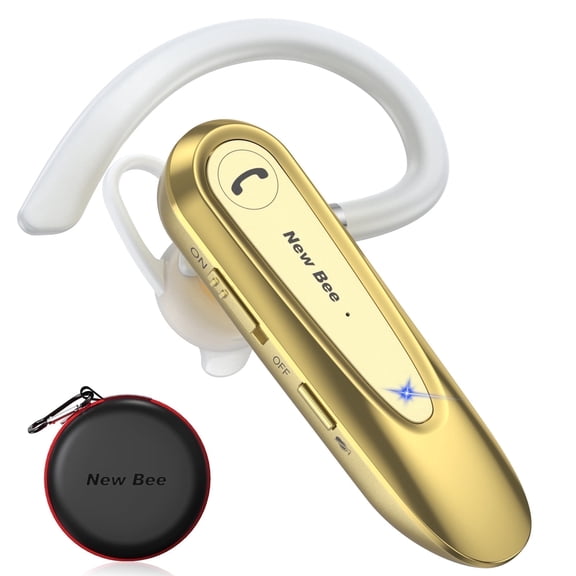 New Bee Bluetooth Earpiece,Wireless Handsfree in-Ear with Microphone, 20 Hrs Talking Time 180 Days Standby Time Bluetooth V5.0 Headset for iPhone/Android/Business/Trucker/Driver,Gold$16.99current price $16.99
Bone Conduction Earphones~Wireless Bluetooth Headset Sport Headphones T9L5
 Bone Conduction Earphones~Wireless Bluetooth Headset Sport Headphones T9L5$9.75current price $9.75
Wireless Headset Microphone for iPhone 15/16/Plus/Pro/Pro Max/16e - Headphone Bluetooth Earphone Hands-free Noise Isolation
 Wireless Headset Microphone for iPhone 15/16/Plus/Pro/Pro Max/16e - Headphone Bluetooth Earphone Hands-free Noise Isolation$72.99current price $72.99
Wireless Headphone With Microphone for iPhone 15/16/Plus/Pro/Pro Max/16e - Headset Bluetooth Earphone Hands-free Noise Isolation
 Wireless Headphone With Microphone for iPhone 15/16/Plus/Pro/Pro Max/16e - Headset Bluetooth Earphone Hands-free Noise Isolation$72.99current price $72.99
Wireless Headphone Mic for iPhone SE (2020)/SE (2022) - Headset Bluetooth Earphone Hands-free Noise Isolation
 Wireless Headphone Mic for iPhone SE (2020)/SE (2022) - Headset Bluetooth Earphone Hands-free Noise Isolation$72.99current price $72.99
Wireless Headphones Sports Earphones for iPhone SE (2020)/SE (2022) - Hands-free Mic Folding Retractable Neckband Headset Earbuds Hi-Fi Sound
 Wireless Headphones Sports Earphones for iPhone SE (2020)/SE (2022) - Hands-free Mic Folding Retractable Neckband Headset Earbuds Hi-Fi Sound$57.99current price $57.99
Wireless Headphone With Microphone for iPhone SE (2020)/SE (2022) - Headset Bluetooth Earphone Hands-free Noise Isolation
 Wireless Headphone With Microphone for iPhone SE (2020)/SE (2022) - Headset Bluetooth Earphone Hands-free Noise Isolation$72.99current price $72.99
Wireless Bluetooth Headphone With Mic for Google Pixel 9/Pro/Pro XL/9a Phones - Headset Bluetooth Earphone Hands-free Noise Isolation
 Wireless Bluetooth Headphone With Mic for Google Pixel 9/Pro/Pro XL/9a Phones - Headset Bluetooth Earphone Hands-free Noise Isolation$71.99current price $71.99
Wireless Over-Ear Headphones With Boom Microphone for iPhone SE (2020)/SE (2022) - Headset Hands-free Earphones Noise Isolation
 Wireless Over-Ear Headphones With Boom Microphone for iPhone SE (2020)/SE (2022) - Headset Hands-free Earphones Noise Isolation$71.99current price $71.99
Wireless Ear-hook OWS Earphones for Consumer Cellular ConnectPad - Bluetooth Earbuds Over the Ear Headphones True Stereo Charging Case Hands-free Mic Headset
 Wireless Ear-hook OWS Earphones for Consumer Cellular ConnectPad - Bluetooth Earbuds Over the Ear Headphones True Stereo Charging Case Hands-free Mic Headset$68.99current price $68.99
New bee Bluetooth Earpiece V5.2 Wireless Bluetoot,24H Talk/180Days Standby,ENC Dual Mic Noise Cancelling,270°Rotatable Mic,Left/Right Ear Compatible for iPhone Android Driver Business Office,Black
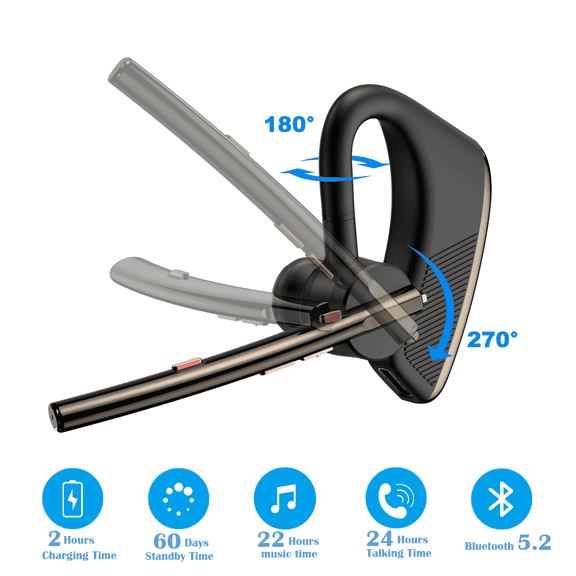 New bee Bluetooth Earpiece V5.2 Wireless Bluetoot,24H Talk/180Days Standby,ENC Dual Mic Noise Cancelling,270°Rotatable Mic,Left/Right Ear Compatible for iPhone Android Driver Business Office,Black$28.99current price $28.99
Wireless Bluetooth Headphone Microphone for Google Pixel 9/Pro/Pro XL/9a Phones - Headset Bluetooth Earphone Hands-free Noise Isolation
 Wireless Bluetooth Headphone Microphone for Google Pixel 9/Pro/Pro XL/9a Phones - Headset Bluetooth Earphone Hands-free Noise Isolation$71.99current price $71.99
Wireless Earphone Ear-hook for iPhone 15/16/Plus/Pro/Pro Max/16e - Headphone Boom Mic Handsfree Single Headset Over The Ear Earbud
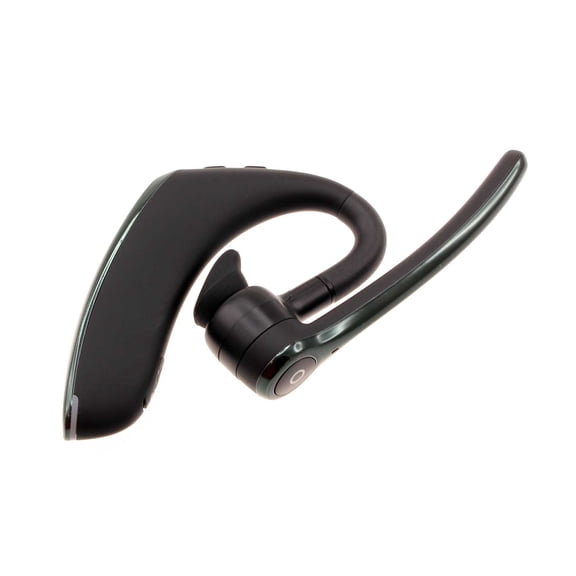 Wireless Earphone Ear-hook for iPhone 15/16/Plus/Pro/Pro Max/16e - Headphone Boom Mic Handsfree Single Headset Over The Ear Earbud$52.99current price $52.99
Earphones for Consumer Cellular ConnectPad - Hands-free Headphones Headset w Mic Earbuds HTC Earpieces
 Earphones for Consumer Cellular ConnectPad - Hands-free Headphones Headset w Mic Earbuds HTC Earpieces$17.99current price $17.99