

I7 880(2)
Restored Dell Latitude 5000 5420 14" Notebook - Full Hd - 1920 X 1080 - Intel Core I7 11T (Refurbished) $349.99

Restored Dell Latitude 5000 5420 14" Notebook - Full Hd - 1920 X 1080 - Intel Core I7 11T (Refurbished)
HP 2024 ZBook-FF14G10 14” WUXGA IPS Laptop 14-Core Intel Core i7-1370P Iris Xe Graphics 16GB DDR5 512GB SSD Thunderbolt 4 USB-C w/DP WiFi AX BT Webcam HDMI2.0 Backlit KB Fingerprint Windows 10 Pro From $1,499.00

HP 2024 ZBook-FF14G10 14” WUXGA IPS Laptop 14-Core Intel Core i7-1370P Iris Xe Graphics 16GB DDR5 512GB SSD Thunderbolt 4 USB-C w/DP WiFi AX BT Webcam HDMI2.0 Backlit KB Fingerprint Windows 10 Pro
FAQ
What should I look for in a laptop processor?
Choosing the right laptop processor depends on your typical tasks. Look for a processor with multiple cores and a higher clock speed if you need to multitask or run demanding applications.
- For everyday use, a dual or quad-core processor is often enough.
- If you work with large files, stream video, or use creative software, consider a processor with higher GHz and more cores.
Reading the specifications can help you match the processor to your needs. If you want a balance of speed and efficiency, compare the latest generation options available.
How does RAM affect laptop performance?
RAM (Random Access Memory) plays a key role in how smoothly your laptop runs. More RAM allows your laptop to handle more open applications and browser tabs at once without slowing down.
- For basic tasks, 8GB of RAM is usually sufficient.
- For multitasking, gaming, or professional programs, 16GB or more can enhance performance.
Remember, the right amount of RAM depends on what you plan to do with your laptop. Checking your usage needs can help you decide how much RAM makes sense for you.
What's the difference between SSD and HDD in laptops?
SSD (Solid State Drive) and HDD (Hard Disk Drive) are two types of storage found in laptops. SSDs typically offer faster boot times, quicker file access, and better durability since they have no moving parts.
- HDDs can provide more storage space at a lower cost but may be slower and more prone to physical damage.
- SSDs are quieter and often more energy-efficient, which can help extend battery life.
If speed and reliability matter most to you, an SSD might be the better choice. For maximum storage, an HDD could be worth considering.
How do I know if a laptop screen is good for me?
When picking a laptop screen, consider its size, resolution, and whether it's a touchscreen. A higher resolution, like Full HD (1920x1080), gives you sharper images and more workspace for multitasking.
- Larger screens (14" and above) are great for watching videos or working on multiple windows.
- Touchscreens can add convenience if you like interactive controls.
Think about how you'll use your laptop most often to decide which screen features fit your lifestyle.
What should I check before buying a refurbished laptop?
When shopping for a refurbished laptop, review the product's condition, included accessories, and warranty information. Make sure the device has been professionally restored and tested for functionality.
- Check details like battery health, keyboard, and screen quality.
- Look for information on any cosmetic imperfections.
Reading the return policy and warranty coverage can provide extra peace of mind, ensuring support if you encounter any issues after purchase.
Popular in i7 880 Laptops and Electronics for Gaming and Work
Related Products
KURIETIM 16" FHD Laptop,IntelCore i7-13620H (10/16, Up to 4.9GHz),32GB DDR4,1TB SSD,Backlit KB
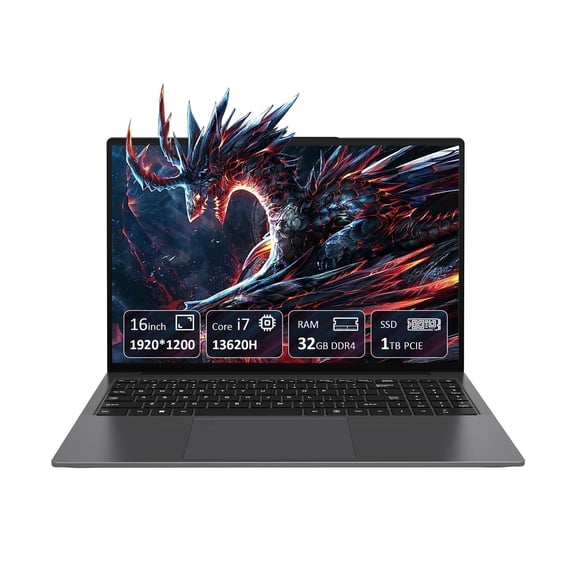 KURIETIM 16" FHD Laptop,IntelCore i7-13620H (10/16, Up to 4.9GHz),32GB DDR4,1TB SSD,Backlit KB$699.55current price $699.55
Dell Gaming G3 15 3500 - 15 Inch FHD 120Hz Refresh Rate, Intel Core i5-10300H 10th Gen, 8GB DDR4 RAM, 512GB SSD, Nvidia Geforce GTX 1650 Ti 4GB GDDR6, Windows 10 Home Eclipse Black i3500-5552BLK-PUS
 Dell Gaming G3 15 3500 - 15 Inch FHD 120Hz Refresh Rate, Intel Core i5-10300H 10th Gen, 8GB DDR4 RAM, 512GB SSD, Nvidia Geforce GTX 1650 Ti 4GB GDDR6, Windows 10 Home Eclipse Black i3500-5552BLK-PUS$899.00current price $899.00
Dell Flagship G15 5510 Gaming 15 Laptop, 15.6" FHD 120Hz Display, 10th Gen Intel Core i5-10200H, GeForce GTX 1650 4GB, Backlit Keyboard, WIFI6, Nahimic 3D Audio, Win10 (8GB RAM | 256GB SSD)
 Dell Flagship G15 5510 Gaming 15 Laptop, 15.6" FHD 120Hz Display, 10th Gen Intel Core i5-10200H, GeForce GTX 1650 4GB, Backlit Keyboard, WIFI6, Nahimic 3D Audio, Win10 (8GB RAM | 256GB SSD)$999.00current price $999.00