

Fido Key 2(5)
Thetis Nano-C FIDO2 Security Key Hardware Passkey Device with USB Type C, TOTP/HOTP, FIDO2.0 Two Factor Authentication 2FA MFA, Works with Windows/mac/iOS/Android/Linux/Gmail/Facebook/GitHub/Coinbase $24.99

Thetis Nano-C FIDO2 Security Key Hardware Passkey Device with USB Type C, TOTP/HOTP, FIDO2.0 Two Factor Authentication 2FA MFA, Works with Windows/mac/iOS/Android/Linux/Gmail/Facebook/GitHub/Coinbase
OEM Sourcing 905602-1 Identiv U Trust FIDO2 NFC Security Key, USB-C - White $86.35
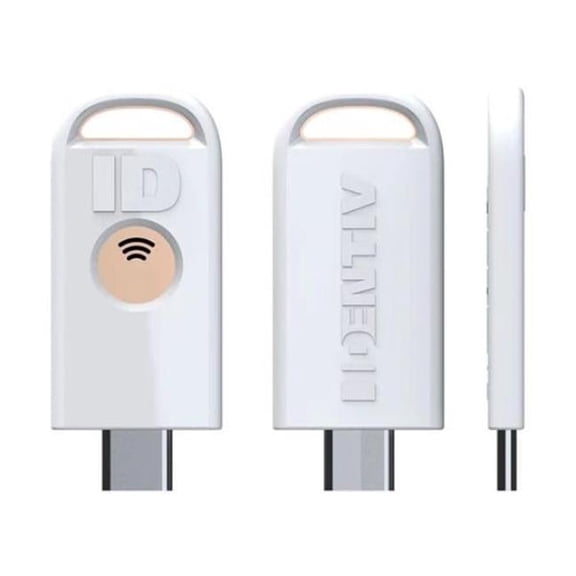
OEM Sourcing 905602-1 Identiv U Trust FIDO2 NFC Security Key, USB-C - White
Kensington VeriMark Guard USB-A Fingerprint Security Key - FIDO2, WebAuthn/CTAP2, & FIDO U2F - Cross Platform $56.99
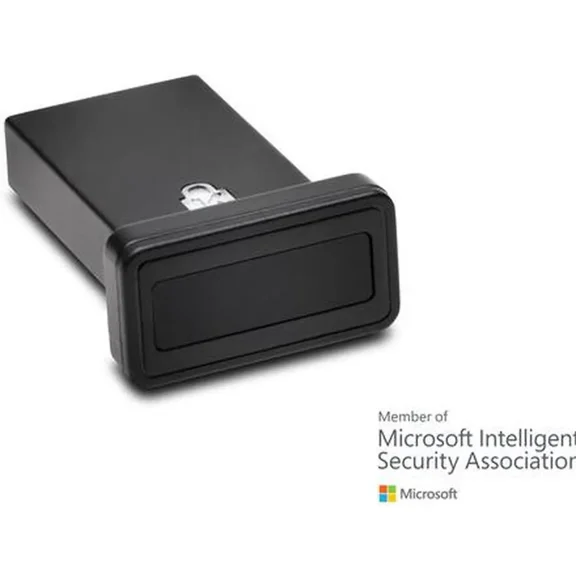
Kensington VeriMark Guard USB-A Fingerprint Security Key - FIDO2, WebAuthn/CTAP2, & FIDO U2F - Cross Platform
Thetis Pro For Business - FIDO2 Security Key L1 MFA & NFC Passkey For School ERP, Employee Online Account, Compatible with Coinbase Google Workspace Apple ID Window Salesforce,Dual USB A +USB C $299.99

Thetis Pro For Business - FIDO2 Security Key L1 MFA & NFC Passkey For School ERP, Employee Online Account, Compatible with Coinbase Google Workspace Apple ID Window Salesforce,Dual USB A +USB C
Thetis Pro For Business - FIDO2 Security Key L1 MFA & NFC Passkey Access For School ERP, Employee Online Account, Compatible with Coinbase Google Workspace Apple ID Window Salesforce,Dual USB A +USB $59.99

Thetis Pro For Business - FIDO2 Security Key L1 MFA & NFC Passkey Access For School ERP, Employee Online Account, Compatible with Coinbase Google Workspace Apple ID Window Salesforce,Dual USB A +USB
Other options to consider(1)
Best seller, Thetis FIDO U2F Security Key, USB-A, with Aluminum Folding Design, Support U2F Protocol $23.84

Thetis FIDO U2F Security Key, USB-A, with Aluminum Folding Design, Support U2F Protocol
FAQ
How does a security key help protect my accounts?
A security key adds an extra layer of protection to your online accounts by requiring physical authentication in addition to your password. This means that even if someone knows your password, they can't access your account without the key itself.
- It uses secure protocols like FIDO2 for strong authentication.
- It can be used on different devices through USB-C or NFC.
- It's especially helpful for preventing phishing attacks since the key verifies the website's legitimacy.
This makes your data safer when signing in to services like email, social media, or cloud storage.
Can I use this security key with my phone?
Yes, many security keys with NFC support can work with compatible smartphones and tablets. If your mobile device has NFC, you can tap the key to your device during sign-in for added convenience.
- For USB-C devices, you can also plug the key directly into your phone or tablet if it has a USB-C port.
- Check that the apps or services you use support security key login on mobile.
This makes it easy to secure accounts on the go, whether you're using a computer or a mobile device.
What steps should I follow to set up my security key?
Setting up a security key usually takes just a few minutes. Here's how you can get started:
- Go to your account's security settings on the website or app you want to secure.
- Choose the option to add a security key or two-factor authentication (2FA) device.
- Insert your security key into your device's USB-C port or tap it via NFC if supported.
- Follow the on-screen instructions to register your key.
The process may vary slightly depending on the service, so it's helpful to check their help guides for detailed steps.
Is it possible to use one security key for multiple accounts?
Yes, many security keys support being linked to several accounts across different services. You can register the same key with each account that supports hardware authentication.
- This is convenient for managing multiple logins without carrying several devices.
- Just make sure each account allows for hardware security keys and follow their setup process individually.
Having backup sign-in options is also a good idea in case you lose your key.
What should I do if I lose my security key?
If you lose your security key, don't worry—most services let you recover access to your accounts using backup methods. Here are some tips:
- Set up alternative sign-in methods, like backup codes or another key, in advance.
- Contact the service provider's support if you're locked out and follow their recovery process.
- Remove the lost key from your accounts as soon as possible to keep them secure.
Planning ahead can help you quickly regain access without compromising your account safety.
Popular in FIDO Key 2 Security Keys for Authentication Devices
Related Products
USB COMMON ACCESS CARD READER NON-TAA
 USB COMMON ACCESS CARD READER NON-TAA$21.99current price $21.99
Fyydes NFC USB Memory Card Reader Writer
 Fyydes NFC USB Memory Card Reader Writer$37.80current price $37.80
SABRENT USB Type C CFast 2.0 Card Reader [CR-CF20]
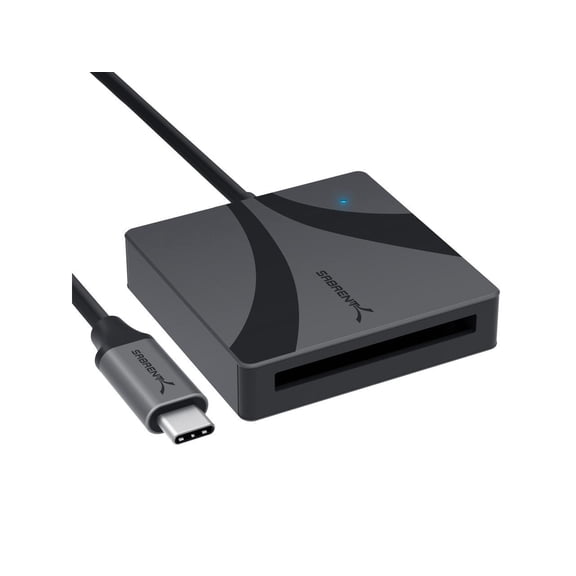 SABRENT USB Type C CFast 2.0 Card Reader [CR-CF20]$34.95current price $34.95
USB2.0 Intelligent Identification Card Reader for CAC Bank Card Card Reader
 USB2.0 Intelligent Identification Card Reader for CAC Bank Card Card Reader$14.09current price $14.09
Adesso USB Smart Carder Reader, TAA Compliant
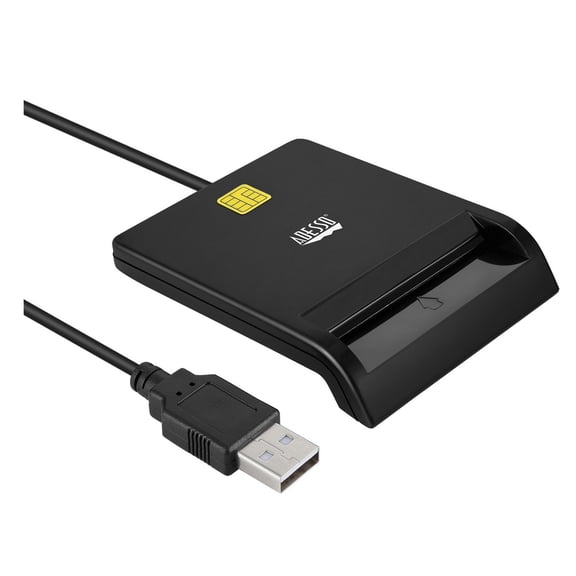 Adesso USB Smart Carder Reader, TAA Compliant$19.99current price $19.99
Clearance Now! 1X All in One Card Memory Reader USB External M2 Mini US XD MMC Micro S8Y6
 Clearance Now! 1X All in One Card Memory Reader USB External M2 Mini US XD MMC Micro S8Y6$4.48current price $4.48
SmartQ USB-C Memory Card Reader for Micro SD Cards
 SmartQ USB-C Memory Card Reader for Micro SD Cards$12.99current price $12.99
SIISLL USB 3.0 Type C Memory Card Reader for SD/Micro SD Cards
 SIISLL USB 3.0 Type C Memory Card Reader for SD/Micro SD Cards$11.29current price $11.29
Energizer SD Card Reader - High-Speed File Transfer, Plug and Play - Compatible with SD, MMC, SDHC, SDXC Cards
 Energizer SD Card Reader - High-Speed File Transfer, Plug and Play - Compatible with SD, MMC, SDHC, SDXC Cards$9.99current price $9.99
SmartQ C307 USB 3.0 Memory Card Reader for SD/SDHC/SDXC Cards
 SmartQ C307 USB 3.0 Memory Card Reader for SD/SDHC/SDXC Cards$7.99current price $7.99
Contact + NFC 2-In-1 Smart Card Reader PC-Linked Dual-Interface Smart Card Reader/Writer Contact PCSC Smart Card Reader
 Contact + NFC 2-In-1 Smart Card Reader PC-Linked Dual-Interface Smart Card Reader/Writer Contact PCSC Smart Card Reader$23.64current price $23.64

