

Custom Elite(1)
Custom Controllerzz Elite Series 2 Controller Compatible With Xbox One, Xbox Series S, and Xbox Series X (Jokester) $269.95

Custom Controllerzz Elite Series 2 Controller Compatible With Xbox One, Xbox Series S, and Xbox Series X (Jokester)
Other options to consider(1)
Next Level Racing F-GT Elite 160 Cockpit (Wheel Plate Edition), Black $1,099.99
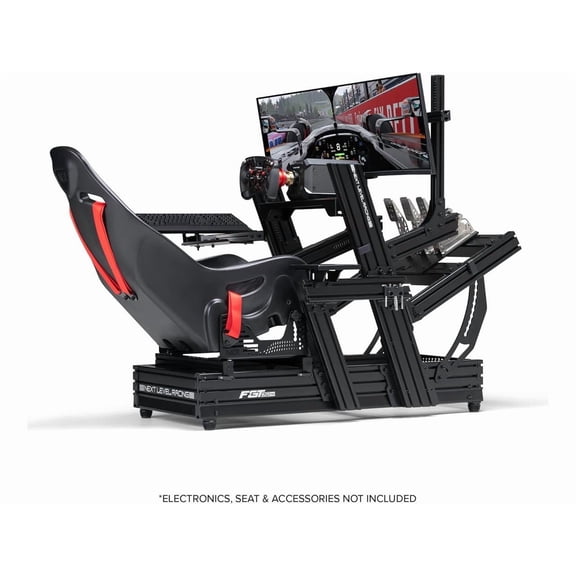
Next Level Racing F-GT Elite 160 Cockpit (Wheel Plate Edition), Black
FAQ
How do you customize a game controller?
Customizing a game controller usually means choosing unique features and designs that fit your style. Some controllers, like those compatible with Xbox consoles, offer options for colors, graphics, and button layouts.
- Look for customization services where you can select designs online.
- Decide if you want changes to button sensitivity or stick placement for gameplay.
- Check compatibility with your gaming system before finalizing your choices.
Personalizing your controller can make gaming more comfortable and fun.
What makes a controller 'elite' compared to regular ones?
Elite controllers often stand out due to advanced features and customizable options. These can include improved grip, adjustable thumbsticks, and extra buttons or paddles for more control during games.
- Enhanced build quality for durability.
- Options for tuning sensitivity and button mapping.
- Designed for comfort during long gaming sessions.
These upgrades can help players enjoy a smoother and more tailored gaming experience.
Can you use this controller with different Xbox consoles?
Many custom controllers are made to work across several Xbox platforms, including Xbox One, Xbox Series S, and Xbox Series X. It's important to check the product's compatibility details before you buy.
- Look for compatibility information in the product description.
- Some controllers work wirelessly or with a USB cable, depending on the console.
- If you're unsure, you can ask a store associate for help or check online support resources.
Using the same controller across devices can make switching between consoles easier.
How do you clean a custom controller safely?
Keeping your controller clean helps it last longer and perform well. To clean it safely, start by unplugging or turning it off. Use a soft, slightly damp cloth to wipe down surfaces.
- Avoid harsh chemicals or soaking the controller.
- Use cotton swabs for hard-to-reach areas around buttons.
- Let it air dry completely before using again.
Regular cleaning can prevent buildup and keep your controller looking great.
Where can you find replacement parts for custom controllers?
Replacement parts for custom controllers, such as thumbsticks or paddles, are sometimes available through retailers or online shops. It's a good idea to check with the store where you purchased your controller or visit the manufacturer's website for compatible accessories.
- Search for specific parts by controller model.
- Ask a store associate for guidance if you're unsure.
- Some stores offer support or links to official replacement options.
Getting the right parts can help keep your controller working smoothly.
Popular in Custom Elite Xbox Controllers for Gaming
Related Products
Gamrombo 2-Pack Xbox 360 Wireless Controller, 2.4GHz Game Joystick Gamepad Compatible with Xbox 360 Slim, PC Windows 7, Windows 8 and Windows 10
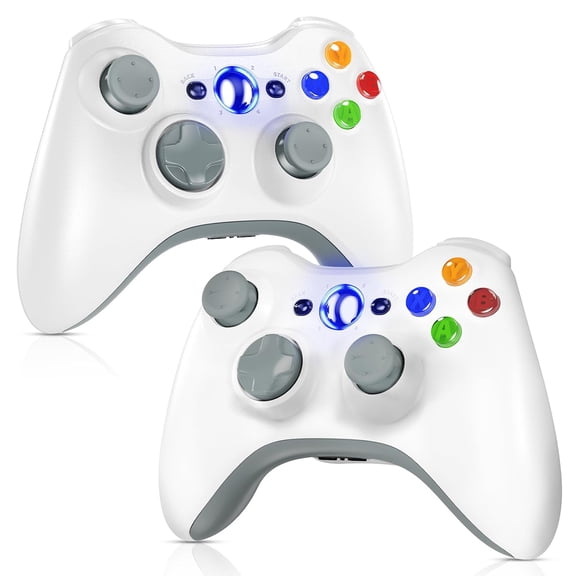 Gamrombo 2-Pack Xbox 360 Wireless Controller, 2.4GHz Game Joystick Gamepad Compatible with Xbox 360 Slim, PC Windows 7, Windows 8 and Windows 10$35.99current price $35.99
Designer Series Custom Wireless Controller for PC, Windows, Series X/S & One - Multiple Designs Available (Black Skullz w/Silver Chrome Inserts)
 Designer Series Custom Wireless Controller for PC, Windows, Series X/S & One - Multiple Designs Available (Black Skullz w/Silver Chrome Inserts)$149.95current price $149.95
Custom Controllerzz Designer Series Custom Wireless Controller for PC, Windows, Series X/S & One - Multiple Designs Available (Polar Pixel & Baby Blue Inserts)
 Custom Controllerzz Designer Series Custom Wireless Controller for PC, Windows, Series X/S & One - Multiple Designs Available (Polar Pixel & Baby Blue Inserts)$149.99current price $149.99
Custom Controllerzz Designer Series Custom Wireless Controller for PC, Windows, Series X/S & One - Multiple Designs Available (Swamp Fade & Green Chrome Inserts)
 Custom Controllerzz Designer Series Custom Wireless Controller for PC, Windows, Series X/S & One - Multiple Designs Available (Swamp Fade & Green Chrome Inserts)$149.99current price $149.99
8Bitdo Ultimate Mobile Gaming Controller for iPhone, Apple, Android & Xbox Cloud Gaming, Bluetooth Gamepad with Hall Effect Joysticks, 2 Pro Back Buttons, Officially Licensed (Black)
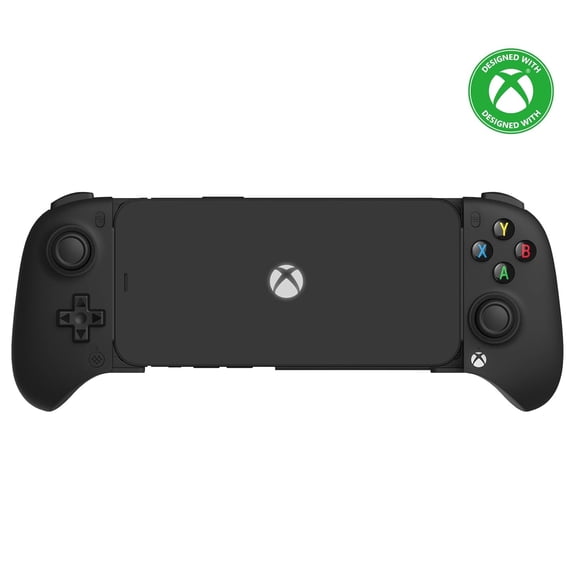 8Bitdo Ultimate Mobile Gaming Controller for iPhone, Apple, Android & Xbox Cloud Gaming, Bluetooth Gamepad with Hall Effect Joysticks, 2 Pro Back Buttons, Officially Licensed (Black)$49.99current price $49.99