Cisco Memory Upgrade(181)
MEM-2951-512U2GB= 2GB 3rd PARTY DRAM MEMORY UPGRADE FOR CISCO 2951 ROUTER ISR $18.95

MEM-2951-512U2GB= 2GB 3rd PARTY DRAM MEMORY UPGRADE FOR CISCO 2951 ROUTER ISR
CMS 16MB (1X16MB) SDRAM PC100, 133MHZ NON ECC SODIMM Memory Ram Upgrade Compatible with Cisco Routers 2610, 2611, 2612, 2613, 2620, 2621 - C61 $19.00

CMS 16MB (1X16MB) SDRAM PC100, 133MHZ NON ECC SODIMM Memory Ram Upgrade Compatible with Cisco Routers 2610, 2611, 2612, 2613, 2620, 2621 - C61
M-ASR1K-1001-8GB 8GB (4x2GB) Dram memory Upgrade for Cisco ASR 1001 Series $89.00

M-ASR1K-1001-8GB 8GB (4x2GB) Dram memory Upgrade for Cisco ASR 1001 Series
Cisco 2GB DRAM Memory Module $59.95

Cisco 2GB DRAM Memory Module
1GB Original Flash Memory Upgrade for Cisco 1841, 2801,2811, 2821, 2851, 3745 $29.95

1GB Original Flash Memory Upgrade for Cisco 1841, 2801,2811, 2821, 2851, 3745
Cisco HW Switches SD-IE-1GB 1 GB Sd - 1 Card $234.24

Cisco HW Switches SD-IE-1GB 1 GB Sd - 1 Card
MEM-CF-2GB Approved Original Flash Memory Upgrade for Cisco 1900 2900 3900 MEM-CF-256U2GB $38.00

MEM-CF-2GB Approved Original Flash Memory Upgrade for Cisco 1900 2900 3900 MEM-CF-256U2GB
MEM-CF-2GB Flash Memory Upgrade for Cisco 1900 2900 3900 MEM-CF-256U2GB $35.00

MEM-CF-2GB Flash Memory Upgrade for Cisco 1900 2900 3900 MEM-CF-256U2GB
M-ASR1K-1001-16GB 16GB (4X 4GB) Dram Memory Upgrade for Cisco ASR 1001 Series (Keystron brand) $89.00

M-ASR1K-1001-16GB 16GB (4X 4GB) Dram Memory Upgrade for Cisco ASR 1001 Series (Keystron brand)
MEM3800-256CF 256MB CF FLASH MEMORY CARD for CISCO 3825 3845 ROUTER $19.95

MEM3800-256CF 256MB CF FLASH MEMORY CARD for CISCO 3825 3845 ROUTER
CMS 32MB (1X32MB) SDRAM PC100, 133MHZ NON ECC SODIMM Memory Ram Upgrade Compatible with Cisco Routers 2610, 2611, 2612, 2613, 2620, 2621 - C104 $15.00

CMS 32MB (1X32MB) SDRAM PC100, 133MHZ NON ECC SODIMM Memory Ram Upgrade Compatible with Cisco Routers 2610, 2611, 2612, 2613, 2620, 2621 - C104
MEM-RSP720-CF512M 512B Approved Compact Flash Memory for Cisco 7600 RSP720 $54.95

MEM-RSP720-CF512M 512B Approved Compact Flash Memory for Cisco 7600 RSP720
MEMUC500-8192CF 8GB Compact Flash Memory for Cisco UC560 platform Genuine Cisco Flash Card $169.50

MEMUC500-8192CF 8GB Compact Flash Memory for Cisco UC560 platform Genuine Cisco Flash Card
MEM-CF-4GB Flash Memory Upgrade for Cisco 1900 2900 3900 MEM-CF-256U4GB $45.00

MEM-CF-4GB Flash Memory Upgrade for Cisco 1900 2900 3900 MEM-CF-256U4GB
MEM-FLASH-8G 8GB Compatible CompactFlash Memory Upgrade for Cisco ISR 4450 4451 $69.95

MEM-FLASH-8G 8GB Compatible CompactFlash Memory Upgrade for Cisco ISR 4450 4451
MEM-4400-8G= (1x8GB) 8GB Memory Module Upgrade For Cisco ISR 4400, 4431, 4451 ISR by Keystron $77.99

MEM-4400-8G= (1x8GB) 8GB Memory Module Upgrade For Cisco ISR 4400, 4431, 4451 ISR by Keystron
MEM-C6K-CPTFL2GB 2GB Cisco Original Flash Memory for Cisco Catalyst 6500 Router 7600 Sup2T $69.95

MEM-C6K-CPTFL2GB 2GB Cisco Original Flash Memory for Cisco Catalyst 6500 Router 7600 Sup2T
MEM-FLASH-8U32G 8GB to 32GB CompactFlash CF Memory Upgrade 4 Cisco ISR 4450 4451 $127.00

MEM-FLASH-8U32G 8GB to 32GB CompactFlash CF Memory Upgrade 4 Cisco ISR 4450 4451
ASA5500-CF-1GB 1GB Compatible CompactFlash CF Memory for Cisco ASA 5500 Router $24.95

ASA5500-CF-1GB 1GB Compatible CompactFlash CF Memory for Cisco ASA 5500 Router
Cisco Compatible UCS-SD-64G-S 64MB Flash for UCS Server B200 B420 C220 C240 M4 $74.00

Cisco Compatible UCS-SD-64G-S 64MB Flash for UCS Server B200 B420 C220 C240 M4
Cisco Compatible UCS-SD-32G-S for UCS Server C220 M3 Managed C240 M3, C460 M4 $33.99

Cisco Compatible UCS-SD-32G-S for UCS Server C220 M3 Managed C240 M3, C460 M4
Explore related products(1000+)
FAQ
How do I know which Cisco memory fits my device?
Finding the right Cisco memory upgrade depends on your device model and its specific memory requirements. Start by checking your device’s user manual or technical documentation for compatible memory types and maximum capacity. Many Cisco routers and switches only support certain types and sizes of DRAM or flash memory cards, so it’s important to confirm compatibility before purchasing.
- Check your model number and product details.
- Look for supported memory sizes (like 2GB, 8GB, 16GB, etc.).
- Compare these requirements with the memory product’s descriptions on the website.
If you’re unsure, reach out to a support specialist for help before upgrading.
What’s the difference between DRAM and flash memory for Cisco?
DRAM (Dynamic Random-Access Memory) and flash memory serve different functions in Cisco devices. DRAM is often used for active system processes and temporary storage while the device is powered on. It helps in running applications and handling data traffic in routers or switches.
- DRAM: Volatile, only works while the device is powered up.
- Flash memory: Non-volatile, used for storing the operating system, configurations, and files that need to persist even when the device is powered off.
Choosing the right type is key, as upgrades aren’t interchangeable between these two types of memory.
Can I install a Cisco memory upgrade myself?
Many Cisco memory upgrades can be installed without advanced tools, but it's important to follow safety guidelines:
- Power down and unplug the device before opening it.
- Wear an anti-static wrist strap to protect sensitive components.
- Insert the new memory module or card firmly into the appropriate slot.
- Secure all connections and close the device before plugging it back in.
Always follow any manufacturer or model-specific instructions provided in your Cisco device’s manual for best results and to avoid damaging your equipment.
Will upgrading memory improve my Cisco router’s performance?
Adding more memory to your Cisco router can help with improved multitasking, handling larger configurations, and supporting advanced features. In practice:
- More DRAM may allow the device to support additional users or complex routing processes.
- Extra flash storage might provide space for multiple firmware images or configuration files.
However, actual performance gains depend on your device model, current setup, and workload. Upgrades are not guaranteed to increase all aspects of performance—other factors like CPU and network speed also matter.
How should I care for Cisco memory modules after installation?
After installing new memory modules, take a few steps to keep them running smoothly:
- Ensure your device stays in a clean, dust-free environment with good ventilation.
- Avoid excessive handling of components once installed to minimize static electricity risks.
- Periodically check connections during routine device maintenance but don’t remove modules unless necessary.
- Keep your device firmware up to date to ensure compatibility with upgraded hardware.
Proper care can help your Cisco memory modules remain reliable and extend their effective lifespan.
Popular in Cisco Memory Upgrade Modules and Cards for Electronics
Related Products
CORSAIR Vengeance LPX 16GB (2 x 8GB) 288-Pin PC RAM DDR4 3200 (PC4 25600) Desktop Memory Model CMK16GX4M2E3200C16
 CORSAIR Vengeance LPX 16GB (2 x 8GB) 288-Pin PC RAM DDR4 3200 (PC4 25600) Desktop Memory Model CMK16GX4M2E3200C16$169.99current price $169.99
CORSAIR Vengeance 32GB 262-Pin DDR5 SO-DIMM DDR5 5600 (PC5 44800) Laptop Memory Model CMSX32GX5M1A5600C48
 CORSAIR Vengeance 32GB 262-Pin DDR5 SO-DIMM DDR5 5600 (PC5 44800) Laptop Memory Model CMSX32GX5M1A5600C48$514.99current price $514.99
CORSAIR Vengeance 32GB (2 x 16GB) 262-Pin DDR5 SO-DIMM DDR5 5600 (PC5 44800) Laptop Memory Model CMSX32GX5M2A5600C48
 CORSAIR Vengeance 32GB (2 x 16GB) 262-Pin DDR5 SO-DIMM DDR5 5600 (PC5 44800) Laptop Memory Model CMSX32GX5M2A5600C48$519.99current price $519.99
Timetec 16GB DDR4 2666MHz (PC4-2666V) PC4-21300 UDIMM Desktop RAM – 288-Pin 1.2V CL19 Non-ECC Unbuffered DIMM Memory Module Upgrade
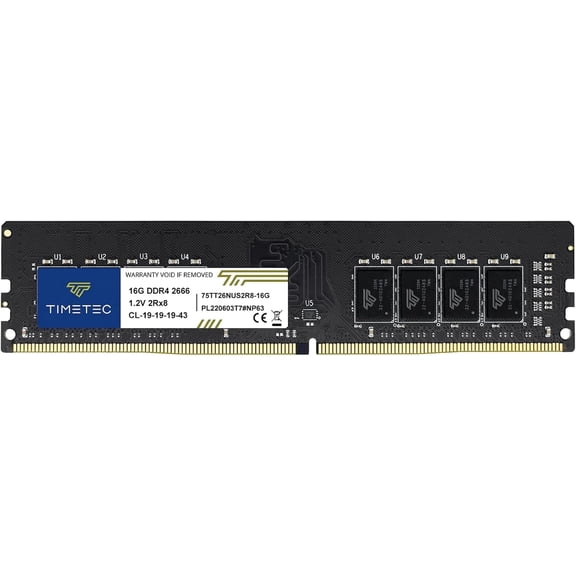 Timetec 16GB DDR4 2666MHz (PC4-2666V) PC4-21300 UDIMM Desktop RAM – 288-Pin 1.2V CL19 Non-ECC Unbuffered DIMM Memory Module Upgrade$98.99current price $98.99
Corsair Vengeance RGB Pro SL 16GB [2x8GB] DDR4 DRAM 3200MHz C16 Memory Kit - Black (cmh16gx4m2e3200c16)
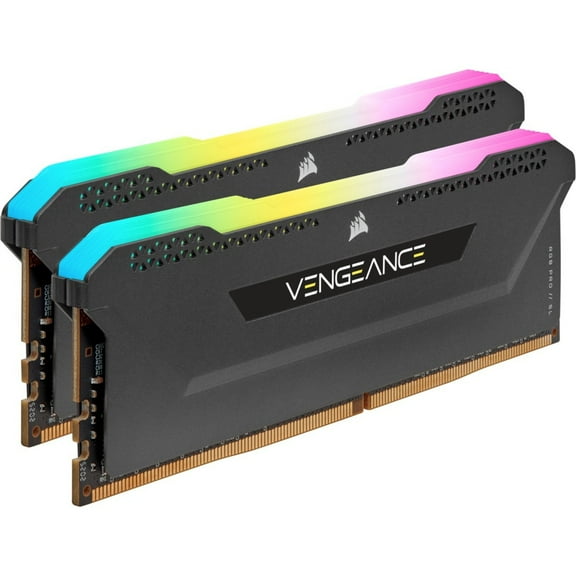 Corsair Vengeance RGB Pro SL 16GB [2x8GB] DDR4 DRAM 3200MHz C16 Memory Kit - Black (cmh16gx4m2e3200c16)$179.99current price $179.99
Timetec Hynix IC 8GB DDR3 1333MHz PC3-10600 Unbuffered Non-ECC 1.5V CL9 2Rx8 Dual Rank 240 Pin UDIMM Desktop Memory Ram Module Upgrade (8GB)
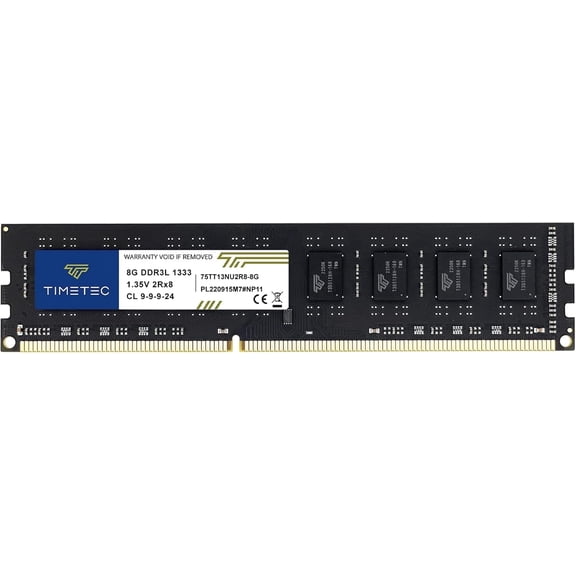 Timetec Hynix IC 8GB DDR3 1333MHz PC3-10600 Unbuffered Non-ECC 1.5V CL9 2Rx8 Dual Rank 240 Pin UDIMM Desktop Memory Ram Module Upgrade (8GB)$19.99current price $19.99
Corsair DDR5 RAM Memory, CMH32GX5M2X7000C36, 2 Count
 Corsair DDR5 RAM Memory, CMH32GX5M2X7000C36, 2 Count$679.99current price $679.99
CORSAIR Vengeance RGB 32GB (2 x 16GB) 288-Pin PC RAM DDR5 5200 (PC5 41600) Desktop Memory Model CMH32GX5M2B5200C40W
 CORSAIR Vengeance RGB 32GB (2 x 16GB) 288-Pin PC RAM DDR5 5200 (PC5 41600) Desktop Memory Model CMH32GX5M2B5200C40W$535.99current price $535.99
Timetec 16GB DDR4 2400MHz (PC4-2400T) PC4-19200 UDIMM Desktop RAM – 288-Pin 1.2V CL17 Non-ECC Unbuffered DIMM Memory Module Upgrade
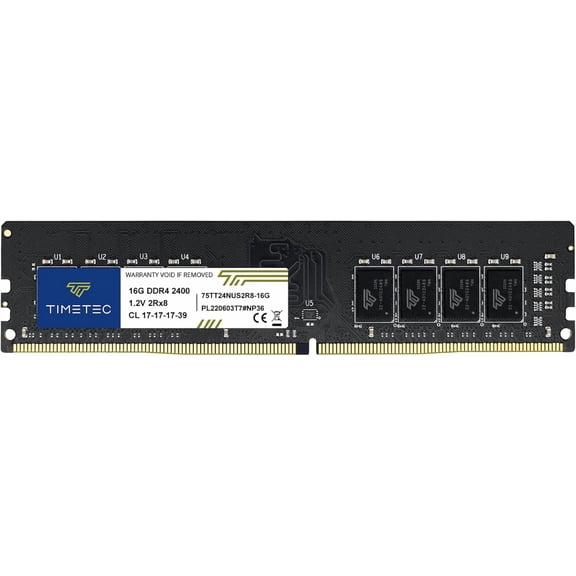 Timetec 16GB DDR4 2400MHz (PC4-2400T) PC4-19200 UDIMM Desktop RAM – 288-Pin 1.2V CL17 Non-ECC Unbuffered DIMM Memory Module Upgrade$97.99current price $97.99
Crucial Pro Overclocking 32GB (2 x 16GB) DDR5 6000 (PC5 48000) Desktop Memory Model CP2K16G60C36U5B
 Crucial Pro Overclocking 32GB (2 x 16GB) DDR5 6000 (PC5 48000) Desktop Memory Model CP2K16G60C36U5B$595.00current price $595.00
Timetec Pinnacle Konduit 8GB DDR4 3200MHz PC4-25600 CL16-18-18-38 XMP2.0 Overclocking 1.35V Compatible for AMD and Intel Desktop Gaming PC Memory Module RAM - Pink
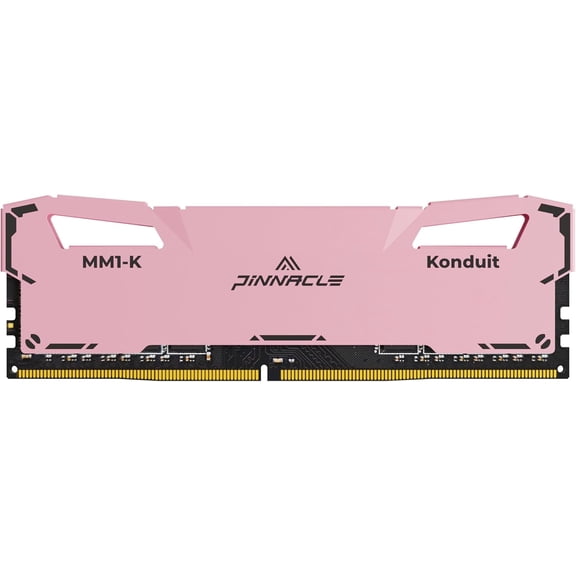 Timetec Pinnacle Konduit 8GB DDR4 3200MHz PC4-25600 CL16-18-18-38 XMP2.0 Overclocking 1.35V Compatible for AMD and Intel Desktop Gaming PC Memory Module RAM - Pink$65.99current price $65.99
CORSAIR Dominator Titanium 64GB (4 x 16GB) DDR5 6400 (PC5 51200) Desktop Memory Model CMP64GX5M4B6400C32W
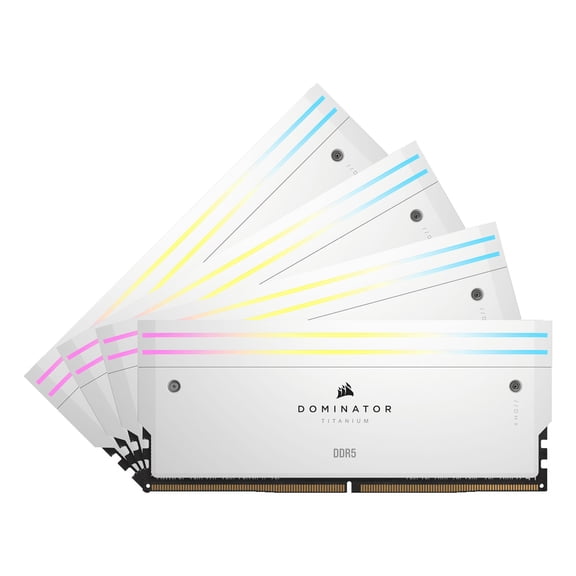 CORSAIR Dominator Titanium 64GB (4 x 16GB) DDR5 6400 (PC5 51200) Desktop Memory Model CMP64GX5M4B6400C32W$1407.99current price $1407.99
CORSAIR Dominator Titanium 64GB (2 x 32GB) DDR5 6000 (PC5 48000) Desktop Memory Model CMP64GX5M2B6000C30
 CORSAIR Dominator Titanium 64GB (2 x 32GB) DDR5 6000 (PC5 48000) Desktop Memory Model CMP64GX5M2B6000C30$1384.99current price $1384.99